
On this page
Start here
Quick answer
First separate a dishwasher that never starts from one that stopped mid-cycle or is simply taking longer than expected. Frigidaire says to check Delay Start or Child Lock, press START/CANCEL after selecting the cycle, close the door immediately, verify the door is fully closed, confirm water supply and check the breaker or fuse. If it stopped mid-cycle with water left inside, check only the visible drain hose and the accessible glass trap/filter, then use the documented Cancel reset and a new cycle where that control exists. Do not infer a failed pump, heater or control board from a non-cycling symptom; persistent failure, leaks, burning odor, repeated power trips or any need to open the cabinet calls for qualified service.
Before you begin
Safety first
- Limit owner work to the documented controls, fully closing the door, household water supply, accessible drain hose, accessible glass trap/filter, and model-documented cleaning or reset steps. Do not remove panels, reach into the pump or heater, probe live wiring, bypass the door latch, or substitute an unverified part.
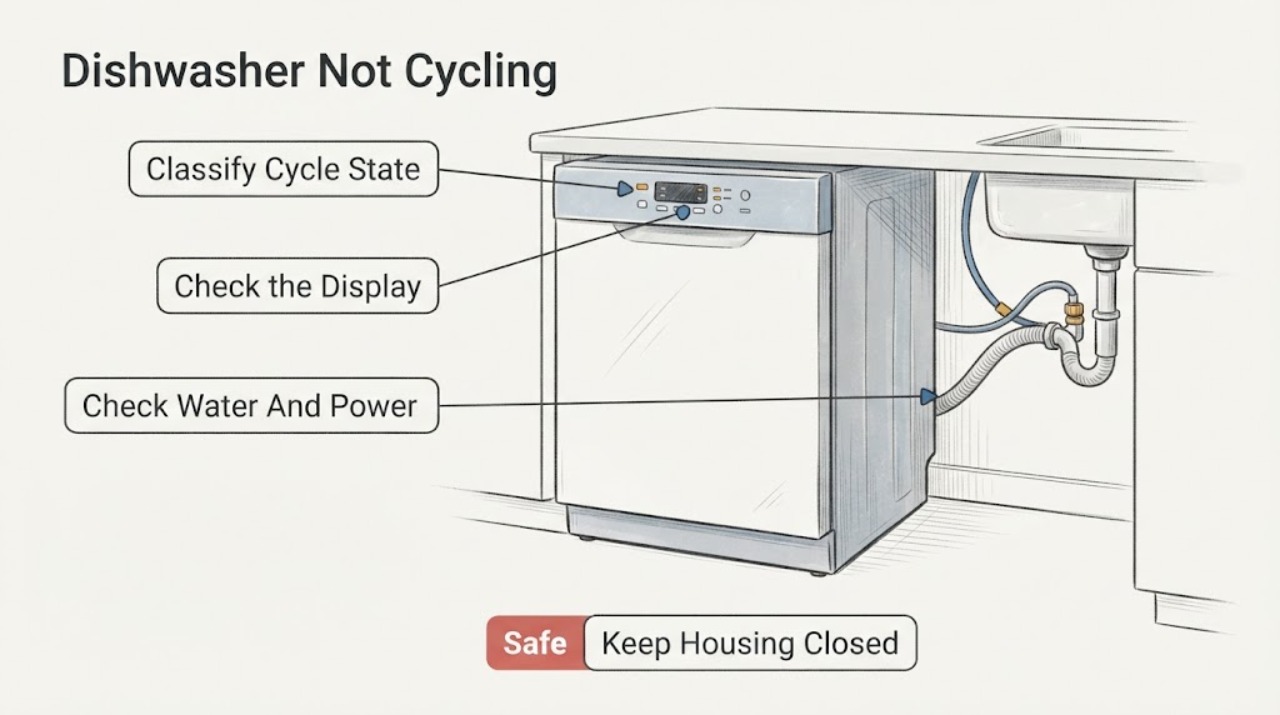
Work through in order
Diagnostic checks
Use only checks that match the exact appliance or system and its official guide.
-
Check 1
Select the shortest safe description of the symptom: the dishwasher never starts, stops mid-cycle, or appears to run without washing. Note the display or flashing lights, remaining time, whether water is in the tub, and whether the door was opened or power was interrupted.
Expected result: The unit's behavior and stage are recorded without removing a panel or repeating a fault condition.
Next step: Follow the matching branch below and keep the model number and display wording for service if the symptom returns.
Why this matters
Why: A no-start, drain interruption and poor-wash complaint follow different manufacturer checks; an exact model is needed before interpreting an indicator as a code.
-
Check 2
For a no-start symptom, cancel any Delay Start or Child Lock that the exact model documents, select a cycle, press START/CANCEL, and close the door fully and immediately.
Expected result: The cycle begins, the display changes, or the unit still does not respond after a correct start-and-close sequence.
Next step: If it still does not start, do not repeatedly press controls; continue to the external water and power check and then service if unresolved.
Why this matters
Why: A changed display or start confirms a control-state, timing or door-closure issue; no response leaves water supply, household power or a model-specific fault to check.
-
Check 3
With the dishwasher idle and safe to inspect, verify the household water supply is on and look at the appliance's accessible power indication; check the electrical panel for a tripped dishwasher breaker or blown fuse without opening the appliance or panel covers.
Expected result: Water is off, the breaker/fuse is tripped, or both appear normal.
Next step: Restore only a clearly off water supply or a tripped breaker once, if there is no leak, burning smell or repeated trip. If protection trips again or the unit remains dead, leave it off and arrange service.
Why this matters
Why: An off supply or household protection event can prevent a cycle from starting; normal external conditions do not prove an internal component failure.
-
Check 4
If the dishwasher stopped partway through or has water left in the tub, inspect only the visible drain hose for a kink or displacement and clean the accessible glass trap and filter according to the model's owner instructions.
Expected result: The hose is kinked/displaced, the trap or filter is visibly dirty, or the visible drain path is clear.
Next step: Correct a visible hose routing problem or rinse the accessible trap/filter, then use a documented new-cycle test. Stop if there is a leak, damaged hose or any need to remove a panel.
Why this matters
Why: Frigidaire links a kinked drain line or debris in the glass trap/filter with pooling and mid-cycle drain problems; a clear visible path does not identify a pump or control fault.
-
Check 5
Only when the exact model has the documented Cancel control and the symptom is a mid-cycle stop or drain interruption, press and hold Cancel for 5–10 seconds to clear the current cycle, then start a new cycle as Frigidaire describes.
Expected result: The current cycle clears and the new cycle progresses, or the dishwasher still will not drain/start.
Next step: Record the stage, water level and any indicator and contact Frigidaire support if the problem recurs. Do not apply a button sequence from another model.
Why this matters
Why: A successful clear indicates the stored cycle state was reset; continued failure is not proof of a particular pump, heater or board defect.
-
Check 6
If the dishwasher is operating but appears not to cycle, verify that the selected program is intended for the load and allow for the published cycle-time range and heat-related delay; if dishes remain dirty, inspect loading, detergent, accessible filter, glass trap and spray arms without reaching into moving parts.
Expected result: The program is Rinse-only/Quick Wash, a delay or heat option is active, the load or accessible wash path is obstructed, or the unit truly stops progressing.
Next step: Use the correct program and documented cleaning steps once, then stop and arrange service for a repeated stall, abnormal indicator, leak or internal inspection requirement.
Why this matters
Why: Settings, loading and time-to-heat can explain an apparent missing wash phase; a true stall after those checks needs model-specific diagnosis.
Use your observations
Decision map
Find the observation that best matches what you see, then follow the next safe action.
-
PATH 01Next step
What you see
The display remains blank or the dishwasher never responds after a correct cycle selection, door closure, water-supply check and one safe household-power check.
Do this next
Keep the dishwasher out of service and give a qualified servicer the exact model, controls pressed, display state and breaker history; do not open the cabinet or probe wiring.
Why this path and its safety boundary
Why it matters: The public Frigidaire checks do not distinguish an internal control, door-sensing or power fault from the symptom alone.
-
PATH 02Next step
What you see
The dishwasher stopped mid-cycle and water remains, especially with flashing indicators, but a visible hose kink or dirty accessible filter/trap is found.
Do this next
Correct only the visible hose/filter condition, use the model-documented Cancel reset if applicable, then start one new cycle. Escalate if it repeats.
Why this path and its safety boundary
Why it matters: Frigidaire treats this pattern as consistent with a drain-path issue; it does not establish a failed drain pump.
-
PATH 03Next step
What you see
The timer is long but the unit eventually progresses, or Delay Start, high heat, sanitize, ECO or slow incoming hot water explains the wait.
Do this next
Check the selected options and allow the documented cycle to run; call service if it never progresses, repeats a fault or leaves a new safety symptom.
Why this path and its safety boundary
Why it matters: Frigidaire documents cycle and water-heating variation that can make a dishwasher appear not to cycle.
-
PATH 04Next step
What you see
The dishwasher runs but dishes are not cleaned, or a leak, burning odor, repeated breaker trip, damaged hose or abnormal noise appears.
Do this next
Stop using it for the hazardous symptoms; for a clean but unresolved wash problem, provide the model and selected cycle to Frigidaire support rather than guessing an internal part.
Why this path and its safety boundary
Why it matters: Poor cleaning can be a cycle/load/filter/spray-arm issue, while leaks, electrical symptoms and persistent stalls exceed the safe public checks here.
Helpful context
Understand the symptom
Define what not cycling means
Write down whether the dishwasher never starts after a cycle is selected, stops partway through, or runs while the wash phase seems absent. Record the display, flashing indicators, remaining time, water left in the tub and whether the last run followed a power interruption. Frigidaire publishes different checks for starting, draining and cleaning, so the observed stage is more useful than guessing a failed part.
Use the cycle and time as evidence
A Rinse-only cycle is not intended to clean dishes, and Quick Wash or 30-minute cycles may be unsuitable for heavily soiled loads. A long countdown can also reflect the selected cycle, heat or sanitize options, Delay Start, or slow incoming hot water. Treat those observations as a settings or timing branch unless the dishwasher actually fails to progress or reports a model-specific indication.
Stop before internal diagnosis
Keep the work to documented owner checks. Do not remove panels, probe wiring, reach a pump or heater, force a latch, or assume a code means the same thing across Frigidaire models. A leak, burning smell, unusual arcing, repeated breaker trip or any need to work inside the appliance is a service boundary; keep the unit off and arrange qualified help.
When checks do not resolve it
Need a professional?
Provide the exact model, symptom stage, display or light pattern, selected cycle/options, water left in the tub, recent power interruption and results of the external checks to Frigidaire or a qualified servicer.
Safety scope: Limit owner work to the documented controls, fully closing the door, household water supply, accessible drain hose, accessible glass trap/filter, and model-documented cleaning or reset steps. Do not remove panels, reach into the pump or heater, probe live wiring, bypass the door latch, or substitute an unverified part.
Common questions
FAQ
Does a long dishwasher cycle mean it is not cycling?
Not necessarily. Frigidaire says cycle length changes with the program and options, Delay Start can postpone operation, and slow household hot-water availability can delay the start. Escalate when the unit never progresses, repeatedly stops or develops a leak or electrical symptom.
What should I do if my Frigidaire dishwasher stopped with water inside?
Inspect the visible drain hose for a kink or displacement and clean the accessible glass trap and filter according to the model instructions. Frigidaire says applicable models can be cleared by holding Cancel for 5–10 seconds and then starting a new cycle; if the problem continues, contact support.
Why did pressing Start not begin the cycle?
Frigidaire says to check Delay Start or Child Lock, press START/CANCEL after selecting the cycle, and close the door fully and immediately. If the dishwasher still does not respond after the water and household-power checks, use qualified service rather than opening the unit.
Can I diagnose the pump or control board from a not-cycling symptom?
No. The public Frigidaire guidance supports external start, drain, filter, cycle and loading checks, but the symptom alone does not identify a pump, heater or control-board failure. Internal diagnosis should be left to qualified service.
Read the exact guide
Official sources
- Dishwasher - Not CleaningFrigidaire · Brand support article for distinguishing cycle selection, loading, detergent, filter, glass trap and spray-arm causes of poor cleaning; it does not diagnose internal parts.
- Dishwashers - Not DrainingFrigidaire · Brand support article for visible drain-path and accessible filter checks, including the mid-cycle-stop branch; exact control behavior remains model-dependent.
- What should I do if my dishwasher is not starting?Frigidaire · Brand support article for general dishwasher no-start checks; no model-specific code or component meaning is inferred.
- Dishwasher Runs Too LongFrigidaire Canada · Official Frigidaire regional guidance for interpreting long run/start times; used only for cycle, option, Delay Start and household-hot-water timing context, not model-specific repair.
Community feedback
Share a repair observation
Share a plain-text repair observation. Accepted observations are published automatically; this page may take a moment to update.