
On this page
Start here
Quick answer
First separate an early stop from a cycle that runs but cannot dry: confirm the door, selector, Start control, and power are stable; then use a normal heated cycle with a medium-size load. Clean the lint screen and inspect the exhaust path, because restricted airflow can extend drying and keep moisture-sensing cycles from reaching their finish condition. If the drum runs without heat, check the selected cycle and the dryer’s supply; an electric dryer can tumble when one of its two house circuits is lost. If the motor stops and later works again after cooling, stop repeated tests: Frigidaire identifies overheating and an activated thermal limiter as service conditions. [Source: frigidaire-not-drying; frigidaire-no-heat; frigidaire-stops-operating]
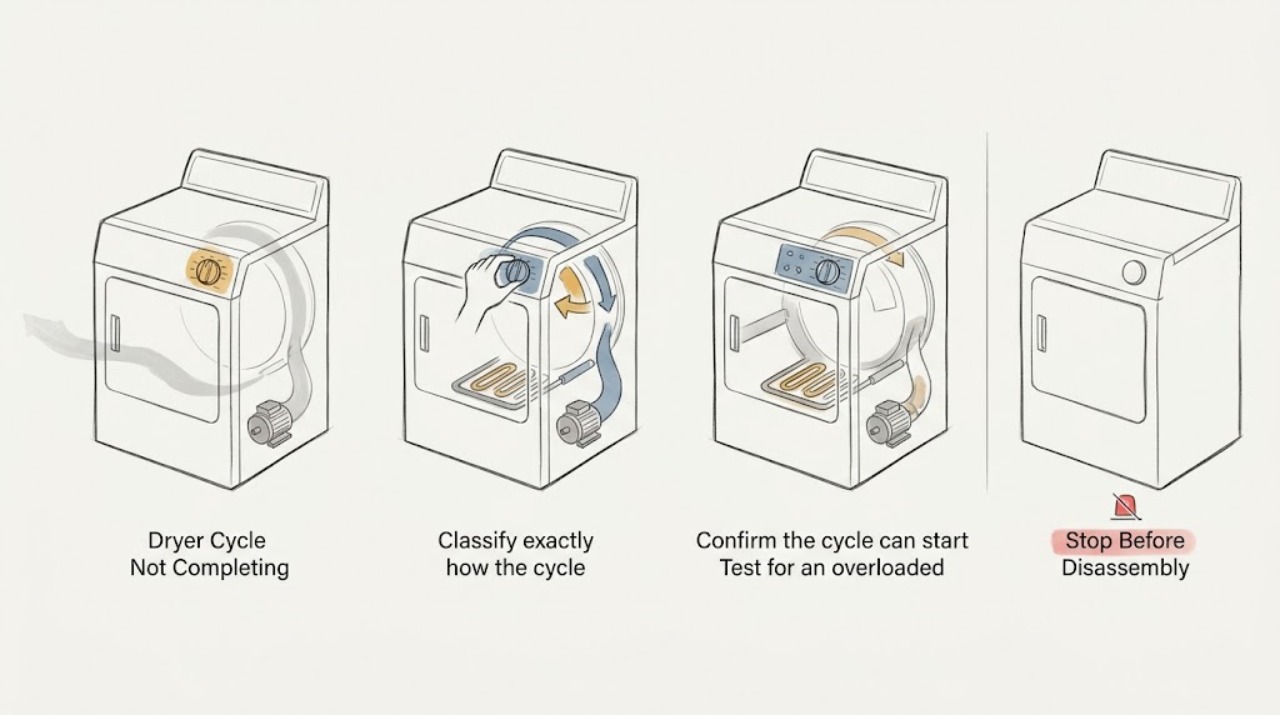
Work through in order
Diagnostic checks
Use only checks that match the exact appliance or system and its official guide.
-
Classify exactly how the cycle fails
Start a short, familiar cycle with the drum empty, then observe the first few minutes without opening the cabinet. Note whether the control accepts Start, the drum tumbles, warm air appears, the displayed time advances, and the machine stops completely or continues tumbling.
Expected result: A drum that never starts points toward door, selector, Start, or power conditions; a drum that stops after running points toward overheating or a control/safety interruption; a drum that runs but leaves clothes wet points toward heat, load, sensor, or airflow conditions.
Next step: If the drum will not start, perform the control and power checks next. If it stops after running, let the motor cool once and then check load and airflow. If it runs without heat or remains damp, continue with the heat and drying checks.
Why this matters
Why: The symptom class prevents treating a heat or airflow problem as a dead-start problem and gives service a reproducible failure point.
-
Confirm the cycle can start and stay powered
Close the door fully, place the selector slightly into the intended cycle start position if it is not clearly there, hold Start for about two seconds, and verify that the plug is firmly seated directly in the wall outlet. If a breaker has tripped, reset it once; do not increase fuse capacity and do not use an extension cord.
Expected result: The dryer starts and remains running after the door, selector, Start, or breaker correction; or it still refuses to start, loses power, or trips again.
Next step: If power drops again, stop and have the circuit and outlet checked by a qualified electrician. If controls and power are stable but the cycle later stops, continue to the load and cooling check.
Why this matters
Why: A stable start after a user-control or supply correction indicates a start-condition problem. A repeated trip, loose outlet, or persistent loss of power is an electrical stop condition, not a reason to keep cycling the appliance.
-
Test for an overloaded or overheated motor
Remove enough items so the drum is roughly one-third to one-half full, separate tangled heavy pieces, and allow the dryer to cool for 30 minutes before one supervised retest. Do not repeatedly restart a hot or stopped dryer.
Expected result: The motor and cycle complete with the smaller load, or the motor stops again during the retest, especially after warming up.
Next step: If the smaller load works, keep loads moderate and continue airflow maintenance. If the motor stops again, leave the dryer off and arrange authorized service to diagnose the thermal limiter, motor, or related cause.
Why this matters
Why: A smaller load supports an overload or heat-buildup explanation. A repeat stop after cooling can indicate an overheating condition or an activated thermal limiter; that protection should not be bypassed.
-
Clean the lint path and verify exhaust flow
With the dryer off and cool, clean the lint screen; if it has residue, wash it with warm soapy water and dry it fully before replacing it. Check the accessible exhaust duct for a crushed or clogged section and confirm the outside hood opens and is not blocked. Never run a gas dryer without an exhaust duct vented outdoors.
Expected result: Lint or residue is present, the duct/hood is restricted, or airflow at the outside hood is weak; after correction the load dries faster and the cycle reaches its end.
Next step: Run one correctly sized test load. If airflow remains weak or the duct is inaccessible, have the exhaust path cleaned by an authorized service provider. If the cycle still does not finish, continue with heat and moisture-sensing checks.
Why this matters
Why: Restricted airflow can extend drying and keep the dryer from reaching the condition expected by a timed or moisture-sensing cycle. A clean screen and vent are required for safe, effective operation.
-
Verify the selected cycle and available heat
Check that Air Fluff or a no-heat temperature was not selected, then run an appropriate low- or medium-heat cycle with a normal load. On an electric model, if the drum turns but there is no heat, have the household supply checked rather than opening the dryer. On a gas model, verify the accessible gas supply valve is open and that the area around the dryer is not blocked; do not service the gas system yourself.
Expected result: The selected cycle intentionally tumbles without heat, heat returns after a setting correction, or the drum still turns with no heat; on gas models the valve/tank supply may be unavailable.
Next step: Correct only the user-accessible setting or supply condition. If the electric circuit, outlet voltage, gas supply, or heating system needs testing, stop and use a qualified electrician, gas professional, or authorized appliance service provider.
Why this matters
Why: A no-heat setting explains a cycle that tumbles without drying. Frigidaire notes that an electric dryer can have a turning drum but no heater when one of two house circuits or fuses is lost; gas supply and ventilation also affect gas models.
-
Make the moisture-sensing test meaningful
Use a mixed but similar-weight load large enough to tumble freely, select the normal drying setting, and wipe accessible moisture-sensor bars with rubbing alcohol if they have fabric-softener residue. Do not operate without the lint screen. Compare the result with a timed cycle only if the owner guide for the exact model supports that test.
Expected result: A correctly sized, freely tumbling load completes after the sensor bars are clean, while an overfilled, nearly empty, or mixed-heavy load remains damp or appears to stall.
Next step: If normal loads still stop or remain damp after lint and exhaust checks, preserve the model-specific settings and symptom timing for service rather than replacing a sensor without diagnosis.
Why this matters
Why: Load size, fabric mix, humidity, and residue on sensor bars can alter the sensed moisture and lengthen the cycle. This does not prove a failed sensor; it only identifies a controlled user-level check.
Use your observations
Decision map
Find the observation that best matches what you see, then follow the next safe action.
-
PATH 01Safety boundary
What you see
The dryer will not start at all.
Do this next
Confirm door closure, selector position, the two-second Start action, plug seating, and one breaker reset. If it still will not start or the breaker trips again, stop and arrange electrical or authorized appliance service.
Why this path and its safety boundary
Safety stop: Continue to determine whether the drum stops, lacks heat, or only takes too long.
-
PATH 02Safety boundary
What you see
The drum stops after running and may restart after cooling.
Do this next
Remove excess load, allow 30 minutes of cooling, and perform one retest. A repeat stop requires service for possible overheating or thermal-limiter action.
Why this path and its safety boundary
Safety stop: Continue with airflow and heat checks.
-
PATH 03Safety boundary
What you see
The drum tumbles but the load stays cold or wet.
Do this next
Check the cycle/temperature setting and accessible electric or gas supply conditions. Stop before internal heating or gas work.
Why this path and its safety boundary
Safety stop: Continue with load, sensor, and exhaust checks.
-
PATH 04Safety boundary
What you see
The cycle runs for an unusually long time.
Do this next
Clean the lint screen, inspect the exhaust duct and hood, use an appropriate load, and check sensor-bar residue and ventilation.
Why this path and its safety boundary
Safety stop: Record the actual stop point and control display for service if the cycle still fails to complete.
-
PATH 05Safety boundary
What you see
There is a burning smell, smoke, unusual heat, a gas odor, damaged wiring, or a repeatedly tripping breaker.
Do this next
Stop the cycle, disconnect power only if it is safe to do so, keep clear of smoke or gas, and use the appropriate emergency, gas, electrical, or authorized appliance service channel. Do not restart to collect more observations.
Why this path and its safety boundary
Safety stop: Use one controlled retest after the applicable correction; persistent failure needs service.
Helpful context
Understand the symptom
“Not completing” describes several different symptoms. Note whether the drum stops while clothes are still wet, the timer appears to stall while the drum continues, the machine runs with no heat, or the cycle ends but the load is damp. That distinction determines whether to check airflow and heat, controls and power, or an overheating stop.
Use only controls, the lint screen, the vent opening, and accessible power and supply checks in this guide. Do not remove the cabinet or bypass a door switch, thermal device, fuse, or other safety control.
After each correction, run a small, similar load and record whether the drum tumbles, heat is present, airflow exits the hood, and the cycle advances. A repeatable symptom is more useful to a technician than repeated resets.
Safety boundary
Stop conditions
- Stop immediately for smoke, a burning odor, exposed or hot wiring, arcing, a gas odor, water near electrical parts, or a breaker that trips again.
- Do not bypass the door switch, thermal limiter, fuse, or any other safety device, and do not remove the cabinet for an owner-level check.
- If the motor stops again after the 30-minute cooling test, leave the dryer off and request authorized service.
- Never operate a gas dryer without an exhaust duct vented outdoors.
When checks do not resolve it
Need a professional?
Call authorized appliance service when the dryer repeatedly stops after cooling, will not start after the accessible control and power checks, tumbles without heat after the correct setting and supply checks, has weak exhaust that cannot be safely corrected, or still fails with a properly sized load and clean airflow path. Use a qualified electrician for recurring breaker trips, outlet or voltage concerns, and a qualified gas professional for gas-supply concerns.
Have this ready
- Exact model and serial from the appliance label
- Whether the drum starts, whether heat is present, and the minute or stage at which it stops
- Selected cycle and temperature, load size/fabric mix, and whether a timed cycle behaves differently
- Whether the motor works again after a 30-minute cool-down
- Any displayed code, repeated breaker trip, unusual odor, smoke, gas odor, or abnormal noise
- What was cleaned or checked in the lint screen, exhaust duct, hood, and accessible supply
Common questions
FAQ
Why does my Frigidaire dryer stop before the clothes are dry?
Check load size, lint and exhaust airflow, selected heat, and whether the drum is actually heating. If the motor stops and later restarts after cooling, stop repeated tests and arrange service.
Why does the drum turn but the Frigidaire dryer not finish?
It may be tumbling without heat, drying slowly because airflow is restricted, or sensing an unsuitable load. Check the cycle and temperature, clean the lint and exhaust path, and use a correctly sized load.
Should I keep restarting a dryer that stops mid-cycle?
No. Allow one 30-minute cool-down and one supervised smaller-load retest when there are no safety symptoms. A repeat stop can involve overheating or thermal protection and should be serviced.
Read the exact guide
Official sources
- What should I do if my dryer stops operating?Frigidaire · Frigidaire dryers; manufacturer guidance for a dryer that stops operating
- What should I do if my dryer does not start?Frigidaire · Frigidaire dryers; manufacturer guidance for a dryer that does not start
- Dryer - Not Drying and Extended Drying TimeFrigidaire · Frigidaire dryers; manufacturer guidance for extended drying time and poor drying
- My dryer is running, but does not seem to be heating. What should I do?Frigidaire · Frigidaire dryers; manufacturer guidance for a running dryer with no heat
Community feedback
Share a repair observation
Share a plain-text repair observation. Accepted observations are published automatically; this page may take a moment to update.