
On this page
Start here
Quick answer
A beeping Frigidaire freezer is usually asking you to check a condition, not announcing a part to replace. Frigidaire says some freezer models sound an alarm when temperature rises above their alarm threshold, and recommends checking that the door closes freely with a proper seal, then leaving it closed so the freezer can cool. Its alarm guide also describes high-temperature, door-ajar, and power-failure alerts, with model-specific displays and controls. Read the display or indicator, close the door or lid, check visible airflow and the temperature trend, and mute the alarm only with the normal Temp-Alarm or alert control if your model provides one. If the alarm persists while the freezer stays warm, returns after a power event, the door will not seal, or the freezer has smoke, burning odor, water, or an electrical fault, stop and arrange qualified service.
Before you begin
Safety first
- This article covers reading normal indicators, closing and observing the door or gasket, visible airflow and frost checks, temperature observation, and one normal alarm-control action. Cabinet removal, live electrical testing, compressor or fan work, sealed-system service, control replacement, and wiring require qualified service.
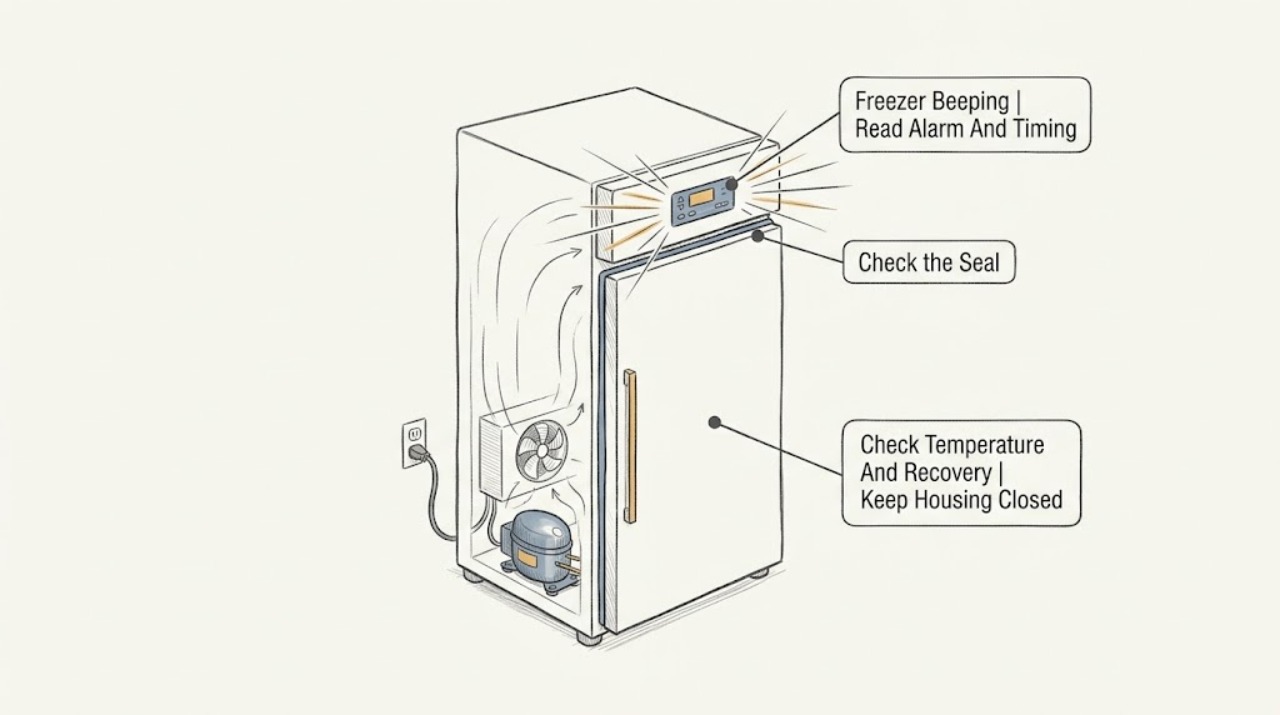
Work through in order
Diagnostic checks
Use only checks that match the exact appliance or system and its official guide.
-
Check 1
Read the freezer display and indicator lights without repeatedly pressing buttons. Note whether the sound began after a door was open, a power outage, a move, a large load of food, or a change in temperature setting, and note whether it is continuous or intermittent.
Expected result: The display shows a high-temperature or power-failure message, a door-ajar indicator is on, the panel is dark, or there is only a buzzer with no message.
Next step: Follow the matching door, temperature, power, or service branch and keep a record of the alert before silencing it.
Stop if: Stop for smoke, burning odor, a hot plug or outlet, water near electrical parts, exposed wiring, or a damaged cabinet or door.
Why this matters
Why: Frigidaire's alarm guidance associates audible alerts with high temperature, door left open, and power-failure conditions on applicable models. A sound without a display still needs the exact use-and-care guide; it does not identify a failed part.
-
Check 2
Close the freezer door or lid fully and inspect the visible gasket for food packages, ice, dirt, cracks, or a section that is folded out of place. Do not pull or remove the gasket.
Expected result: The door closes freely and seals, an item was blocking it, ice prevents closure, or the gasket leaves a visible gap.
Next step: Remove only a plainly visible package obstruction and wipe the gasket with a suitable cloth if safe, then close the door and leave it closed. If ice, damage, or a gap remains, arrange service rather than forcing the door.
Stop if: Do not chip ice with a sharp tool, force hinges, remove the gasket, or keep running the freezer with a door that cannot seal.
Why this matters
Why: Frigidaire says a door that remains open can trigger an alarm and that a non-sealing gasket can let warm air in and destabilize temperature. A gap can keep the freezer warm even when the compressor is running.
-
Check 3
Check the model's temperature indication and consider whether the freezer recently lost power, was loaded with warm food, or had frequent door openings. Keep the door closed while allowing the unit to recover according to the model guide.
Expected result: The temperature is rising, the alarm clears as cooling returns, the freezer recently lost power, or the alarm remains while the temperature does not improve.
Next step: If the temperature trends colder and the alarm clears, monitor without repeated door openings. If it stays warm or the alarm returns, leave food access brief and arrange service.
Stop if: Do not use a freezer that has smoke, burning odor, unusual heat, or a damaged electrical connection, even if the alarm can be muted.
Why this matters
Why: A high-temperature alarm can remain until the freezer returns to normal. Frigidaire notes that a power interruption and warm or frequent-open-door conditions can affect recovery; the alarm clearing only shows that the temperature condition improved.
-
Check 4
With the door open only briefly, check that food is not blocking visible air vents and that heavy frost is not preventing the door from closing or airflow from moving. Listen for normal compressor or fan operation without touching the rear or internal machinery.
Expected result: Food blocks an air path, heavy frost is present, the compressor or fan is audible, or the freezer is silent while the alarm continues.
Next step: Reposition only loose food that plainly blocks a visible vent and close the door. Do not dismantle or scrape the cooling system; if frost, silence, or warming persists, arrange qualified service.
Stop if: Do not use knives, heaters, steam, or other tools to remove frost, and do not remove an interior or rear cover.
Why this matters
Why: Frigidaire says over-frosting can reduce airflow or prevent proper closure and that compressor hum or fan sound can show an attempt to cool. Silence with a continuing alarm suggests a power, control, or cooling fault but does not identify which one.
-
Check 5
If the door is closed and there is no hazard, use the model's normal Temp-Alarm, Alarm Reset, or alert control once, following the exact guide. Do not enter service mode or repeatedly disconnect the appliance just to silence it.
Expected result: The beep stops, the indicator remains lit, the alarm returns, or the control does not respond.
Next step: Watch the temperature trend with the door closed. If the alarm returns, the display remains abnormal, or cooling is not restored, leave the freezer undisturbed and arrange service.
Stop if: Do not hold undocumented button combinations, bypass an alarm, repeatedly power-cycle the unit, or operate it with electrical warning signs.
Why this matters
Why: A mute action can acknowledge an alert while the underlying high-temperature condition remains. A return or unresponsive control means the alert condition or the control system still needs attention.
-
Check 6
Record the exact model, alarm wording or light pattern, time and trigger of the beeping, door and gasket condition, temperature trend, power or outage history, compressor and fan sound, frost, and any odor or water.
Expected result: The freezer remains warm, the alarm returns after muting, the display stays abnormal, food is thawing, or any electrical or physical warning appears.
Next step: Keep the door closed and arrange Frigidaire or qualified appliance service. If the freezer has smoke, heat, a damaged cord, or water near electrical parts, isolate it only by a safe accessible control and seek prompt service.
Stop if: Do not open panels, test sealed-system or compressor terminals, replace controls, or continue operation after a serious warning.
Why this matters
Why: The record helps a technician distinguish a normal high-temperature recovery from a door-seal, power, control, airflow, compressor, or fan fault without guessing at a component.
Use your observations
Decision map
Find the observation that best matches what you see, then follow the next safe action.
-
PATH 01Safety boundary
What you see
The door or lid was open, the door-ajar indicator is lit, or the gasket does not seal.
Do this next
Remove a visible obstruction, close the door or lid, and leave it closed while watching for temperature recovery. Arrange service for a damaged gasket, hinge, or closure.
Why this path and its safety boundary
Why it matters: Warm air entering through an open or leaking closure can raise temperature and trigger the alarm.
Safety stop: Do not force the closure, remove the gasket, or chip ice with a sharp object.
-
PATH 02Safety boundary
What you see
A temperature or high-temperature indicator accompanies the beep, or the freezer is warming.
Do this next
Keep the door closed, check visible airflow and frost, and monitor the temperature using the model guide. If cooling does not return or the alarm persists, arrange service.
Why this path and its safety boundary
Why it matters: The freezer is above its model alarm threshold or has not yet recovered from a power, door, load, airflow, or cooling event.
Safety stop: Do not keep opening the freezer to test it, and stop for smoke, odor, heat, or electrical damage.
-
PATH 03Safety boundary
What you see
The beep began after an outage, surge, breaker event, or the panel and interior light are dark or recently returned.
Do this next
Check the accessible supply and normal alert control without opening the appliance. Keep the door closed; if power is unstable or the alarm returns, arrange electrical or appliance service.
Why this path and its safety boundary
Why it matters: Frigidaire's alarm guide associates a power-failure indication with a possible high-temperature alert; the freezer may need time to recover after power returns.
Safety stop: Do not repeatedly reset a breaker, use a damaged outlet or cord, or open the electrical compartment.
-
PATH 04Safety boundary
What you see
The alarm remains or returns after the door is sealed and the freezer has had a normal recovery period, but the temperature does not improve.
Do this next
Leave the freezer closed and arrange qualified appliance service with the recorded display, temperature, sound, and timing observations.
Why this path and its safety boundary
Why it matters: A cooling, airflow, fan, compressor, control, or sensor fault remains possible; the alarm sound cannot identify the component.
Safety stop: Do not scrape frost aggressively, open covers, or replace a guessed part.
-
PATH 05Safety boundary
What you see
The freezer has smoke, burning odor, a hot plug or outlet, water near electrical parts, exposed wiring, or unusual heat.
Do this next
Stop using the freezer, isolate it only through a safe accessible control if possible, keep people away, and arrange prompt qualified electrical or appliance service.
Why this path and its safety boundary
Why it matters: This is a safety event, not a nuisance alarm.
Safety stop: Do not touch wet or hot electrical parts, mute the alarm and continue operation, or reset a tripping circuit again.
Helpful context
Understand the symptom
Identify which alarm you are hearing
A continuous or repeating beep with a high-temperature display is different from a door-ajar tone or a power-failure alert. Some models show a temperature code, while others use a light or sound without a detailed message. Record the display, indicator, and timing before muting the sound so the alarm's meaning is not lost.
Silencing is not the same as fixing
The normal Temp-Alarm or alert control can quiet a nuisance sound while the freezer recovers, but it does not lower the temperature or repair a bad seal. Keep the door closed, avoid repeated opening, and watch whether cooling returns. If the alarm stays active or the contents are warming, treat the cause as unresolved.
Use the exact model guide for controls
Frigidaire alarm names and reset controls vary by model. The official freezer pages support the general checks below, but they do not establish one universal button sequence or temperature threshold for every freezer. Record the model from the rating label or paperwork before using a model-specific reset.
Safety boundary
Stop conditions
- Stop immediately for smoke, burning odor, a hot plug or outlet, water near electrical parts, exposed wiring, damaged insulation, or unusual cabinet heat.
- Do not force the door, remove a gasket, scrape frost with a sharp tool, open covers, probe live wiring, or test compressor or sealed-system parts.
- Do not repeatedly reset a breaker or power-cycle the freezer, bypass the alarm, or keep it running with an unresolved electrical warning.
- Stop after the display, closure, visible airflow, temperature trend, and one normal alarm-control check if the alarm persists, returns, or the freezer remains warm; arrange qualified service.
When checks do not resolve it
Need a professional?
Arrange qualified appliance service when the Frigidaire freezer remains warm after the door is sealed and a normal recovery period, the beeping returns after one normal alarm-control check, the display remains abnormal, the door or gasket cannot seal, or the freezer is silent while the alarm continues. Use qualified electrical service for unstable household power. Stop promptly for smoke, burning odor, heat, water near electrical parts, exposed wiring, or damaged cord or outlet.
Safety scope: This article covers reading normal indicators, closing and observing the door or gasket, visible airflow and frost checks, temperature observation, and one normal alarm-control action. Cabinet removal, live electrical testing, compressor or fan work, sealed-system service, control replacement, and wiring require qualified service.
Common questions
FAQ
Why is my Frigidaire freezer beeping?
On some models, Frigidaire says the buzzer indicates that freezer temperature has risen above the alarm threshold. A door left open, poor gasket seal, power event, or cooling problem can be involved. Read the indicator, close the door, and watch the temperature rather than only muting the sound.
How do I stop the beeping on a Frigidaire freezer?
Close the door or lid fully and use the model's normal Temp-Alarm or alert control once if available. The sound may stop while the freezer recovers, but it should not be treated as fixed until the temperature improves. If the alarm returns, arrange service.
What should I check if the freezer beeps after a power outage?
Check the display for a power-failure or high-temperature indication, confirm the accessible supply is stable, keep the door closed, and allow normal recovery. If power is unstable, the alarm returns, or cooling does not resume, leave the freezer off or undisturbed as appropriate and arrange qualified service.
Can a bad door seal make a Frigidaire freezer beep?
Yes. Frigidaire says an open or poorly sealed door can let warm air in, raise temperature, and trigger an alarm. Check only for a visible obstruction, ice, dirt, or gasket gap; do not remove the gasket or force the door. Arrange service if it cannot seal.
When should I call for service for a beeping Frigidaire freezer?
Arrange service when the alarm persists or returns after the door is sealed and a normal recovery period, the freezer remains warm, the display stays abnormal, or the compressor and fan do not behave normally. Stop immediately for smoke, burning odor, heat, water near electrical parts, exposed wiring, or damaged cord or outlet.
Read the exact guide
Official sources
- Refrigerator Error Codes and Alarms GuideFrigidaire · Official Frigidaire alarm guide under refrigerator support; freezer-related high-temperature and door-ajar entries are used only where the guide explicitly includes the freezer section, with exact controls left to the model manual.
- What does the alarm or “buzzer sound” mean?Frigidaire · Official Frigidaire support article applying to freezers and refrigerators; it states that alarm behavior and threshold apply only to some freezer models.
- Freezer - Not Freezing or Not CoolingFrigidaire · Official Frigidaire freezer support article; it supports the temperature-recovery branches and visible checks but does not diagnose an alarm component.
Community feedback
Share a repair observation
Share a plain-text repair observation. Accepted observations are published automatically; this page may take a moment to update.