
On this page
Start here
Quick answer
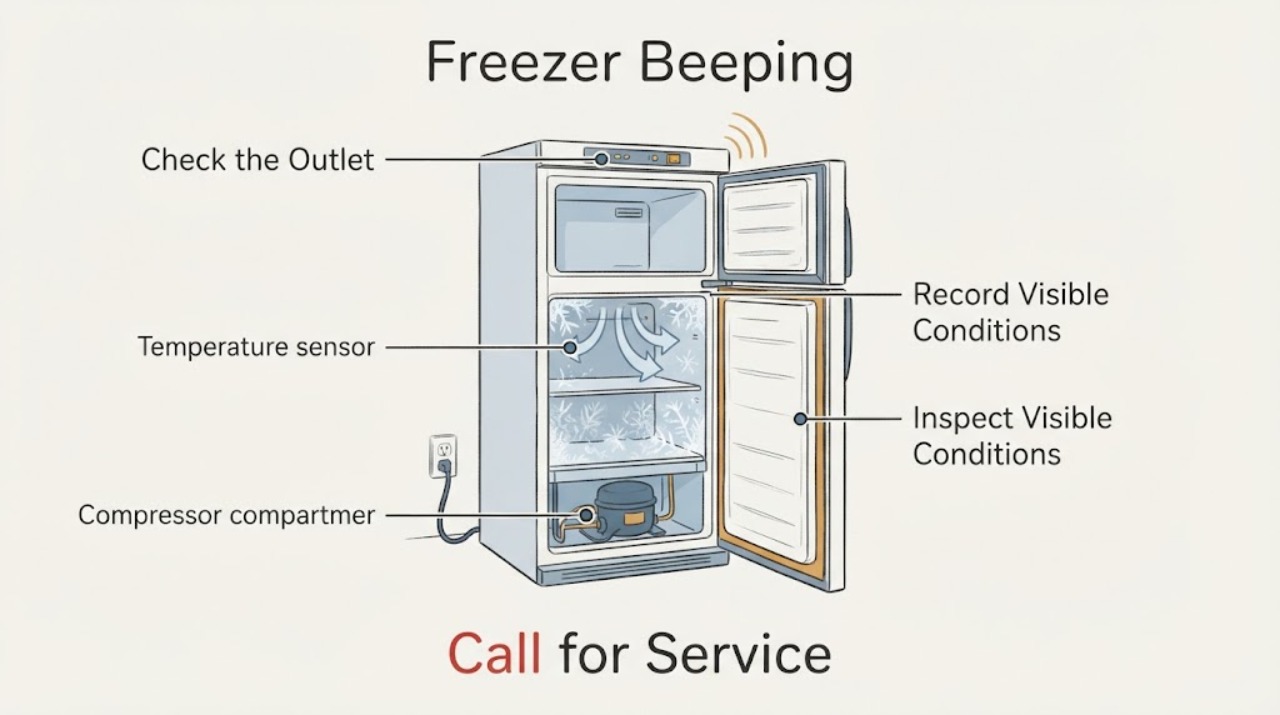
An Insignia freezer that beeps is usually asking for attention because the door has been open or cannot seal, the internal temperature is too high, the control panel is locked or being changed, or a model-specific sensor alert is active. Check whether the door closes fully, move any package blocking the seal, confirm the freezer is powered and in freezer mode, and look for an indicator or code. Acknowledge the alarm only after checking why it started; silencing it does not restore a safe temperature. Keep the door closed to protect food, do not chip ice with a sharp tool or remove electrical covers, and stop for a burning smell, hot or damaged cord, water near the outlet, repeated breaker trips, or a temperature that continues rising.
Work through in order
Diagnostic checks
Use only checks that match the exact appliance or system and its official guide.
-
Check 1
Record the beep pattern, display temperature, warning icon or code, current mode, and whether the beep changes when the door is closed firmly or a normal control button is pressed. Keep the door open for as little time as possible.
Expected result: The alarm stops with the door closed, continues with the door closed, appears with a high-temperature indicator, or is accompanied by a sensor code.
Next step: Follow the matching branch below and record the exact model before interpreting a code. Do not treat muting the buzzer as proof that the freezer is cold enough.
Why this matters
Why: A door-related alarm follows the door/seal path; a continuing beep with a warm reading follows temperature, airflow, frost, or cooling checks; and a sensor code is model-specific evidence rather than a reason to guess at a part.
-
Check 2
Inspect the door opening without removing panels: check that no container, shelf, basket, or frost ridge prevents the door from closing, and look all around the gasket for a visible gap, dirt, or distortion. Close the door gently and observe whether it stays fully seated.
Expected result: The door was blocked or not fully closed, the gasket has a visible gap or damage, frost prevents closure, or the door seals evenly.
Next step: Remove only the external obstruction and wipe the accessible gasket with a suitable soft cloth. Do not force the door, chip frost, bend the gasket, or continue using the appliance if it cannot seal; arrange service for a damaged seal or hinge condition.
Why this matters
Why: Insignia identifies an open or obstructed door, an unlevel freezer, and door-seal gaps as causes of a door or temperature alert. A gap lets warm air in and can keep the alarm active while adding frost.
-
Check 3
Check that the freezer is plugged into a working outlet and that the household breaker has not tripped. Confirm the control panel has power and the appliance is set to freezer mode rather than a different available mode. Do not use an extension cord or alter the wiring.
Expected result: The display is dark, the outlet or breaker is not supplying power, the panel is locked, the mode is wrong, or power and mode are normal.
Next step: Restore only an obvious external power condition and unlock the panel using the exact model instructions. If the breaker trips again, the cord or outlet is hot, or the panel remains unresponsive, stop and arrange electrical or appliance service.
Why this matters
Why: A power interruption can start a temperature alarm, while a locked panel can make normal button presses appear ineffective. A wrong mode or setting can also explain a warm cabinet without proving a compressor failure.
-
Check 4
With the door closed, inspect the outside for blocked or dusty ventilation openings and make sure the freezer is not pressed against surrounding surfaces. Look through the door for heavy frost that could obstruct airflow; do not remove panels or attack ice with a sharp object.
Expected result: Ventilation is blocked or dusty, frost is heavy, the room is unusually warm or cold, or airflow and the surrounding space appear normal.
Next step: Clear only loose external dust and restore safe clearance. Follow the exact model's defrost procedure if manual defrost is permitted; do not use heat or sharp tools near the liner, wiring, or refrigerant system. If frost or temperature does not improve, arrange service.
Why this matters
Why: Insignia's FAQ lists blocked or dusty ventilation, excessive frost, and room conditions as possible high-temperature or out-of-range alarm causes. These conditions can keep the freezer from recovering even after the door is closed.
-
Check 5
Check the freezer's temperature trend without repeatedly opening the door: note whether the compressor or normal cooling cycle runs, whether food is still hard frozen, and whether the displayed temperature is moving back toward the selected range after the door and airflow checks.
Expected result: The temperature recovers and the alarm clears, the unit runs but continues warming, or the displayed temperature remains abnormal with the door sealed.
Next step: Keep the door closed and monitor only as the model guide recommends. Move vulnerable food to a safe cold location if temperature continues rising, and arrange qualified appliance service rather than changing the setpoint repeatedly.
Why this matters
Why: A recovering temperature after a blocked-door or airflow correction supports that condition as the immediate trigger. Continued warming with normal external conditions points to a possible sensor, fan, compressor, sealed-system, or control fault and creates a food-safety concern.
-
Check 6
If a code or persistent alarm remains after the safe external checks, write down the exact code, model, mode, temperature trend, and door behavior. Acknowledge or mute the alarm only using the model's documented control; do not factory-reset the freezer as a first diagnostic step.
Expected result: The alert clears and does not return, the same code returns, or the beep continues without a clear door or temperature explanation.
Next step: Leave the freezer operating only if temperature and sealing are normal and no warning returns. Otherwise protect the food, stop using the appliance if it is unsafe, and provide the recorded information to qualified Insignia appliance service.
Why this matters
Why: A cleared alert after recovery may have been caused by a temporary door, power, or temperature condition. A returning sensor or other code indicates a condition that needs model-specific support; muting the buzzer only changes the notification.
Use your observations
Decision map
Find the observation that best matches what you see, then follow the next safe action.
-
PATH 01Next step
What you see
The beep stops when a blocked or incompletely closed door is corrected.
Do this next
Confirm the gasket seals evenly and the freezer temperature returns toward its normal range. Escalate a recurring gap, damaged gasket, hinge issue, or unlevel cabinet.
-
PATH 02Next step
What you see
The beep is accompanied by a high-temperature or out-of-range indication.
Do this next
Keep the door closed, check power, mode, external airflow, frost, room conditions, and gasket gaps, and move vulnerable food to a safe cold location if warming continues. Arrange service if temperature does not recover.
-
PATH 03Next step
What you see
The display is dark, the breaker trips, or the cord or outlet is hot or damaged.
Do this next
Stop using the freezer, disconnect power only if safe, and seek qualified electrical or appliance service. Do not repeatedly reset the breaker or use an extension cord.
-
PATH 04Next step
What you see
Ventilation is blocked, frost is excessive, or the door seal has a gap.
Do this next
Correct only safe external airflow or obstruction issues and use the model's documented defrost procedure. Do not use sharp tools, heat, or cabinet disassembly; call service if the condition persists.
-
PATH 05Next step
What you see
A sensor code returns or the freezer keeps beeping while sealed and at the correct mode with a normal external power supply.
Do this next
Record the code and temperature trend, protect the food, and arrange qualified Insignia appliance service. Do not guess at a sensor, control, or compressor replacement.
-
PATH 06Next step
What you see
A burning smell, smoke, sparks, water near electrical parts, abnormal heat, a damaged cord, or repeated breaker trips occurs.
Do this next
Stop immediately, disconnect power only if safe, keep clear of water and damaged wiring, protect food from thawing, and seek qualified electrical or appliance help. Do not run another test.
Helpful context
Understand the symptom
Classify the beep before trying to silence it
Note whether the beep is continuous or intermittent, whether it stops when the door is fully closed or a button is pressed, and whether a warning light, temperature display, or code accompanies it. Insignia freezer models differ, and a door alarm is a different problem from a high-temperature alarm or a sensor code. Keep the freezer door closed during the observation and do not repeatedly change settings without recording the original state.
Protect the food and the electrical system
Treat a persistent alarm as a possible temperature problem even if the compressor is audible. Keep food closed and transfer temperature-sensitive items to a known-safe cold location if the freezer is warming. Unplug only when safe and only for permitted external checks; never open the cabinet, bypass a door sensor, use a sharp tool on frost, or reset a breaker repeatedly when there is a smell, heat, water, or visible cord damage.
When checks do not resolve it
Need a professional?
Book service for a recurring alarm, persistent high temperature, returning sensor code, failed door seal or hinge, abnormal cooling behavior, or any repair beyond the exact Insignia user guide.
Common questions
FAQ
Why is my Insignia freezer beeping with the door closed?
Check for a door-seal gap or frost obstruction, confirm power and the correct mode, and look for a high-temperature or sensor alert. If the temperature remains abnormal with the door sealed, protect the food and arrange service.
How do I stop an Insignia freezer door alarm?
Close the door fully and remove anything blocking the gasket. Check that the freezer is level and the seal is even. Do not simply mute the sound without confirming that the door is sealed and the temperature is safe.
Can a high temperature make an Insignia freezer beep?
Yes. Insignia's official FAQ describes a high-temperature alert that sounds a beep and lists blocked airflow, frost, room conditions, and door-seal gaps among possible causes. Keep the door closed and monitor recovery.
When should I stop using a beeping Insignia freezer?
Stop and seek help for persistent warming, a returning sensor alert, smoke, burning smell, sparks, abnormal heat, water near electrical parts, a damaged cord, or repeated breaker trips. Move vulnerable food to a safe cold location if the freezer is not maintaining temperature.
Read the exact guide
Official sources
- Upright Freezer FAQsInsignia · Official Insignia FAQ for compatible upright freezer families; exact model manual and current display behavior take priority.
Community feedback
Share a repair observation
Share a plain-text repair observation. Accepted observations are published automatically; this page may take a moment to update.