
On this page
Start here
Quick answer
Do not assume that a Frigidaire FGHN2866PFDA display showing d/F, dF, or separated d and f characters is a confirmed defrost code or a failed sensor. The opened Frigidaire owner guide covers the FGHN2866PF family, says control features and alarms can vary by model, documents an automatic defrost cycle of about 30 minutes, and directs owners to service when the digital temperature display shows an error. First record the exact characters, whether they appear on the refrigerator or freezer display, how long they remain, and whether the freezer actually warms. Then check the freezer temperature with an appliance thermometer or other safe temperature reading, compare it with the setpoint, verify that the door closes and seals, and keep food and packages clear of the vents. Frigidaire's cooling guidance uses 0°F as the suggested freezer setting and notes that a non-sealing door, heavy frost, blocked airflow, power events, or a unit that remains warm can all change the diagnosis. Keep the door closed and protect food if it is softening; arrange qualified Frigidaire service when d/F persists, the actual temperature is unstable or warm, frost blocks airflow, or the code returns. Do not scrape frost, remove panels, enter service mode, or select a sensor, fan, defrost part, or control board from the display alone.
Before you begin
Safety first
- Keep the freezer closed and avoid internal access. Do not remove covers, scrape or heat frost, enter service mode, bypass a door or sensor, or perform electrical or sealed-system work.
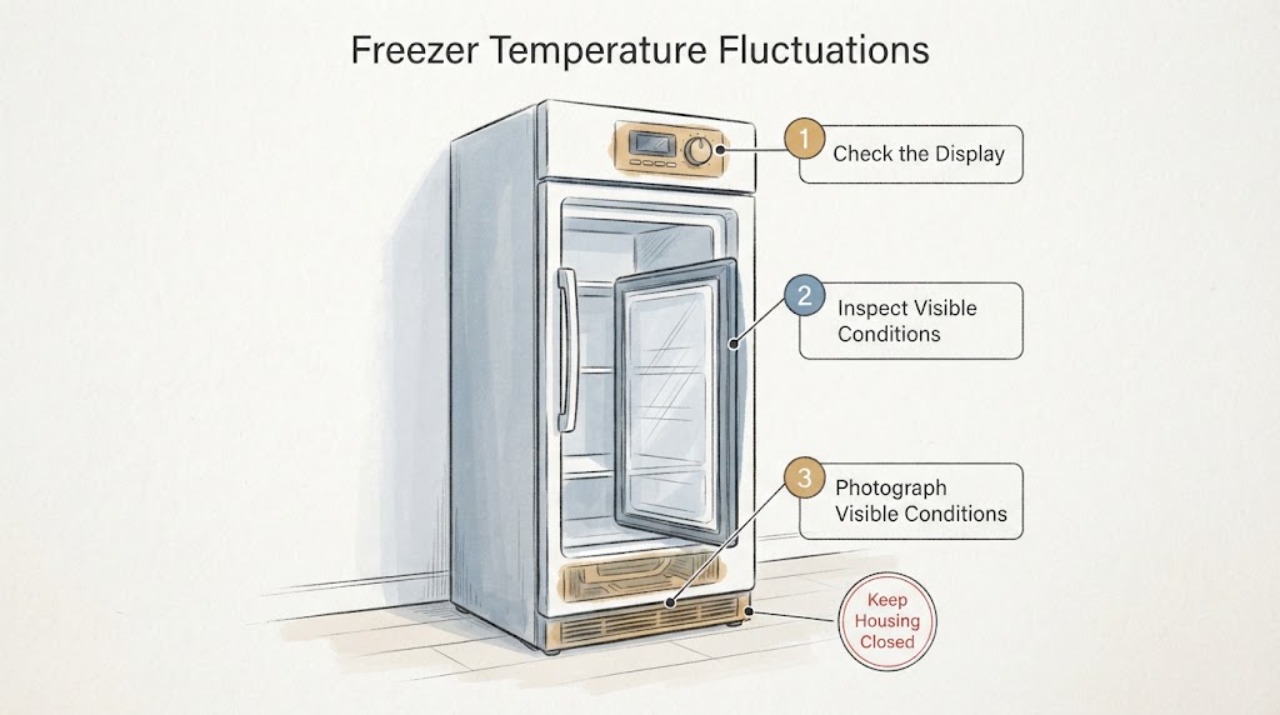
Work through in order
Diagnostic checks
Use only checks that match the exact appliance or system and its official guide.
-
Check 1
Photograph the complete display and write down every character, separator, flashing segment, alarm, and audible pattern. Record whether it is shown as d/F, dF, d followed by f, or something else, whether it appears on the refrigerator or freezer portion, and how long it remains. Confirm the full model suffix from the ordinary label location without removing trim or panels.
Expected result: The display repeats a stable d/F pattern, shows a different error, changes during a brief operating interval, or cannot be read; the label confirms FGHN2866PFDA or only the broader FGHN2866PF family.
Next step: Keep the exact display record and use the model-matched manual or Frigidaire support route. If the suffix or display remains uncertain, give the label and display photographs to service instead of using another model's code table.
Stop if: Do not enter undocumented key combinations, remove the control panel, or keep operating solely to reproduce an alarming display.
Why this matters
Why: The opened owner guide says control features and alarms may vary by model and tells owners to call service when the digital display shows an error. A partial d/F observation is not enough to assign a defrost, door, or sensor meaning.
-
Check 2
Read the freezer temperature from an appliance thermometer already in use, or place one safely according to its instructions, and compare the reading with the control setting and the refrigerator's displayed value. Take readings at comparable times with the door closed as much as possible; do not change several settings at once.
Expected result: The freezer is near the suggested 0°F setting, stays within the documented -6°F to 6°F control range, or rises above that range and the food is softening or temperature is cycling widely.
Next step: If the reading is stable and food remains frozen, continue with the door, airflow, and frost checks while preserving the display record. If it is warm or unstable, keep the door closed, protect food, and arrange service rather than selecting a temperature sensor or control board.
Stop if: Do not place a thermometer against an evaporator, remove an interior cover, or use a service mode to obtain a temperature value.
Why this matters
Why: A stable actual temperature with a transient display state makes a display/operating-state issue more plausible, but a warm or unstable actual temperature means the display is not the only problem. Frigidaire treats a warm freezer as a cooling concern.
-
Check 3
With the freezer closed and at ordinary room temperature, inspect the door and gasket from the outside and look for a visible gap, trapped package, or damaged seal. Inside, move only an accessible item that clearly blocks a vent or crowds the airflow path; do not remove the gasket or force the drawer.
Expected result: The door closes evenly with a continuous seal and clear vents, or a package, gap, damaged gasket, or blocked airflow path is visible.
Next step: Clear only the accessible obstruction, close the door normally, and observe the actual temperature trend without repeatedly opening it. Arrange service for a damaged gasket, recurring gap, or continued fluctuation.
Stop if: Do not remove the gasket, pry the door, scrape frost, use a heater, or remove an airflow cover.
Why this matters
Why: Frigidaire says a non-sealing door causes unstable temperature and that packages blocking vents or a door can reduce airflow and promote frost. A clear seal does not rule out an internal cooling fault, but a visible obstruction is a safer first correction.
-
Check 4
Look only at accessible frost and record its pattern without touching it: no frost, a light even layer, a thick blanket on a rear wall, or frost concentrated around a door edge or vent. Also note whether the display state appears during the normal defrost interval described in the owner guide and whether cooling returns afterward.
Expected result: Frost is heavy enough to block a vent or prevent closure, frost is localized at the seal, or the freezer recovers after a short defrost-related pause but the d/F display remains unexplained.
Next step: Keep the door closed and follow only the exact model's approved defrost procedure; if frost is thick, recurring, or blocks airflow, arrange service. Do not infer a defrost heater, fan, or sensor failure from frost or d/F alone.
Stop if: Do not chip, scrape, melt, or heat the frost, remove an interior panel, or access the evaporator/defrost assembly.
Why this matters
Why: Frigidaire links frost with warm air entering through a poor seal, blocked airflow, and over-freezing settings. The manual's roughly 30-minute automatic defrost description does not prove that d/F is a user-clearable code on this exact suffix.
-
Check 5
Document the cooling context for service: recent power loss or move, room conditions, door-opening frequency, compressor/fan sounds heard from normal positions, temperature readings, food condition, frost pattern, and when d/F appears. Do not unplug repeatedly or run a warm freezer as a prolonged experiment.
Expected result: The freezer is cooling normally after a known power recovery, remains warm after adequate recovery time, has abnormal silence/noise, or the same display state returns with fluctuating temperature.
Next step: Give the complete record to Frigidaire service. Keep the door closed and protect food if it is thawing; arrange prompt service for persistent warmth, unsafe food temperatures, or recurring d/F.
Stop if: Do not open panels, enter diagnostic mode, measure live circuits, or replace a sensor, fan, defrost component, or board based on this record.
Why this matters
Why: Frigidaire notes that power recovery can require time to stabilize and that compressor/fan sounds indicate an attempt to cool; persistent warmth or a returning display error needs model-matched service rather than a guessed part.
Use your observations
Decision map
Find the observation that best matches what you see, then follow the next safe action.
-
PATH 01Next step
What you see
The actual freezer temperature stays near the setpoint, food remains frozen, the door seals, airflow is clear, and d/F appears only briefly around an apparent defrost interval.
Do this next
Keep the display record, avoid repeated resets, and monitor the actual temperature. Ask Frigidaire to confirm the exact d/F meaning if the state repeats or lasts beyond the normal defrost interval.
Why this path and its safety boundary
Why it matters: A transient operating or display state is more plausible than an immediately proven cooling-component failure, but the opened owner guide does not define d/F for the exact PFDA suffix.
-
PATH 02Next step
What you see
The freezer temperature rises or cycles widely, food softens, d/F persists or returns, or the display shows another error.
Do this next
Keep the freezer door closed, protect food according to applicable food-safety guidance, and arrange qualified Frigidaire service with the exact display, model suffix, and temperature history.
Why this path and its safety boundary
Why it matters: The display is accompanied by a real cooling or food-safety symptom. The code alone still cannot identify a sensor, fan, defrost part, or control board.
-
PATH 03Next step
What you see
A package blocks a vent or door, the gasket has a visible gap or damage, or thick frost prevents normal closure or airflow.
Do this next
Clear only the accessible package obstruction and close the door normally. Follow the model guide for any approved frost handling; arrange service for a damaged seal, recurring frost, or continued warmth.
Why this path and its safety boundary
Why it matters: Frigidaire's guidance makes warm-air entry and restricted airflow plausible contributors to temperature fluctuation; this pattern does not prove a defrost or sensor part failure.
-
PATH 04Next step
What you see
The door seals and vents are clear, no unusual frost is visible, actual temperature remains unstable, or cooling does not recover after a documented power event and reasonable stabilization period.
Do this next
Stop user diagnosis and arrange model-matched Frigidaire service. Provide the display photographs, exact model, temperature readings, sound/timing history, and food condition.
Why this path and its safety boundary
Why it matters: An internal cooling, control, airflow, or defrost issue remains possible, but the opened evidence does not support naming one component from d/F or temperature fluctuation alone.
Helpful context
Understand the symptom
The useful first split is not “what does dF mean?” but “what exactly is displayed, and is the freezer actually leaving its safe operating range?” The official support page is for the FGHN2866PF Gallery French-door family, while the owner guide itself says alarms and controls can vary by model. It documents normal automatic defrost and a generic service path for a digital display error, so the separated d/F report should be preserved as an observation rather than translated from a different Frigidaire platform.
Temperature fluctuation has several observable causes before an internal part is considered. Frigidaire links unstable or warm temperatures with a door that does not seal, frost that reduces airflow, blocked vents or overpacked food, power recovery, and a setting outside the recommended range. A short change during a normal defrost interval is different from a persistent warm freezer, a repeated display error, or food that is no longer solidly frozen.
When checks do not resolve it
Need a professional?
Contact Frigidaire service for a persistent/returning d/F state, unstable or warm freezer, heavy recurring frost, damaged door seal, abnormal noise, or a display error not defined for the exact suffix. Seek prompt food-safety guidance if frozen food is thawing.
Safety scope: Keep the freezer closed and avoid internal access. Do not remove covers, scrape or heat frost, enter service mode, bypass a door or sensor, or perform electrical or sealed-system work.
Have this ready
- Provide the complete FGHN2866PFDA model and serial information if already accessible, market, display photographs, exact characters and duration, freezer setting and actual temperature readings, door/gasket and vent observations, frost pattern, recent power event or move, sound/timing history, and food condition.
Common questions
FAQ
Does d/F definitely mean the refrigerator is in defrost mode?
Not from the opened PF-family owner guide. It documents an automatic defrost cycle and says control features and alarms vary by model, but it does not define a standalone d/F code for the exact PFDA suffix. Record the display and ask Frigidaire service to confirm it.
What freezer temperature should I use while checking fluctuations?
Frigidaire's general guidance uses 0°F as the suggested freezer setting and lists -6°F to 6°F as the acceptable control range for the covered electronic-control refrigerators. Compare the actual cabinet temperature with the setting rather than relying on the display state alone.
Can a door seal or blocked vent cause the temperature to fluctuate?
Yes. Frigidaire says a non-sealing door can cause unstable temperature, and that packages blocking vents or heavy frost can reduce airflow. Clear only an accessible obstruction and arrange service for a damaged seal, recurring frost, or continued warmth.
Should I replace a temperature sensor or control board because d/F appears?
No. The display does not identify a safe user-replaceable part. First document the exact model and display, verify actual temperature, and check only the door, visible frost, and accessible airflow. Use qualified Frigidaire service for persistent code or cooling problems.
Read the exact guide
Official sources
- Refrigerators - What is the recommended temperature settings for my refrigerator?Frigidaire Owner Support · Official Frigidaire guidance for refrigerators including French-door models. It supports using 37°F fresh-food and 0°F freezer targets and waiting for stabilization, not d/F code interpretation.
- Product Support: Frigidaire Gallery 27.6 Cu. Ft. French Door Refrigerator Stainless Steel-FGHN2866PFFrigidaire Canada · Official Frigidaire support page opened for the FGHN2866PF family; the assigned task identifies the suffix as FGHN2866PFDA, but this page itself displays the family identity without separately displaying that suffix. It is therefore a family-level identity/document source and does not by itself prove every feature or display meaning for the PFDA suffix.
- All about the Use & Care of your RefrigeratorFrigidaire · Official owner guide opened from the Frigidaire FGHN2866PF support page. It covers the PF family and includes feature variations; exact PFDA suffix should still be confirmed before applying a display-specific interpretation.
- Freezer - Not Freezing or Not CoolingFrigidaire Owner Support · Official symptom-level Frigidaire support article for freezers and refrigerators with freezers. It supports safe temperature and airflow checks but does not define d/F for the assigned model.
- Refrigerators / Freezer - Frost Build UpFrigidaire Owner Support · Official Frigidaire symptom-level frost article for refrigerators. It supports visible door, gasket, vent, and frost observations without establishing a model-specific defrost code or internal part diagnosis.
Community feedback
Share a repair observation
Share a plain-text repair observation. Accepted observations are published automatically; this page may take a moment to update.