
On this page
Start here
Quick answer
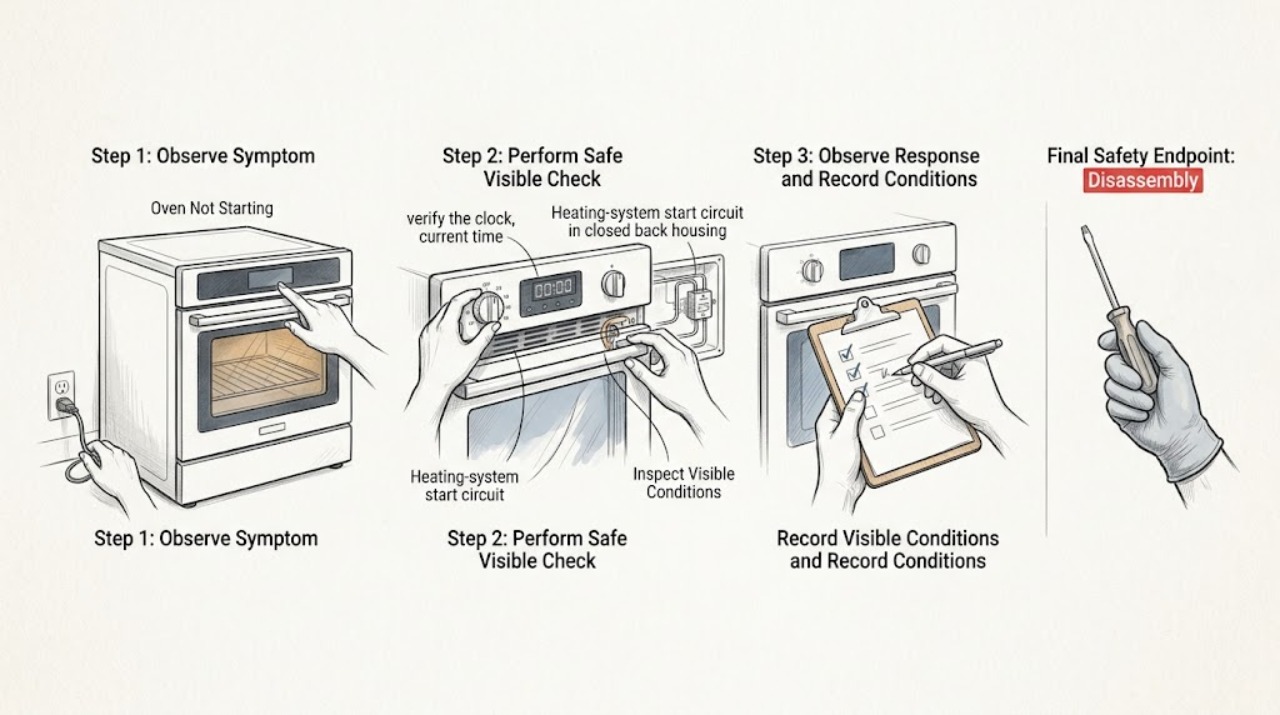
If your Frigidaire oven will not start, first check whether the display is dead, the controls accept selections but do not begin Bake, a lock or timer is active, or an error code is shown. Confirm the clock and mode using the exact Owner's Manual, cancel any active delay or lock feature, and press Start once with the oven empty. Check only the accessible breaker or fuse and stop if it trips again, smells hot, sparks, or shows damage. Frigidaire says control steps vary by model; a model-appropriate power reset can clear some codes, but it does not repair a failed supply, lock, control, igniter, or heating circuit. If a gas oven has an odor or fails ignition, do not manually light or repeatedly retry it. Persistent no-start symptoms need qualified appliance service.
Work through in order
Diagnostic checks
Use only checks that match the exact appliance or system and its official guide.
-
Check 1
Classify the no-start symptom before touching settings: record whether the display is completely blank, the display is lit but buttons are ignored, Bake can be selected but Start does nothing, a lock or delay icon is present, or a code appears.
Expected result: There is gas odor, smoke, burning smell, visible arcing, a damaged cord, repeated breaker tripping, or an F10/high-temperature indication; or none of those hazards is present.
Next step: Turn the oven off and keep clear. For gas odor, leave the area and get help from a safe location; for smoke, fire, arcing, damaged wiring, or repeated trips, stop using the appliance and arrange qualified help. For F10, let it cool and follow only the model-specific guidance.
Why this matters
Why: A hazard or over-temperature condition is not a normal controls problem. Frigidaire identifies F10 on standard ovens as detection of higher-than-normal temperature.
-
Check 2
With the oven cool and empty, verify the clock, current time, selected Bake or other intended mode, temperature entry, Start command, and any active delay-start, Sabbath, demo, or child-lock setting using the exact Owner's Manual.
Expected result: The controls accept the mode and temperature and show a running or preheating state; or the display rejects the entry, remains locked, or returns to an idle screen.
Next step: Complete one manual-documented setting or unlock sequence and press Start once. If the controls still will not accept a cycle, record the exact indicator or code and continue to the power and service boundary checks.
Why this matters
Why: A missing clock, incomplete Start sequence, delay, demo mode, or control lock can prevent a cycle from beginning without proving that a heating component has failed. Frigidaire states that display and control procedures vary by model.
-
Check 3
Inspect the accessible power path without opening the appliance: confirm the oven display has power, look for a tripped breaker or fuse, and check for visible scorching or damage at the cord or receptacle.
Expected result: The display is dead, a breaker or fuse is open, the cord or receptacle is damaged, or accessible power appears normal.
Next step: If there is damage or uncertainty, leave the oven off and use a qualified electrician or appliance technician. If there is no damage, reset the breaker only once when safe; if it trips again or the oven remains unresponsive, stop.
Why this matters
Why: A no-start oven may have lost its supply, and a damaged connection can be unsafe. A reset cannot substitute for correcting an overloaded, damaged, or incorrectly supplied circuit.
-
Check 4
Look at the display for a lock symbol, dash, door-lock message, or error code, and compare it with the exact Frigidaire range or oven error guide rather than guessing at a button combination.
Expected result: The display identifies a lock, F90-series door-lock issue, F10, F30, another code, or no code at all.
Next step: Use one documented unlock or reset procedure only. If the lock or code returns, keep the oven off and arrange service; do not bypass the latch or keep cycling the power.
Why this matters
Why: A lock can prevent cooking functions, while codes have different model-dependent responses. Frigidaire documents an unlock procedure for some door-lock conditions and a cool-down boundary for F10.
-
Check 5
If your model is gas and there is no odor or other hazard, start Bake once from a safe position with the door closed and observe only the normal ignition sequence; do not manually light the burner or repeat failed attempts.
Expected result: The igniter operates and a normal burner flame appears; the igniter operates but no flame appears; or ignition is accompanied by an abnormal flame, repeated clicking, or odor.
Next step: If a normal flame appears and the control proceeds, allow the cycle to run. If there is no flame, abnormal flame, repeated failed ignition, or any gas odor, turn the oven off, leave the area when necessary, and arrange qualified gas-appliance service.
Why this matters
Why: Frigidaire's gas installation instructions describe an electric igniter before oven-burner ignition. A failure to ignite can involve a control, igniter, valve, or supply and cannot be safely isolated by repeated starts.
-
Check 6
If the display is lit and a cycle appears to start but the oven remains cold, stop treating it as a button problem and observe the mode's expected preheat indication without opening the door early.
Expected result: The preheat indicator or tone appears and heat develops; or the cycle remains idle, cancels, or produces no heat after the model's preheat sequence.
Next step: If the cycle stays idle or cold, record the mode and display behavior and request qualified service. Do not open panels or test live heating circuits.
Why this matters
Why: A successful control start does not prove that the supply, heating element, igniter, sensor, or relay is healthy. Frigidaire separates control operation from no-heat and power issues.
-
Check 7
After the oven is safe and stopped, perform at most one model-appropriate reset described by Frigidaire: disconnect power or switch the breaker only as the manual or error guide permits, then restore power and try the normal Start sequence once.
Expected result: The display and Start command return to normal; or the same lock, code, blank display, or no-start behavior returns.
Next step: Keep the oven off after a repeated failure and schedule qualified appliance service. Do not repeatedly unplug, reset the breaker, or bypass a safety control.
Why this matters
Why: A reset may clear a transient control state or false error, but a recurring failure indicates an unresolved control, power, lock, or heating fault.
Use your observations
Decision map
Find the observation that best matches what you see, then follow the next safe action.
-
PATH 01Next step
What you see
The display is blank or a breaker trips again after one safe reset.
Do this next
Leave the oven off. Arrange qualified electrical or appliance service and do not remove panels or test live wiring.
Why this path and its safety boundary
Why it matters: Power delivery or an electrical fault is possible.
-
PATH 02Next step
What you see
The display is lit but the controls reject Start, show a lock, or remain in demo/delay/child-lock state.
Do this next
Use the exact manual for the clock, lock, demo, delay, or Start sequence once. Escalate an unresponsive or recurring state to service.
Why this path and its safety boundary
Why it matters: A model-specific control state is preventing the cycle from beginning.
-
PATH 03Next step
What you see
The oven shows F90, F91, F92, F93, or F94, or the door-lock indication will not clear.
Do this next
Follow the model-specific unlock and reset guidance once. Do not force the door or bypass the lock; arrange service if the condition returns.
Why this path and its safety boundary
Why it matters: The control is detecting a door-lock condition that can prevent cooking functions.
-
PATH 04Next step
What you see
A gas oven's igniter operates but no burner flame appears, or ignition repeatedly fails.
Do this next
Stop attempts and turn the oven off. If gas odor is present, leave the area and seek help from a safe location; otherwise arrange qualified gas-appliance service.
Why this path and its safety boundary
Why it matters: A gas ignition or supply fault requires qualified diagnosis.
-
PATH 05Next step
What you see
A gas odor, smoke, fire, abnormal flame, burning smell, electrical arc, damaged cord, or repeated breaker trip occurs.
Do this next
Stop using the appliance and keep clear. For gas odor or fire risk, leave the area; contact the appropriate qualified emergency or appliance service from a safe location.
Why this path and its safety boundary
Why it matters: This is an immediate safety stop, not a user-level no-start check.
-
PATH 06Next step
What you see
The controls start Bake but the oven remains cold or never reaches its preheat state.
Do this next
Record the selected mode and exact display behavior, keep the oven off, and arrange qualified appliance service instead of opening panels.
Why this path and its safety boundary
Why it matters: A supply, heating element, sensor, relay, igniter, or control fault is possible.
-
PATH 07Next step
What you see
A reset clears the display and a normal Start sequence works once with no hazard.
Do this next
Monitor one controlled empty-oven preheat. If the problem recurs, stop resetting and request service with the recorded code and sequence.
Why this path and its safety boundary
Why it matters: The previous state may have been a transient control or error condition.
-
PATH 08Next step
What you see
F10 or another over-temperature code appears.
Do this next
Turn it off and let it cool. Follow the exact model's guidance only after cooling, and arrange service if the code or overheating returns.
Why this path and its safety boundary
Why it matters: The oven is reporting an unsafe or abnormal temperature condition.
Helpful context
Understand the symptom
Identify which part of starting fails
Not starting can mean no display, an unresponsive keypad, a setting that prevents the cycle from being accepted, or a cycle that starts but never produces heat. Note the display state, selected mode, any lock or delay indicator, and every error code before resetting. Frigidaire directs owners to the model manual because the controls and lock commands differ between products.
Keep electrical and gas checks at the user-safe boundary
Use only visible controls and an accessible breaker or fuse. Do not remove the console or rear cover, probe live terminals, bypass a door lock, or light a gas burner by hand. A gas smell, smoke, arcing, scorching, repeated breaker trip, or an over-temperature alert ends the troubleshooting sequence.
Safety boundary
Stop conditions
- Gas odor, suspected gas leak, or abnormal gas flame
- Smoke, fire, burning smell, or electrical arcing
- Damaged cord, receptacle, exposed wiring, or repeated breaker trip
- F10 or another recurring over-temperature condition
- Need to open a panel, test live voltage, or bypass a safety device
When checks do not resolve it
Need a professional?
Arrange qualified appliance service when a Frigidaire oven remains unable to start after the correct manual setting, accessible power check, one documented unlock or reset, and a safe normal-start attempt. Call a qualified electrician for a damaged cord, receptacle, wiring, or recurring breaker trip; use qualified gas-appliance service for failed ignition or any gas concern. Do not use the oven while a lock, recurring code, over-temperature condition, or safety symptom remains.
Common questions
FAQ
Why does my Frigidaire oven have power but not start?
A lock, delay or demo state, incomplete clock or Start sequence, error code, or control fault can prevent a cycle even when the display is lit. Use the exact model manual, complete one normal Start sequence, and arrange service if the controls remain unresponsive.
Can I reset a Frigidaire oven that will not start?
Frigidaire documents a model-appropriate power reset for some error conditions. Perform it at most once when the oven is safe and cool, then try Start once. A recurring lock, code, blank display, or no-start condition needs service rather than repeated resets.
What if my Frigidaire gas oven clicks but does not start?
A gas oven may use an electric igniter before the burner flame appears. Do not manually light it or keep retrying. Turn it off and arrange qualified gas-appliance service, and leave the area if gas odor is present.
What does an F90-series code mean on a Frigidaire oven?
F90 through F94 are listed by Frigidaire as door-lock issues that can prevent cooking functions. Use the model-specific unlock and reset instructions once; do not force the door or bypass the lock if the code returns.
What should I do if the oven starts but never heats?
That has moved from a Start-control problem to a no-heat diagnosis. Confirm the correct mode and preheat indication once, then stop if the cavity remains cold; power, heating, sensor, relay, or ignition faults require qualified service.
Read the exact guide
Official sources
- Oven Error Codes and Alarms GuideFrigidaire · Power reset guidance, F10 thermal-runaway cool-down, door-lock codes, and service boundary.
- Ranges - Error Code GuideFrigidaire · Range lock and error-code categories and the service boundary for unresolved conditions.
- What To Do If Your Electric Range Won't StartFrigidaire · Official support entry for an electric range that will not start and its model-specific related guidance.
- INSTALLATION INSTRUCTIONS - FREESTANDING GAS RANGEFrigidaire · Qualified service boundary and electric-igniter-to-burner ignition sequence for gas range ovens.
- EN User Manual | Gas RangeFrigidaire · Gas-odor response and safe gas-range operation boundaries.
- How do I use my display or controls?Frigidaire · Model variation for clock, timer, temperature, and child-lock controls.
- Oven - Is Not Hot EnoughFrigidaire · Proper power, door gasket, and service boundary when an oven starts but does not heat adequately.
- Ovens - How do I use Quick Preheat or Preheat?Frigidaire · Start and cancel behavior for the Quick Preheat feature and model-dependent preheat operation.
Community feedback
Share a repair observation
Share a plain-text repair observation. Accepted observations are published automatically; this page may take a moment to update.