
On this page
Start here
Quick answer
When a GE oven will not start, first decide whether the panel is completely dead or has power but will not begin a cycle. If the display is on, check the selected Bake or Broil function, required Start press, Control Lock, Delay Start, Sabbath mode, and a self-clean door latch according to the model manual. If it is a gas oven, do not keep trying if you smell gas, hear delayed ignition or a boom, see smoke, or see the door move. For any gas odor, avoid electrical switches and flames, leave the area, and call the gas supplier from outside. If the safe external checks do not restore operation, leave the oven off and arrange qualified appliance service.
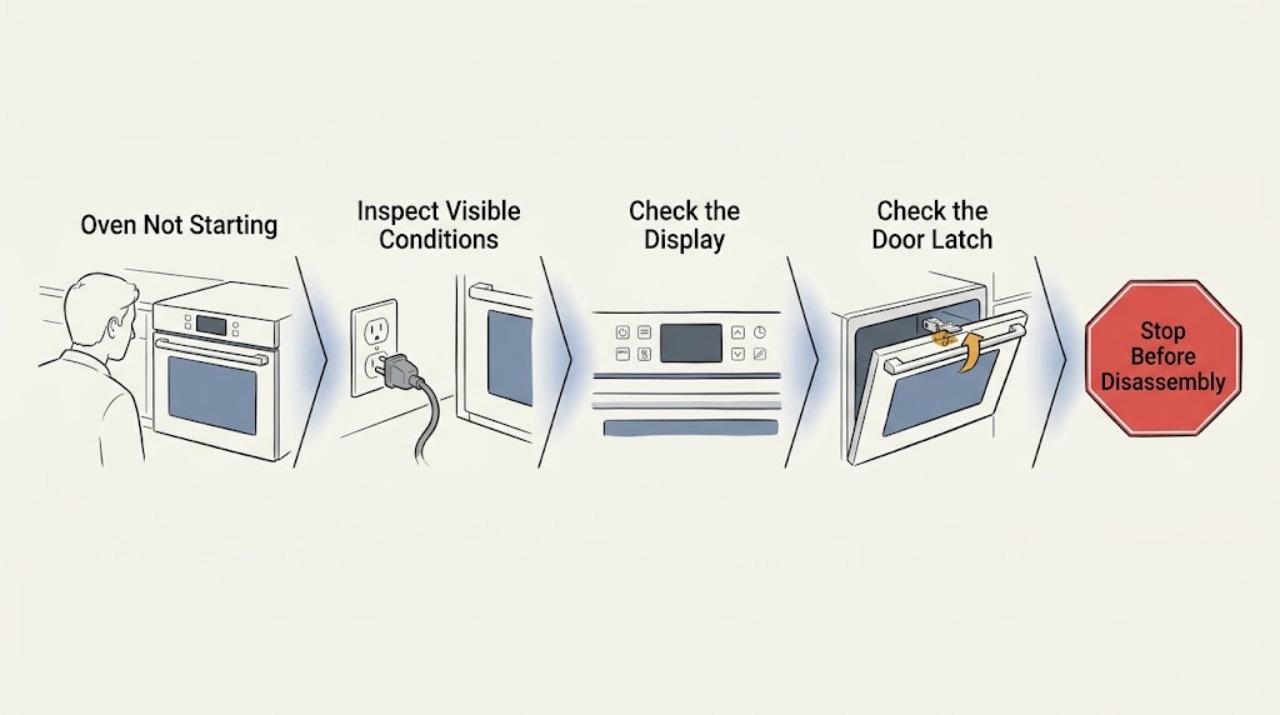
Work through in order
Diagnostic checks
Use only checks that match the exact appliance or system and its official guide.
-
Check 1
Look at the control panel without opening the appliance. Note whether the display and clock are completely dark, or whether the display is lit but the oven ignores a Bake or Broil selection.
Expected result: The panel is dark, or the display is lit and accepts some button presses but does not begin heating.
Next step: For a dark panel, check the household breaker or fuse from the outside of the panel. For a lit panel, continue with the controls and lock checks.
Why this matters
Why: A dark panel makes power or control supply the first branch; a lit panel shifts attention to settings, locks, start confirmation, door state, or ignition.
-
Check 2
Select the intended Bake or Broil function and temperature exactly as the model manual shows. On electronic controls, press or hold Start as required; on knob models, confirm the function and temperature knobs are in the correct positions and were not swapped after cleaning.
Expected result: The oven starts after the correct selection and Start input, or it remains idle with the correct selection.
Next step: If the sequence is correct and the oven remains idle, do not repeatedly cycle the controls; continue to power, lock, delay, and door checks.
Why this matters
Why: A missed start input or mispositioned knob can prevent operation, while a correct sequence with no response points to another branch.
-
Check 3
Check the display for Control Lock, Child Lockout, Delay Start, Delay Bake, Sabbath mode, or a self-clean door-latch indication. Use only the model manual's control sequence to cancel or unlock a feature; do not force the latch.
Expected result: A lock, delay, Sabbath setting, or locked self-clean latch is shown, or no such setting is shown and the oven still will not start.
Next step: Cancel or unlock only according to the manual. If the feature is not active or the oven still does not start, leave it off and continue with power and model-specific checks.
Why this matters
Why: These model-dependent features can intentionally prevent the expected start or require a specific cancellation sequence; a forced latch can create another hazard.
-
Check 4
Check the household breaker or fuse and the range's accessible power connection only when there is no gas odor, smoke, heat, or arcing. Do not remove the electrical panel cover; if handling a cord is necessary, first disconnect the house circuit as directed by GE.
Expected result: A breaker is tripped, a fuse is open, the cord is loose, or the supply appears normal but the panel remains dead or the oven stays idle.
Next step: Correct only an obvious external power interruption. If protection trips again or the oven remains unresponsive, keep it off and call qualified service.
Why this matters
Why: A power interruption can prevent controls or ignition from operating, but a repeated trip or normal power with no start indicates a fault rather than a reason to keep resetting.
-
Check 5
For a gas model only, and only when there is no gas odor or delayed-ignition sign, check the model manual for the external gas shutoff position and any permitted ignition observation. Do not open gas connections, remove burner covers, or repeat a failed ignition attempt.
Expected result: The gas shutoff is closed, the expected glow or ignition indication is absent, or the oven still does not ignite with gas and power available.
Next step: Stop the test, leave the oven off, and arrange qualified appliance or gas service. Do not manually light an unknown model.
Why this matters
Why: The gas supply, glow-bar, pilot, control, or safety system may need diagnosis; the observation does not identify a safe part or gas adjustment.
-
Check 6
For an electric model only, turn the oven off and disconnect the circuit before visually checking an accessible bake element for a clear crack or break. Do not touch the element, remove panels, or perform live voltage tests.
Expected result: The bake element is visibly cracked or broken, or it looks intact but the oven remains unable to start or heat.
Next step: Keep power off and use qualified service for a damaged element or any unresolved no-start condition; do not guess at a replacement part.
Why this matters
Why: A visible element defect can require replacement, while an intact element does not rule out controls, sensors, wiring, or another model-specific fault.
-
Check 7
If there is no gas odor, smoke, arc, heat damage, or repeated breaker trip, perform the model's documented electronic reset by switching the circuit off for the manual-specified interval, then restore it once. Record whether the display, controls, and oven response change.
Expected result: The oven starts normally after the documented reset, or the same no-start symptom returns.
Next step: Do not keep cycling power. Leave the oven off and schedule repair if the problem returns or the reset does not help.
Why this matters
Why: A reset may clear a temporary electronic state on supported models, but a repeated failure is not repaired by repeated resets.
Use your observations
Decision map
Find the observation that best matches what you see, then follow the next safe action.
-
PATH 01Next step
What you see
The display is completely dark and the household breaker or fuse is not supplying the oven.
Do this next
Check only the external breaker, fuse, and accessible cord condition; stop if the protection trips again and call service.
Why this path and its safety boundary
Why it matters: The issue is in the power path or control supply rather than a confirmed ignition fault.
-
PATH 02Next step
What you see
The display is lit but a lock, delay, Sabbath, or self-clean latch state prevents the selected cycle.
Do this next
Cancel or unlock it using the exact owner's manual, without forcing the latch or opening panels.
Why this path and its safety boundary
Why it matters: A model feature or latch state is blocking the normal start sequence.
-
PATH 03Next step
What you see
The Bake or Broil settings and Start input are correct, but the gas oven does not show its expected ignition behavior.
Do this next
Do not relight repeatedly or open gas components; leave the oven off and call qualified appliance or gas service.
Why this path and its safety boundary
Why it matters: A gas supply, glow-bar, pilot, control, or safety-system fault is possible.
-
PATH 04Next step
What you see
You smell unburned gas, hear a boom, see the door move, or see smoke or an abnormal flame.
Do this next
Avoid electrical switches and flames, leave the area, and contact the gas supplier or emergency services from outside.
Why this path and its safety boundary
Why it matters: Possible gas release, delayed ignition, or fire hazard takes priority over diagnosis.
-
PATH 05Next step
What you see
The oven remains unable to start after correct settings, safe power checks, and the model-appropriate feature checks.
Do this next
Keep the oven off and provide the model number, display state, selected mode, breaker behavior, and any ignition observations to qualified service.
Why this path and its safety boundary
Why it matters: The issue has reached the professional service boundary.
Helpful context
Understand the symptom
A GE oven that will not start can have no incoming power, a locked or delayed control, a self-clean latch that is not released, an incorrect cycle sequence, or a gas/electric ignition fault. The display state is the first useful split: a completely dark panel points toward power or control supply, while a lit panel makes settings and lock features more likely. Model features differ, so use the exact owner's manual for any feature not shown on your controls.
Gas ignition adds a hard stop. A brief normal start-up combustion odor is not the same as unburned gas, a delayed boom, or a door movement. Do not remove burner parts, open gas tubing, or keep relighting an oven that does not ignite promptly. Keep all checks external and de-energized unless a qualified professional is performing the work.
When checks do not resolve it
Need a professional?
Arrange appliance service when the oven remains idle after safe settings, power, lock, delay, latch, and model-specific checks. For gas models, stop immediately for unburned-gas odor, delayed ignition, boom sounds, door movement, abnormal flames, or repeated ignition failure. Use emergency services for smoke, fire, arcing, or a shock.
Common questions
FAQ
Why is my GE oven not starting even though the display is on?
Check the Bake or Broil selection and required Start input, then look for Control Lock, Delay Start, Sabbath mode, or a self-clean latch state in the model manual. If the settings are correct and the oven remains idle, leave it off and arrange service.
What should I do if my GE gas oven will not ignite and I smell gas?
Do not touch electrical switches or use a flame. Leave the area, open windows only if this can be done without risk, and contact the gas supplier or emergency services from outside. Do not repeat ignition attempts.
Can I remove the oven bottom to check the igniter?
Do not remove burner or oven components as a homeowner workaround for an unknown model. Use the exact GE manual for any permitted observation, keep the appliance off if ignition fails, and use qualified appliance or gas service for internal diagnosis.
Read the exact guide
Official sources
- Range & Wall Oven - Oven Will Not Come OnGE Appliances · GE electric and general range/wall-oven no-start checks
- Range & Wall Oven - Delay Start of CookingGE Appliances · GE delay-start behavior
- Gas Range & Wall Oven - Oven Will Not Come OnGE Appliances · GE gas oven no-start troubleshooting
- Gas Range - What is Normal Operation vs What Requires ServiceGE Appliances · GE gas range ignition and delayed-ignition warnings
- Gas Range - Gas OdorsGE Appliances · GE gas-odor safety guidance
- Range - Lock Controls FeatureGE Appliances · GE range control-lock behavior
Community feedback
Share a repair observation
Share a plain-text repair observation. Accepted observations are published automatically; this page may take a moment to update.