
On this page
Start here
Quick answer
First observe whether the Frigidaire refrigerator light flickers only while a door is moving or open, only in one compartment, when the door switch is pressed, or together with the display and other refrigerator functions. Record the exact model; Frigidaire says the model/serial label location varies by product and the correct Use and Care manual should guide the controls. If the refrigerator is otherwise dead, check only the accessible breaker and dry outlet from a safe position; Frigidaire's no-power guidance says to check the breaker and verify a secure plug and working outlet. If the light flickers while the refrigerator cools normally, inspect only the visible lamp cover, bulb/LED module, and door area for looseness, frost, moisture, or damage, with power isolated before any model-approved bulb change. A flicker tied to door movement makes a door switch, lamp connection, or control path more likely; flicker across the display, compressor, or household lights makes a supply or electrical issue more concerning. Stop for a hot or damaged plug, burning odor, sparks, moisture in the light area, repeated breaker trips, exposed wiring, or any need to remove panels or test live circuits. Do not bridge the door switch or continue using a light that overheats; persistent flicker needs model-specific qualified appliance service.
Before you begin
Safety first
- The user may record the model, observe door-linked behavior, inspect visible covers and switch areas, check a dry accessible breaker/outlet, and change a bulb only when the exact manual explicitly permits it after power isolation. Qualified personnel must handle LED drivers, sockets, door sensors, control boards, internal wiring, built-in appliance movement, and live testing.
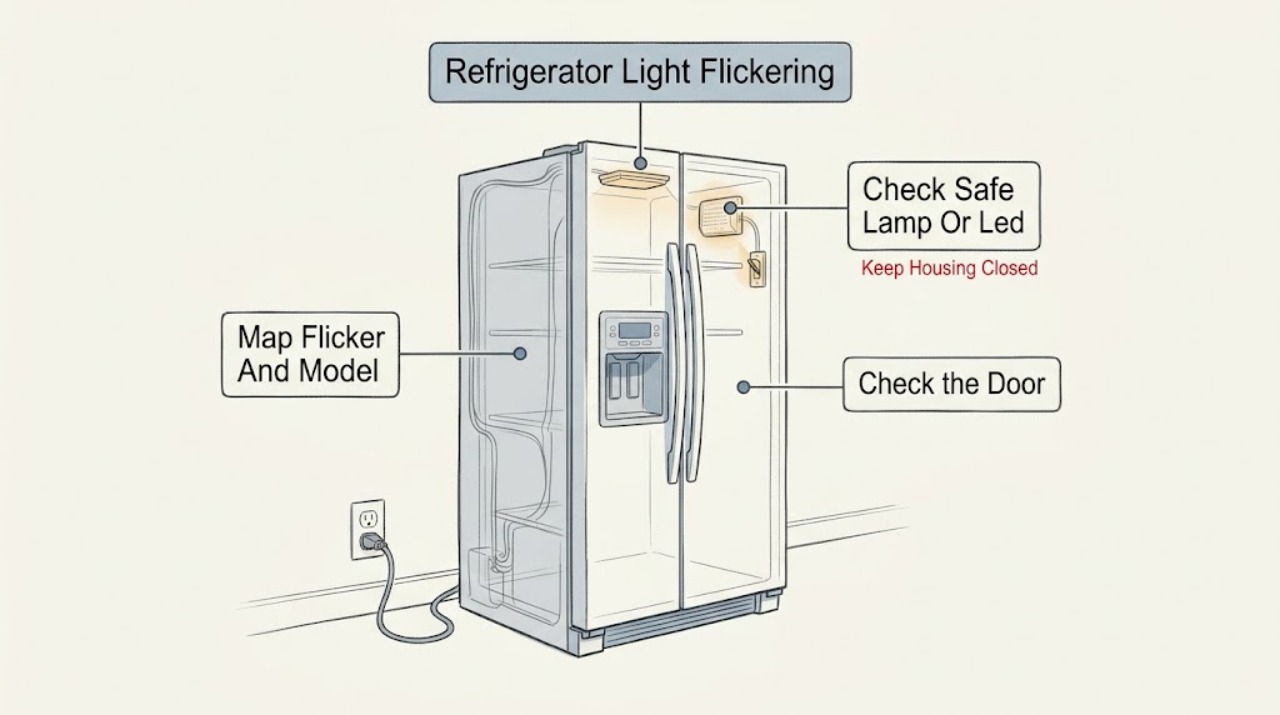
Work through in order
Diagnostic checks
Use only checks that match the exact appliance or system and its official guide.
-
Check 1
Record the complete model and serial information, then observe from a dry position whether the flicker occurs in the fresh-food compartment, freezer, dispenser/display area, or more than one location. Note whether it follows door movement, a visible switch/plunger, compressor start, or a change in household power. Do not press a concealed switch with a tool.
Expected result: Only one light flickers; all interior lights flicker; the display or alarm flickers too; the symptom follows door movement; or the whole refrigerator resets or stops cooling.
Next step: Use the door/light branch for a local symptom and the power branch for display, cooling, or whole-unit interruption. Use the exact model manual before touching a lamp cover or control.
Stop if: Do not remove panels, defeat a door switch, touch exposed wiring, or continue if the lamp area is wet, hot, cracked, or sparking.
Why this matters
Why: A single compartment and door-linked symptom makes a local door-state, lamp, LED module, or connector path more likely. Multiple lights with display or cooling interruption makes shared control or supply instability more concerning.
-
Check 2
Open and close the refrigerator door normally while watching the light, without slamming or holding the door switch. Inspect only the visible door edge, gasket area, switch/plunger if exposed, lamp cover, and surrounding cavity for food residue, frost, moisture, looseness, or damage. Keep fingers and tools away from any switch opening.
Expected result: The light flickers exactly as the door moves; a visible plunger is sticky or misaligned; the cover or bulb appears loose; moisture/frost is present; or the flicker occurs with the door stationary.
Next step: Remove only a clearly visible residue without disturbing the switch or wiring. If the model manual explicitly allows an isolated bulb/cover check, follow it; otherwise leave the light alone and arrange service if the flicker persists.
Stop if: Do not tape, hold, bend, bypass, or electrically bridge a door switch; do not remove a lens, socket, or LED assembly while energized.
Why this matters
Why: A door-linked pattern makes the door-state sensor/switch or light connection more likely than a household power fault. A wet, frosted, damaged, or loose light area is a stop condition; a stationary flicker shifts concern toward the lamp/LED driver or control path.
-
Check 3
With power isolated at a safe, dry accessible disconnect and only if the exact model manual identifies a user-replaceable bulb, inspect the bulb and cover for a dark filament, correct seating, cracks, heat marks, or moisture. If the manual identifies an integrated LED module, do not open the module; inspect it only from the outside.
Expected result: The model uses a replaceable bulb that is visibly failed or loose; the light is an integrated LED module; the cover/socket is wet or heat-damaged; or the lamp appears normal but still flickers.
Next step: Replace a bulb only with the exact manual's specified appliance bulb and only after power is isolated. If the lamp is integrated, damaged, or still flickers after the permitted bulb step, keep the refrigerator in service only if there is no hazard and arrange model-specific service promptly.
Stop if: Do not touch a wet or hot socket, open an LED driver, substitute an unapproved bulb, or restore power with a damaged cover or exposed lamp contacts.
Why this matters
Why: A confirmed model-approved bulb failure can explain a local light symptom. An integrated LED, damaged socket/cover, heat mark, or normal-looking lamp with persistent flicker needs qualified diagnosis rather than a guessed replacement.
-
Check 4
If the flicker affects more than one light or coincides with display resets, alarm changes, compressor interruption, or other household-light flicker, check the accessible refrigerator breaker and a dry accessible plug/outlet only as Frigidaire's no-power guidance permits. Do not pull out a built-in refrigerator or use a live meter.
Expected result: The breaker is tripped, the breaker trips again, the plug/outlet is loose, hot, wet, or damaged, the display shows a power-failure indication, or the accessible supply appears normal while refrigerator functions remain unstable.
Next step: Make no more than one safe breaker reset when the area is dry and the installation allows it. If protection trips again or instability remains, leave the refrigerator connected only as needed to protect food if there is no hazard and arrange qualified electrical/appliance service; disconnect it from a safe location for any odor, heat, smoke, or water hazard.
Stop if: Stop for a hot/damaged outlet or cord, smoke, burning odor, sparks, water, repeat trip, or any need to test live voltage or remove the appliance.
Why this matters
Why: A recent outage, supply problem, or shared control-power issue is more likely when multiple functions change together. A repeat trip or damaged supply is an electrical fault signal, not a reason to keep resetting it; a normal outlet does not prove internal stability.
-
Check 5
Document the model, compartment affected, door position, display/alarm behavior, bulb or LED type, visible switch/cover condition, breaker/outlet result, and whether cooling or other lights change. Do not perform continuity, resistance, door-switch, LED-driver, or control-board tests; give the record to Frigidaire or a qualified appliance technician.
Expected result: Flicker continues with the door stationary, returns after a model-approved bulb step, affects an integrated LED, follows display/control changes, or occurs with heat, odor, sparks, or protection trips.
Next step: Arrange model-specific appliance service, using an electrician when the household supply or outlet is implicated. Keep the light or refrigerator off when there is an electrical or heat hazard.
Stop if: Do not open panels, probe wiring, bypass the door switch, or continue operating after smoke, burning odor, sparking, overheating, or a repeat trip.
Why this matters
Why: A persistent local flicker can involve the lamp module, driver, door-state sensor, connector, or control; a system-wide flicker can involve supply or shared electronics. The observation narrows the service path but does not identify a safe replacement part.
Use your observations
Decision map
Find the observation that best matches what you see, then follow the next safe action.
-
PATH 01Safety boundary
What you see
Only one compartment light flickers, and the symptom follows opening, closing, or movement of that door while the refrigerator otherwise cools normally.
Do this next
Inspect the visible door edge and light cover without tools, then follow only the exact model's isolated bulb procedure if one exists. Arrange service if the flicker remains or the door/switch is misaligned.
Why this path and its safety boundary
Why it matters: A door-state switch/sensor, local lamp connection, bulb, or LED module is more likely than a whole-house supply fault.
Safety stop: Do not hold or bypass the door switch, open the light driver, or operate with a wet, hot, cracked, or exposed light assembly.
-
PATH 02Safety boundary
What you see
The refrigerator and controls remain stable, but the light flickers with the door stationary and the visible bulb/LED area shows a failed bulb, loose cover, heat mark, moisture, or no obvious external cause.
Do this next
Use the exact manual for a power-isolated bulb replacement if explicitly allowed. For an integrated LED, damaged socket, heat mark, or persistent flicker, arrange appliance service.
Why this path and its safety boundary
Why it matters: A local bulb, socket, integrated LED module/driver, or light-control path is more likely; the symptom does not prove which component failed.
Safety stop: Do not substitute a bulb by appearance, open an LED driver, touch a wet socket, or restore power with exposed contacts.
-
PATH 03Safety boundary
What you see
More than one light flickers, the display or alarm also resets/blinks, cooling pauses, or the symptom follows a power event.
Do this next
Check the accessible breaker and dry outlet once according to Frigidaire's no-power guidance. If a repeat trip or instability occurs, leave it for qualified electrical/appliance service and protect food safely.
Why this path and its safety boundary
Why it matters: A shared supply, breaker/outlet problem, or control-power fault is more likely than an isolated bulb.
Safety stop: Do not repeatedly reset protection, move a built-in unit, use a damaged extension, or test live voltage.
-
PATH 04Safety boundary
What you see
The display or indicator behavior changes with a model-specific Sabbath, Demo, alarm, or other setting, but the physical lamp does not show a hazard and the refrigerator otherwise operates normally.
Do this next
Use the exact model's Use and Care manual to identify and exit the setting once. If the physical light still flickers or the setting returns, arrange service.
Why this path and its safety boundary
Why it matters: A documented mode or display behavior may be involved, but a mode cannot be assumed to explain a physical pulsing light across all models.
Safety stop: Do not apply a mode sequence from another refrigerator style or reset through undocumented menus.
-
PATH 05Safety boundary
What you see
The light area or outlet is hot, wet, discolored, or sparking; there is smoke/burning odor; the breaker trips again; or exposed wiring is visible.
Do this next
Stop using the affected light and isolate power only from a safe dry location. Arrange qualified appliance service or an electrician for the household supply; do not continue testing.
Why this path and its safety boundary
Why it matters: An electrical, light-driver, connector, or internal wiring fault is possible and the refrigerator has reached the professional-service boundary.
Safety stop: Do not touch the energized light area, remove panels, bypass the door switch, or repeatedly reset a tripped breaker.
Helpful context
Understand the symptom
Describe when the flicker happens before choosing a part
A refrigerator light can appear to flicker because a door switch is changing state, a lamp or LED module is loose or failing, a display/control is losing stable power, or the household supply is fluctuating. Note whether the refrigerator remains cold, whether the display or alarm also blinks, and whether the symptom occurs in one compartment or all illuminated areas. Frigidaire's refrigerator support is organized by model and refrigerator style, so do not assume that a removable bulb, door plunger, or LED module from another model is interchangeable.
A door-state check is external; an electrical test is not
With the door open normally, look at the visible switch/plunger or door edge and the lamp cover. Do not hold a concealed switch with a tool or remove a trim panel to reach it. A flicker that follows door movement points toward the door-state or light path, while a simultaneous display reset, compressor interruption, or household-light flicker points toward power or control stability. Frigidaire's no-power guidance starts with the breaker and outlet, but a normal outlet check cannot prove the condition of internal refrigerator wiring.
Use the exact model's light and display instructions
Frigidaire's light guidance for applicable refrigerator/freezer models allows a burned-out appliance bulb to be replaced with one of the same wattage, but it does not establish that every refrigerator uses a replaceable bulb; many models use an integrated LED module. If the cover, socket, bulb, LED module, display, or door switch is wet, hot, cracked, loose, or inaccessible, stop. A display mode such as Sabbath or Demo can change indicators on some models, but a light that physically pulses or flickers must not be dismissed as a mode without checking the exact manual.
Safety boundary
Stop conditions
- Stop immediately for smoke, burning odor, sparks, overheating, water in the light area, a hot/damaged cord or outlet, exposed wiring, or a repeat breaker trip; isolate power only from a safe dry location.
- Do not remove refrigerator panels, open an LED driver or control board, perform live voltage/continuity tests, or pull out a built-in refrigerator.
- Do not tape, hold, bend, or electrically bypass a door switch or sensor, and do not operate with a damaged door seal, lamp cover, socket, or light assembly.
- Do not substitute a bulb, LED module, switch, driver, or control by appearance or flicker pattern; verify the exact model and qualified diagnosis first.
- If the flicker persists after one model-approved external/light check, or if other refrigerator functions flicker too, stop repeated testing and arrange qualified service.
Only after diagnosis
Potential parts
- model-matched refrigerator bulb, lamp socket, or integrated LED module
Consider this category only when the exact model identifies a replaceable bulb or a qualified diagnosis confirms the local light component is failing; a flicker alone does not establish the part.
Confirm the complete model, bulb type/rating, or LED-module fit information. Isolate power before any permitted bulb change; integrated LED and socket work require service. - model-matched door switch or door-state sensor
Consider this category only when the exact model uses an accessible door switch/sensor and qualified diagnosis confirms a door-linked flicker after normal door alignment is verified.
Door-state designs vary by refrigerator style. Never tape, bridge, or live-test the switch; verify exact model fitment through approved service information. - model-matched light driver, control, or wiring assembly
Consider this category only after a qualified technician confirms that the supply, door state, lamp/module, and visible connections are normal but the flicker persists.
Control and driver assemblies are model-specific and may be integrated with other functions; do not select or replace one from the symptom alone.
When checks do not resolve it
Need a professional?
Arrange Frigidaire or qualified appliance service when a local light continues to flicker after the exact model's safe bulb/cover check, when the model uses an integrated LED, when a door switch or sensor appears misaligned, or when the display, cooling, or multiple lights are unstable. Use an electrician for a hot, wet, damaged, or repeatedly tripping outlet, breaker, cord, or household supply. Stop immediately for smoke, burning odor, sparks, overheating, water in the light area, or exposed wiring; isolate power only from a safe dry location.
Safety scope: The user may record the model, observe door-linked behavior, inspect visible covers and switch areas, check a dry accessible breaker/outlet, and change a bulb only when the exact manual explicitly permits it after power isolation. Qualified personnel must handle LED drivers, sockets, door sensors, control boards, internal wiring, built-in appliance movement, and live testing.
Common questions
FAQ
Why does my Frigidaire refrigerator light flicker when I open the door?
A flicker tied to door movement makes the door-state switch/sensor, local lamp connection, bulb, or LED module more likely than a whole-house power fault. Inspect only the visible door and light area; do not hold or bypass the switch. If the exact model's permitted bulb check does not resolve it, arrange service.
Does a flickering refrigerator light mean the refrigerator has no power?
Not necessarily. A local light can flicker while cooling remains normal, but if the display, alarms, compressor, or multiple lights also reset, check the accessible breaker and dry outlet once using Frigidaire's no-power guidance. A repeat trip or damaged supply needs qualified service.
Can I replace the bulb in a Frigidaire refrigerator?
Only if the exact model manual identifies a user-replaceable bulb. Frigidaire's applicable guidance says a burned-out appliance bulb can be replaced with one of the same wattage, but an integrated LED module or damaged socket is not established by that guidance. Isolate power before any permitted bulb change.
Could Sabbath or Demo mode cause the light to flicker?
Some Frigidaire refrigerator models have model-specific display modes such as Sabbath or Demo, and their controls differ by model. Check the exact Use and Care manual once. Do not assume a display mode explains a physical lamp pulse, and do not apply another model's sequence.
When should I call for Frigidaire refrigerator light service?
Call when flicker persists after the exact model's safe external or bulb check, when an integrated LED or door sensor may be involved, or when the display/cooling is unstable. Use an electrician for a hot, wet, damaged, or repeatedly tripping household supply. Stop immediately for smoke, burning odor, sparks, overheating, water, or exposed wiring.
Read the exact guide
Official sources
- Refrigerator Error Codes and Alarms GuideFrigidaire · Supports distinguishing display/mode behavior from a physical light fault and using model-specific reset guidance.
- Refrigerator No PowerFrigidaire · Directly supports the power-loss branch when light flicker accompanies a dark display or whole-refrigerator interruption; exact installation controls local details.
- Where can I find my model and serial number?Frigidaire · Supports recording the exact refrigerator model before selecting a light, control, or service procedure.
- RefrigeratorsFrigidaire · Supports using the refrigerator support and manual path instead of transferring light or display instructions between models.
- Freezers - What should I do if the light bulb in the freezer is off?Frigidaire · Applies to refrigerators/freezers with the documented bulb behavior; it does not establish that every model has a replaceable bulb or explain an integrated LED flicker.
- Service & RepairFrigidaire · Supports escalation for persistent refrigerator light, control, or electrical faults; it is not an internal DIY repair procedure.
- Refrigerators - How do I use the features and functions on my Side-by-Side refrigerator display?Frigidaire · Supports the warning that display features and controls vary by refrigerator model; do not generalize a display-mode sequence to a different style.
Community feedback
Share a repair observation
Share a plain-text repair observation. Accepted observations are published automatically; this page may take a moment to update.