
On this page
Start here
Quick answer
A GE Profile refrigerator that sounds as if it never turns off is not automatically broken. GE says modern refrigerator compressors are designed to run about 80% to 90% of the time, and run time can approach 100% in very hot or humid conditions. First check actual refrigerator and freezer temperatures, not only whether you hear a compressor. Long run time can follow a warm food load, frequent door openings, a dirty or damaged gasket, blocked freezer vents, restricted condenser airflow on models that have cleanable coils, or an interior light that stays on. If the refrigerator is not cooling enough, check the model's temperature controls, door closure, gasket, airflow, installation clearance, and whether it has recently been installed or serviced. GE says a newly installed refrigerator may need about 24 hours to stabilize, and a diagnostic mode left after service can be reset only as directed for the model. A short power outage can also cause an automatic compressor-protection delay; GE says there is no need to cycle power repeatedly while the system equalizes. Do not interpret a steady hum alone as a failed compressor, and do not open panels, test refrigerant or live wiring, or replace a control, fan, compressor, or sealed-system part. Call qualified service for high or unstable temperatures, frost or moisture with a good door seal, unusual clicking or burning smell, a hot/damaged cord, repeated breaker trips, or a unit that runs continuously without maintaining temperature. Keep the refrigerator plugged in when safe if service needs to observe the symptom.
Before you begin
Safety first
- The user may observe temperatures and sound externally, close doors, clear visible obstructions, clean an intact gasket, move items away from vents, and follow exact model settings. Qualified personnel must handle panels, wiring, live tests, fan/compressor components, sensors, controls, refrigerant, and any electrical or water-damaged appliance.
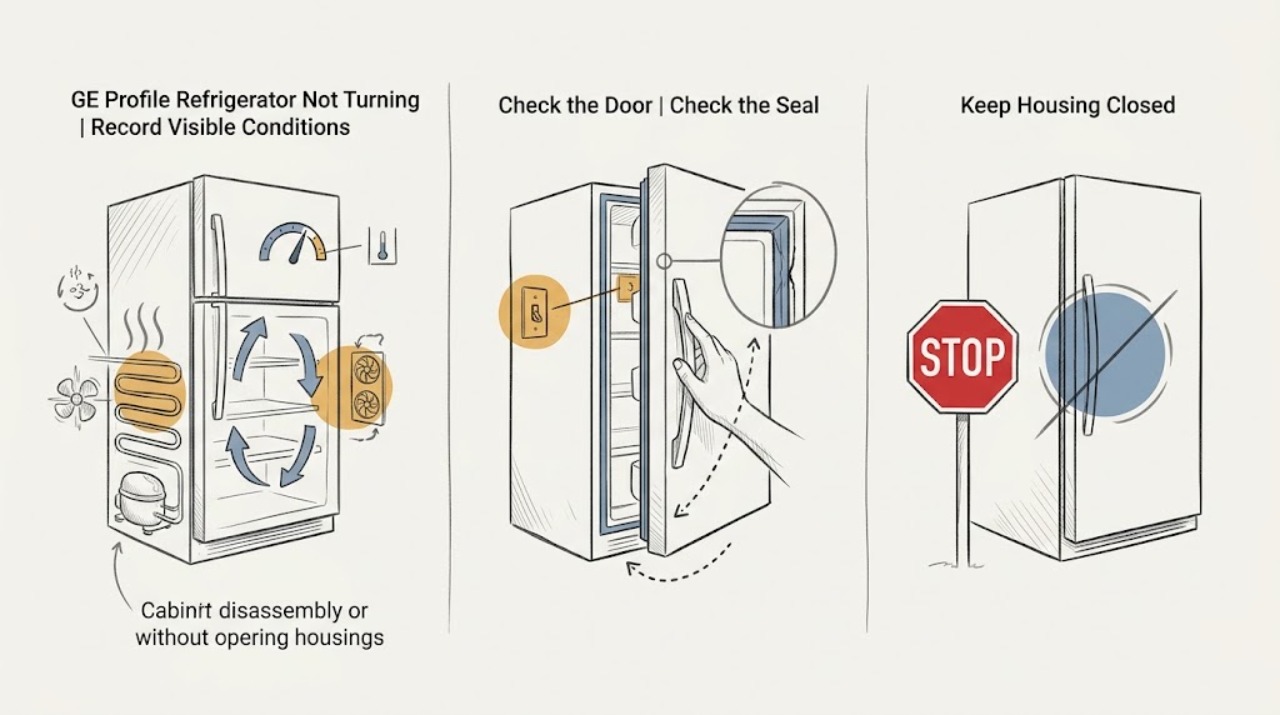
Work through in order
Diagnostic checks
Use only checks that match the exact appliance or system and its official guide.
-
Check 1
Record the refrigerator and freezer temperature display or use a suitable appliance thermometer, note the room conditions, and write down whether the sound is a steady hum, cycling, clicking, fan noise, or an alarm. Avoid leaving the door open just to listen.
Expected result: Temperatures are stable and within the model's guidance; temperatures are high or rising; only sound seems abnormal; or there is smoke, burning odor, heat, or electrical damage.
Next step: Continue with accessible cooling checks when safe. For a hazard, isolate power only from a safe location and arrange qualified appliance/electrical service.
Stop if: Do not touch a hot/damaged cord or cabinet, probe wiring, or open a panel to identify the sound.
Why this matters
Why: Stable temperatures make normal long run time more plausible. High/rising temperatures make cooling, airflow, door sealing, or control faults more important. Smoke, odor, heat, or damage is a stop-use hazard, not a run-time check.
-
Check 2
Note whether the refrigerator was recently filled with warm food, moved or installed, opened frequently, or left ajar. Close the doors gently and check that packages, bins, trays, or the ice maker do not prevent full closure.
Expected result: A large warm load or frequent openings occurred; a package or bin blocks closure; the doors close normally; or the unit has been installed or restarted recently.
Next step: Remove only accessible obstructions, minimize openings, and allow the model's documented stabilization period after installation or restart. Call service if temperatures do not recover.
Stop if: Do not force a door, bypass a door switch, or leave the refrigerator open to reproduce the condition.
Why this matters
Why: GE identifies warm loads and door openings as causes of longer run time, and a new installation or restart may require a stabilization period. An obstruction or ajar door allows warm air to enter continuously.
-
Check 3
Inspect the visible gasket for dirt, a fold, tear, or gap and close the door slowly while observing from outside whether the interior light goes out as expected for the model. Clean an intact gasket only according to the Owner's Manual.
Expected result: The gasket contacts evenly and the light goes out; the gasket is dirty/folded or has a gap; or the light stays on when the door is nearly closed.
Next step: Correct only an accessible gasket/closure issue using model instructions. Arrange service for a torn seal, persistent gap, light-on condition, or a door that needs alignment or switch work.
Stop if: Do not tape or bypass the door/light switch, heat or stretch the gasket, or remove the light or wiring.
Why this matters
Why: GE lists damaged/dirty gaskets and a light that does not turn off as factors that increase run time. A misaligned door or failed switch can add heat and let warm air in even when the door looks closed.
-
Check 4
Look inside for packages blocking freezer vents and check from outside that the refrigerator is not pushed against a wall or cabinet contrary to the model's clearance requirements. If the Owner's Manual says the model has cleanable condenser coils, follow that manual's unplugged cleaning procedure; otherwise do not remove panels to find coils.
Expected result: Vents are blocked; the cabinet has inadequate visible clearance; the model manual calls for coil cleaning; or airflow and clearance appear normal.
Next step: Move only items that visibly block vents and restore model-specified clearance. Clean coils only as documented; call service if run time and temperature remain abnormal.
Stop if: Do not vacuum or brush energized components, remove rear panels, or reach near fans or electrical terminals.
Why this matters
Why: GE identifies blocked vents and restricted or dirty condenser airflow on applicable models as run-time contributors. Normal visible airflow shifts concern toward load, gasket, controls, fans, or sealed cooling.
-
Check 5
Confirm the selected temperature controls and any visible Turbo/diagnostic/Demo or other mode using the exact GE Profile model manual. Note whether the refrigerator was recently serviced and whether it is currently in or just leaving a defrost cycle.
Expected result: A control is set incorrectly; a model mode is active; the unit was recently serviced; a defrost pause occurred; or settings and mode are normal.
Next step: Change only a confirmed setting or exit a confirmed mode using the model manual. Do not repeatedly power-cycle; if settings are normal and temperatures remain abnormal, arrange service.
Stop if: Do not enter a hidden test mode, bridge a sensor, or copy a reset sequence from another Profile model.
Why this matters
Why: GE says controls can be turned off accidentally, diagnostic mode may remain after service, and compressor/fans stop during defrost. These states can make run behavior appear abnormal without proving a component failure.
-
Check 6
Record any outage, surge, unplugging, or breaker event and when the refrigerator resumed cooling. Observe from outside rather than repeatedly disconnecting power or restarting the breaker.
Expected result: A short outage occurred and the refrigerator is recovering; the compressor clicks or pauses repeatedly; the breaker trips; or no power event occurred.
Next step: Allow the automatic protection sequence to complete without intervention when there is no hazard. Call service/electrical support for repeated trips, persistent clicking with no cooling, or a hot/damaged supply.
Stop if: Do not cycle the power repeatedly, test live voltage, or reset a hot or tripping circuit.
Why this matters
Why: GE describes an automatic compressor-protection/equalization period after a short outage or immediate reconnect. A repeated breaker trip is an electrical fault, not normal equalization.
-
Check 7
Prepare the exact GE Profile model/serial, temperature record, run-time timeline, sound description, door/gasket/light results, airflow/clearance observations, settings, outage/service history, and any frost or moisture. Keep the refrigerator plugged in only if the power path is safe and GE service needs to observe the symptom.
Expected result: Temperatures are normal; temperatures remain high; the sound is unusual or accompanied by clicking; the light stays on; or an electrical/physical hazard exists.
Next step: Arrange qualified GE Profile service for persistent symptoms and provide the record. Isolate power for electrical hazards and protect food when temperatures are not controlled.
Stop if: Do not open panels, test refrigerant, probe live circuits, or purchase a compressor, board, fan, sensor, or sealed-system part from this symptom alone.
Why this matters
Why: Normal temperatures support normal high run time. Persistent high temperatures or abnormal sound after accessible checks can involve a fan, sensor, control, compressor, or sealed system; those cannot be identified safely from sound alone.
Use your observations
Decision map
Find the observation that best matches what you see, then follow the next safe action.
-
PATH 01Safety boundary
What you see
The refrigerator runs much of the time but maintains the model's temperature, has no hazard, and recently experienced warm weather, a warm load, or frequent door openings.
Do this next
Keep doors closed, allow the load to stabilize, and monitor temperature. Call service only if temperature, noise, or physical symptoms change.
Why this path and its safety boundary
Why it matters: GE says 80% to 90% run time is designed behavior and can approach 100% in hot/humid conditions. A steady sound with stable temperature is not by itself a failed compressor.
Safety stop: Do not unplug repeatedly to force an off cycle or open the cabinet to confirm compressor operation.
-
PATH 02Safety boundary
What you see
The run time is long and a door is ajar, gasket has a gap/fold, bins or packages obstruct closure, or the interior light stays on.
Do this next
Clear accessible obstructions, clean an intact gasket, and verify closure/light behavior. Arrange service for a persistent gap, damaged gasket, misalignment, or light that remains on.
Why this path and its safety boundary
Why it matters: Warm air or light heat can continually raise the cabinet load. GE identifies door, gasket, and light conditions as run-time contributors.
Safety stop: Do not bypass the light/door switch or modify the gasket.
-
PATH 03Safety boundary
What you see
The refrigerator runs continuously while vents are blocked, clearance is restricted, or the applicable model has dirty condenser coils.
Do this next
Clear visible vent obstructions and restore model-specified clearance. Clean coils only with power isolated and only if the exact manual directs it; call service if temperatures remain high.
Why this path and its safety boundary
Why it matters: GE lists blocked vents and dirty condenser coils on models that require cleaning as factors that increase run time.
Safety stop: Do not remove panels, reach near fans, or clean energized components.
-
PATH 04Safety boundary
What you see
The run pattern changes around a defrost cycle, recent short outage, immediate reconnect, or service/diagnostic-mode event.
Do this next
Allow the automatic process to complete without repeated power cycling. Use only the model manual for diagnostic-mode or control steps and call service if cooling does not resume.
Why this path and its safety boundary
Why it matters: GE documents defrost pauses and automatic compressor protection after a short outage or immediate reconnect. A temporary change in sound is not proof of a failed compressor.
Safety stop: Do not force a restart, repeatedly reset the breaker, or enter an unverified diagnostic mode.
-
PATH 05Safety boundary
What you see
The compressor/fans run much of the time but the refrigerator or freezer remains warm after door, load, airflow, settings, and stabilization checks.
Do this next
Protect food and arrange qualified GE Profile service with the temperature/run-time record. Keep the unit plugged in only when safe and when service needs the symptom preserved.
Why this path and its safety boundary
Why it matters: A cooling-system, fan, control, sensor, airflow, or sealed-system fault becomes more concerning; run time alone cannot identify which part failed.
Safety stop: Do not open the sealed system, probe sensors, test live circuits, or order a component based on sound.
-
PATH 06Safety boundary
What you see
Continuous running is accompanied by smoke, burning odor, arcing, a hot/damaged cord or outlet, repeated breaker trips, oil/water near electrics, or sharp mechanical damage.
Do this next
Keep people away, isolate power only from a safe dry location, and arrange qualified appliance/electrical service. Do not restore power to see whether the compressor stops.
Why this path and its safety boundary
Why it matters: This is a stop-use electrical, fire, water, or structural hazard, not a normal run-time branch.
Safety stop: Do not touch wet/hot components, reset a tripping breaker repeatedly, or open panels.
Helpful context
Understand the symptom
Judge run time by temperature, not silence
GE says a refrigerator compressor may run 80% to 90% of the time and can approach 100% in hot or humid conditions. A long, steady hum with stable temperatures can be normal. A refrigerator that runs constantly while temperatures rise, frost spreads, or the door does not seal needs a different diagnosis.
Defrost and outage recovery change what you hear
GE notes that compressor and fans stop during an automatic defrost cycle, while a short power outage can trigger an automatic compressor-protection sequence before cooling resumes. Do not repeatedly unplug and reconnect the refrigerator to force a cycle; record the timing and use the exact model manual for any diagnostic or control mode.
Continuous running can be a symptom of heat entering the cabinet
Frequent door openings, a damaged or dirty gasket, blocked freezer vents, a light that remains on, a large warm food load, and restricted airflow can make the refrigerator run longer. Correct only visible, model-approved conditions. If it still cannot hold temperature, the compressor, fan, sensor, control, or sealed system needs qualified diagnosis.
Safety boundary
Stop conditions
- Stop for smoke, burning odor, arcing, a hot or damaged cord/outlet, oil or water near electrical parts, repeated breaker trips, or cabinet damage; isolate power only from a safe location and arrange qualified service.
- Do not open rear/control panels, test live wiring or refrigerant, bypass a door/light switch, or handle the compressor, fan, inverter, sensor, or sealed system.
- Do not repeatedly unplug and reconnect the refrigerator or reset the breaker to force an off cycle; GE documents automatic defrost and compressor-protection behavior.
- Do not treat a run-time percentage or sound as proof of a particular failed part, and do not order a component without exact model diagnosis.
- If temperatures are high, keep openings brief and protect food; do not leave the door open to listen for a cycle.
When checks do not resolve it
Need a professional?
Safety scope: The user may observe temperatures and sound externally, close doors, clear visible obstructions, clean an intact gasket, move items away from vents, and follow exact model settings. Qualified personnel must handle panels, wiring, live tests, fan/compressor components, sensors, controls, refrigerant, and any electrical or water-damaged appliance.
Common questions
FAQ
Is it normal for a GE Profile refrigerator to run all the time?
It can be. GE says modern refrigerator compressors are designed to run 80% to 90% of the time and may approach 100% in hot or humid conditions. If temperatures are stable and there is no hazard, sound alone does not prove a fault.
Why is my GE Profile refrigerator running constantly but still warm?
Check door openings, gasket contact, blocked vents, room/clearance conditions, temperature settings, warm food load, and recent installation or outage recovery. If the refrigerator remains warm after those checks, arrange qualified service; the sound cannot identify whether a fan, control, compressor, or sealed system is at fault.
Can a GE Profile refrigerator run longer after a power outage?
Yes. GE says a short outage or immediate reconnect can trigger automatic compressor protection while the refrigerant system equalizes, and no repeated power cycling is needed. Call service if cooling does not resume or the breaker trips.
Can a door gasket or interior light make the refrigerator run continuously?
Yes. GE lists damaged or dirty gaskets and an interior light that stays on as factors that increase run time. Check visible gasket contact and light behavior without bypassing the switch; arrange service for a persistent gap, light-on condition, or rising temperature.
When should I call for a GE Profile refrigerator that will not turn off?
Call when it runs continuously without maintaining temperature, has frost/moisture with a good seal, makes repeated clicking or abnormal sounds, or shows smoke, odor, heat, arcing, cord/outlet damage, or repeated breaker trips. Do not open panels or test the compressor, controls, wiring, or refrigerant system yourself.
Read the exact guide
Official sources
- Refrigerator and Freezer Troubleshooting and SupportGE Appliances · Applies to GE and GE Profile refrigerator support and directs owners to model-specific troubleshooting and qualified service.
- Troubleshooting for PSS26NGPWWGE Appliances · Used to verify GE Profile refrigerator identity and the need for model-specific support; PSS26NGPWW procedures are not universal to all Profile models.
- Refrigerator - Does Not Run or CoolGE Appliances · Applies to GE refrigerator power, controls, defrost, short-outage compressor protection, and Demo Mode checks.
- Refrigerator - Normal Cycle TimesGE Appliances · Applies to GE refrigerator cycle behavior; timing and defrost details vary by model.
- Refrigerator - Not Cooling EnoughGE Appliances · Applies to GE refrigerator cooling checks and supports door, gasket, interior-light, airflow, clearance, diagnostic-mode, and service branches relevant to continuous running.
- Refrigerator or Freezer - Normal Run TimeGE Appliances · Applies to GE refrigerator and freezer run-time questions, including the factors that can extend operation; exact model coil and airflow construction varies.
Community feedback
Share a repair observation
Share a plain-text repair observation. Accepted observations are published automatically; this page may take a moment to update.