
On this page
Start here
Quick answer
If a GE dishwasher is not working, first decide whether it has no lights or sound, has power but will not start, starts but does not fill, or stops with water left inside. For no power, check the dedicated breaker or fuse, an accessible cord and GFCI outlet, and any wall switch; do not open the junction box or perform live tests. With lights or sounds, check Control Lock, door closure, Delay Start, Sleep/Sabbath mode, and model-specific leak protection. For no fill, confirm the under-sink water valve is fully open and look for a stuck flood float or unresolved drain problem. For standing water, inspect only the accessible filter, sump, drain hose, sink drain, disposer, or air gap; never use drain cleaner or put hands into a disposer. If the dishwasher remains unresponsive, shows a leak alert, trips power, or requires access beneath the machine, stop and arrange qualified service.
Work through in order
Diagnostic checks
Use only checks that match the exact appliance or system and its official guide.
-
Check 1
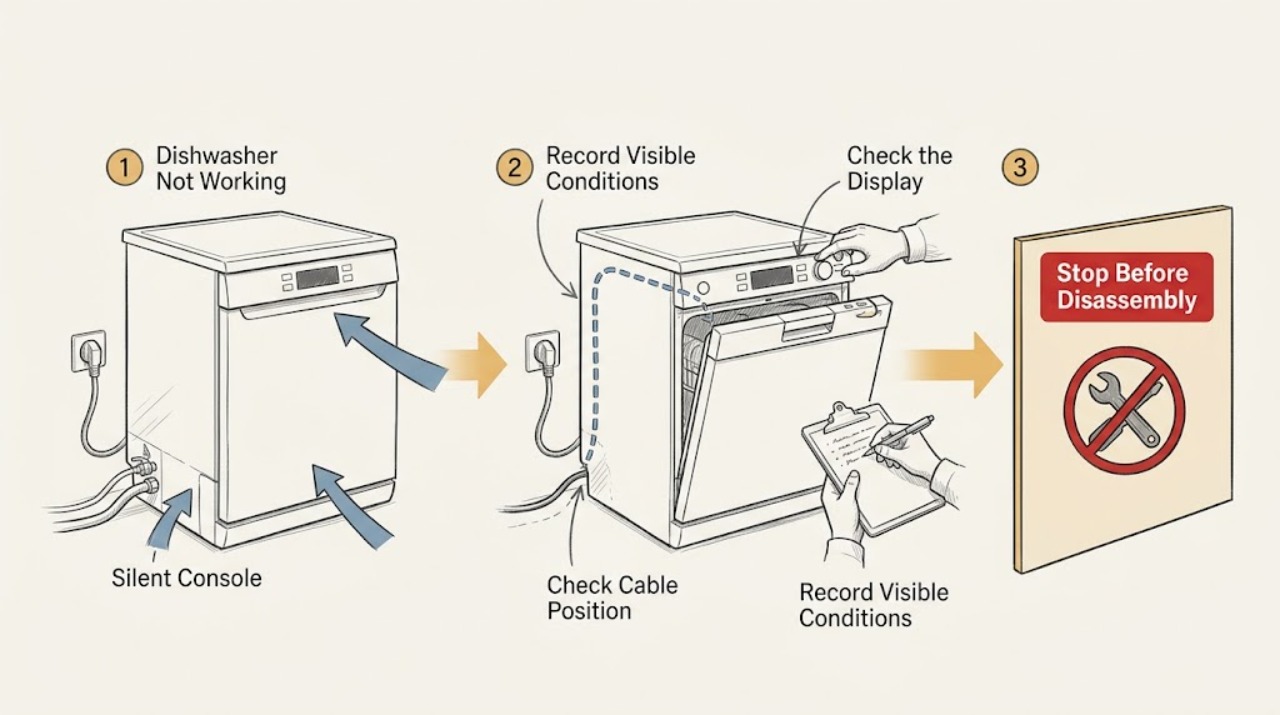
Record whether the panel is completely dark, whether buttons make sounds or light up, whether the motor or pump runs, and whether there is water in the tub. Before touching connections, stop the dishwasher and keep water away from the cord, outlet, and other electrical equipment; if there is water near electrical parts, isolate power at the breaker only when safe.
Expected result: Classify the appliance as no power, powered but not starting, no fill, incomplete drain, or a cycle that stops with a message. Note any burning odor, smoke, damaged cord, leaking water, or breaker operation.
Next step: Continue only with the matching dry, accessible check below. If there is smoke, a burning smell, water at electrical parts, a damaged cord, or repeated breaker operation, leave the dishwasher off and arrange qualified service.
Why this matters
Why: A dark non-responsive panel points first to the household power path. Lights or sounds rule out a simple loss of power and point toward controls, latching, delay or protection. Water remaining after a cycle points toward drain or protection behavior.
-
Check 2
For a completely dark panel, check the dishwasher's household fuse or circuit breaker, then check an accessible power cord and receptacle in the adjacent cabinet if that is how the unit is installed. Reset an accessible GFCI outlet and check any nearby wall switch that controls the dishwasher. Do not remove covers or test a hardwired junction box.
Expected result: See whether the breaker or GFCI trips again, the outlet powers another suitable device, the wall switch was off, or the dishwasher remains dark after household power is restored.
Next step: Run one normal start attempt only if power is stable and there is no water or damage. If the unit remains dark, the installation is new, the outlet or cord is damaged, or protection trips again, stop and use a qualified electrician or appliance servicer as appropriate.
Why this matters
Why: A restored panel after a breaker, GFCI, switch, or loose accessible cord correction supports an external supply issue. A dishwasher that stays dark with a confirmed supply, or that repeatedly trips protection, may have an internal electrical fault.
-
Check 3
For a lit or responsive panel that will not start, close the door firmly with the racks fully pushed in and nothing touching the door. Use the exact model manual to turn Control Lock off, cancel Delay Start, and check whether Sleep or Sabbath mode is active. If an LCD model shows a leak-protection indication, stop rather than trying to override it.
Expected result: The panel may respond normally after unlocking or cancelling delay; the door may fail to latch because of a rack, pan handle, trim, insulation, or counter; or a lockout or leak indication may remain.
Next step: Start only after the door latches and the chosen cycle is immediate. If the door cannot latch, the leak indication returns, or controls remain unresponsive, keep the appliance off and arrange model-specific service; do not bypass the latch or sensor.
Why this matters
Why: A control lock, delayed cycle, sleep mode, incomplete latch, or model-specific leak protection can make a powered dishwasher appear dead without proving a failed control board. A persistent lockout after the external checks needs service.
-
Check 4
If the cycle begins but no water enters, inspect the accessible hot-water shutoff under the sink and confirm it is fully open. With power off and the tub accessible, check only the visible filter and flood-float area for an obvious obstruction; if the machine also failed to drain previously, address the drain branch first. Do not remove an inlet valve or work on plumbing under pressure.
Expected result: Look for a recently closed water valve, an H2O indication, a stuck flood float, standing water, or a removable filter or sump blocked by debris. Exact flood-float access varies by model and age.
Next step: Open only the accessible shutoff fully and clean a model-approved removable filter or visible debris with power isolated. If water still does not enter, the float is damaged or inaccessible, or an H2O indication persists with adequate supply, arrange service.
Why this matters
Why: A closed supply, a flood float preventing overfill, or an unresolved drain condition can prevent filling. GE states that many newer models allow a flood-float check, while other models require service; do not generalize the procedure across models.
-
Check 5
If the dishwasher stops with excess water in the tub, inspect the removable fine or ultra-fine filters and the visible sump area for paper or large food debris. Check the drain hose under the sink for an obvious kink or blockage, and inspect the sink drain, disposer connection, or air gap if present. Do not use chemical drain cleaner and never put hands into a disposer.
Expected result: Some models normally retain about 1–2 cups of clean water at the bottom, while an excessive amount covering the tub floor indicates a drain concern. Note a clogged filter or sump, kinked hose, backed-up sink or air gap, recent disposer installation, or excessive suds.
Next step: Clean only removable, model-approved parts and accessible drain-path obstructions with power isolated. If water remains, the hose is damaged or concealed, a portable unicouple is involved, or the pump needs access, stop and arrange qualified service.
Why this matters
Why: A blocked filter, sump, hose, sink, air gap, or disposer connection can prevent draining and may also prevent a new fill. The correct filter and drain-loop arrangement is model- and installation-dependent; a portable unit using a sink unicouple may need service.
-
Check 6
After one safe external correction, run a single supervised start with the dishwasher assembled and the area dry. Observe the complete sequence—latch, fill, wash, drain—and stop immediately for a leak, smoke, burning odor, abnormal heat, a new error, or another breaker trip. Do not repeatedly reset a machine that has a hidden leak or electrical symptom.
Expected result: Record whether the dishwasher completes the cycle, remains silent, hums without running, fills but does not wash, drains but will not continue, or returns a model-specific code or leak alert.
Next step: Keep power and water isolated and arrange a qualified appliance servicer when the problem persists or involves the pump, motor, inlet valve, heater, control, latch, float, sensor, wiring, or base. Provide the full model number and the observed stage or display message.
Why this matters
Why: Completion after an external power, control, fill, filter, or drain correction supports that cause. Persistent silence, humming, no circulation, repeated code, leak alert, or a hidden water or electrical fault requires internal diagnosis.
Use your observations
Decision map
Find the observation that best matches what you see, then follow the next safe action.
-
PATH 01Next step
What you see
The control panel is dark and the dishwasher makes no sound.
Do this next
Restore only an accessible household control. If power is confirmed, the unit is newly installed, or protection trips again, stop and arrange qualified electrical or appliance service.
Why this path and its safety boundary
Why it matters: The external supply path is more likely when power returns after one correction. A persistent dark panel or repeated trip points toward an electrical or installation fault.
-
PATH 02Next step
What you see
Lights or sounds are present, but the cycle does not start.
Do this next
Use the exact model manual to clear the user-selectable state and ensure the door latches. If it remains unresponsive or shows a leak alert, do not bypass protection; arrange service.
Why this path and its safety boundary
Why it matters: A user-selectable state or latch is more likely than total power loss. A persistent lockout or leak indication may reflect a sensor or internal fault.
-
PATH 03Next step
What you see
The dishwasher starts but does not fill, or displays H2O.
Do this next
Open the accessible valve and clean only approved visible filters or debris with power isolated. Escalate an inaccessible or damaged float, valve, persistent H2O indication, or no-fill condition.
Why this path and its safety boundary
Why it matters: A supply, float, or drain interlock issue is more likely than a general no-power problem. A confirmed supply with continued no-fill requires model-specific diagnosis.
-
PATH 04Next step
What you see
The dishwasher stops or finishes with too much water remaining.
Do this next
Clean only removable and accessible drain components, never use drain cleaner or reach into a disposer, and arrange service if the path is clear or internal access is required.
Why this path and its safety boundary
Why it matters: A drain-path or detergent issue is more likely when the obstruction is visible. A clear path with persistent water points toward an internal pump, valve, sensor, or control fault.
Helpful context
Understand the symptom
Classify the symptom before resetting anything
“Not working” can mean the panel is dark, the panel responds but the cycle never begins, the motor runs without water, or a cycle stops before draining. Note the lights, sounds, display message, and water level first. This prevents a power check from being confused with a fill or drain fault and keeps a model-specific error message from being interpreted as a universal GE code.
Use only accessible household checks
GE's user-level guidance includes the breaker, accessible cord or GFCI outlet, wall switch, door latch, control lock, delay or sleep mode, water shutoff, filters, sump, drain hose, sink, disposer, and air gap. It does not make opening a dishwasher base, probing wiring, replacing a valve, or bypassing a float or leak sensor a generic owner procedure.
Protection indications change the stop point
A dishwasher can have an illuminated display yet remain locked out by Control Lock or leak protection. On models with Floor Protect with Alert, moisture below the appliance can produce LEAK DETECTED, cancel the cycle, and pump out remaining water. Treat a leak indication, water under the unit, a tripped breaker, burning odor, or repeated failure as a service condition rather than continuing to reset the machine.
When checks do not resolve it
Need a professional?
Stop and arrange qualified service if the GE dishwasher remains dark after confirmed household power, trips a breaker or GFCI again, has a damaged cord, will not latch, shows a leak-protection alert, leaks, leaves water after accessible drain checks, or needs access below the tub. Use the exact model manual for Control Lock, Delay Start, Sleep/Sabbath, filter, flood-float, and code behavior. Do not remove the base or junction-box cover, probe live wiring, bypass the latch, flood float, or leak sensor, use chemical drain cleaner, or put hands into a disposer.
Common questions
FAQ
Why is my GE dishwasher not turning on at all?
If the panel and buttons are completely dark, check the dishwasher breaker or fuse, an accessible cord and receptacle, any GFCI reset, and a nearby wall switch. If the dishwasher remains dark with stable household power or repeatedly trips protection, stop and arrange qualified service rather than opening wiring covers.
Why does my GE dishwasher have lights but not start?
GE lists Control Lock, an incompletely latched door, Delay Start, Sleep or Sabbath mode, and model-specific leak protection as possible lockouts. Clear only the user-selectable state described in the exact manual and confirm the door latches; a persistent leak indication or unresponsive control needs service.
Can a drain problem make a GE dishwasher seem like it is not working?
Yes. GE says a dishwasher that does not drain properly may not accept a new fill. Check only accessible removable filters, the visible sump, drain hose, sink drain, disposer connection, and air gap. One to two cups of clean water may be normal on some models, but excessive water covering the tub floor is not; persistent no-drain needs service.
Read the exact guide
Official sources
- Dishwasher - Won't Run and Has No PowerGE Appliances · GE dishwasher no-power symptom classification and installation boundary
- Dishwasher - Not Running But Has Lights or SoundGE Appliances · GE dishwasher powered-but-not-starting checks
- Dishwasher - Not Filling with WaterGE Appliances · GE newer dishwasher no-fill diagnostic context
- Dishwasher - Not Filling with WaterGE Appliances · GE dishwasher no-fill, flood-float, drain-interlock, and model-age guidance
- Dishwasher - Will Not Run or Has No PowerGE Appliances · GE dishwasher no-power, door, supply, lock, and leak-protection checks
- Dishwasher - Error, Fault or Function CodesGE Appliances · GE dishwasher model-dependent code and service boundaries
- Dishwasher - H2O in DisplayGE Appliances · GE dishwasher H2O water-supply indication
- Dishwasher - Not DrainingGE Appliances · GE dishwasher filter, sump, hose, sink, disposer, air-gap, and drain-loop checks
- Dishwasher - Floor Protect / Leak Protection FeatureGE Appliances · GE dishwasher leak-protection behavior
Community feedback
Share a repair observation
Share a plain-text repair observation. Accepted observations are published automatically; this page may take a moment to update.