
On this page
Start here
Quick answer
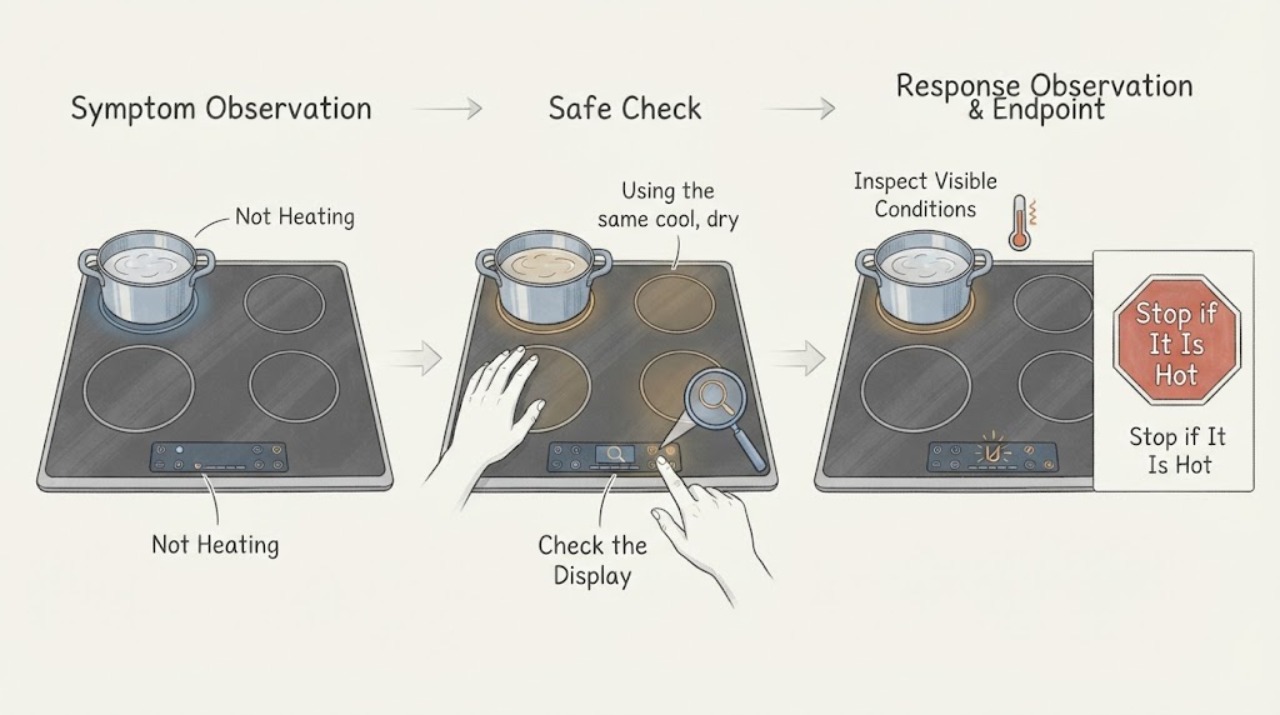
For the GE Profile PHP9030SJ5SS induction cooktop, first test one compatible, flat pan on one element with the control unlocked and the pan centered. This 30-inch model has two cooking zones: when two elements in the same zone are used and at least one is set to Hi, the manual says the Hi setting operates at reduced power even though the display does not change. That can look like a burner is not heating. Turn the other element down or off and compare once. If the pan is still not detected, the power level flashes and clears, or one element remains inactive while the rest work, record the result and arrange qualified GE service. Do not open the cooktop, test live wiring, or continue after cracked glass, smoke, sparking, burning odor, water near controls, or repeated breaker trips.
Work through in order
Diagnostic checks
Use only checks that match the exact appliance or system and its official guide.
-
Check 1
With the glass and cookware cool enough to handle, place one clean, dry, flat induction-compatible pan in the center of the affected element. Turn the neighboring element in the same cooking zone off or down, unlock the controls using the model's documented control-lock operation, select the affected element, and set one normal level.
Expected result: The neighboring element was also at Hi, the affected element heats after the neighboring element is reduced or turned off, or the affected element remains weak or inactive with only one pan in use.
Next step: Use the two elements at settings appropriate to the cooking load when the shared-power behavior is the explanation. If one isolated element still does not heat, continue with pan detection and power checks once, then arrange service if it persists.
Stop if: Do not remove the glass, access the induction coils, measure live wiring, or continue if the surface is cracked, controls are wet, smoke or burning odor appears, sparking occurs, or the breaker trips again.
Why this matters
Why: The PHP9030 manual documents power sharing between two elements in the same zone; a Hi setting can operate at reduced power without a visible display change. Heat returning after the neighboring element is reduced supports shared-power behavior, while persistent inactivity on an isolated element points beyond that branch.
-
Check 2
Using the same cool, dry pan, hold a magnet against a broad area of its base, center the pan inside the element graphics, and start the burner with the exact touch sequence. Watch whether the power level remains active, flashes and clears, or the On/Off pad blinks after the pan is moved.
Expected result: The magnet does not hold, the pan is too small or warped, the pan is off-center, the power level flashes and turns off, or a flat centered compatible pan remains recognized but does not heat.
Next step: Use a known compatible pan that meets the exact element's size and place it centrally, then retest once. If the pan is recognized but the original element stays cold, record the display and element comparison for qualified service.
Stop if: Do not use foil, a cookware adapter, sharp tools, or a pan that rocks or overlaps the controls. Do not touch the glass or pan immediately after operation without allowing it to cool.
Why this matters
Why: GE states that induction cookware must be magnetic, large enough, centered, and flat. The PHP9030 manual says the control turns off after it no longer detects a pan. A verified pan that remains recognized but does not heat makes cookware detection less likely, but does not identify an internal element or control failure.
-
Check 3
Observe the cooktop from outside: note whether the whole touch panel is dark, whether other elements heat with the same verified pan, whether the accessible breaker or fuse is tripped, and whether the affected element shows a lock indication or an error. Reset an accessible breaker only as household instructions permit and only once.
Expected result: The entire panel is dark, only one element is inactive while others work, the breaker trips again, or the panel and other elements operate normally but the original element remains cold.
Next step: If power does not return, the breaker trips again, or the isolated element remains inactive after the external checks, stop using the cooktop and schedule qualified GE or appliance service with the model, pan, element, display, and breaker observations.
Stop if: Do not keep resetting a tripping breaker, remove an electrical cover, probe the terminal block, bypass the control lock, or replace an induction module, coil, fuse, board, or sensor yourself.
Why this matters
Why: GE identifies loss of power and an improperly set control as possible causes. A whole-panel failure points toward supply or appliance power; one inactive element with a verified pan and normal neighboring elements makes a local control or internal element issue more likely, without identifying the failed part.
Use your observations
Decision map
Find the observation that best matches what you see, then follow the next safe action.
-
PATH 01Next step
What you see
Two elements in the same PHP9030 cooking zone are in use and at least one is set to Hi; the affected element heats normally after the neighboring element is reduced or turned off.
Do this next
Adjust the two elements for the cooking load or use one element at Hi. If the same element remains weak when tested alone, proceed to pan detection and service checks.
Why this path and its safety boundary
Why it matters: The model's documented power-sharing behavior is the better explanation for the reduced Hi output. The display can remain unchanged while shared power is reduced.
-
PATH 02Next step
What you see
A known magnetic, flat, centered pan remains recognized on the affected element, but it does not heat while another element works normally.
Do this next
Stop user testing and arrange qualified GE service with the affected element, pan comparison, display behavior, and breaker result. Do not open the cooktop.
Why this path and its safety boundary
Why it matters: Cookware detection and whole-cooktop power are less likely to explain the symptom. A local control, induction module, coil, or related internal fault is possible, but the exact part cannot be identified safely from the outside.
-
PATH 03Next step
What you see
The power level flashes and clears, the On/Off pad blinks after the pan is moved, the control lock is active, or the complete panel has no power.
Do this next
Center a verified compatible pan, unlock the controls using the exact manual, and check the accessible breaker once. If the panel remains dark or the burner still will not accept the pan, schedule service.
Why this path and its safety boundary
Why it matters: The immediate branch is pan detection, control lockout, or supply rather than a confirmed heating-coil failure. GE documents each of these as a possible reason an induction burner does not operate.
-
PATH 04Safety boundary
What you see
The glass is cracked, controls are wet, smoke, burning odor, or sparking occurs, the cooktop overheats abnormally, or the breaker trips again.
Do this next
Turn the cooktop off, isolate power only from a safe position, keep people away from the hazard, and arrange qualified appliance or electrical service. Do not cook on broken glass.
Why this path and its safety boundary
Why it matters: The symptom has crossed a glass, fire, shock, or electrical-protection boundary and should not be treated as a normal pan or power-sharing issue.
Safety stop: Do not re-energize to reproduce the symptom, touch damaged glass or exposed parts, reset protection repeatedly, or remove covers.
Helpful context
Understand the symptom
Rule out shared power before blaming one burner
The PHP9030 family manual gives a model-specific reason for apparently weak heating: the 30-inch version has two cooking zones, and two elements in the same zone share power. When one element is at Hi, its Hi setting can operate at reduced power while the display stays the same. Turn the neighboring element down or off and repeat one supervised test with a compatible pan. If the heat returns, the observation supports normal power sharing rather than a failed induction coil; it does not prove that every setting or circuit is healthy.
Use the exact touch-control and pan-detection behavior
The manual says to hold the individual On/Off pad for about half a second, then choose a power level with + or –, and to hold the control-lock pad for three seconds to lock or unlock the controls. A removed pan makes the burner level turn off and the On/Off pad blink; if no pan is detected for 25 seconds, the control turns off automatically. Those model behaviors can resemble a no-heat fault, so record whether the level flashes, clears, or stays active before seeking an internal repair.
Common questions
FAQ
Why does my GE PHP9030SJ5SS seem weak when both burners are on Hi?
The PHP9030 family manual documents power sharing between the two elements in each cooking zone. If two elements in the same zone are used and at least one is at Hi, the Hi setting can run at reduced power even though the display does not change. Turn the neighboring element down or off and compare one supervised test.
Why does the power level flash and then turn off on a GE PHP9030 induction burner?
GE says the pan may be nonmagnetic, too small, off-center, or not flat. The PHP9030 manual also says the control turns off when it no longer detects a pan. Use one known compatible, flat pan centered within the element graphics and start the control with the model's documented sequence.
What if one PHP9030 element still does not heat when another element works?
Test the same verified magnetic pan on the original element alone, with the controls unlocked and no shared-zone Hi demand. If the original element remains cold while another works, cookware and whole-cooktop power are less likely explanations. Stop testing and arrange qualified GE service rather than opening the cooktop or choosing an internal part.
Can I repair the induction coil or control board myself?
No. GE's manual says servicing beyond specifically recommended user actions should be performed by a qualified technician and requires power disconnection before service. A local no-heat symptom does not identify a safe replacement part.
Read the exact guide
Official sources
- PHP9030 and PHP9036 Electronic Induction Cooktop Owner's ManualGE Appliances · Official GE manual covering the PHP9030 family; the assigned PHP9030SJ5SS identity is the PHP9030 30-inch model family, and the manual documents two-zone power sharing, touch controls, pan detection, and qualified-service boundaries.
- Installation for PHP9030SJSSGE Appliances · Official GE installation page used to confirm the PHP9030 family identity and model-specific installation-resource path; it is not used to infer an internal repair part.
- Electric Range & Cooktop - Induction Burners Not Working or Flashing Power LevelGE Appliances · Official GE induction-burner troubleshooting page used for the assigned PHP9030SJ5SS no-heat condition; it covers magnetic cookware, minimum size, centering, flat contact, power, and control settings.
- User Manual & Care for PHP9030SJSSGE Appliances · Official GE owner-center page for the PHP9030SJSS family, used to bind the assigned PHP9030SJ5SS model to GE's manual and support resources.
Community feedback
Share a repair observation
Share a plain-text repair observation. Accepted observations are published automatically; this page may take a moment to update.