
On this page
Start here
Quick answer
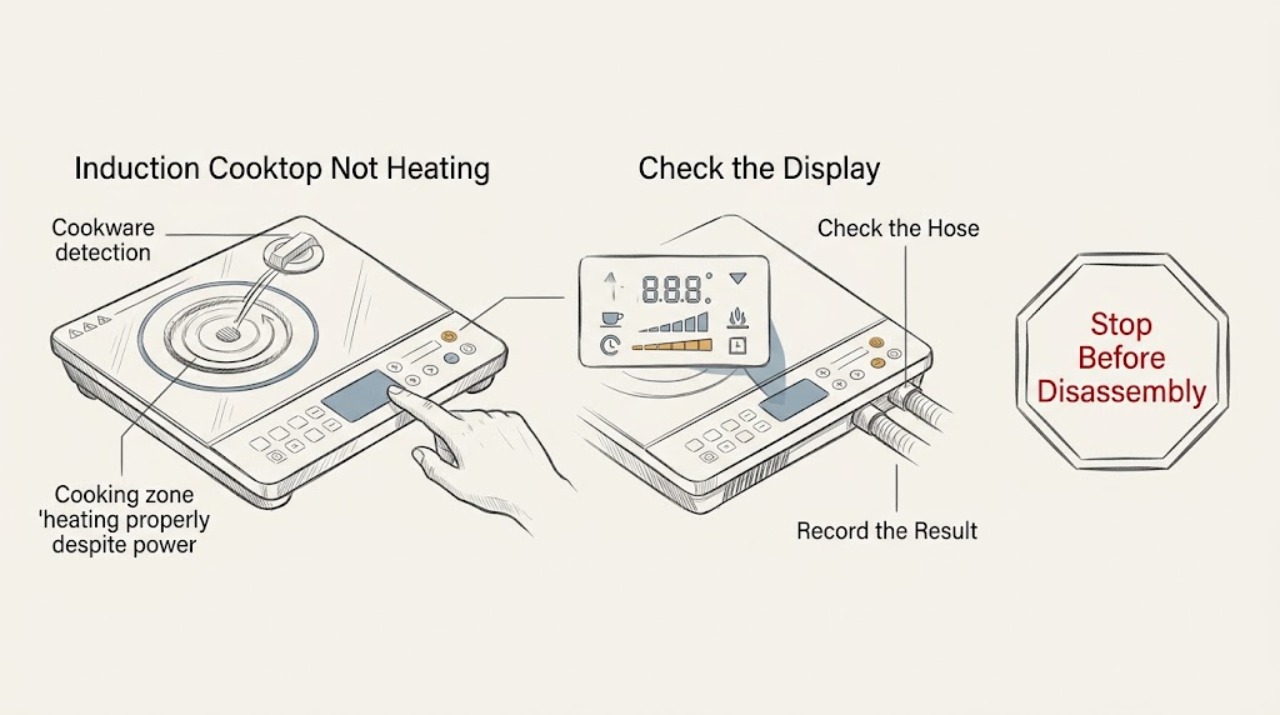
A KitchenAid induction cooktop may appear not to heat when the pan is not ferromagnetic, is too small or off-center, the control lock is active, the touch panel is wet or obstructed, or the cooktop has reduced or stopped output while protecting itself from heat or poor ventilation. Use a flat induction-compatible pan centered on the matching zone, select a heat level, clear and dry the controls, and let a hot cooktop cool before trying again. Do not lift the glass, open the electrical enclosure, probe live wiring, or keep testing if there is a cracked surface, smoke, burning smell, sparking, damaged cord, or liquid entering the controls. If a suitable pan on more than one zone still does not heat, or an error returns after the model-directed reset, arrange qualified service.
Work through in order
Diagnostic checks
Use only checks that match the exact appliance or system and its official guide.
-
Check 1
Turn the selected zone off and wait until the pan and glass are safe to approach. From outside, check for a cracked or shattered surface, smoke, burning smell, sparks, melted material, liquid entering the controls, or damaged wiring or power parts. Do not touch a damaged area or attempt to hold a pan over a hot zone while testing.
Expected result: An immediate heat, fire, liquid, glass, or electrical hazard is present, or the cooktop is intact, dry, and safe for external checks.
Next step: If a hazard is present, stop using the cooktop and isolate power only if safe without touching wet or damaged parts; arrange qualified appliance or electrical service. If there is no hazard, continue with pan detection and control checks.
Why this matters
Why: A safety hazard takes priority over determining why a zone is not heating. Continued operation can worsen glass damage, fire risk, or electrical damage.
-
Check 2
Test the affected zone with a clean, dry, flat-bottom pan marked for induction or a pan whose base attracts a magnet. Center the base over the matching cooking area, choose a zone, and select a heat level. Keep the pan base in contact with the glass and do not use a pan that is clearly too small for the zone.
Expected result: The zone detects the pan and begins heating, or the display still shows no pan detection or no heating with a known compatible pan.
Next step: If the compatible pan heats, replace or reposition the unsuitable cookware and use the zone that matches its base. If it does not heat, repeat the same safe test on another zone with the same pan, then continue to controls and power branches.
Why this matters
Why: Induction needs a ferromagnetic base and sufficient, centered base area for detection. If a suitable pan works, the original cookware rather than the zone is the leading explanation.
-
Check 3
With the surface cool enough to clean, remove pans and objects from the touch-control area and wipe away spills or debris with the method in the model guide. Check whether a key-lock indicator is active and unlock it using the exact control sequence for the model. Do not spray liquid directly at the controls or operate them with wet fingers.
Expected result: The controls respond and the zone can be selected after the panel is clear and unlocked, or the display remains unresponsive or locked despite the model-directed step.
Next step: If the panel responds, retry with a centered compatible pan and a normal heat setting. If it remains unresponsive, stop repeated attempts and arrange service rather than removing the control panel.
Why this matters
Why: A wet or obstructed touch area can trigger a control condition, and a key lock can prevent normal selection. Persistent non-response is less likely to be a cookware problem.
-
Check 4
If heating stopped during use or the cooktop shows an overheat-related indication, turn the zone off and allow the cooktop to cool naturally. Check the visible ventilation area for blockage without removing cabinetry or covers, and follow the installation instructions for the model. Do not restart with an empty pan or leave an empty pan heating while testing.
Expected result: The zone works again after cooling and the ventilation path is clear, or it shuts down again, remains cold, or becomes unusually hot around the controls.
Next step: If operation returns and remains normal, monitor with suitable cookware and keep the ventilation path clear. If the shutdown recurs or the cooktop becomes abnormally hot, stop using it and arrange qualified service.
Why this matters
Why: KitchenAid identifies high internal electronic temperature and poor ventilation as reasons an induction cooktop can shut down or heat slowly. Recurrence after cooling and a clear vent needs service diagnosis.
-
Check 5
If the model documentation allows a user power reset, first make sure the cooktop is cool, dry, and safe, turn all controls off, and use only the accessible disconnect procedure described for that model. Do not open the breaker panel or disconnect wiring if you are not qualified. After the model-directed reset, test one compatible pan on one zone from a safe distance.
Expected result: The display and a compatible pan work normally after the documented reset, or the same no-heat symptom or error returns.
Next step: If the zone operates normally, continue only as the model guide permits and record the event. If it remains cold or the error returns, stop testing and provide the model, error, zone, cookware, and reset result to qualified service.
Why this matters
Why: A reset can clear a transient control state, but it cannot prove that an induction module, sensor, power connection, or control has no fault. A recurring error is evidence for service rather than more resets.
Use your observations
Decision map
Find the observation that best matches what you see, then follow the next safe action.
-
PATH 01Next step
What you see
A compatible pan heats after it is centered, while the original pan is not detected or heats poorly
Do this next
Use flat, ferromagnetic cookware whose base matches the zone, and do not infer a cooktop failure from the unsuitable pan.
-
PATH 02Next step
What you see
The controls are wet, obstructed, or locked and respond after they are cleared and unlocked
Do this next
Keep the control area dry and clear, then retry with a suitable centered pan. Use the model's control-lock procedure rather than repeated taps or force.
-
PATH 03Next step
What you see
The zone stopped while hot and works again after cooling with the visible ventilation path clear
Do this next
Use the cooktop only as the model guide permits, avoid obstructing ventilation, and stop if the same shutdown or high-temperature indication returns.
-
PATH 04Next step
What you see
The cooktop remains cold with a known compatible pan on more than one zone after control and model-directed power checks
Do this next
Stop troubleshooting and arrange qualified KitchenAid or appliance service. Do not open the glass top or electrical enclosure.
-
PATH 05Next step
What you see
A cracked surface, smoke, burning smell, sparks, liquid in the controls, or damaged power part is present
Do this next
Stop using the cooktop and isolate power only if safe without touching wet or damaged parts. Arrange qualified appliance or electrical service; do not operate a damaged glass surface.
-
PATH 06Next step
What you see
A displayed error returns after the documented cookware, cooling, control, or reset step
Do this next
Record the exact error, zone, pan, and conditions, then request qualified service. Do not keep resetting or replace an induction component from the code alone.
Helpful context
Understand the symptom
Why an induction zone can look cold
Induction energy is transferred into compatible cookware rather than into a glowing exposed element. A zone can therefore remain visually cool when it has not detected the pan, while an unsuitable base may heat slowly or not at all. Pan material, the magnetic area of its base, size, and centering matter more than the label on the pan's sides.
Keep hot glass and mains electricity separate
Treat the glass, pan, and surrounding area as hot even if the display is not showing power. Stop for a cracked or shattered surface, smoke, a burning smell, sparks, liquid entering the controls, or damaged electrical parts. Do not remove the cooktop from the counter, open an enclosure, or make a live voltage measurement; use qualified service for internal diagnosis.
Separate cookware symptoms from cooktop faults
A single pan that is not detected points first to material, size, base shape, or position. A suitable pan that fails on several zones, a display that will not respond after the controls are dry and unlocked, or a zone that repeatedly shuts down after cooling and ventilation checks points toward an appliance or installation diagnosis. The support path and model manual are safer than choosing a coil or control part by symptom alone.
Only after diagnosis
Potential parts
- induction coil or pan-detection assembly
Consider this category only after qualified service confirms that a specific zone fails with known compatible cookware and the controls and power supply are normal.
Coils and detection hardware are model-specific and require access beneath the glass. Do not disassemble the cooktop based on a no-heat symptom. - touch-control or user-interface assembly
Consider this category only after qualified service confirms persistent control non-response or a recurring control fault with the panel dry and unlocked.
User-interface parts vary by model and revision. A control-lock state or spill is not proof of a failed interface. - induction power module or temperature-sensing component
Consider this category only when qualified service confirms a module, sensor, or cooling-related fault after ventilation and cookware causes are ruled out.
These are mains-connected components requiring model-specific diagnosis and qualified handling. Do not perform live tests or choose a replacement from the display code alone.
When checks do not resolve it
Need a professional?
Stop and seek professional help for a cracked or shattered surface, smoke, burning smell, sparks, liquid entering controls, damaged electrical parts, repeated overheating or shutdown, persistent non-response, or no heating with compatible cookware after safe model-directed checks.
Have this ready
- Provide the full model identity, exact error or indicator, affected zone, pan material and base behavior, whether other zones work, control-lock and ventilation observations, temperature state, any power interruption, and the result of the model-directed reset. Do not remove the glass, open the enclosure, bypass controls, or perform live electrical tests.
Common questions
FAQ
Why is my KitchenAid induction cooktop not heating the pan?
Check that the pan is flat, ferromagnetic, large enough for the zone, and centered. Then clear and dry the controls, unlock the cooktop if needed, and let a hot cooktop cool. If a known compatible pan remains cold on multiple zones, arrange service.
What cookware works on a KitchenAid induction cooktop?
KitchenAid lists enameled steel, cast iron, and stainless steel designed for induction as suitable categories. A magnet should attract the base, and the base should be flat, appropriately sized, and centered on the cooking area.
Can a KitchenAid induction cooktop stop heating because it is too hot?
Yes. KitchenAid identifies excessive internal electronic temperature and poor ventilation as possible reasons for shutdown or longer heating. Turn the zone off, allow it to cool, check only the visible ventilation path, and stop if the condition returns.
When should I stop troubleshooting a KitchenAid induction cooktop?
Stop for cracked glass, smoke, burning smell, sparks, liquid in the controls, damaged electrical parts, repeated overheating, or persistent no-heat operation with a compatible pan. Do not open the cooktop or perform live tests; arrange qualified service.
Read the exact guide
Official sources
- Burner Turns Off During Cooking - InductionKitchenAid Product Help · KitchenAid induction cooktops; over-temperature shutdown, ventilation, empty pan, wet controls, cookware, and size checks
- Induction Compatible CookwareKitchenAid Product Help · KitchenAid induction cooktops; ferromagnetic cookware, pan detection, size, and positioning
- F0E1 - Induction CooktopKitchenAid Product Help · KitchenAid induction cooktops; cookware detection, pan size, alternate-zone testing, and service boundary for F0E1
- Not Operating Correctly - Induction CooktopKitchenAid Product Help · KitchenAid induction cooktops; controls, cookware, size, key lock, ventilation, power reset, and service troubleshooting
- Excessive heat around cookware on cooktopKitchenAid Product Help · KitchenAid induction cooktops; cookware size, material, ventilation, overheating, and service guidance
Community feedback
Share a repair observation
Share a plain-text repair observation. Accepted observations are published automatically; this page may take a moment to update.