
On this page
Start here
Quick answer
A Thermador induction cooktop usually fails to heat because the pan is not being detected, the wrong zone or control state is selected, power is being shared across zones, or the cooktop has entered an overheat or fault state. Start with a flat, magnetic pan centered on the correct zone, a dry unlocked control panel, and one zone at a moderate setting. If the display shows F1/F6, F2/F4, E7015, E8207, E8208, F5, F8 with H/h, dE, U400, or another code, record it and follow the matching Thermador guidance; do not guess at an internal repair. Cracked glass, smoke, burning odor, arcing, water near the controls, or a repeated breaker trip is a stop condition.
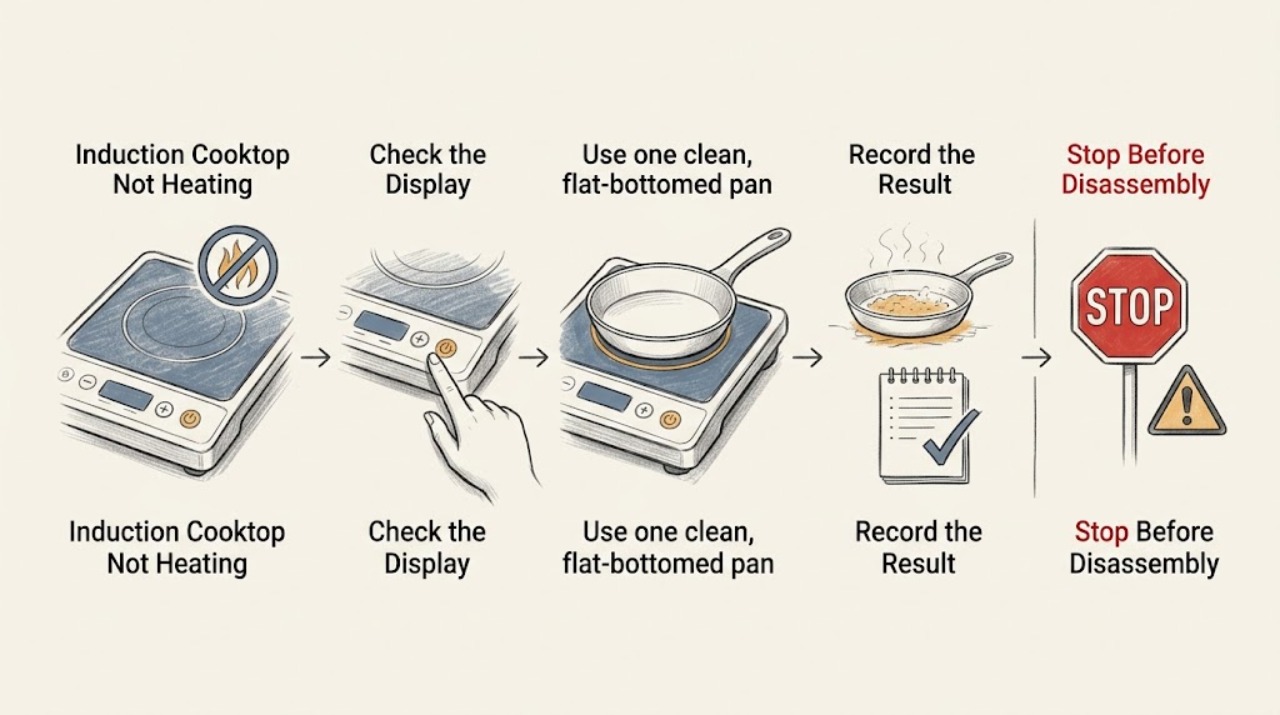
Work through in order
Diagnostic checks
Use only checks that match the exact appliance or system and its official guide.
-
Check 1
Stop first if the glass is cracked, liquid has entered the controls, there is smoke, a burning odor, visible arcing or sparking, or the breaker trips again. If it is safe to do so, turn the appliance off at its controls and isolate the accessible circuit; do not touch damaged wiring or continue testing.
Expected result: The surface or controls are damaged, unusually hot, wet, smoking, sparking, or repeatedly losing power.
Next step: Leave the cooktop out of use and arrange qualified appliance or electrical service. Escalate an active smoke, fire, or gas hazard through local emergency procedures.
Why this matters
Why: This is a safety or electrical fault, not a normal pan-detection problem.
-
Check 2
Use one clean, flat-bottomed pan on one zone. Place a magnet against the pan base, then center the pan over the selected zone and within the zone's usable size. Remove trivets, foil, warped pans, and anything between the pan and glass.
Expected result: A magnet does not stick, the pan is very small for the zone, the pan is visibly warped, or the heating level flashes and the pan is not recognized.
Next step: Try a known induction-compatible, flat pan whose base fits the zone; if the same suitable pan is still not detected, continue to the control and code checks.
Why this matters
Why: The zone may be healthy but cannot couple energy to that cookware or cannot detect its position.
-
Check 3
Turn the cooktop on, select the exact zone under the pan, choose a moderate heat level, and wipe the touch controls completely dry. Check for a control or child lock indicator and use the normal model-specific unlock gesture from the owner's manual.
Expected result: The panel responds and the zone heats after it is selected and unlocked, or the controls remain unresponsive / the lock indicator remains on.
Next step: If unlocking and drying restores heat, monitor the panel. If it stays unresponsive or the lock cannot be cleared using the manual, stop and provide the model and display behavior to service.
Why this matters
Why: A wrong zone, locked controls, or moisture on the panel can prevent a heat command even when the cookware is suitable.
-
Check 4
Test one pan on one zone with other zones off. If the model has joined/flexible zones, verify whether the pan is on the active portion; move nearby pans farther apart. Temporarily disable a boost or high-power feature and retry at a moderate setting.
Expected result: One zone heats alone but a combination of zones, a joined zone, or a boost request does not, or cookware is shown as one item / multiple items unexpectedly.
Next step: Use the model's documented zone layout and normal power settings. If a single correctly placed pan still will not heat on one zone, compare it with another zone and continue to the code and supply branches.
Why this matters
Why: Zone assignment, cookware position, or the cooktop's power-sharing/temperature protection may be limiting the requested heat; this does not by itself identify a failed coil.
-
Check 5
Record the exact display before clearing it. For F1/F6 or F2/F4/E7015/E8207/E8208, let the electronics cool and retry only after the message disappears. For F5, remove hot cookware from near the control panel. For F8 with H/h, touch the control as directed to reset the automatic time limitation; for dE or U400, follow the dedicated branch below.
Expected result: The code clears after cooling or the prescribed control action, or it returns immediately / is not listed in the Thermador guidance.
Next step: Do not bypass the protection or repeatedly cycle a hot appliance. Save the code, model/serial information, affected zone, and whether the fan continues, then contact qualified service if it returns.
Why this matters
Why: A temporary thermal or time-limit condition may have interrupted heating; a recurring or unlisted code points to a fault requiring model-specific diagnosis.
-
Check 6
If the whole cooktop is dark or every zone is unavailable, check only the accessible plug/switch and whether the dedicated breaker or fuse has operated. Do not open the appliance or measure energized conductors.
Expected result: The accessible supply is off, the breaker/fuse has operated, or the supply appears normal but the cooktop remains dead; alternatively, only one zone fails while the rest work.
Next step: If a breaker operates again, leave it off and call a qualified electrician or appliance technician. If the external supply is stable but heating remains absent, arrange model-specific service rather than attempting an internal electrical test.
Why this matters
Why: A supply interruption can explain a completely inactive cooktop, while one dead zone after normal external power checks suggests a zone control, sensor, or power-module issue.
Use your observations
Decision map
Find the observation that best matches what you see, then follow the next safe action.
-
PATH 01Next step
What you see
The heating level flashes, the cookware is not shown, or the pan is not detected.
Do this next
Perform the magnet, flat-base, size, and centering checks with one suitable pan. If it remains undetected, compare the same pan on another zone and call service if all suitable pans fail.
-
PATH 02Next step
What you see
The panel is locked, wet, or the selected zone is not the zone under the pan.
Do this next
Dry the panel, select the correct zone, and use only the documented unlock procedure. Persistent unresponsive controls need service.
-
PATH 03Next step
What you see
A single pan heats alone but not when zones are joined or several pans / boost are used.
Do this next
Use the model's documented flexible-zone layout, move pans into their intended positions, and retry without boost. A repeatable single-zone failure needs diagnosis.
-
PATH 04Next step
What you see
F1/F6, F2/F4, E7015, E8207, E8208, or F5 appears.
Do this next
Allow the affected electronics to cool and remove hot cookware near the panel as applicable. If the code returns, stop using the zone and request service.
-
PATH 05Next step
What you see
F8 appears with H/h after an extended period without interaction.
Do this next
Touch the control as the Thermador instructions describe to reset the time limitation. If the message recurs unexpectedly, record it for service.
-
PATH 06Next step
What you see
dE appears and zones do not heat, U400 appears, or an unlisted F-number alternates with another display.
Do this next
Treat dE as a possible demo-mode state and follow the documented power-cycle sequence only if the appliance is otherwise safe; U400 or an unlisted fault needs qualified electrical or appliance service and the exact model/code.
-
PATH 07Next step
What you see
There is cracked glass, water near controls, smoke, burning odor, arcing, or a repeated breaker trip.
Do this next
Stop immediately, isolate power only if safe and accessible, keep the appliance out of use, and arrange qualified service or emergency assistance for an active hazard.
Helpful context
Understand the symptom
Induction heating only starts when the selected zone recognizes a suitable pan. That makes pan detection the first useful distinction: an empty zone, an incompatible base, or a pan that is off-center can look like a failed heater even though the control is working. Thermador also documents display codes and power-management behavior that can temporarily stop a zone.
Work through the checks below with the surface cool enough to handle. Use only accessible controls and external power checks. Do not remove the cooktop, expose wiring, defeat a lock or sensor, or perform live electrical measurements.
Safety boundary
Stop conditions
- Stop immediately for cracked or shattered glass, smoke, a burning odor, visible arcing or sparking, water entering the controls, or a repeated breaker trip.
- Do not remove the cooktop, defeat a lock or thermal protection, open the electrical enclosure, or perform live electrical measurements.
- Stop repeated retries when an overheat or unlisted fault code returns; record the code and arrange qualified service.
Only after diagnosis
Potential parts
- induction power module
Only consider this category after qualified diagnosis of a persistent dead zone or recurring electronics fault with suitable cookware and normal external power.
Confirm the exact cooktop model and manufacturer fit information before any part decision; do not attempt an energized replacement. - induction zone sensor or coil assembly
Only relevant if a technician isolates one zone's sensing or heating circuit after the pan and control checks pass.
The zone layout and assembly vary by model; use the exact model documentation and qualified installation/service. - touch control assembly
Only relevant when the panel remains unresponsive or cannot clear a control fault after it is clean, dry, and safely powered.
Verify exact model fitment and safety procedure with the manufacturer or qualified technician.
When checks do not resolve it
Need a professional?
Call qualified appliance service when a suitable centered pan is not detected on any zone after the control and power checks., Call service for a recurring or unlisted code, a single zone that remains cold with normal external power, or controls that cannot be unlocked using the model manual., Use a qualified electrician for a repeatedly operating breaker, a suspected supply-voltage problem, or wiring concerns.
Have this ready
- Thermador model and serial information
- Exact display code or whether the heating level flashes
- Affected zone, pan type/size, and whether another zone heats
- Whether the breaker operated and whether the fan continued after shutdown
Common questions
FAQ
Why does my Thermador induction cooktop show a heat level but not heat the pan?
A flashing setting or missing cookware indicator commonly means the pan is too small, not magnetic, warped, or off-center. Test one flat pan with a magnet on its base and center it on the selected zone.
Can several pans stop a Thermador induction cooktop from heating?
They can change zone assignment and the power available to a requested feature. Test one pan on one zone, move pans to the model's intended positions, and retry without boost before treating the result as a component failure.
What should I do when my Thermador cooktop shows F1, F6, or another code?
Record the exact code. F1/F6 and several related codes indicate a temperature or electronics protection state in Thermador's guidance; let the unit cool as directed and arrange service if the code returns. Do not bypass the protection.
When should I stop troubleshooting an induction cooktop?
Stop for cracked glass, smoke, burning odor, arcing, water near controls, or a repeated breaker trip. Isolate power only if safe and accessible, and use qualified appliance or electrical service.
Read the exact guide
Official sources
- Induction Cooktops - TroubleshootingThermador · Thermador induction cooktop cookware detection, zone selection, controls, power symptoms, and normal operating behavior
- Freedom® Induction Cooktops - Usage & Appliance FeaturesThermador · Thermador Freedom induction cooktop flexible zones, MoveMode, and PowerBoost behavior
- Induction Cooktops - Error CodesThermador · Thermador induction cooktop display codes, demo mode, overheat protection, automatic time limitation, and supply-voltage guidance
Community feedback
Share a repair observation
Share a plain-text repair observation. Accepted observations are published automatically; this page may take a moment to update.