
On this page
Start here
Quick answer
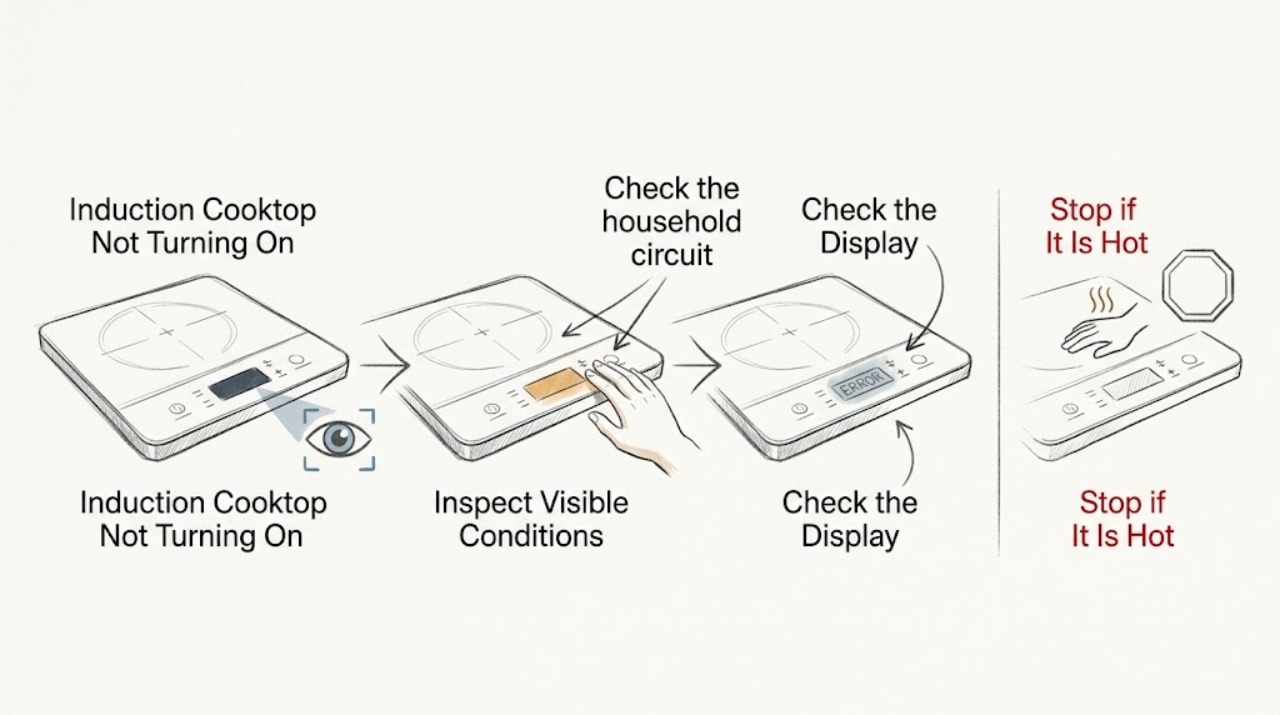
First separate a completely dark GE induction cooktop from a cooktop whose display works but will not activate a burner. For no display, check the household circuit and the cooktop's power supply. For a lit display, check Control Lock and the model's On control, then place a flat, magnetic pan centered on the cooking circle; induction will not start a burner if the pan is too small, not magnetic, not flat, or not positioned correctly. If a burner turned off after the glass became very hot or a pan boiled dry, let the internal fan cool the cooktop before trying again. Stop and arrange qualified service for a recurring breaker trip, burning smell, damaged glass or wiring, or a cooktop that still will not respond after the model-approved external checks.
Work through in order
Diagnostic checks
Use only checks that match the exact appliance or system and its official guide.
-
Check 1
Look at the main display, burner indicators, and control-lock indication, then note whether every burner is unavailable or only one cooking zone fails.
Expected result: The display is completely dark, the display is lit but locked or unresponsive, or the display works and only one burner does not activate.
Next step: If the display is dark, check the household circuit once. If it is lit but locked, follow the model's Control Lock procedure. If only one zone fails, continue with the pan and burner-control checks.
Why this matters
Why: A dark display points toward power or a tripped circuit, while a lit display separates Control Lock and cookware-detection issues from a whole-cooktop supply problem.
-
Check 2
Check the household circuit or breaker supplying the cooktop for a clear trip, and consider whether there was a recent power outage; do not open the cooktop or reset a breaker repeatedly.
Expected result: The breaker is tripped or there was an outage, the cooktop display returns after one safe restoration, or the circuit appears normal and the display remains dark.
Next step: If the supply can be restored safely and there is no damage, restore it once and set the cooktop again. If the breaker trips again, the circuit is dead, or the display stays dark, stop and arrange qualified electrical or appliance service.
Why this matters
Why: GE states that a blown fuse or tripped breaker can leave induction burners without power and that induction burners do not operate during an outage. Digital cooktop controls also do not automatically resume their prior cooking state after power returns.
-
Check 3
If the display is lit but no burner responds, release Control Lock using the exact procedure in the model manual, then press the cooktop On control followed by the desired burner control and a heat-level control.
Expected result: The lock indication clears and the burner shows a selected level, the controls beep but no level appears, or the panel remains locked and unresponsive.
Next step: If a level appears, continue with the cookware check. If the panel stays locked or no controls respond after the model procedure, stop trying random button combinations and arrange service.
Why this matters
Why: GE explains that Control Lock can prevent accidental touch activation and that its touch controls require the On/Off control followed by a heat adjustment. Control layouts and lock procedures vary across GE cooktop families.
-
Check 4
Place one flat pan with a magnetic base in the center of the selected cooking circle, making full contact with the glass; test the same burner with the pan empty only briefly for detection, then use it with an appropriate cooking load.
Expected result: The burner activates with the centered magnetic pan, the power display flashes and then turns off, or the pan remains undetected.
Next step: If the burner activates, the original issue was cookware detection or placement. If the display still flashes or the pan is not detected, try a different known magnetic pan that meets the model's minimum size; if several suitable pans fail, arrange service.
Why this matters
Why: GE says induction requires ferrous or magnetic cookware, adequate size, a flat base, full glass contact, and centered placement. A burner can shut off after cookware is removed or when the pan is not detected.
-
Check 5
Check the pan's flat magnetic area against the selected cooking circle and make sure the pan does not overlap the controls or metal trim; do not use a pan that is visibly warped or too small for that zone.
Expected result: The pan is smaller than the zone, off-center, warped, only partly magnetic, or correctly sized and centered but still does not activate the burner.
Next step: Correct the placement or use a suitable pan and retry once. If a correctly positioned, magnetic pan still fails on one zone while other zones work, stop diagnosing the internal coil and arrange service.
Why this matters
Why: GE notes that an induction element may not activate when cookware is too small and that the pan must be centered and in full contact with the glass. A pan that only has a small magnetic area can be misidentified as non-compatible.
-
Check 6
If the burner turned off during cooking, note whether the glass became very hot, the pan was heated empty, or its contents boiled dry; remove the heat source from the cookware and allow the internal fan to cool the cooktop before retrying.
Expected result: The burner returns after the cooktop cools, the surface was not unusually hot, or the burner repeatedly reduces power or shuts off while the surface is cool.
Next step: If cooling restores operation, use cookware with liquid or food and avoid empty heating. If the burner repeatedly shuts down while cool, shows an error, or the fan does not behave as the manual describes, stop using the cooktop and arrange service.
Why this matters
Why: GE states that induction burners can lower their setting or turn off when the cooktop surface becomes very hot, most commonly after empty heating or boiling dry. Repeated shutdown while cool is not explained by that normal protection behavior.
-
Check 7
Before further testing, check for cracked glass, smoke, a burning odor, sparking, hot or damaged wiring visible without disassembly, or a breaker that trips again.
Expected result: A safety warning is present, or the cooktop has no warning sign but still fails after the power, controls, and suitable-pan checks.
Next step: If any warning sign is present, stop using the cooktop and disconnect power only if safe, then arrange qualified service. If no warning sign is present but the failure persists, provide the model and zone-specific observations to an authorized service agent.
Why this matters
Why: These conditions exceed cookware and setting troubleshooting. An induction cooktop contains high-power electronics and heating coils that should not be exposed by an ordinary user.
Use your observations
Decision map
Find the observation that best matches what you see, then follow the next safe action.
-
PATH 01Safety boundary
What you see
The display and all burner indicators are dark.
Do this next
Check the supplying breaker or fuse once and consider a recent outage. If power cannot be restored safely or the breaker trips again, stop and arrange qualified service.
Why this path and its safety boundary
Safety stop: The cooktop has control power; continue with Control Lock and cookware detection.
-
PATH 02Safety boundary
What you see
The display is lit but touch controls do not select a burner or show a lock indication.
Do this next
Use the exact model manual's Control Lock release procedure, then press On and set a burner level once.
Why this path and its safety boundary
Safety stop: Continue with the pan-type, size, position, and heat-protection checks.
-
PATH 03Safety boundary
What you see
The display works and a flat centered magnetic pan activates other zones but not one zone.
Do this next
Stop trying to force that zone or expose its coil; record the zone and arrange service.
Why this path and its safety boundary
Safety stop: If all zones reject the same pan, recheck pan magnetism, size, contact, and Control Lock before service.
-
PATH 04Safety boundary
What you see
The burner reduces power or turns off after empty heating, boiling dry, or a very hot cooktop surface.
Do this next
Remove the cookware from active heat and allow the internal fan to cool the cooktop before one retry. Persistent shutdown while cool requires service.
Why this path and its safety boundary
Safety stop: Continue with the persistent no-response and safety branch.
-
PATH 05Safety boundary
What you see
There is cracked glass, smoke, odor, sparking, repeated breaker operation, or no response after the external checks.
Do this next
Stop using the induction cooktop and contact qualified appliance or electrical service. Do not remove the cooktop or test live components.
Why this path and its safety boundary
Safety stop: If a suitable pan activates normally, monitor the zone and follow the model manual's use and care guidance.
Helpful context
Understand the symptom
Determine whether the cooktop or one burner is affected
If the entire display is dark, start with the electrical supply. If the display is lit but one burner shows no power level, the pan and burner-control path is more likely than a total power loss. Induction burners also shut down when cookware is removed, so a flashing level can be a cookware-detection message rather than a dead cooktop.
Keep electrical work out of a user check
Only check the household electrical panel and the visible glass and controls. Do not remove the cooktop, test live terminals, bypass Control Lock, or open the induction power electronics. A repeated breaker trip, smell, smoke, sparking, or damaged glass is a stop condition.
When checks do not resolve it
Need a professional?
Use an authorized GE appliance service provider for a persistent no-start condition, a single failed zone with suitable cookware, repeated heat-protection shutdown while cool, damaged glass, or any internal electrical or induction-coil repair.
Common questions
FAQ
Why is my GE induction cooktop completely dark?
Check the supplying breaker or fuse and whether there was a recent outage. If the display remains dark after one safe supply check, or the breaker trips again, stop and arrange qualified service.
Why does my GE induction burner flash and turn off?
The pan may be non-magnetic, too small, off-center, warped, or not making full contact with the glass. Try one flat, magnetic pan that meets the model's size requirement. If suitable cookware still fails on one zone, arrange service.
Can a GE induction burner turn off because it is too hot?
Yes. GE says an induction burner may reduce power or turn off when the cooktop surface becomes very hot, especially after empty heating or boiling dry. Let the internal fan cool the cooktop before trying again; repeated shutdown while cool needs service.
How do I unlock a GE induction cooktop?
Use the Control Lock procedure in the exact owner manual for your model. GE touch-control families differ, so do not assume that a button sequence from another cooktop applies to yours.
Read the exact guide
Official sources
- Range, Cooktop & Wall Oven - Power Outage Tips and OperationGE Appliances · GE electric range, cooktop, and oven outage guidance; use the owner manual for restoring model-specific settings.
- Electric Range & Cooktop - Glide Touch ControlsGE Appliances · Select GE Profile Series radiant and induction cooktops and ranges with Glide Touch controls; control layout varies by model.
- Electric Range & Cooktop - Induction Burners Not Working or Flashing Power LevelGE Appliances · General GE induction range and cooktop troubleshooting; consult the exact owner manual for model-specific controls.
- Induction Range & Cooktop - Burners Change Setting or Turned Off During UseGE Appliances · GE induction range and cooktop guidance when a surface becomes very hot or cookware is heated empty or boiled dry.
- Electric Range & Cooktop - Induction Cookware Size and ShapeGE Appliances · GE induction range and cooktop cookware guidance; the exact minimum size is model-specific.
Community feedback
Share a repair observation
Share a plain-text repair observation. Accepted observations are published automatically; this page may take a moment to update.