
On this page
Start here
Quick answer
If a Samsung induction cooktop will not turn on, first separate a completely dark panel from a panel that lights but will not accept touch or activate a zone. Check the accessible power connection and breaker, make sure Control Lock is off, and clean and dry the cool touch panel. If the panel works but a zone will not activate, center a flat magnetic pan of suitable size and test with water; induction does not use a gas igniter. Perform only one model-approved power cycle, and stop for a repeated breaker trip, smoke, sparks, burning odor, cracked glass, or exposed wiring. A cooktop that remains dead or a zone that fails with known-compatible cookware needs qualified Samsung service.
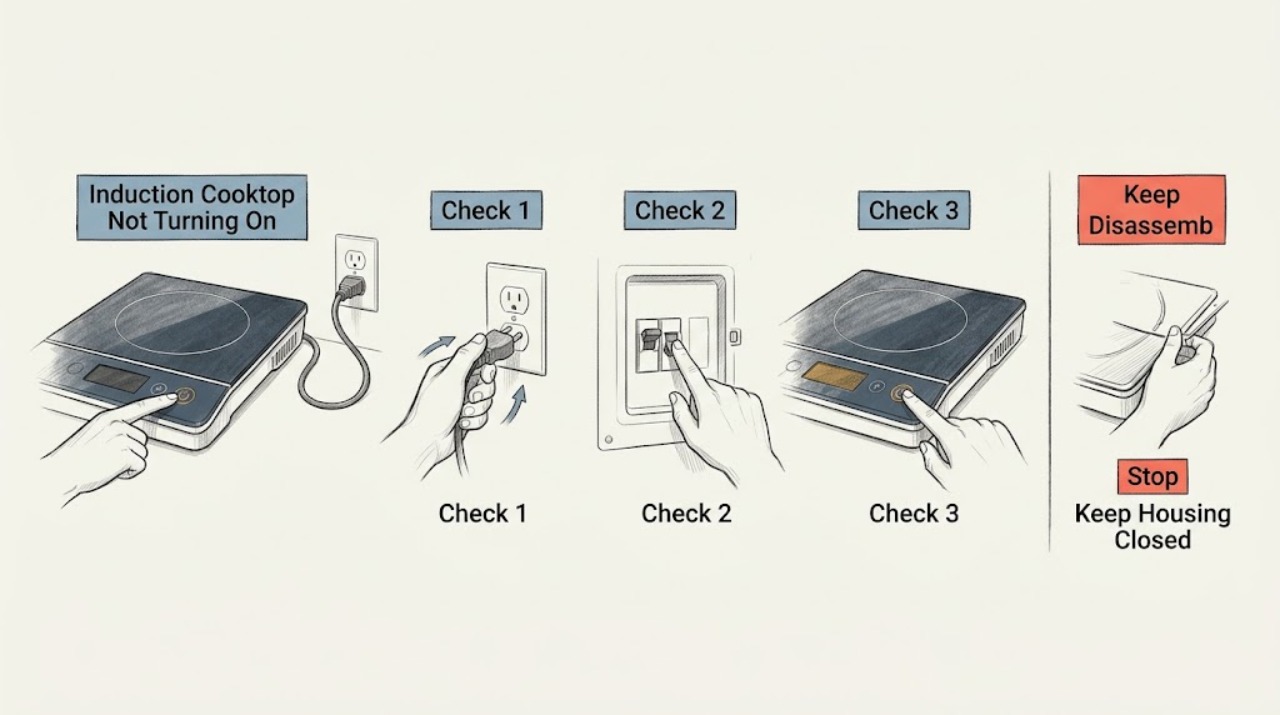
Work through in order
Diagnostic checks
Use only checks that match the exact appliance or system and its official guide.
-
Check 1
Identify whether the entire Samsung induction cooktop is dark, the panel lights but ignores touch, the panel responds but a zone will not activate, or a code or lock symbol is visible.
Expected result: Nothing lights; a lock or code is shown; touch beeps but does not select a control; or the panel works and only one zone fails.
Next step: Photograph any symbol or code and continue with the matching check. Keep the cooktop off if there is smoke, odor, sparks, cracked glass, or electrical damage.
Stop if: Do not remove the glass, use a flame, or touch a damaged surface or exposed electrical part.
Why this matters
Why: A dark panel suggests supply or control power, a lock or wet panel suggests an input state, and a single-zone failure suggests pan detection or a localized heating fault rather than a whole-appliance power loss.
-
Check 2
From a dry, safe position, confirm that the accessible plug or connection has power and that the external kitchen breaker or fuse has not tripped; do not open the breaker enclosure or remove a hardwired cooktop.
Expected result: The breaker is tripped; the outlet is not powered; the cooktop has never worked since installation; or power appears present but the panel remains dark.
Next step: Restore an accessible breaker once if safe and permitted. If it trips again, the outlet is dead, the installation has never operated, or the panel remains dark, stop and request qualified service.
Stop if: Do not repeatedly reset a tripping breaker, test live terminals, alter wiring, or move the cooktop to reach a connection.
Why this matters
Why: Samsung lists connection and breaker problems as common causes of a cooktop that will not turn on. A panel that remains dark with a stable supply needs service or an installation check rather than an ignition repair.
-
Check 3
If the panel lights but does not respond, let the cool panel become dry, wipe away visible grease or debris with a soft cloth, use bare dry fingers, and check the exact manual for the Control Lock indicator and release procedure.
Expected result: Control Lock is displayed; the panel is wet or dirty; touch works after drying or cleaning; or the panel still ignores dry touch.
Next step: Disable Control Lock only as the exact model manual directs and try the Power control once. If touch remains unavailable, request service rather than opening the panel.
Stop if: Do not pour cleaner onto the panel, scrape it while hot, bypass the lock, or dismantle the controls.
Why this matters
Why: Samsung says lock state, moisture, dirt, and touch conditions can prevent capacitive controls from responding. A clean, unlocked panel that remains unresponsive points toward a control fault.
-
Check 4
If the cooktop powers on but a zone does not activate, place a flat magnetic pan containing water in the center of the zone and select its control with dry hands; do not test with an empty pan.
Expected result: The pan is detected and water heats; the pan is not detected; the pan is magnetic but too small or off-center; or the zone still does not activate.
Next step: Use a known-compatible, flat pan of the size specified by the model manual and repeat the water test once. If it still does not heat, stop using that zone and request service.
Stop if: Do not touch the glass to test heat, use a warped or damaged pan, or force cookware onto a zone.
Why this matters
Why: Samsung says induction cookware must have a magnetic base and suitable size and placement. An empty pan can trigger automatic shutoff, so a water-filled pan distinguishes cookware detection from a heating failure.
-
Check 5
Compare the known-compatible water-filled pan on another zone and record whether the panel, pan-detection symbol, and heat response are the same; keep the comparison within the exact model's operating limits.
Expected result: The same pan heats elsewhere but not on the affected zone; no zone detects it; all zones heat; or the cooktop shuts down or shows an error.
Next step: Turn the controls off, let the surface cool, record the affected zone and any code, and request service for a repeatable single-zone failure or unexpected shutdown.
Stop if: Do not keep testing a cooktop that trips power, overheats, shuts down unexpectedly, or displays a persistent code.
Why this matters
Why: Heating on another zone supports a localized zone or control fault. No zone detecting the pan points back to cookware, placement, power, or controls; a complete shutdown or code requires model-specific service guidance.
-
Check 6
If the exact model guide permits a power cycle, switch off the cooktop at its control, disconnect power or switch off the accessible breaker for the documented interval, restore power once, and observe whether the panel starts normally.
Expected result: The panel returns and controls work; the panel remains dark; the error or lock returns; the breaker trips again; or abnormal heat, odor, smoke, or sparks appear.
Next step: Stop resetting and provide Samsung service with the model, code, breaker behavior, panel state, and water-test results. Keep the cooktop off for any safety symptom.
Stop if: Do not cycle power repeatedly, open the cooktop, bypass safety controls, or restart after smoke, sparks, burning smell, cracked glass, or uncontrolled heating.
Why this matters
Why: A power cycle may clear a temporary control state but does not repair a recurring fault. A repeated code, dead panel, or tripping breaker is evidence for service.
Use your observations
Decision map
Find the observation that best matches what you see, then follow the next safe action.
-
PATH 01Safety boundary
What you see
The panel is completely dark and the external breaker or outlet is not supplying power.
Do this next
Restore an accessible breaker once if safe; arrange qualified electrical or Samsung service if power is absent or the breaker trips again.
Why this path and its safety boundary
Why it matters: The immediate issue is supply or installation power, not induction pan detection.
Safety stop: Do not open wiring, test live terminals, or keep resetting a tripping breaker.
-
PATH 02Safety boundary
What you see
The panel lights but Control Lock, moisture, grease, debris, or an improper touch is preventing input.
Do this next
Dry and clean the cool panel, use dry bare fingers, and disable Control Lock with the exact model procedure.
Why this path and its safety boundary
Why it matters: The cooktop has control power but is not accepting the intended command.
Safety stop: Do not bypass the lock, scrape the panel while hot, or dismantle the touch controls.
-
PATH 03Safety boundary
What you see
The panel responds but a pan-detection indication appears or the zone will not start with an unsuitable, too-small, or off-center pan.
Do this next
Use a flat magnetic water-filled pan of suitable size, center it, and test once.
Why this path and its safety boundary
Why it matters: The cooktop is waiting for suitable induction cookware and placement.
Safety stop: Do not use an empty pan, touch the glass to judge heat, or force cookware onto the zone.
-
PATH 04Safety boundary
What you see
A known-compatible water-filled pan heats on another zone but not on the affected zone.
Do this next
Stop using that zone and request qualified Samsung service with the zone and test details.
Why this path and its safety boundary
Why it matters: The failure is localized to the zone, sensor, or control path.
Safety stop: Do not remove the glass or attempt coil, sensor, or wiring repair.
-
PATH 05Safety boundary
What you see
One exact-manual power cycle does not restore the panel or the code, lock, or breaker problem returns.
Do this next
Keep the cooktop off and request Samsung service with the exact model, code, power, and control observations.
Why this path and its safety boundary
Why it matters: The issue is persistent and needs model-specific diagnosis.
Safety stop: Do not keep cycling power, enter service mode, or bypass safety controls.
-
PATH 06Safety boundary
What you see
Smoke, sparks, burning smell, cracked glass, uncontrolled heat, liquid near electrical parts, or repeated breaker trips occur.
Do this next
Stop using the cooktop, keep clear, disconnect power only if safe, and contact emergency or qualified appliance help as appropriate.
Why this path and its safety boundary
Why it matters: This is an electrical or fire-safety event, not a routine no-start condition.
Safety stop: Do not touch damaged parts, restart the unit, or open the electrical assembly.
Helpful context
Understand the symptom
Define what “not turning on” means
A completely dark cooktop, a lit panel that ignores touch, and a panel that turns on but will not activate one cooking zone are different faults. Samsung induction cooktops use electronic controls and pan detection, not a gas flame. Start with the panel and power symptom, then test a single zone only after the controls respond.
Keep power checks external
For a plug-connected unit, inspect the accessible plug and outlet only when they are dry. For a hardwired unit, the breaker is the only normal user-accessible supply check. Do not remove the cooktop or open an electrical box to inspect wiring; a breaker that trips again is a stop condition.
Treat cookware detection as a separate branch
If the display turns on but a cooking zone will not start, do not assume the whole cooktop is dead. Samsung says the pan must have a magnetic base, sit flat and centrally, and match the zone; a suitable pan containing water gives a meaningful test. An empty-pan test can cause the induction zone to shut itself off.
Safety boundary
Stop conditions
- Stop immediately for smoke, sparks, burning odor, cracked glass, uncontrolled heat, exposed wiring, liquid near electrical parts, or repeated breaker trips.
- Do not use gas or flame troubleshooting on an induction cooktop, open the cooktop, test live wiring, bypass Control Lock or pan detection, or enter service mode.
- Stop using a zone that fails with a known-compatible water-filled pan or a panel that remains dead after one exact-manual power cycle.
When checks do not resolve it
Need a professional?
Call for a dead panel with power present, persistent touch or lock failure, failed known-compatible pan test, recurring error, breaker trip, or any safety symptom.
Have this ready
- Exact Samsung model and serial details
- Whether the whole panel is dark, locked, unresponsive, or limited to one zone
- Exact error or lock symbol and when it appears
- Pan material, flatness, size, placement, and water-test result
- Breaker, outlet, moisture, heat, odor, smoke, and crack observations
Common questions
FAQ
Why won't my Samsung induction cooktop turn on?
Check external power, the breaker, Control Lock, and whether the control panel is clean and dry. If the panel remains dark or unresponsive after one exact-manual power cycle, request service.
Does a Samsung induction cooktop need an igniter?
No. Induction heats a compatible magnetic pan electronically and does not use a gas flame or igniter. If the panel works but the pan stays cold, check pan detection and perform a water test.
Can Control Lock stop a Samsung induction cooktop from turning on?
Control Lock can prevent touch commands on applicable models. Look for the lock indicator and use the exact model manual to disable it; do not bypass the lock or open the control panel.
Why does my Samsung induction cooktop turn on but not heat?
The pan may not be magnetic, may be too small, warped, or off-center. Use a suitable flat magnetic pan containing water; if it heats on another zone but not the affected one, request service.
What should I do if the Samsung cooktop breaker keeps tripping?
Stop resetting it. Keep the cooktop off and arrange qualified electrical or Samsung service, especially if there is smoke, burning odor, heat, sparks, or visible damage.
Read the exact guide
Official sources
- One burner on the Samsung cooktop does not workSamsung Support · Applicable to Samsung cooktops covered by the support article; exact model instructions govern.
- Samsung Cooktop FAQsSamsung Support · Applicable to Samsung cooktops covered by the US FAQ; exact model instructions govern.
- Electric cooktop panel isn't responsiveSamsung Support · Applicable to Samsung capacitive-touch electric and induction panels covered by the support article.
- Samsung Range FAQsSamsung Support · Applicable to Samsung ranges and cooktops covered by the US FAQ; model and region can vary.
- Layout and Features of the Samsung Induction CooktopSamsung Support Australia · The opened guidance is for Australian products; layouts and settings vary by model and region.
- Samsung range or wall oven panel is blank, blinking, or incorrectSamsung Support · The opened article addresses Samsung range or wall-oven panels; use only its general external-power boundary and the exact cooktop manual for model details.
Community feedback
Share a repair observation
Share a plain-text repair observation. Accepted observations are published automatically; this page may take a moment to update.