
On this page
Start here
Quick answer
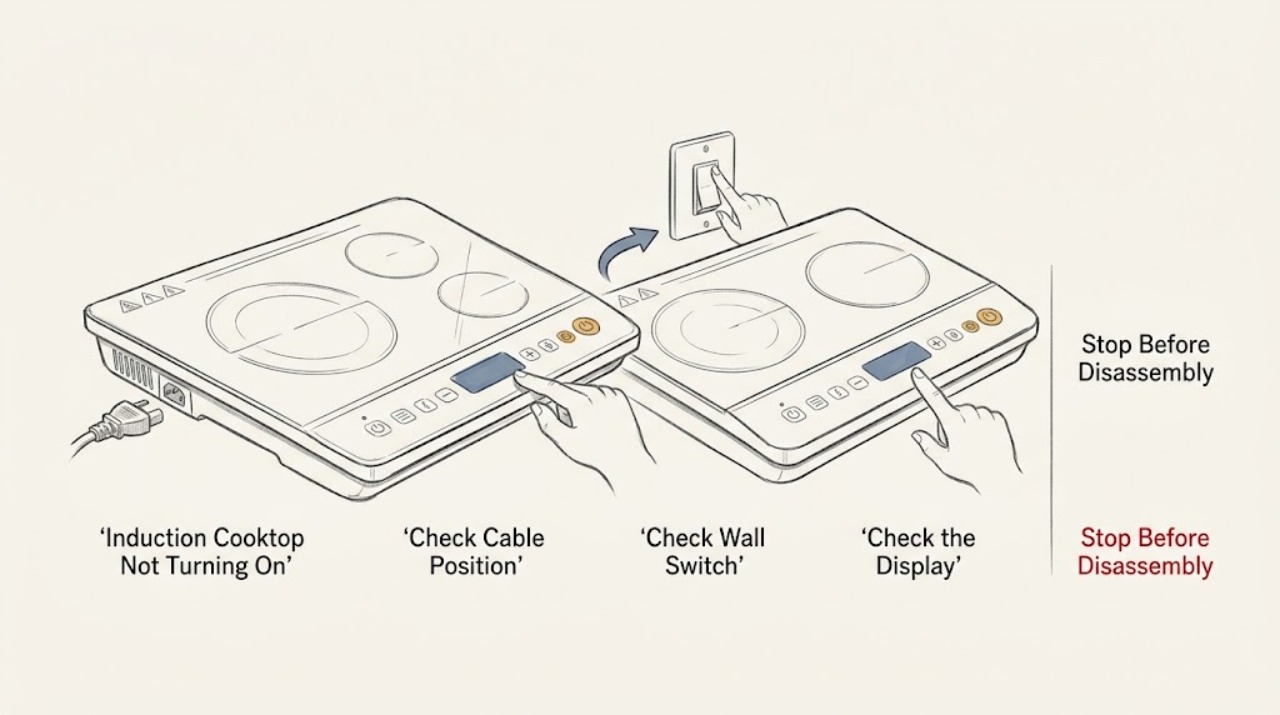
If a Thermador induction cooktop will not turn on, first determine whether the whole display is dark, the panel is lit but locked, the controls respond but a zone will not heat, or an error appears. Check the accessible main switch, plug or isolator, power failure, and labeled breaker without opening the cooktop. Wipe a cool, damp touch panel dry and remove hot cookware from the controls; then use the exact owner manual to clear the child lock or select a cooking zone. Thermador says induction cookware must be suitable and detected before a zone heats, so test one flat, compatible pan only after the panel responds. A single permitted reset may help a documented one-off fault or demo mode; do not keep cycling power when the glass is cracked, there is smoke, scorching, arcing, a hot or damaged cable, or a repeat trip. Persistent darkness, a returning error, incorrect supply, or a cooktop that remains unresponsive needs qualified electrical or appliance service.
Work through in order
Diagnostic checks
Use only checks that match the exact appliance or system and its official guide.
-
Check 1
Stop using the cooktop and check from a safe position for cracked or shattered glass, smoke, scorch marks, electrical arcing, a burning odor, a hot or damaged cable or outlet, liquid entering the controls, or a breaker that trips again.
Expected result: A glass, fire, heat, liquid, or electrical hazard is present, or the surface is intact, cool, dry, and free of an immediate hazard.
Next step: For a hazard, stop using the cooktop, isolate power only when safe, keep people away from the area, and arrange qualified electrical or appliance service. If safe, continue with external power and display classification.
Stop if: Do not touch broken glass, wipe an energized spill, lift the appliance, remove a cover, or reproduce smoke, arcing, heat, or a trip.
Why this matters
Why: A physical or electrical hazard overrides all power, lock, and pan checks. Repeated energizing can worsen damage and is not a safe diagnostic method.
-
Check 2
Without moving the cooktop or opening an enclosure, check that the accessible main switch or isolator is on, the plug is seated if the model uses one, the home has not lost power, and the labeled breaker or fuse has not operated. Make only one reset of the labeled breaker if there is no hazard and the installation instructions permit it.
Expected result: The switch is off, the household supply is interrupted, the outlet is not powered, the breaker or fuse has operated, or all accessible supply points appear normal but the panel remains dark.
Next step: Correct only an obvious switch state or household supply condition and make one permitted reset. If the breaker operates again, the outlet is damaged, or the panel stays dark, stop and arrange qualified service.
Stop if: Stop for a hot or wet outlet, scorched wiring, a repeat breaker operation, an unknown installation connection, or any need to open the junction box or test live circuits.
Why this matters
Why: Thermador identifies these external supply conditions as the first causes to rule out when an induction cooktop does not turn on. A normal accessible supply with a dark panel shifts the problem toward the connection, controls, or internal electronics.
-
Check 3
With the cooktop off and cool, remove cookware from the control area, wipe the accessible touch panel completely dry, and use the exact Thermador manual to check whether the child lock is active. Do not guess at a lock sequence or use force on the glass.
Expected result: The panel was wet, a hot pan was close to the controls, a lock symbol or unresponsive lock state is present, the panel responds after drying or unlocking, or it remains unresponsive.
Next step: If drying or the documented unlock restores input, select a zone once and monitor it. If the panel remains unresponsive while power is available, stop ordinary use and arrange service.
Stop if: Stop for liquid entering the controls, a cracked panel, a hot control area, swelling, smoke, arcing, or any need to dismantle the touch panel.
Why this matters
Why: Moisture, heat near the controls, or a child lock can make a working cooktop appear unable to turn on. Thermador says the manual controls the lock procedure because behavior differs by appliance.
-
Check 4
After the panel responds and is unlocked, place one clean, flat-bottomed induction-compatible pan on the intended zone and select that zone using the documented control sequence. If the manual permits a magnet check, use it on the cool pan base rather than testing the cooktop with metal objects.
Expected result: The pan is detected and the zone heats, the level flashes with no heat, the pan is not detected, the pan is off-center or too small, or only one zone fails.
Next step: Center the pan or use one known compatible pan only if the glass is intact and no hazard is present. If detection remains absent, one zone fails with suitable cookware, or the panel shuts down, arrange service.
Stop if: Stop for cracked glass, a hot control area, smoke, arcing, a burning odor, a damaged pan base, or any request to access an inductor or wiring.
Why this matters
Why: Thermador says unsuitable or undersized cookware and selecting the wrong element can prevent a zone from heating. A pan-detection symptom on one zone is different from a totally dark control panel or whole-cooktop power loss.
-
Check 5
Record the exact display symbol or code and compare it with the Thermador error page and the matching owner manual. If the message indicates heat protection, remove cookware from the control area when directed and allow the cool appliance to return to a safe state; if it indicates demo mode or a one-off operational fault, follow the model-specific reset sequence once.
Expected result: There is no code, a code is listed as a one-off or demo condition, a cooking zone or electronics-overheat message appears, an incorrect-supply message appears, or the same code returns.
Next step: Apply only the exact documented user step once and observe whether the message clears. If it returns, the panel remains off, or the supply is reported incorrect, leave the cooktop off and arrange qualified service.
Stop if: Stop for smoke, arcing, scorching, a hot or damaged cable, a repeat trip, a cracked surface, or any instruction to alter wiring or supply voltage.
Why this matters
Why: Thermador assigns different meanings and actions to displayed conditions. A recurring error or supply code needs service or an electrician rather than repeated resets.
-
Check 6
Prepare the exact Thermador model, whether the whole display or only one zone is affected, the main-switch and breaker result, lock and panel-dryness result, pan-detection behavior, selected zone, code or symbol, glass condition, and any heat, odor, smoke, arcing, or trip event.
Expected result: The cooktop recovered after a safe external correction, or it remains dark, locked, unresponsive, pan-undetected, mode-specific, error-affected, or electrically unsafe.
Next step: For persistent or unsafe failure, stop using the cooktop and arrange qualified appliance or electrical service. Do not order a control board, touch panel, inductor, sensor, or fuse from the symptom alone.
Stop if: Do not open the cooktop, test energized circuits, bypass the lock or a thermal safety, alter the installation, or touch internal inductors and wiring.
Why this matters
Why: This record separates household supply, user controls, cookware detection, thermal protection, and internal electronics so the correct qualified service path can be chosen.
Use your observations
Decision map
Find the observation that best matches what you see, then follow the next safe action.
-
PATH 01Next step
What you see
The glass is cracked or shattered, smoke, scorching, arcing, burning odor, dangerous heat, liquid in controls, a damaged cable or outlet, or a repeat breaker trip is present.
Do this next
Arrange qualified service and follow the exact model guidance.
Why this path and its safety boundary
Why it matters: Stop using the cooktop, isolate power only when safe, keep clear of the area, and arrange qualified electrical or appliance service. Do not retest or dismantle it.
-
PATH 02Next step
What you see
The main switch or isolator is off, the home has lost power, the accessible outlet is dead, or the labeled breaker or fuse has operated.
Do this next
Arrange qualified service and follow the exact model guidance.
Why this path and its safety boundary
Why it matters: Correct only an obvious external supply state and make one permitted reset when safe. A repeat operation, damaged outlet, or continued dark panel needs an electrician or appliance service.
-
PATH 03Next step
What you see
The panel is powered but ignores touches, shows a lock state, has recently been wet, or had hot cookware close to the controls.
Do this next
Arrange qualified service and follow the exact model guidance.
Why this path and its safety boundary
Why it matters: Let the cool panel dry, remove cookware from the control area, and use the exact manual to clear the lock. Persistent unresponsiveness needs service.
-
PATH 04Next step
What you see
The panel turns on but a zone flashes, shows no pan, or will not heat with the first pan.
Do this next
Arrange qualified service and follow the exact model guidance.
Why this path and its safety boundary
Why it matters: Try one clean, flat, induction-compatible pan centered on the selected zone. If detection remains absent or one zone fails repeatedly, arrange service without opening the cooktop.
-
PATH 05Next step
What you see
A demo, overheating, automatic-time-limit, incorrect-supply, or other code appears.
Do this next
Arrange qualified service and follow the exact model guidance.
Why this path and its safety boundary
Why it matters: Follow only the matching Thermador error and owner-manual step once. A returning or unlisted code needs qualified service or an electrician as directed by the code.
-
PATH 06Next step
What you see
The cooktop responds and heats normally after a documented safe supply, lock, dryness, pan, or one-off error correction with no hazard.
Do this next
Arrange qualified service and follow the exact model guidance.
Why this path and its safety boundary
Why it matters: Monitor one supervised cycle and retain the model and control sequence. Request service if the panel goes dark, a zone stops heating, an error returns, or a safety symptom appears.
Helpful context
Understand the symptom
Start by separating no power from no heating
A completely dark panel, a lit panel that ignores touches, a panel that unlocks but cannot detect a pan, and a single zone that will not heat are different faults. Note whether the display, indicator lights, and touch controls respond; whether the symptom affects every zone; and whether a code or symbol is shown. Do not place a pan on the glass while investigating a cracked surface or an electrical hazard.
Check only accessible power
Thermador lists the plug, main switch, power failure, outlet supply, fuse, and breaker among the checks for a cooktop that does not turn on. Check only the accessible switch or isolator and labeled breaker. Do not remove the cooktop from the counter, open the junction box, probe wiring, or alter the installation connection. If another accessible appliance is used to confirm an outlet, keep hands and cords dry and stop if the outlet is hot, wet, scorched, or damaged.
A lock or wet panel can look like a dead cooktop
A damp touch surface, a hot pan near the controls, or an active child lock can prevent normal input. With the cooktop off and cool, remove cookware from the controls and wipe the accessible glass and panel dry. Use the exact manual to clear the lock; do not guess a key combination or use a sharp tool on the glass.
Confirm pan detection only after the panel responds
Thermador induction zones require suitable cookware. Once the panel turns on and is unlocked, place one flat-bottomed compatible pan on the intended zone and select that zone according to the manual. A flashing level or no heat can mean the pan is unsuitable, too small, off-center, or the wrong zone is selected; it does not prove that the whole cooktop has lost power.
Treat codes and heat protection as a separate branch
Thermador publishes model-dependent error guidance. Some displayed conditions relate to demo mode, an overheated zone or control area, an automatic time limit, or incorrect supply. Let the appliance cool only when the surface is safe, remove cookware from the control area when instructed, and follow the exact manual. Do not keep resetting an error that returns, and do not attempt an electrical repair.
Stop at glass, smoke, arcing, or repeated trips
Cracked or shattered glass, smoke, scorch marks, arcing, a hot or damaged cable, liquid entering the controls, a burning odor, or a breaker that trips again is not a settings problem. Stop using the cooktop and isolate power only if it is safe to do so. Arrange qualified electrical or appliance service and keep the cooktop out of use until assessed.
Only after diagnosis
Potential parts
- touch control panel or user-interface component
Consider only after qualified service confirms the panel or user-interface circuit is the cause of persistent unresponsive controls.
Confirm the exact Thermador model and manufacturer fit information; do not replace a panel based on a dark display alone. - control electronics or power-supply component
Consider only when qualified electrical or appliance service identifies an internal supply or control fault after external power checks.
Internal electrical diagnosis and installation checks require qualified service; do not probe or rewire the cooktop. - induction inductor or cookware-detection component
Consider only when one zone fails with known suitable cookware and qualified service confirms a zone or detection fault.
Zone and sensor components vary by model and are not interchangeable from a no-turn-on symptom alone.
When checks do not resolve it
Need a professional?
Cracked or shattered glass, smoke, scorching, arcing, burning odor, dangerous heat, liquid in controls, or a hot or damaged cable or outlet appears., The breaker or fuse operates again, the accessible supply is abnormal, or the cooktop is connected incorrectly and the next step would involve electrical work., The display remains dark after the accessible main switch, household power, and labeled breaker checks., The panel remains unresponsive after it is cool, dry, and unlocked, or the lock cannot be cleared from the exact manual., A suitable pan is not detected, one zone remains cold, an error returns, or the cooktop shuts down again after a documented reset., The next step would require opening the cooktop, testing energized circuits, bypassing a lock or safety, altering wiring, or accessing inductors and control electronics.
Common questions
FAQ
Why is my Thermador induction cooktop completely dark?
Check the accessible main switch, plug or isolator, household power, and labeled breaker without opening the cooktop. If the supply appears normal but the display stays dark, stop and arrange qualified electrical or appliance service.
Could the child lock stop a Thermador induction cooktop from turning on?
Yes, an active child lock can prevent operation on supported connected appliances. Confirm the lock state and use the exact owner manual to clear it; do not guess a key sequence or bypass the control.
Why does my Thermador cooktop turn on but not heat the pan?
Thermador identifies the wrong zone, an unsuitable or undersized pan, and poor pan placement as possible causes. Try one clean, flat, induction-compatible pan centered on the selected zone. Persistent no detection or a single failed zone needs service.
What should I do when an error code appears on a Thermador induction cooktop?
Record the exact code and consult the Thermador error page and the matching owner manual. Apply only the documented user step once. If the code returns, indicates incorrect supply, or is not listed, leave the cooktop off and arrange qualified service or electrical help.
When should I stop troubleshooting a Thermador induction cooktop?
Stop for cracked glass, smoke, scorching, arcing, burning odor, dangerous heat, liquid in controls, a damaged cable or outlet, or a repeat breaker trip. Also stop when the next step would require opening the cooktop, testing energized circuits, bypassing a safety, or accessing inductors and wiring.
Read the exact guide
Official sources
- Troubleshooting | Induction Cooktops Support | ThermadorThermador · Opened official Thermador induction troubleshooting page; exact controls and pan requirements vary by model and the matching manual takes precedence.
- Troubleshooting | Electric Cooktops Support | ThermadorThermador · Opened official Thermador electric cooktop troubleshooting page; it supports the shared external electrical checks while induction model instructions take precedence.
- Thermador Home Connect® Help & Troubleshooting FAQ | ThermadorThermador · Opened official Thermador support FAQ; child-lock availability and release method vary by appliance and require the matching manual.
- Appliance Features | Freedom® Induction Cooktops Support | ThermadorThermador · Opened official Thermador Freedom induction feature page; feature availability and touch sequence vary by model, so consult the exact manual.
- Error Codes | Induction Cooktops Support | ThermadorThermador · Opened official Thermador error-code page; code meanings and reset steps are model-dependent, so use the exact owner manual.
Community feedback
Share a repair observation
Share a plain-text repair observation. Accepted observations are published automatically; this page may take a moment to update.