
On this page
Start here
Quick answer
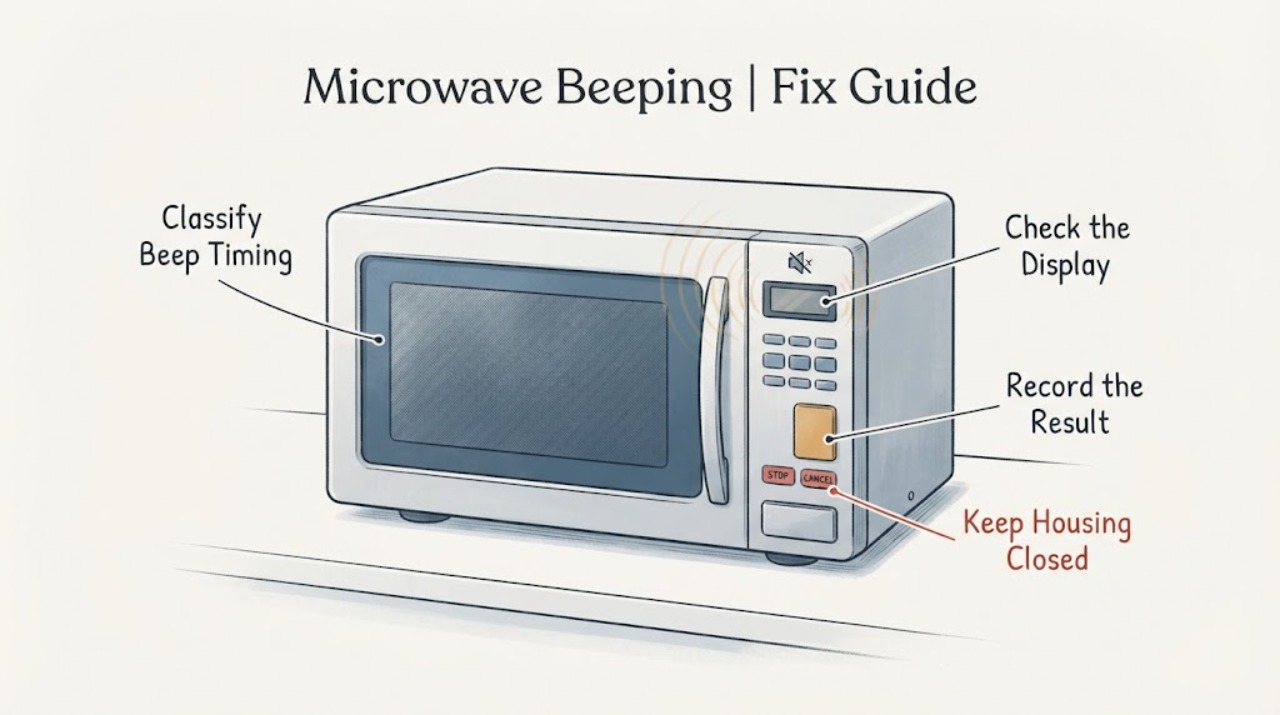
A beep after a pad is pressed or when a cooking cycle finishes can be normal GE microwave feedback. First note whether the sound is tied to a key press or cycle completion, happens at regular intervals after cooking, or continues while the microwave is idle, and check whether the display responds. If you want to change the sound, use only the control your exact model documents—SOUND, SOUND LEVEL, BEEPER VOLUME, SETTINGS, or MUTE; GE says these features and their controls vary by model. If the display is lit but the controls do not respond, look for a lock indication or an unfinished program and use the exact model's documented Clear/Off, Pause/Off or reset procedure. Persistent beeping while idle, an unresponsive panel, or a sound control that does not work needs model-specific service; do not open the microwave cabinet.
Work through in order
Diagnostic checks
Use only checks that match the exact appliance or system and its official guide.
-
Check 1
Without opening the microwave, note exactly when the beep occurs: immediately after a pad press, at the end of a cooking cycle, at repeated intervals after cooking, or continuously while the microwave is idle. Record whether the display changes and whether opening the door or pressing the model-labeled completion control stops the sound.
Expected result: The beep is tied to a pad or cycle completion, repeats after completion, or continues with no user input; the display either responds or remains unchanged.
Next step: Use the matching branch below. Do not repeatedly start cooking just to reproduce an unexplained continuous beep.
Why this matters
Why: A pad or completion beep is consistent with normal user feedback. Repeated or continuous idle beeping, especially with no display response, is a different symptom and is not identified by GE's generic sound-setting article as a universal fault code.
-
Check 2
Look at the display while the controls are lit: check for a lock indication such as L, LOC or LOCKED, and test only a normal pad response without forcing the keypad or door.
Expected result: The display shows a lock indication, the display responds normally, or the display is lit but the pad presses do not change it.
Next step: If the exact model manual identifies a lock control, use that documented unlock sequence. If no lock is shown and the panel remains unresponsive, use only the model's documented Clear/Off or Reset instruction once, then arrange service if the condition remains.
Why this matters
Why: GE says a locked panel can show LOCK or an L and that an incomplete programmed instruction can leave a lit panel unresponsive. The exact lock control differs among GE panel designs.
-
Check 3
If the goal is to silence a microwave that otherwise operates normally, identify the exact model's labeled SOUND, SOUND LEVEL, BEEPER VOLUME, SETTINGS or MUTE control and open that model's owner's manual before pressing a sequence.
Expected result: The model has a documented sound control, or it has no such control or the available control does not change the beeper.
Next step: Apply only the exact model's documented setting. Do not treat a button sequence from another GE model as a universal reset or mute procedure.
Why this matters
Why: GE documents several control designs: some models use SOUND LEVEL with numbered levels, some use Settings and a dial, and some use MUTE ON/OFF. GE also says some models cannot disable the sound.
-
Check 4
When the display is lit but the microwave does not respond, check the exact manual for the labeled CLEAR/OFF or RESET control and use it only as the manual directs to clear a program that was started but not completed.
Expected result: The panel resumes normal response after the model-documented clear/reset, or it remains unresponsive or begins beeping again while idle.
Next step: Return to normal use and monitor whether beeps occur only with pad presses or cycle completion.
Stop if: Stop testing and arrange model-specific service; do not remove the control panel or microwave cabinet.
Why this matters
Why: GE identifies a retained incomplete program as one possible reason for a lit but unresponsive panel, but a successful clear does not establish that an internal component is repaired.
-
Check 5
Stop user troubleshooting if the microwave keeps beeping while idle, the panel stays unresponsive, a documented sound control fails, or the behavior returns after the model-specific clear/unlock step.
Expected result: The abnormal sound or unresponsive control persists without a clear model-documented user setting that resolves it.
Next step: Keep the microwave out of service and contact GE or qualified appliance service with the full model, display state, beep timing and steps already tried. Do not open the cabinet or perform live tests.
Why this matters
Why: GE's support article treats an inoperative sound feature or unresponsive panel as a service issue; the generic support pages do not establish a safe user diagnosis of the keypad, control board or other internal part.
Use your observations
Decision map
Find the observation that best matches what you see, then follow the next safe action.
-
PATH 01Next step
What you see
The microwave beeps only when a pad is pressed or when a cooking cycle completes, and the display and controls respond normally.
Do this next
Continue using the microwave. If the sound is unwanted, use only the exact model's documented sound or mute control; some models do not offer sound-off.
Why this path and its safety boundary
Why it matters: This matches GE's description of normal microwave beeper feedback rather than an unexplained continuous fault.
-
PATH 02Next step
What you see
The display is lit but pad presses do not change it, and the display shows L, LOC, LOCKED or another lock indication, or the model manual identifies an unfinished program.
Do this next
Follow the exact model manual's unlock or Clear/Off/Reset instruction once. If the panel remains unresponsive or the beeping returns while idle, stop and request service.
Why this path and its safety boundary
Why it matters: GE identifies a locked control panel and a retained incomplete program as possible explanations for a lit but nonresponsive panel; neither observation proves a failed control board.
-
PATH 03Next step
What you see
The microwave operates normally, but the user wants to lower or silence the beeper and the panel has a labeled SOUND, SOUND LEVEL, BEEPER VOLUME, SETTINGS or MUTE control.
Do this next
Use the owner's manual for that exact model. Do not apply another GE model's numbered sequence or assume that a MUTE control has adjustable volume.
Why this path and its safety boundary
Why it matters: The model may support a user sound setting, but GE documents multiple control designs and says some models cannot disable sound.
-
PATH 04Next step
What you see
The microwave beeps continuously or repeatedly while idle, the display does not respond, or the sound returns after the exact model's documented user check.
Do this next
Leave the microwave unused, keep the cabinet closed, and arrange GE or qualified appliance service with the full model and observed pattern.
Why this path and its safety boundary
Why it matters: This is outside the generic normal-feedback and model-specific sound-setting cases. GE's support guidance routes an inoperative sound feature or unresponsive panel to service.
Helpful context
Understand the symptom
Separate normal feedback from an unexplained continuous beep
The sound by itself does not identify one failed part. GE's support guidance says a microwave may beep when a pad is pressed or when cooking completes. That is different from a microwave that beeps while idle, keeps beeping after the normal completion response, or has a display that no longer responds. Record the timing, the display message and whether the sound stops after the documented user action before changing settings or requesting service.
Mute and reset controls are model-specific
Some GE microwaves use SOUND, SOUND LEVEL or BEEPER VOLUME; others use Settings or MUTE ON/OFF, and some do not offer a sound-off feature. GE also lists several lock-control designs. Treat the control names and button-hold examples as model-dependent: use the owner's manual for the exact microwave instead of copying a sequence from another panel.
When the beep is a service symptom
If the panel is lit but will not respond, the sound continues without a key press or cooking completion, or the documented sound control does not change the behavior, stop treating it as a volume setting. GE's support guidance points unresolved sound or control-panel problems to service. Keep the cabinet closed; this guide does not provide microwave high-voltage or live-electrical repair instructions.
When checks do not resolve it
Need a professional?
Arrange service when the microwave continues beeping while idle, the display is lit but the controls remain unresponsive, or the exact model's sound/clear procedure does not resolve the behavior., Provide the complete model number, microwave type, display message, when the beep occurs, whether the display responds, and the exact manual step already attempted., Do not remove the microwave cabinet, bypass a door or control safety, or perform live electrical or high-voltage tests.
Have this ready
- complete GE microwave model and whether it is countertop, over-the-range or built-in
- whether the beep follows a pad press, cooking completion, a repeated interval or continues while idle
- display response and any L, LOC, LOCKED or other message
- the exact model manual's sound, unlock or clear/reset step that was attempted
Common questions
FAQ
Is a beep after pressing a GE microwave button normal?
Usually, yes. GE says microwaves can beep when pads are pressed and when a cooking cycle completes. If the sound happens only in those situations and the controls respond, treat it as normal feedback rather than a confirmed failed part.
How do I mute a GE microwave?
Use the exact model's documented control. GE lists SOUND, SOUND LEVEL, BEEPER VOLUME, Settings and MUTE ON/OFF designs; some models have no sound-off feature. Do not copy a numbered sequence from another GE microwave.
What if my GE microwave keeps beeping when nobody is using it?
Record whether the display responds and whether a lock or other message is shown. If the beep continues while idle, the panel is unresponsive, or the sound returns after the exact model's documented clear/unlock check, leave it unused and arrange service rather than opening the cabinet.
Can I press Clear/Off to stop the beeping?
Only when the exact model's manual identifies Clear/Off as the applicable control. GE says a Clear/Off or Reset action may clear an unfinished program on some models, while lock and sound controls vary across panel designs.
Read the exact guide
Official sources
- Microwaves, Ranges, Ovens, Venting and Cooking ProductsGE Appliances · Official GE cooking-product support entry point; directs model-specific support and owner manuals rather than defining a universal beep fault.
- Microwave - Is Not Making SoundGE Appliances · Official GE support article for microwave beeper behavior and external control checks across models; exact owner's manual controls for the individual model.
- Microwave - Child Lockout FeatureGE Appliances · Official GE support article showing multiple lock designs; exact model manual controls the applicable sequence.
- Microwave - Variable Beeper VolumeGE Appliances · Official GE support article; applies only to models that provide the documented sound feature and does not establish a universal control sequence.
Community feedback
Share a repair observation
Share a plain-text repair observation. Accepted observations are published automatically; this page may take a moment to update.