
On this page
Start here
Quick answer
A GE oven may beep normally when a timer ends, preheat reaches its signal point, or a programmed function needs attention, but a rapid or repeating tone with an error display can indicate a fault. Note the exact display, tone pattern, cycle, temperature, and whether the oven is heating or the fan is running. Press Clear/Off or the model's cancel control once if the manual directs it, and check that no timer or Warm-Hold function is active. Stop immediately for smoke, sparking, a burning or gas odor, a tripping breaker, uncontrolled heating, a door that will not close, or a flashing fault that will not clear. Do not remove panels or test live wiring. If beeping returns after one model-approved reset, the oven will not heat, or the display shows an error, keep it out of service and arrange qualified appliance repair.
Work through in order
Diagnostic checks
Use only checks that match the exact appliance or system and its official guide.
-
Check 1
Turn the oven off and inspect from outside for smoke, sparking, burning or gas odor, scorching, an open door, a tripping breaker, or heating that continues after the controls are set to off.
Expected result: A fire, gas, electrical, high-temperature, or door hazard is present, or the oven is stable and safe to inspect.
Next step: For smoke, sparking, or burning odor, stop using the oven and disconnect power only when safe. For gas odor, leave the area and follow local gas-emergency guidance without operating electrical switches. Arrange qualified help for any uncontrolled heat or damaged door.
Stop if: Stop immediately for fire, smoke, gas odor, sparking, exposed wiring, repeated breaker trips, uncontrolled heating, or a door that cannot close safely.
Why this matters
Why: A physical hazard outranks identifying the beep; a stable oven permits the limited control-state checks below.
-
Check 2
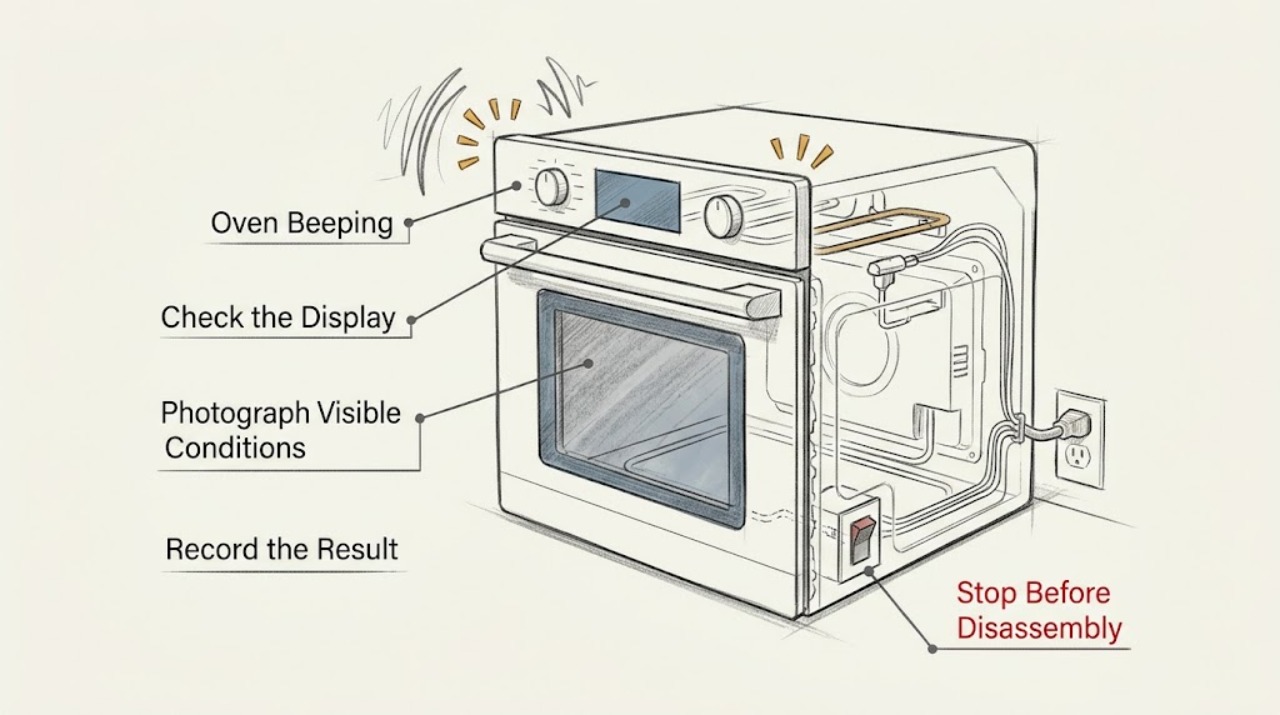
Photograph the display and note whether the sound is one beep, a repeating interval, a rapid series, or a tone at the end of a timer; record the cycle, set temperature, door state, and whether heat or the fan is operating.
Expected result: The beep occurs at preheat, timer completion, Warm-Hold, key presses, incomplete programming, or alongside a letter-and-number fault display.
Next step: Use the exact model Owner's Manual to interpret the tone and display. Do not borrow a code meaning or button sequence from another GE range or wall oven.
Stop if: Stop if recording requires opening the door into an unsafe position, touching hot parts, or accessing the control wiring.
Why this matters
Why: The same oven can make intentional reminders and fault tones; the display and event that precedes the beep identify which branch is appropriate.
-
Check 3
With the oven safe to touch, check for an expired kitchen timer, timed bake or stop-time setting, Warm-Hold, delayed start, incomplete temperature or mode selection, and any lock indicator; use the model's cancel control once.
Expected result: A timer or timed function is complete, Warm-Hold is active, a required setting is missing, or no intentional function explains the beep.
Next step: Acknowledge or cancel the function exactly as the manual directs and observe whether the tone stops. Do not disable safety features or keep changing settings while the oven is hot or faulting.
Stop if: Stop for a stuck key, wet or cracked panel, an unresponsive control, or any need to open the console.
Why this matters
Why: An intentional reminder or incomplete program can beep without a failed component; an unexplained tone shifts attention to the display, supply, or control fault.
-
Check 4
Confirm the oven door closes fully and the gasket and latch look intact, then observe whether the oven reaches the selected temperature, cycles normally, or continues heating after cancel; do not touch elements or bypass a door switch.
Expected result: The door is misaligned or open, preheat completes normally, the oven never reaches temperature, or heating continues after cancellation.
Next step: Correct only an obvious closure issue described by the manual. If temperature is abnormal, heat does not stop, or the door hardware is damaged, turn the oven off at its controls and power source when safe and arrange service.
Stop if: Stop for uncontrolled heating, a hot control area, a broken hinge or latch, smoke, or an oven door that will not close.
Why this matters
Why: Door and temperature behavior can distinguish an expected preheat notification from a heating, sensor, interlock, or control problem; continued heating is an immediate stop condition.
-
Check 5
If the display flickers, resets, or an error follows an interruption, check the accessible household breaker or fuse once; do not remove terminal covers, measure energized circuits, or repeatedly reset a breaker.
Expected result: Power was interrupted, a breaker or fuse is open, the oven was recently installed, accessible power appears normal, or the breaker opens again.
Next step: If the supply is uncertain or the breaker opens again, leave the oven off and call a qualified electrician or appliance technician. If accessible power is normal, use only the model manual's reset procedure once.
Stop if: Stop for repeated trips, a hot outlet or cord, exposed conductors, a burning smell, or uncertain hardwired connections.
Why this matters
Why: An interruption can create a control state that needs a model reset; a repeated trip or uncertain connection indicates an electrical fault rather than a harmless beep.
-
Check 6
Only if the exact GE manual permits it and no hazard is present, perform one model-approved Clear/Off or power reset, then observe whether the same beep or code returns during standby or one supervised normal operation.
Expected result: The tone stops and the oven functions normally, the tone returns with the same display, a new fault appears, or the oven remains unresponsive.
Next step: Keep the oven out of service for a recurring or unexplained tone and provide the technician the model, display photo, tone timing, power result, and temperature or door observations. Do not replace a sensor, board, or element based only on the sound.
Stop if: Stop for recurring error tones, smoke, gas odor, sparking, uncontrolled heating, repeated breaker trips, or any internal-access request.
Why this matters
Why: A cleared tone may have been a timer or transient control state; recurrence, a fault code, or abnormal heating requires model-specific service diagnosis.
Use your observations
Decision map
Find the observation that best matches what you see, then follow the next safe action.
-
PATH 01Next step
What you see
Smoke, gas odor, sparking, burning odor, repeated breaker trips, uncontrolled heating, or damaged door hardware is present.
Do this next
Arrange qualified service and follow the exact model guidance.
Why this path and its safety boundary
Why it matters: Stop using the oven and obtain qualified electrical, gas, or appliance service; do not keep clearing the beep or restart the oven.
-
PATH 02Next step
What you see
The beep occurs at timer completion or when the oven reaches its preheat signal point and the oven otherwise behaves normally.
Do this next
Arrange qualified service and follow the exact model guidance.
Why this path and its safety boundary
Why it matters: Acknowledge the timer or follow the model manual's sound setting; monitor one supervised cycle because notification behavior varies by model.
-
PATH 03Next step
What you see
Warm-Hold, timed bake, delayed start, or an incomplete cooking program is active.
Do this next
Arrange qualified service and follow the exact model guidance.
Why this path and its safety boundary
Why it matters: Use the exact manual to cancel or complete the function. Do not assume the beep indicates a part failure until the command state is correct.
-
PATH 04Next step
What you see
A rapid or repeating tone accompanies a flashing letter-and-number code or the code will not clear.
Do this next
Arrange qualified service and follow the exact model guidance.
Why this path and its safety boundary
Why it matters: Record the complete display, use the model-specific cancel or reset procedure once, and arrange service if the indication returns or remains.
-
PATH 05Next step
What you see
The display flickers or resets after an interruption, the breaker is open, or installation power is uncertain.
Do this next
Arrange qualified service and follow the exact model guidance.
Why this path and its safety boundary
Why it matters: Check accessible power once and stop repeated resets; have uncertain or recurring electrical issues assessed by a qualified professional.
-
PATH 06Next step
What you see
The beep remains unexplained or returns after safe setting checks and one approved reset.
Do this next
Arrange qualified service and follow the exact model guidance.
Why this path and its safety boundary
Why it matters: Keep the oven out of service and arrange qualified appliance diagnosis of the control, timer, sensor, interlock, heating, or power system.
Helpful context
Understand the symptom
First classify the beep by what the oven is doing
One short tone after preheat or a timer may be an intended notification. A repeating tone can also be a timed-cycle reminder, Warm-Hold reminder, incomplete programming, or an error indication. The display and timing matter more than the sound alone, so record both before clearing anything.
Check the visible control state
Look for a timer, delayed or timed bake, Warm-Hold, lock, or flashing fault code. Use only the Clear/Off, cancel, or settings procedure shown in the exact GE manual. Do not keep pressing keys on a wet panel, and do not assume that silencing a tone corrected the underlying condition.
Normal fans and clicks are different from a fault tone
GE notes that relay clicking and cooling-fan operation can be normal during and after oven use. A beep paired with smoke, an unusual gas event, a breaker trip, uncontrolled temperature, or a persistent fault display is not a normal sound check. Leave internal heating, sensing, gas, and electrical diagnosis to qualified service.
Stop after one focused reset
If there is no hazard and the manual permits a power or control reset, perform it once and observe whether the same tone returns in standby, preheat, bake, broil, or timed operation. A recurring tone is useful evidence for service; it is not a reason to repeatedly cycle power or replace a board without diagnosis.
Only after diagnosis
Potential parts
Only after the exact model and qualified diagnosis identify a control or timer fault; a beep alone does not select a part.
Only when abnormal temperature, door state, or a model-specific fault procedure confirms the failed component; do not bypass an interlock.
Only after qualified service confirms the relevant heating, gas, cooling, or electrical fault; internal and live work is not a user test.
When checks do not resolve it
Need a professional?
A rapid or repeating beep is accompanied by a flashing error code or the code will not clear., The oven keeps heating after cancellation, will not heat, or does not reach temperature normally., Smoke, gas or burning odor, sparking, a hot cord, or repeated breaker trips occurs., The door, latch, hinge, gasket, or control panel is damaged or unresponsive., The sound returns after the exact model's timer, settings, and one approved reset checks., Diagnosis would require opening the console, touching live wiring, or servicing gas or heating components.
Common questions
FAQ
Why is my GE oven beeping?
It may be signaling preheat, a completed timer, Warm-Hold, an incomplete program, or an error. Record the tone pattern and display before clearing it, then use the exact model manual to identify the intended function.
How do I stop a GE oven from beeping after a timer ends?
Use the model's Clear/Off or timer acknowledgment control shown in the Owner's Manual. If the sound continues with a fault display or returns during normal operation, treat it as a service symptom rather than silencing it repeatedly.
Is a GE oven beep during preheating normal?
Some GE ranges and wall ovens use an audible preheat signal when the oven reaches its model-defined signal point. If the oven does not heat normally, shows a fault, or keeps beeping outside that event, use the model-specific troubleshooting path.
What does a rapid GE oven beep with an F code mean?
A rapid tone with a flashing letter-and-number display can indicate a function error, but the exact meaning is model-specific. Record the full code, try the manual's cancel or reset procedure once, and arrange service if it returns or will not clear.
Should I reset the breaker when my GE oven keeps beeping?
Only perform a model-approved power reset when there is no hazard, and do it once. Do not repeatedly reset a tripping breaker. Smoke, gas odor, sparking, burning smell, or uncontrolled heat requires the oven to remain out of service and qualified help.
Read the exact guide
Official sources
- Gas Range - What is Normal Operation vs What Requires ServiceGE Appliances Support · Opened official GE Appliances support page; gas guidance applies only to gas models and local emergency instructions take precedence.
- GE Oven Problem Solver: Oven Is BeepingGE Appliances · Opened official GE Appliances legacy manual; exact controls and error behavior differ by model and current Owner's Manual takes precedence.
- Range & Wall Oven - Fan Noise and Normal OperationGE Appliances Support · Opened official GE Appliances support page; fan and relay behavior varies by oven type and model.
- Range & Wall Oven - Warm-Hold FeatureGE Appliances Support · Opened official GE Appliances support page; Warm-Hold availability and behavior are model-specific.
- Range & Wall Oven - PreheatGE Appliances Support · Opened official GE Appliances support page; preheat timing and sound behavior vary by model.
Community feedback
Share a repair observation
Share a plain-text repair observation. Accepted observations are published automatically; this page may take a moment to update.