
On this page
Start here
Quick answer
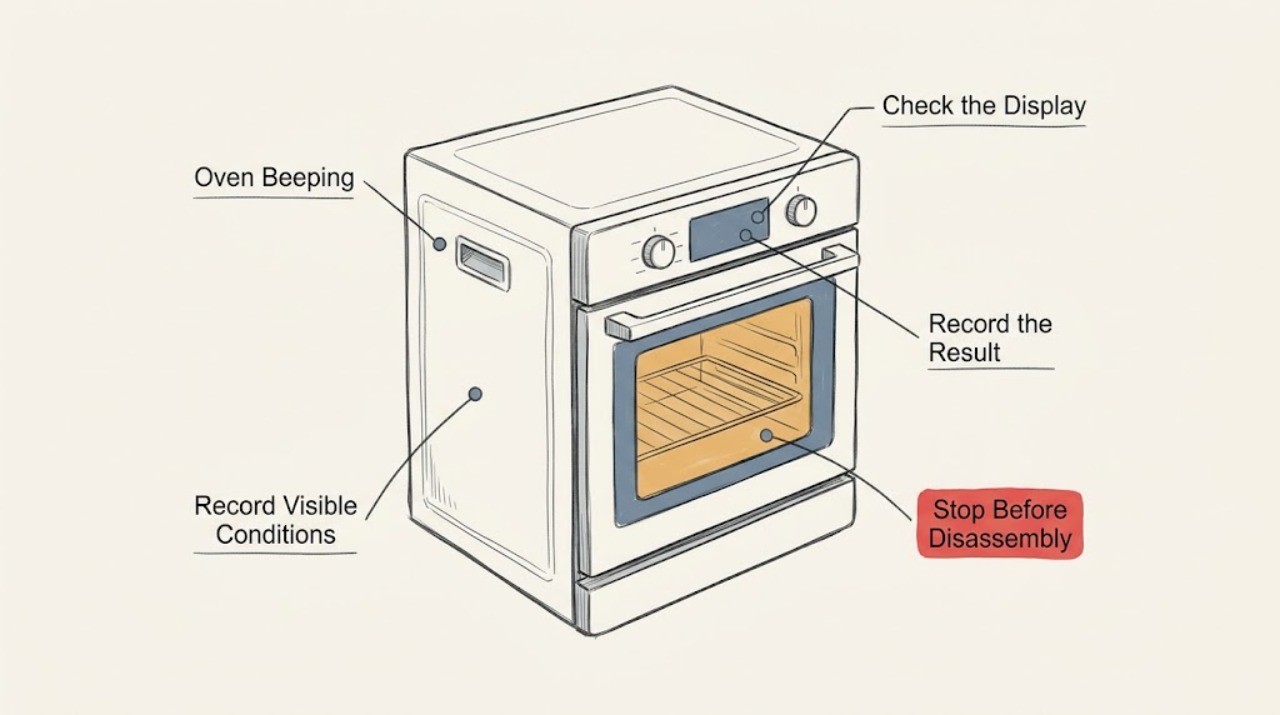
Do not assume every Whirlpool oven beep means a failed part. First record the full display message, beep rhythm, model, and whether it occurs at a key press, preheat or timer end, during a programme, or while the oven is idle. Then check the control lock, a delayed or incomplete command, a wet or obstructed control panel, and model-specific error guidance. A single tone at the end of a timer can be normal; a continuous tone with a code, persistent heating, smoke, burning odor, electrical arcing, or a gas odor on a gas model is a stop condition. Use the owner's manual for one documented reset and arrange service if the sound returns.
Work through in order
Diagnostic checks
Use only checks that match the exact appliance or system and its official guide.
-
Check 1
Record the Whirlpool model number, display text, beep count and rhythm, and the exact stage when the sound occurs: key press, preheat, timer end, cooking, self-clean, door movement, or idle.
Expected result: The sound may be one short confirmation, a repeating pattern, a long alarm, or a tone paired with a lock symbol, clock message, letter-number code, or blank display.
Next step: Take a photo or written copy of the display and consult the exact model manual or matching Whirlpool support page. Do not interpret a code from another model.
Why this matters
Why: Timing and display identity separate a normal notification from an incomplete command, control state, or fault. Whirlpool error pages are organized by the displayed message rather than by one universal beep code.
-
Check 2
Check whether the beep follows a normal user event: a key press, the end of a timer or timed cycle, completion of preheat, a door opening, or an attempt to press a control that is not available in the current mode.
Expected result: The tone may stop when the event is acknowledged, may recur at a timer interval, or may continue even after the display is acknowledged.
Next step: Use the manual's cancel or acknowledge command once. If the tone continues, record the stage and move to the lock, panel, mode, and error checks instead of repeatedly pressing keys.
Why this matters
Why: A tone tied to a completed timer or accepted key press can be expected. A tone that persists without the event, or occurs with a code or unexpected oven behavior, needs a different branch.
-
Check 3
Inspect the accessible control surface for Control Lock or LOC, a wet or dirty area, a utensil, a container, or another object pressing a key. With the oven cool, remove only a loose object and wipe the surface dry with a soft cloth.
Expected result: A lock message may be present, or a key may appear held by liquid, soil, or an object; the surface may also be clean and the lock absent.
Next step: Follow the exact manual to unlock the control. Do not use sharp tools, spray into the panel, or continue if liquid has entered the controls; request service for a persistent tone or unresponsive key.
Why this matters
Why: Whirlpool says a control lock can make commands unavailable and that an object, liquid, or soil on the panel can contribute to beeping. A clean unlocked panel shifts attention to mode or fault information.
-
Check 4
Read the clock and mode indicators for Delayed Start, Sabbath Mode, Energy Save, Demo Mode, a probe prompt, or an incomplete Bake or Broil entry. Compare the visible state with the model manual before changing settings.
Expected result: The oven may show a future start time, a sleep or energy message, a lock, a prompt for a missing input, or a normal time display with no mode indication.
Next step: Cancel or exit the state only with the model's documented control sequence. If the display returns to normal but the beep persists, preserve the recorded pattern and continue to the error check.
Why this matters
Why: A mode or incomplete command can produce a beep while preventing the requested operation or hiding the clock. Whirlpool documents these states separately and notes that behavior varies by model.
-
Check 5
Observe the oven from outside for unsafe operating behavior while the tone occurs: heating that continues after Cancel or OFF, a door or cooling condition that remains abnormal, smoke, scorching, or an electrical smell. Do not reach into a hot oven or remove a cover.
Expected result: The oven may cool normally, remain visibly active after a command, show an error, or produce smoke, an intense burning smell, sparks, or a hot outlet.
Next step: Stop using the oven for continued heating, smoke, scorching, electrical odor, arcing, or a repeated breaker trip. Leave the area if there is fire or immediate danger and use emergency help; do not reset or test it again.
Why this matters
Why: Unexpected continued heating or a safety symptom changes the issue from an annoying sound to a control, heating, fire, or electrical hazard. A normal cooling fan after cooking is not by itself a fault, but abnormal heat or odor is a stop signal.
-
Check 6
If this is a gas model, observe only from a safe position whether the beep occurs during ignition and whether there is a brief normal ignition event or a persistent gas odor, hissing, delayed ignition, or abnormal flame.
Expected result: There may be no gas odor, a brief odor during ignition, or a continuing odor or unusual flame paired with the tone.
Next step: For persistent odor, hissing, delayed ignition, or abnormal flame, stop using the appliance, avoid switches and ignition tests, leave, and use emergency or gas-supplier guidance from a safe location. This branch does not apply to a confirmed electric oven.
Why this matters
Why: A persistent gas smell, hissing, delayed ignition, or abnormal combustion is not a keypad problem. Whirlpool says suspected gas leakage should not be tracked down or resolved by the user.
-
Check 7
Write down the complete code and run one model-authorized reset only when there is no gas odor, smoke, abnormal heat, water, arcing, or repeated breaker trip. Follow the manual's power-isolation interval exactly.
Expected result: The sound and code may clear, or the same beep, code, lock, blank display, or abnormal operation may return.
Next step: If the tone or code returns, leave the oven unused and request qualified service. Provide the model, code, beep pattern, stage, settings, and safety observations; do not repeat the reset or open the control.
Why this matters
Why: A single reset can clear a transient control state, but it cannot prove that a keypad, sensor, control, igniter, wiring, or heating safety circuit is sound.
Use your observations
Decision map
Find the observation that best matches what you see, then follow the next safe action.
-
PATH 01Next step
What you see
The beep is a single confirmation, timer or preheat completion tone, and stops after the normal acknowledgement with no code or unsafe behavior.
Do this next
Arrange qualified service and follow the exact model guidance.
Why this path and its safety boundary
Why it matters: Treat it as a likely notification and confirm its meaning in the exact model manual. Continue only if the oven operates normally.
-
PATH 02Next step
What you see
The panel shows Control Lock or LOC, or beeps when a command is pressed while the controls are locked.
Do this next
Arrange qualified service and follow the exact model guidance.
Why this path and its safety boundary
Why it matters: Use the model-specific unlock instruction with the oven and timer in the required state. Request service if the lock cannot be cleared or returns without a user command.
-
PATH 03Next step
What you see
A wet or obstructed control panel is visible and the oven is cool.
Do this next
Arrange qualified service and follow the exact model guidance.
Why this path and its safety boundary
Why it matters: Remove only a loose object and dry the accessible surface. Stop if liquid entered the controls or the tone persists after the surface is dry.
-
PATH 04Next step
What you see
The display shows a mode, incomplete input, clock message, or error code.
Do this next
Arrange qualified service and follow the exact model guidance.
Why this path and its safety boundary
Why it matters: Record the full message and follow only the matching model manual or Whirlpool support path; do not cross-apply another range's code or button sequence.
-
PATH 05Next step
What you see
The oven continues heating unexpectedly, produces smoke, scorching, electrical odor, arcing, or trips the breaker.
Do this next
Arrange qualified service and follow the exact model guidance.
Why this path and its safety boundary
Why it matters: Stop using the oven and do not reset or test it again. Leave for immediate danger and use emergency help; otherwise arrange qualified appliance or electrical service.
-
PATH 06Next step
What you see
A gas model has persistent gas odor, hissing, delayed ignition, or an abnormal flame.
Do this next
Arrange qualified service and follow the exact model guidance.
Why this path and its safety boundary
Why it matters: Stop troubleshooting, avoid ignition and switches, leave, and use emergency or gas-supplier guidance from a safe location. Do not search for a leak.
-
PATH 07Next step
What you see
The same beep or code returns after one documented reset with no immediate hazard.
Do this next
Arrange qualified service and follow the exact model guidance.
Why this path and its safety boundary
Why it matters: Leave the appliance unused and request service with the model, exact code, beep pattern, operating stage, and reset result.
Helpful context
Understand the symptom
A Whirlpool oven may beep to confirm a key press, signal that a timer or cooking stage ended, reject an incomplete command, indicate a control lock, or report a fault. The same sound can have different meanings across models, so the model number, display text, rhythm, and operating stage are more useful than the sound alone.
Keep this check external and model-aware. Do not open the control console, bridge a keypad, remove wiring, repeatedly cycle the breaker, or hold random buttons to silence a tone. If the oven is gas-fired, treat any persistent gas smell, hissing, delayed ignition, or abnormal flame as a gas-safety event rather than a beep diagnosis.
Some models can hide the clock or display in an energy-saving or Sabbath mode, while a control lock can make key presses sound invalid. Those states are not proof of a broken control. A repeated sound with a code, unexpected heating, or a safety symptom needs the model manual and qualified service.
Safety boundary
Stop conditions
- Stop immediately for smoke, fire, scorching, arcing, an electrical odor, a hot or damaged outlet, repeated breaker trips, or heating that continues unexpectedly after OFF or Cancel.
- On a gas model, stop for persistent gas odor, hissing, delayed ignition, an abnormal flame, headache, dizziness, or another possible carbon-monoxide concern; leave and use emergency or gas-supplier guidance from a safe location.
- Do not open the control console or oven cabinet, touch wiring, bridge a keypad, manually ignite a gas oven, search for a leak, or use a flame as a test.
- Do not spray liquid into the controls, repeatedly press random keys, repeatedly reset the breaker, or continue operating after a safety symptom.
- Request qualified service for a tone or code that returns after the exact model's documented user checks and one reset.
When checks do not resolve it
Need a professional?
Request qualified Whirlpool appliance service when a beep persists without a normal timer or keypress event, a control lock or mode will not clear, a code returns, the panel is unresponsive, or the oven heats or behaves unexpectedly. Use a qualified electrician for outlet, cord, supply, or repeated breaker concerns. On a gas model, persistent gas odor, hissing, delayed ignition, or abnormal flame requires leaving and using emergency or gas-supplier guidance rather than a routine diagnostic visit.
Have this ready
- Give the technician the model number, full display text, beep count and rhythm, stage, selected mode, door state, whether heating continued, any breaker result, and any smoke, odor, flame, or gas observation.
Common questions
FAQ
Why is my Whirlpool oven beeping continuously?
Record the beep rhythm, display, model, and operating stage first. A persistent tone can involve a lock, panel obstruction, mode, error, or safety behavior; if it continues after the model-specific user checks, leave the oven unused and request service.
Can a Whirlpool oven beep when Control Lock is on?
Yes, a locked control can reject commands and produce a tone on supported models. Check for Control Lock or LOC and use only the exact model manual's unlock instruction; do not force the door or open the console.
Is a beep at the end of preheat or a timer normal?
It can be a normal notification when it occurs at the documented event and stops after the normal acknowledgement. A repeated tone with a code, unexpected heating, smoke, odor, or a failure to respond needs a different diagnosis.
What should I do if the Whirlpool oven beeps and shows an error code?
Copy the complete code and the stage at which it appeared, then use the matching model manual or Whirlpool support page. Do not apply a code explanation from another range; use one documented reset only when no safety warning is present.
What if a gas Whirlpool oven beeps and smells like gas?
Do not keep testing. Persistent gas odor, hissing, delayed ignition, or an abnormal flame requires stopping, avoiding switches and ignition, leaving, and using emergency or gas-supplier guidance from a safe location.
Read the exact guide
Official sources
- No Beeps or Display - Wall OvenWhirlpool · Whirlpool wall-oven Sabbath Mode, Energy Save display, model manual, reset, and service guidance
- Error CodesWhirlpool · Whirlpool range and oven control messages, error-code categories, lock, demo, clock, and service paths
- Beeping or Audio Tones - Electric RangeWhirlpool · Whirlpool range control beeps, Control Lock, panel obstruction, and model-manual guidance
- Locked, Lock or Loc - RangeWhirlpool · Whirlpool range control lock, oven-door lock, model manual, power reset, and service boundary
- Why does my oven smell like gas?Whirlpool · Whirlpool gas-oven odor, suspected leak, delayed ignition, hissing, abnormal flame, and safe-distance response
Community feedback
Share a repair observation
Share a plain-text repair observation. Accepted observations are published automatically; this page may take a moment to update.