
On this page
Start here
Quick answer
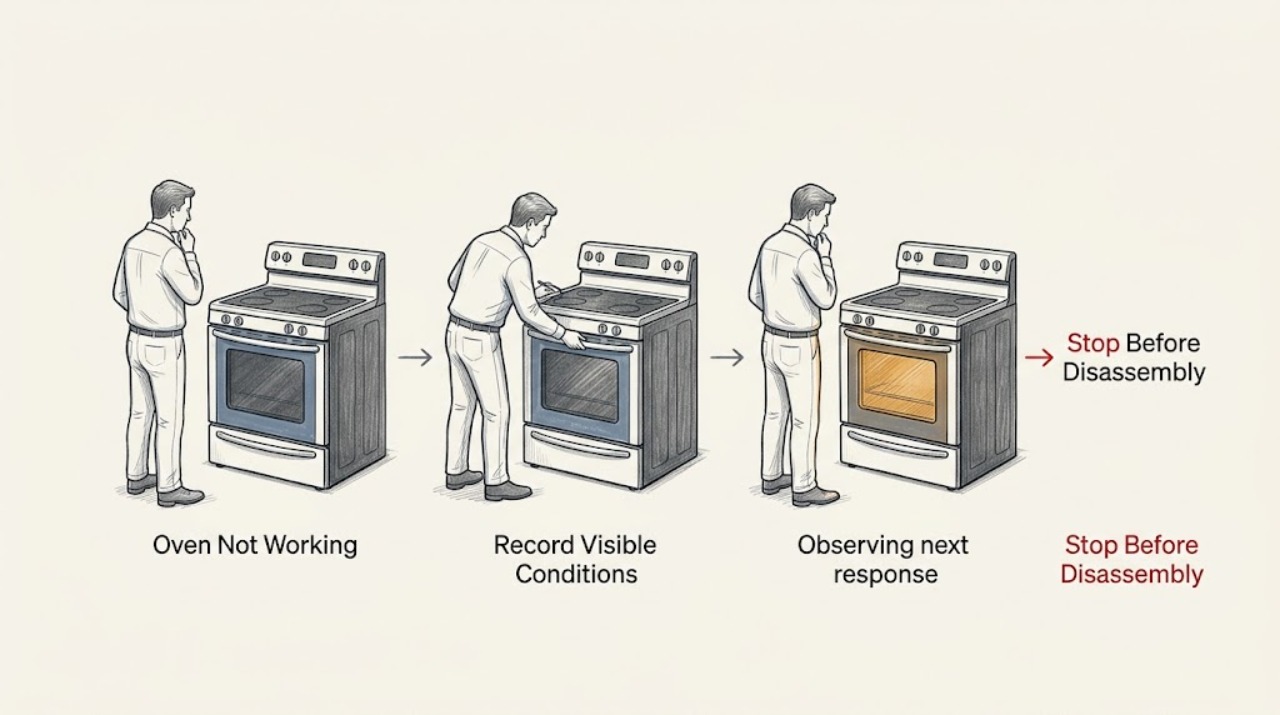
First identify what the GE oven actually does: a blank display, a powered display that will not start, an oven that starts but does not heat, a gas oven that does not ignite, or controls that behave incorrectly. With the oven cool and the area free of gas or burning odor, verify the selected Bake/Broil function and temperature, press Start when required, check the accessible house breaker or fuse, and use the exact model manual for Sabbath Mode or latch behavior. If you smell gas, see delayed ignition, smoke, fire, arcing, unusual heat, damaged wiring, or a breaker trips again, stop using the oven and obtain qualified appliance or emergency help; do not repeatedly relight, reset, or dismantle it.
Work through in order
Diagnostic checks
Use only checks that match the exact appliance or system and its official guide.
-
Check 1
With the oven cool and no gas, smoke, or electrical warning present, select Bake or Broil and a temperature using the knobs or electronic controls. Press Start if the model requires it, and record whether the display accepts the command.
Expected result: The display is blank, the display is lit but no function starts, the oven starts without heat, or a fault/lock indication appears.
Next step: Follow only the branch matching the observation. Do not continue if gas odor, smoke, arcing, or abnormal heat appears.
Why this matters
Why: A blank display is a power/control branch. A lit but inactive display points to a function, Start, latch, Sabbath Mode, or control issue. A started cycle without heat requires an electric or gas heating-path branch, not a generic reset.
-
Check 2
Check the house fuse or breaker from the outside of the electrical panel. If the area is dry, there is no damage, and the breaker is visibly tripped, turn it off and back on once as a reset; do not remove the panel, touch wiring, or keep resetting a trip.
Expected result: The oven display returns after one reset, remains blank, or the breaker trips again.
Next step: Leave a repeated-trip circuit off and arrange qualified electrical/appliance service. If the display returns and remains stable, continue with settings and latch checks.
Why this matters
Why: GE documents a breaker/fuse reset as an electronic-control check, even when another light or clock may still work. A repeat trip indicates an unresolved circuit or appliance fault and is not a normal operating condition.
-
Check 3
Verify the function knob or electronic mode is set to Bake or Broil, the temperature is selected, and Start has been pressed when required. If knobs were removed for cleaning, check only that each is back in its proper location and position; do not force a control.
Expected result: The oven starts after the function/temperature/Start sequence is corrected, or it still ignores the command with a working display.
Next step: Use the exact owner's manual for the control sequence and lock indicators. Do not open the control panel or bypass the latch if the command remains ineffective.
Why this matters
Why: An incomplete command sequence or misplaced knob can look like a failed oven. A display that remains responsive but will not start points toward a latch, lock mode, keypad, or control fault.
-
Check 4
Check the self-clean door latch from the outside if your GE range or wall oven has one. It must be in the unlocked position before normal baking; do not force the door, remove the latch, or run self-clean to test it.
Expected result: The latch is visibly locked after self-clean, the door does not close or release normally, or the latch is already unlocked.
Next step: Use the model manual's safe unlock/cool-down instruction. If the latch will not release or the door is damaged, keep the oven off and arrange service.
Why this matters
Why: GE identifies a locked self-clean latch as a reason the oven may not come on. A door or latch that remains abnormal is a safety/interlock fault rather than a setting to bypass.
-
Check 5
For an electric oven that starts but does not heat, turn the oven off and isolate power according to the model instructions before making only a visual check of an accessible lower bake element for a clear crack or break. Do not touch the element, remove panels, or perform electrical measurements.
Expected result: The bake element has a clear break/crack, the element looks intact, or the oven is gas rather than electric.
Next step: Keep power isolated for visible damage and arrange model-specific service. For gas equipment, do not inspect or relight the burner yourself when ignition is abnormal.
Why this matters
Why: GE notes that a visibly cracked or broken electric bake element may need replacement. An intact element does not clear the thermostat, control, wiring, or supply; a gas oven follows a separate ignition and gas-safety branch.
-
Check 6
For a gas GE oven that fails to ignite, smells of gas, ignites late, or produces a flame outside the normal burner area, stop the cycle immediately and do not attempt another ignition. Ventilate only if it is safe to do so without operating switches near a suspected leak, leave the area for a strong or persistent odor, and use qualified gas/appliance help.
Expected result: There is no gas odor and no ignition event, a gas odor is present, ignition is delayed, or smoke/flame/arcing appears.
Next step: Keep the oven off and do not relight, probe, or remove burner parts. For an active gas emergency, leave the building and contact the appropriate emergency or gas authority from a safe location.
Why this matters
Why: No ignition without odor still needs model-specific service for the igniter, valve, control, or supply. Odor, delayed ignition, smoke, flame outside the burner, or arcing creates an immediate fire/explosion/electrical boundary.
Use your observations
Decision map
Find the observation that best matches what you see, then follow the next safe action.
-
PATH 01Next step
What you see
The display and clock are blank but the area, cord, and controls are dry and undamaged
Do this next
Check the accessible house breaker/fuse once and reset electronic control only as GE describes.
-
PATH 02Next step
What you see
The display is lit but the oven will not start
Do this next
Check function, temperature, Start, Sabbath Mode, and the self-clean latch according to the exact model manual.
-
PATH 03Next step
What you see
The oven starts but does not heat
Do this next
Separate electric bake-element evidence from gas ignition evidence and do not infer the failed component from the symptom alone.
-
PATH 04Next step
What you see
The gas oven smells of gas, ignites late, produces an abnormal flame, or smoke/fire appears
Do this next
Stop immediately and do not attempt another ignition or operate switches near a suspected leak.
-
PATH 05Next step
What you see
The breaker trips again, there is arcing, a burning odor, exposed wiring, unusual heat, or water near electrical parts
Do this next
Do not reset or operate the oven.
Helpful context
Understand the symptom
“GE oven not working” covers several different faults. A blank clock or display points to power or control supply; a lit display with no start points to settings, latch, or controls; an oven that runs without heat points to the electric or gas heating path; and a gas oven that fails to ignite has an added fuel-safety boundary. GE supports both ranges and wall ovens, so identify the model and configuration before using any model-specific instruction.
Stop before testing an unsafe oven
Do not continue if there is a gas smell, a delayed whoosh or ignition, smoke, flame outside the burner area, electrical arcing, burning odor, exposed wiring, a hot control panel, or a breaker that trips again. Do not use the oven to heat the room, bypass a door or latch safety device, probe a burner, or remove live electrical covers. Leave the appliance off and use the appropriate qualified appliance, gas, electrical, or emergency service.
The first observation changes the path
Note whether the clock or display is blank, whether the oven light works, whether the control accepts a function and temperature, whether the bake or broil element glows, and whether a gas ignition attempt produces any odor or unusual sound. These observations are more useful than repeatedly pressing Start or cycling the breaker.
Safety boundary
Stop conditions
- Stop immediately for gas odor, delayed ignition, flame outside the burner area, smoke, fire, electrical arcing, burning odor, exposed wiring, unusual heat, or a breaker that trips again.
- Do not bypass a door or latch safety device, repeatedly relight a gas burner, test live terminals, remove energized panels, or operate the oven to heat the room.
- Do not force a stuck self-clean latch or touch an element, igniter, burner, valve, or wiring while powered or hot.
Only after diagnosis
Potential parts
- electric bake element
Only if a qualified diagnosis or the GE-supported safe visual check identifies a clear crack or break in an electric element.
Match the exact GE model and electrical configuration; do not order or replace from a no-heat symptom alone. - gas igniter or burner-control component
Only after qualified service confirms a gas ignition fault and rules out unsafe gas supply or control conditions.
Gas components require exact model verification and trained service; never relight or bypass a safety device to test a part. - oven control or door-latch assembly
Only if the exact model's power and settings are correct but the control or latch fails to respond or verify closure.
Confirm model, revision, and technician diagnosis before selecting a control or latch assembly.
When checks do not resolve it
Need a professional?
Call GE or qualified appliance service when the display stays blank after one safe reset, controls remain unresponsive, the latch does not release, or the oven starts without heating., Request model-specific gas service for no ignition, delayed ignition, abnormal flame, or suspected gas supply/igniter/valve faults; do not relight or dismantle the burner., Use qualified electrical or emergency help for repeated trips, smoke, fire, arcing, burning odor, damaged wiring, or gas odor.
Common questions
FAQ
Why is my GE oven completely blank?
Check the accessible house breaker or fuse and use GE's one-time electronic-control reset guidance if the area is dry and undamaged. A panel that stays blank or a breaker that trips again needs service.
Why does the GE oven display work but the oven will not start?
Verify Bake or Broil, temperature, and Start, then check model-specific Sabbath Mode and a self-clean latch that may still be locked. Do not bypass the latch.
What if a GE oven starts but does not heat?
For an electric model, isolate power and make only a safe visual check for a clearly cracked bake element. For gas equipment or an intact element, stop testing and arrange qualified service.
When should I stop using a GE gas oven?
Stop for gas odor, delayed ignition, abnormal flame, smoke, fire, arcing, burning odor, unusual heat, or a repeated breaker trip. Do not relight or dismantle it; obtain qualified or emergency help from a safe location.
Read the exact guide
Official sources
- Range & Wall Oven - Oven Will Not Come OnGE Appliances · GE oven control setup, power supply, electronic reset, self-clean latch, electric bake-element visual check, and Sabbath Mode guidance
- Range and Oven SafetyU.S. Consumer Product Safety Commission · government range and oven safety resource and hazard boundary
Community feedback
Share a repair observation
Share a plain-text repair observation. Accepted observations are published automatically; this page may take a moment to update.