
On this page
Start here
Quick answer
If a GE washing machine will not start, first check the plug, breaker or fuse, selected cycle, and Start control, then make sure the lid or door is fully closed and both hot and cold faucets are open. A top-load washer may pause or refuse to start when the lid is not sensed, while a front-load model may wait for its door lock or a model-specific control sequence. Do not keep restarting a machine that leaks, smells hot or electrical, sparks, floods, or trips the breaker. If safe external checks do not restore operation, use the exact GE manual and arrange qualified appliance service rather than opening the cabinet or bypassing a lid or door lock.
Before you begin
Safety first
- This guide permits only ordinary control, plug, breaker-position, visible hose, faucet, and lid or door checks. Do not open panels, test live wiring, bypass a lid or door lock, pull the washer across wet flooring, or restart after a leak, flood, spark, electrical odor, or repeated breaker trip.
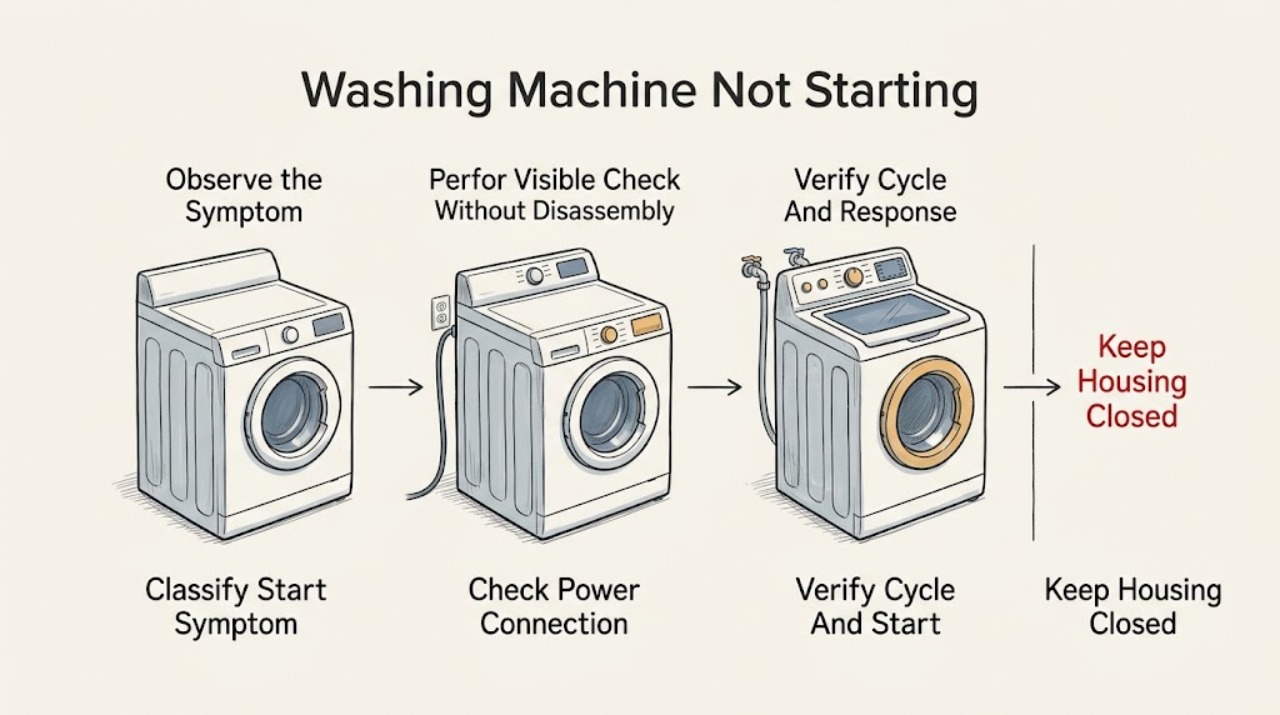
Work through in order
Diagnostic checks
Use only checks that match the exact appliance or system and its official guide.
-
Check 1
With the washer empty of loose items, select the normal cycle shown in the exact GE manual and press Start once while observing the control panel and the lid or door from a safe position.
Expected result: Record whether the display or indicator lights work, whether the washer clicks, drains, fills, locks the lid or door, shows a message, or remains completely silent.
Next step: Continue with the safe power, cycle, lid or door, and water checks only when there is no hazard; use the exact manual for a displayed message.
Stop if: Stop for flooding, active leaking, electrical odor, smoke, sparks, a damaged cord, a hot cabinet, or repeated breaker trips.
Why this matters
Why: A dead panel suggests power or control supply. A powered panel that waits, clicks, or shows a lid, canceled, or water message keeps the interlock or model-specific control branch active. A leak, spark, hot smell, or abnormal sound is a safety stop.
-
Check 2
From a dry, stable position, check that the washer plug is secure in its intended wall outlet and inspect the household breaker or fuse position without removing the electrical-panel cover.
Expected result: Note whether the plug or cord is damaged, the outlet has power for another safe appliance, the breaker or fuse is open, or the breaker trips again after one safe reset.
Next step: Restore a safe plug connection or reset a tripped breaker once only when there is no hazard; if it opens again or the cord or outlet is damaged, leave the washer off and arrange qualified electrical or appliance service.
Stop if: Do not use an extension lead, replace a fuse with a different rating, remove a panel, touch exposed conductors, or reset a breaker repeatedly.
Why this matters
Why: No power at the outlet or an open breaker can explain a dead washer. A powered outlet with an unresponsive washer points toward controls, an interlock, wiring, or an internal fault. A recurring trip is a safety fault rather than a reset problem.
-
Check 3
Verify that the cycle selector or electronic program is set to a valid cycle, that Start or Start/Pause has been pressed as the manual requires, and that no delay, pause, canceled state, or option position is preventing operation.
Expected result: Record whether the selector is between options, a mechanical knob is pushed in, Start/Pause responds, a canceled message scrolls, or an indicator says the washer is waiting.
Next step: Set the control to a normal cycle and start it once according to the exact manual; if the controls do not respond or the message returns, arrange service.
Stop if: Do not force a knob, bypass a control, advance a timer repeatedly, or continue if the washer starts and stops with smoke, heat, a leak, or an electrical sound.
Why this matters
Why: An invalid control position or unacknowledged pause can look like a dead washer. A correct program with no response keeps power, lid or door sensing, water supply, and service checks active.
-
Check 4
Close the top-load lid or front-load door normally and inspect only the accessible edge, strike, gasket, and model-specific indicator for an obstruction or obvious misalignment.
Expected result: Note whether the lid or door closes squarely, the lock indicator changes, a garment is caught in the seal, the strike is damaged, or the control continues to show an open or locked condition.
Next step: Remove only a plainly accessible obstruction without tools and restart once; for a damaged latch, gasket, strike, lock, or persistent indicator, leave the washer off and arrange service.
Stop if: Do not bypass or tape a lid or door lock, force the door, insert tools into the latch, remove the lock, or open a panel.
Why this matters
Why: A lid or door that cannot close or lock can prevent the washer from starting. An intact closure with a persistent lock message points toward the interlock, alignment, control, or wiring and needs model-specific service.
-
Check 5
Without moving the washer, verify that both hot and cold supply faucets are open and that the visible fill hoses and drain hose are connected without a kink, split, or active drip.
Expected result: Record whether one faucet is closed, a hose is crushed or leaking, the floor is wet, or the washer shows a fill or supply message while the controls otherwise respond.
Next step: Close the water faucets and stop using the washer for a leak or damaged hose; if connections are dry and open, continue to the model-specific manual and service branch.
Stop if: Stop for active leaking, flooding, a split hose, water near electrical equipment, a corroded connection, or any need to pull the washer into an unsafe position.
Why this matters
Why: A closed supply or hose restriction can stop a cycle before it begins or cause a model-specific timeout. A leak or wet floor is a damage and electrical risk. A confirmed supply with a persistent message may indicate a valve, sensor, or control fault.
-
Check 6
Find the full GE model number from the rating label and compare the washer style, control message, lid or door behavior, power result, and water-supply result with the exact owner manual.
Expected result: Record top-load or front-load style, cycle and options, display or indicator message, breaker result, lid or door result, faucet and hose status, whether the pump or motor sounds, and any leak or odor.
Next step: Provide the complete record to qualified GE appliance service and request model-specific diagnosis; do not choose an internal part or bypass a safety device from the symptom alone.
Stop if: Stop all further troubleshooting if the manual calls for cabinet access, live testing, interlock bypass, or any procedure outside ordinary safe access.
Why this matters
Why: The model number determines the correct interlock, control sequence, reset behavior, and access boundary. A washer that still will not start after the external checks may have an internal lock, control, wiring, motor, or water-related fault.
Use your observations
Decision map
Find the observation that best matches what you see, then follow the next safe action.
-
PATH 01Next step
What you see
The display is dead, the outlet has no power, or the breaker or fuse is open.
Do this next
Restore only a safe plug or breaker condition once. If power does not return or the breaker trips again, leave the washer off and arrange qualified electrical or appliance service.
-
PATH 02Next step
What you see
The washer has power but the cycle is paused, canceled, set between options, or Start was not acknowledged.
Do this next
Set a valid cycle and use the exact Start or Start/Pause sequence once. A control that remains unresponsive or returns the message needs service.
-
PATH 03Next step
What you see
The lid or door does not close or lock, or the washer still indicates an open or locked condition.
Do this next
Remove only an accessible obstruction and retry once. Do not bypass the interlock; arrange model-specific appliance service for a damaged latch, strike, gasket, lock, alignment, or persistent indicator.
-
PATH 04Next step
What you see
A hot or cold faucet is closed, a hose is restricted, or a fill-related message remains.
Do this next
Correct a safe, visible faucet or hose condition only when there is no leak; otherwise close the supply and arrange plumbing or appliance service. Use the exact manual for the message.
-
PATH 05Next step
What you see
The washer leaks, floods, smells hot or electrical, sparks, or trips the breaker again.
Do this next
Stop the washer, close the water faucets when safe, keep clear of wet electrical areas, and arrange urgent qualified service. Do not restart or open a panel.
-
PATH 06Next step
What you see
Power, controls, lid or door, and water supply appear normal but the washer still will not start.
Do this next
Leave the washer out of service and provide the full model number and observations to qualified GE appliance service for interlock, control, wiring, motor, or other internal diagnosis.
Helpful context
Understand the symptom
First separate no power from a cycle that is waiting
A dead display and a powered display that does not begin the cycle are different symptoms. A top-load washer may wait for the lid to close or for Start to be pressed again after a pause, and some models can delay between stages. A front-load washer may wait for its door lock. Note the washer style, control response, lights or message, and whether any water or motor sound appears before changing settings.
Keep power, water, and door checks at ordinary safe access
GE's no-operation guidance starts with the plug, breaker or fuse, cycle controls, lid, and hot and cold supply. Check these from a dry standing position. Do not remove a panel, reach around a lid or door lock, test live wiring, or run a cycle while water is leaking. If the washer has a wet floor, damaged cord, loose hose, or active leak, turn off the water supply and leave the machine out of service until it is assessed.
A start failure can be caused by an interlock or a model-specific message
A closed-looking lid or door does not prove that its safety interlock has been recognized. GE's unitized Spacemaker guidance describes lid alignment and bumper conditions for certain models, while other GE models use different controls and messages. Treat a lid or door lock indicator, a canceled message, or a persistent water-supply message as a model-specific service path rather than trying to defeat the lock.
Only after diagnosis
Potential parts
- lid or door lock assembly
Consider this category only after qualified diagnosis confirms that the exact washer's lock or interlock is not recognizing a correctly closed lid or door.
Confirm the full model number and the manufacturer's fit information; never bypass or defeat the lock to keep the washer running. - water inlet valve
Consider this category only after qualified diagnosis confirms adequate household supply and a failed internal inlet valve is preventing a model-specific start or fill sequence.
Use the full model number and professional diagnosis; do not infer valve failure from a no-start symptom alone. - control or timer component
Consider this category only after qualified diagnosis confirms that the exact washer's control or timer is not responding after power, cycle, interlock, and supply checks.
Confirm the exact model, control revision, and qualified diagnosis before ordering; electrical access and testing are professional work.
When checks do not resolve it
Need a professional?
Arrange qualified GE appliance service when the washer remains unresponsive after safe power and control checks, when a lid or door will not lock, when a fill message persists with open supply, or when internal access would be required. Close the water faucets and leave the washer unplugged for an active leak, flooding, damaged hose or cord, electrical odor, smoke, sparks, repeated breaker trips, or any need to bypass a safety interlock.
Safety scope: This guide permits only ordinary control, plug, breaker-position, visible hose, faucet, and lid or door checks. Do not open panels, test live wiring, bypass a lid or door lock, pull the washer across wet flooring, or restart after a leak, flood, spark, electrical odor, or repeated breaker trip.
Common questions
FAQ
Why is my GE washing machine not starting even though the display works?
Check that the cycle is valid and started, the lid or door closes and locks, and both water faucets are open. If controls respond but the washer remains idle, use the exact model manual and arrange service rather than opening the cabinet or bypassing the interlock.
Could an open lid keep a GE washer from starting?
Yes. GE models use lid or door sensing, and some require Start or Start/Pause again after the lid is closed. Remove only an accessible obstruction; never tape, bypass, or defeat the lid or door lock.
What should I do if my GE washer trips the breaker when I press Start?
Leave it off and do not keep resetting the breaker. Arrange qualified electrical or appliance service, especially if there is a damaged cord, heat, smoke, sparks, or an electrical odor.
Can a closed water faucet stop a GE washer from starting?
It can prevent the washer from completing its start or fill sequence. Confirm both hot and cold faucets are open only when there is no leak; if supply is open but the washer still will not start, use the model manual and request service.
Read the exact guide
Official sources
- Top Load Washer - Does Not SpinGE Appliances · Supports distinguishing a pause or lid condition from loss of power or a persistent control fault when a GE top-load washer does not begin its sequence.
- Owner's Manual & Installation InstructionsGE Appliances · Supports obtaining the exact manual before applying a reset, access, control, or repair procedure.
- Unitized Spacemaker Washer - Washer Will Not Start / Lid Not LockedGE Appliances · Supports the model-specific lid closure and bumper observation and the no-bypass service boundary for applicable unitized washers.
- Top Load Washer - No FillGE Appliances · Supports power, faucets, cycle state, lock-out messages, and service escalation for GE top-load washers.
- 49-9971-1GE Appliances · Supports plug, water supply, controls, lid, breaker or fuse, and service checks for the manual's GE washer family.
- Front Load Washer - No FillGE Appliances · Supports power, supply, cycle, inlet-screen, and service boundaries for GE front-load washers.
Community feedback
Share a repair observation
Share a plain-text repair observation. Accepted observations are published automatically; this page may take a moment to update.