
On this page
Start here
Quick answer
First identify whether the Haier dryer is completely dark, powers on but will not start, or starts and then stops. Check the outlet and cord from the outside, close the door fully, select a normal drying cycle, and remove only visible obstructions or an excessive load. If the drum turns freely, a protective device trips again, or there is heat, smoke, sparking, or a burning smell, stop using the dryer and arrange qualified service instead of opening panels or bypassing a safety switch.
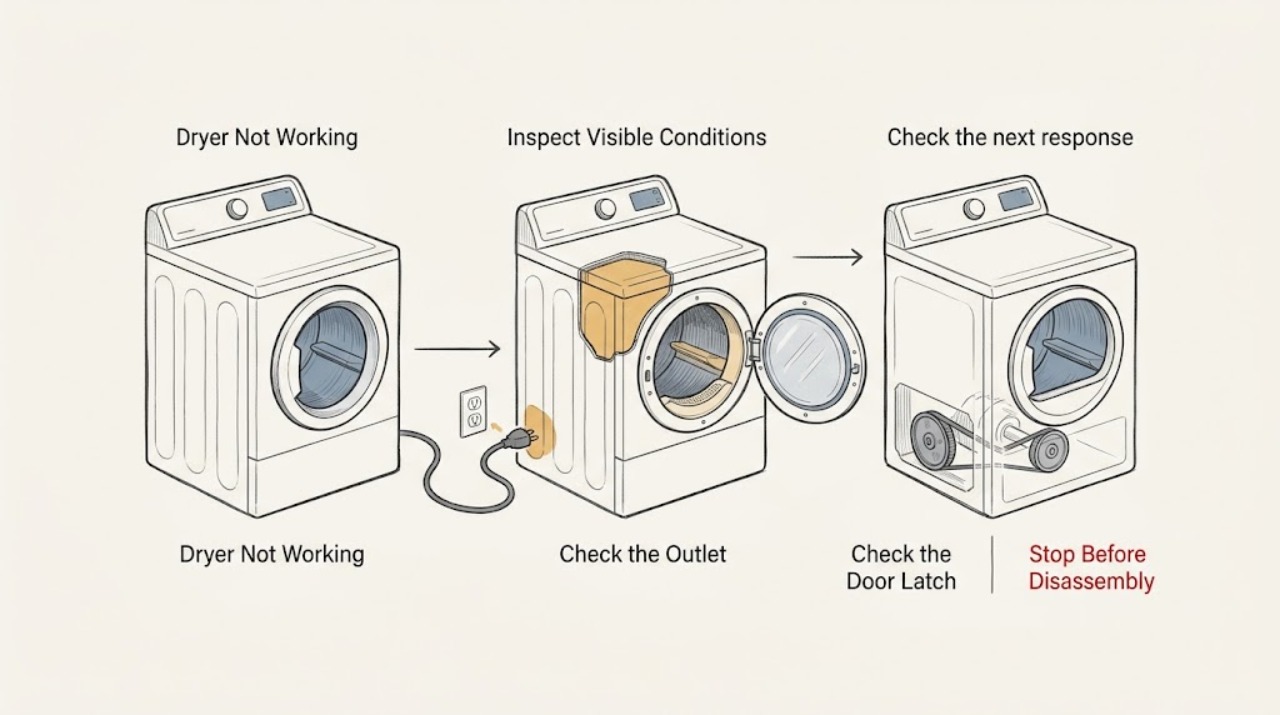
Work through in order
Diagnostic checks
Use only checks that match the exact appliance or system and its official guide.
-
Check 1
Observe the control panel and any interior light before pressing buttons, and note whether the dryer is completely dark, powered but unresponsive, or able to display a cycle.
Expected result: No display or light appears, or the display is active but the controls do not respond.
Next step: Continue to the external power check when dark. If the panel is lit, continue with the door and cycle checks without opening the cabinet.
Why this matters
Why: A dark dryer needs a supply check first; a powered but unresponsive panel points toward a control state or electronic fault.
-
Check 2
With the dryer stopped, visually confirm that the power cord is fully seated, the outlet has not lost power, and the household breaker or fuse has not opened. Use only the accessible reset controls and do not remove an outlet or appliance cover.
Expected result: Power is restored and the panel comes on, or the breaker or fuse opens again when the dryer is selected.
Next step: If the supply remains unavailable, arrange qualified electrical help. If it opens again, leave the dryer disconnected or switched off and arrange qualified service rather than resetting it repeatedly.
Why this matters
Why: A restored supply can explain the symptom. A repeated protective-device operation indicates an unresolved electrical or appliance fault.
-
Check 3
Open and firmly close the dryer door, checking the visible latch area for clothing, packaging, lint, or other debris that prevents full closure. Never tape down or bypass the door switch.
Expected result: The door closes and latches normally, or it remains loose, will not latch, or shows damage.
Next step: Remove only visible obstructions and retry once. If the latch still fails or appears damaged, stop and arrange appliance service.
Why this matters
Why: The dryer can refuse to run when its door is not fully closed. A persistent latch problem is an interlock fault, not a reason to force the door.
-
Check 4
Select a normal drying cycle shown by the model's control panel, make sure a non-running special setting is not selected, and use the model manual for any Start or pause command.
Expected result: The timer or display advances and the dryer starts, or the selected cycle remains idle with no change.
Next step: If it starts, observe one short normal run. If it remains idle, record the panel state and continue to the drum and load check before requesting service.
Why this matters
Why: A setting can make a working dryer appear idle. If a valid cycle and start command produce no response, the issue is beyond cycle selection.
-
Check 5
If the motor sounds but the drum does not move, stop the cycle, wait for the drum to stop, and remove part of a heavy or wet load before trying one lighter load.
Expected result: The drum turns with the lighter load, or the drum still does not move and can be turned unusually freely by hand only when the dryer is fully stopped and safe to touch.
Next step: If the lighter load runs, follow the model's loading guidance. If the drum still does not move or turns freely, stop using the dryer and arrange qualified service; do not open the cabinet.
Why this matters
Why: Haier identifies an excessive heavy load as a possible cause of drive-belt slip. A drum that turns freely can indicate a loose or broken belt and requires service.
-
Check 6
For a dryer that starts and then stops, confirm the door remains latched and the front air path is not visibly blocked; do not run another cycle if the cabinet or outlet is unusually hot.
Expected result: The door is secure and the visible front area is clear, or the dryer stops again, overheats, or shows an error.
Next step: Allow a normal unit to cool and use the model manual for any error. If it stops again or becomes hot, leave it out of use and arrange qualified service.
Why this matters
Why: Haier lists secure closure, power, and an unobstructed front as checks for a mid-cycle stop. A recurrence or overheating symptom needs service diagnosis.
-
Check 7
If the unit still does not work, record the model number, which indicators respond, whether the drum moves, and any displayed error before contacting service.
Expected result: The same no-operation symptom persists after the external checks, or an error points to a motor, sensor, door, or control problem.
Next step: Provide the recorded symptom and error to a qualified appliance technician. Do not select a replacement part from the symptom alone.
Why this matters
Why: Haier's combination guidance treats several internal fault categories as technician diagnoses, and its support site directs owners to manuals by model number.
Use your observations
Decision map
Find the observation that best matches what you see, then follow the next safe action.
-
PATH 01Next step
What you see
The dryer is completely dark.
Do this next
Check the cord, outlet, and accessible household protective device; stop if the supply is still dead or opens again.
Why this path and its safety boundary
Why it matters: This keeps the fault boundary at the household supply before any appliance diagnosis.
-
PATH 02Next step
What you see
The panel is lit but a valid cycle does not start.
Do this next
Close the door fully, choose a normal cycle, use the model-specific Start command, and stop if the latch will not engage.
Why this path and its safety boundary
Why it matters: The door and selected cycle can prevent a start even when the panel has power.
-
PATH 03Next step
What you see
The motor runs but the drum does not move.
Do this next
Stop, reduce a heavy or wet load once, and arrange service if the drum remains still or turns freely.
Why this path and its safety boundary
Why it matters: The result separates a possible overload from a drive-belt or other mechanical fault.
-
PATH 04Next step
What you see
The dryer starts and then stops or overheats.
Do this next
Check secure door closure and a visibly clear front air path once the unit is safe to approach; do not continue operating if the symptom returns.
Why this path and its safety boundary
Why it matters: A recurring stop or heat symptom needs professional diagnosis rather than repeated cycles.
-
PATH 05Next step
What you see
An error remains displayed on a combination or model-specific unit.
Do this next
Write down the exact display and consult the model manual or qualified service route; do not infer a part from the code alone.
Why this path and its safety boundary
Why it matters: Haier's error-code page identifies multiple fault categories and sends several of them to service.
Helpful context
Understand the symptom
What not working means on a dryer
A dryer that will not work can have no usable power, a door interlock that is not satisfied, a cycle or control setting that is not calling for operation, or a mechanical fault after the motor is commanded to run. The first observation is therefore whether the display or indicator responds at all. Haier features and button names vary by model, so use the model-specific manual once the basic checks narrow the symptom.
Use the result to choose the next check
A dead display keeps the investigation at the supply boundary. A powered panel with no start points first to the door, cycle, or start control. A hum with no drum movement suggests overload or a drive issue, while a drum that turns unusually freely is a reason to stop and request service. A dryer that stops after running also needs a door, supply, airflow, and overheating check before another cycle.
Keep checks external
Do not remove the rear or front cabinet, probe live terminals, defeat the door switch, or repeatedly reset a breaker. Keep hands clear of a moving drum and let a hot unit cool before any visible inspection. A qualified appliance technician or electrician should diagnose internal electrical, motor, belt, and protective-device faults.
Safety boundary
Stop conditions
- Stop immediately for smoke, sparking, a burning smell, heat at the plug or outlet, water near electrical parts, or a breaker that opens again.
- Do not remove panels, probe live wiring, bypass the door switch, or keep resetting a protective device.
- Stop after one controlled lighter-load or cycle-selection retry if the same fault returns; record the symptom for service.
Only after diagnosis
Potential parts
- door latch or door interlock
Consider this category only when the visible door area is clear but the door still will not latch or the dryer refuses to recognize closure.
Confirm the exact model and parts information with Haier documentation or a qualified technician before ordering. - drive belt or drum-drive component
Consider this category only when the dryer is safe and stopped, the drum turns unusually freely, and service diagnosis supports a drive fault.
Do not infer fitment from appearance or symptom; model-specific compatibility must be confirmed before any part is selected.
When checks do not resolve it
Need a professional?
Arrange qualified appliance service when the dryer has a usable supply but remains dark, the door will not latch, a valid cycle remains idle, the drum turns freely, the dryer stops again, or an error persists. Use qualified electrical help when the outlet, breaker, or fuse remains the part that is faulty.
Have this ready
- Haier model number, whether the panel is dark or lit, whether the drum moves, whether the dryer stops mid-cycle, any displayed error, and what changed after the external checks.
Common questions
FAQ
Why is my Haier dryer completely dark?
Start with the cord, outlet, and accessible household protective device. If the supply is usable but the dryer stays dark, arrange qualified appliance service.
Why does the dryer sound like it starts but the drum does not turn?
Stop the cycle and try one lighter load only if the unit is otherwise safe. A drum that still does not move or turns unusually freely needs qualified service because a drive fault may be involved.
Should I keep resetting the breaker when my dryer will not work?
No. If the breaker or fuse opens again, leave the dryer out of use and arrange qualified electrical or appliance service.
Read the exact guide
Official sources
- Haier Dryer - Drum Not TurningHaier Appliances · Haier dryer door, cycle setting, load size, drum movement, and drive-belt service guidance
- Haier Dryer - Stops Mid-CycleHaier Appliances · Haier dryer door closure, power supply, front-area obstruction, and service guidance
- Product Support for DryersHaier Appliances · Haier dryer support search and model-specific manuals
- Haier - Washer Will Not Start and Lights BlinkingHaier Appliances · Haier laundry door or lid closure and service escalation context
- Haier Combination Washer/Dryer - Error CodesHaier Appliances · Haier combination washer-dryer door, motor, sensor, and service error-code guidance
- Haier Appliance Support By ProductHaier Appliances · Haier laundry product support and model-specific manuals
Community feedback
Share a repair observation
Share a plain-text repair observation. Accepted observations are published automatically; this page may take a moment to update.