
On this page
Start here
Quick answer
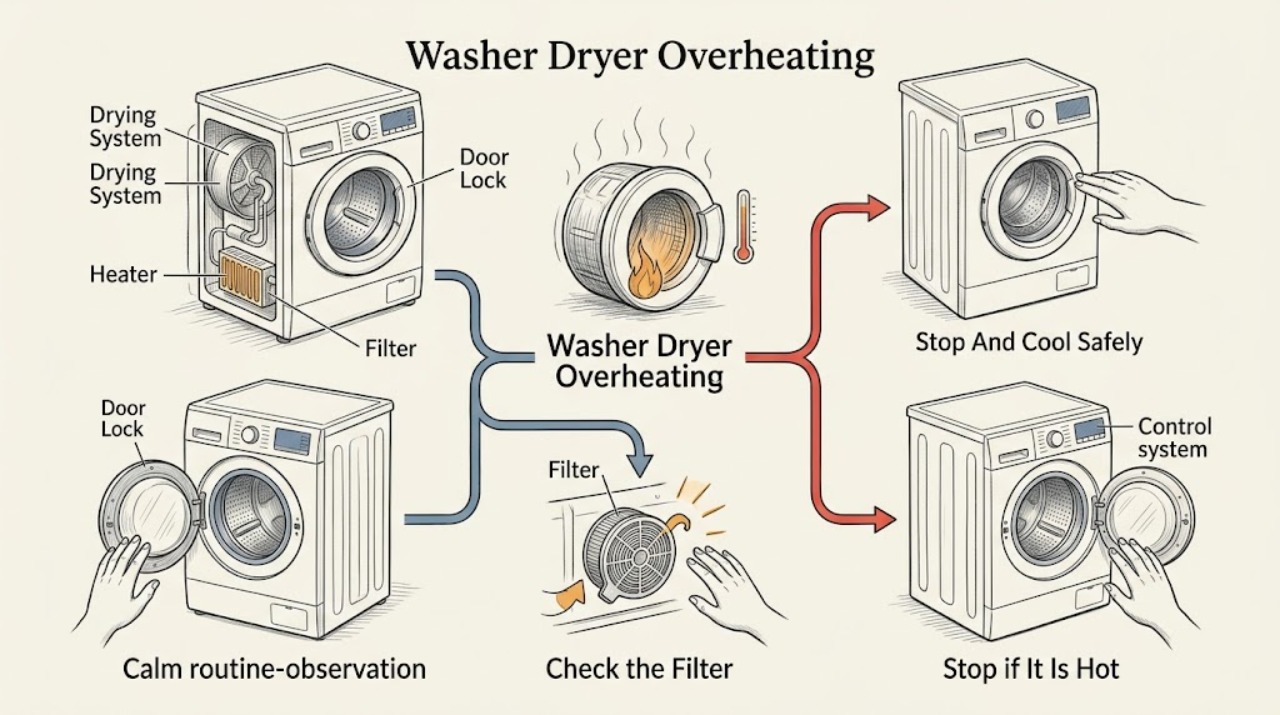
If a Haier washer-dryer smells burnt, smokes, sparks, becomes unusually hot, or keeps heating after you stop it, stop the cycle and disconnect power only if you can do so without touching a hot or damaged cord; close the water supply if the model's service guidance calls for it. Do not open a hot locked door or pour water into the appliance. Let the drum and door area cool naturally, then record the model, phase, display, load, and symptoms. Haier's official support pages show that meanings and actions vary by model: on one drum washer-dryer range, a high-temperature lock is a safety state, drying-filter warnings call for cleaning the filter, and listed drying-system faults call for unplugging, closing the water tap, and service. A Haier heater error page advises reducing the load once and trying again, with service if the error remains. If overheating returns, the filter is clean but airflow remains poor, a code returns, or any electrical or thermal hazard is present, leave the machine out of service and arrange qualified repair.
Before you begin
Safety first
- This article permits safe observation and exact-model-approved filter, load, cool-down, drain, or reset steps only. Internal heating, airflow, sensing, control, and electrical diagnosis belongs to qualified service.
Work through in order
Diagnostic checks
Use only checks that match the exact appliance or system and its official guide.
-
Check 1
Press Stop or Power if the controls respond, keep clear of the door and drum, and disconnect the plug only if the plug, cord, outlet, and floor are safe to approach; close the water tap when the exact model's service guidance calls for it.
Expected result: Record whether the machine stops, continues tumbling or heating, shows a code, has a locked door, contains water, emits smoke or a burnt odor, or has a hot, damaged, wet, or discolored cord or outlet.
Next step: Leave the washer-dryer disconnected and request qualified service for continued heat, smoke, odor, sparks, damaged electrical parts, a repeated breaker trip, or any uncertainty about safe isolation; otherwise allow it to cool before inspecting ordinary-access filters.
Stop if: Do not force the door, pour water into the cabinet, touch a hot cord or outlet, restart to see whether the symptom repeats, or work on the appliance while it is energized or hot.
Why this matters
Why: A machine that keeps heating, has a hazard, or cannot be safely disconnected has exceeded ordinary troubleshooting. A locked door may be protecting against hot water or a hot drum, while a stopped and cooling appliance can proceed only to model-specific checks.
-
Check 2
After the machine is cool and disconnected, photograph the display and record the exact model, cycle phase, selected drying temperature or program, load type and size, whether water remained in the drum, and when the heat appeared.
Expected result: Classify the event as heat during wash, spin, or dry; a high-temperature door lock; a filter warning; a heater or drying-system code; a no-code overheat; or an unknown message.
Next step: Use the exact model manual or official support page for the displayed code; retain the photo and cycle details for service if the code is not documented or returns.
Stop if: Do not guess at a code, substitute a generic sensor or heater, or continue operation to obtain a clearer message when the machine is overheating or unsafe.
Why this matters
Why: Haier error meanings and remedies are model- and region-specific. A code from one washer-dryer range cannot be applied to another, and heat during a high-temperature program is different from heat that continues after cancellation.
-
Check 3
Only when the exact manual permits it and the appliance is unplugged, cool, and dry, remove and inspect the user-accessible drying or lint filter; clear lint and debris using the model-approved method, confirm the filter is seated fully, and keep external ventilation openings unobstructed.
Expected result: Record whether the filter is clean, heavily blocked, wet, damaged, missing, incorrectly seated, or impossible to access without panels; note whether the warning clears without a new heat or odor symptom.
Next step: Restore the filter exactly as specified and perform no more than the manual's safe confirmation; if heat, odor, a filter warning, or poor airflow remains, disconnect the machine and arrange service.
Stop if: Do not run the machine without the filter, remove panels to reach hidden ducts, bypass a filter sensor, use compressed air into the cabinet, or continue drying with smoke or a burnt smell.
Why this matters
Why: Haier's drum washer-dryer support identifies filter-position and filter-blockage conditions for some models. A blocked or mis-seated filter can restrict drying airflow, but a clean filter with overheating indicates a deeper heater, fan, sensor, duct, or control issue.
-
Check 4
If the exact model's support guidance identifies a load-related heater error and there is no smoke, abnormal odor, electrical hazard, or uncontrolled heating, allow the appliance to cool, remove part of the load, and run the model-approved lower-risk confirmation once.
Expected result: Observe whether the heater error clears, the load dries without excessive heat, the cycle stops normally, or the error and heat return; do not open the door until the lock releases normally.
Next step: If the error or overheating returns, stop using the drying function, disconnect the appliance, and provide the code, load, cycle, and result to qualified service.
Stop if: Do not repeat the test, increase the load, select a hotter program, or continue if the machine smells burnt, becomes unusually hot, trips a breaker, or fails to stop.
Why this matters
Why: Haier's Err4 support page advises reducing the load and trying washing again, then contacting maintenance if the problem remains. That advice does not prove that every overheating event is a load issue or make a repeated heater fault safe.
-
Check 5
With power disconnected and the machine cooled, determine from the display and visible drum state whether water remains and whether the door is locked; follow only the exact model's normal drain or cool-down procedure.
Expected result: Record a high-temperature lock, a full drum, an empty but locked door, a door that opens normally after cooling, or a leak around the door or filter area.
Next step: Wait for the documented safe state or request service; if water must be drained, use only the model's accessible drain procedure and keep clear of hot water. Arrange service for a persistent lock, leak, or inability to drain safely.
Stop if: Do not pull the door open, use a tool on the lock, drain hot water onto the floor, tilt the machine, or remove a pump or hose while hot, pressurized, or energized.
Why this matters
Why: Haier documents that a high water level or high drum temperature can keep some doors locked. A locked door is not proof that the lock is defective, and forcing it can release hot water or damage the safety mechanism.
-
Check 6
Before contacting service, preserve the machine's safe state and collect the model and serial information if safely visible, display photo, cycle and load details, filter condition, odor or smoke description, breaker events, and the time from start to overheating.
Expected result: Record whether the issue is repeatable, occurs only in drying, follows a large or wet load, follows filter cleaning, or appears even when the drum is empty; do not perform a hazardous repeat test to fill gaps.
Next step: Give the record and any exact error code to Haier support or a qualified appliance technician and request model-specific inspection of airflow, heating, temperature sensing, controls, and safety cutouts.
Stop if: Do not probe live circuits, remove covers, bypass thermal protection, or replace internal parts based only on symptoms or a generic code.
Why this matters
Why: This evidence helps distinguish a documented filter or load condition from a heater, fan, sensor, wiring, or control problem without opening the appliance or bypassing a safety device.
Use your observations
Decision map
Find the observation that best matches what you see, then follow the next safe action.
-
PATH 01Safety boundary
What you see
There is smoke, a burning or melting odor, sparking, uncontrolled heating, a hot or damaged cord or outlet, water near electrical parts, or a breaker that trips again.
Do this next
Leave the area if necessary, disconnect power only from a safe position, keep the appliance out of service, and request urgent qualified help or use the household emergency procedure for active smoke or fire.
Why this path and its safety boundary
Why it matters: The appliance presents an immediate thermal, electrical, or fire risk that ordinary filter and load checks cannot make safe.
Safety stop: Do not pour water into the appliance, touch damaged electrical parts, reset the breaker repeatedly, or restart the cycle.
-
PATH 02Safety boundary
What you see
The display shows a high-temperature lock state, the drum or water is still hot, and there is no active smoke or electrical hazard.
Do this next
Wait for the exact model's safe cool-down condition and use only its normal drain or unlock procedure; request service if the lock persists after cooling.
Why this path and its safety boundary
Why it matters: For the named Haier HWD 82 support case, the lock prevents opening while the drum is too hot; related models may use different displays and limits.
Safety stop: Do not force the door or use a tool or emergency release without exact model instructions and a safe drum and water state.
-
PATH 03Safety boundary
What you see
A drying-filter warning is present, the filter is blocked or incorrectly seated, and there is no smoke, burnt odor, or uncontrolled heating.
Do this next
Cool and unplug the machine, clean and reseat the filter as the exact manual specifies, and stop if the warning or heat returns.
Why this path and its safety boundary
Why it matters: A user-accessible filter or airflow restriction is plausible on the affected model, but it is not proof that the heater or temperature control is healthy.
Safety stop: Do not operate without the filter, bypass its sensor, or open hidden ducting or panels.
-
PATH 04Safety boundary
What you see
The exact model shows a documented heater error similar to Haier's Err4 guidance, with no active hazard and an unusually large load.
Do this next
Reduce the load once under the exact manual's safe conditions; if the code, heat, or odor returns, disconnect and request service.
Why this path and its safety boundary
Why it matters: Haier's support guidance allows one cool-down, reduced-load confirmation and directs maintenance if the error remains; the advice is not universal across models.
Safety stop: Do not repeat tests, increase heat, or continue drying when the appliance is abnormally hot or smells burnt.
-
PATH 05Safety boundary
What you see
The filter is clean and seated, the load is reasonable, but overheating returns; the display is unknown for the model; or the machine overheats with an empty drum.
Do this next
Keep the washer-dryer disconnected and arrange qualified appliance service with the evidence record and exact model.
Why this path and its safety boundary
Why it matters: A heater, fan, temperature sensor, wiring, control, or safety-cutout fault remains possible and cannot be identified safely from the symptom alone.
Safety stop: Do not open panels, bypass thermal protection, probe live circuits, or install a generic part based only on a code or online claim.
Helpful context
Understand the symptom
Treat heat, odor, and smoke as a stop signal first
A warm control panel or warm laundry is not enough to identify a fault, and a washer-dryer can legitimately retain heat after drying. The decision changes when the cabinet or cord is abnormally hot, a burnt or melting odor appears, smoke or sparks are visible, the drum keeps heating after cancellation, or a breaker trips. Stop the cycle, keep people away, and disconnect power only from a safe position. Never spray or pour water into an energized or hot appliance. If there is active smoke or fire, leave the area and use the household emergency procedure rather than trying to repair the machine.
A locked door can be a temperature safeguard
Haier's HWD 82 support note says an H display means the drum temperature is too high for the door to unlock and describes waiting for the temperature to fall before opening. That instruction is specific to the named series; do not force a door, pull an emergency release, or use a screwdriver unless the exact model's manual explicitly directs it and the drum is safe. If the door remains locked, water is present, or the machine is still hot, arrange model-specific guidance.
Drying faults can begin with a filter or load, but they can also require service
A restricted drying filter, excessive load, poor airflow, heater fault, sensor problem, or control fault can produce long drying, hot laundry, or a protective shutdown. Haier's official pages identify filter-position and filter-blockage checks for some drum washer-dryer models and advise reducing the load for a listed heater error. These are limited user checks: a clean filter or smaller load does not justify bypassing a thermal device or repeatedly running the drying cycle when heat or odor returns.
Safety boundary
Stop conditions
- Stop and disconnect power from a safe position for smoke, burning or melting odor, sparks, uncontrolled heating, a hot or damaged cord or outlet, water near electrical parts, or repeated breaker trips.
- Do not force a high-temperature or water-level door lock; wait for the exact model's safe state and use only its documented drain or unlock procedure.
- Do not run the washer-dryer without its drying filter, bypass a filter or thermal sensor, cover ventilation, or open hidden ducting without qualified service.
- Do not keep repeating a reduced-load test, increase the drying temperature, or resume drying after heat or odor returns.
- Do not remove panels, probe live circuits, bypass safety cutouts, or replace a heater, sensor, fan, board, or fuse based only on a generic symptom or code.
Only after diagnosis
Potential parts
- model-specific drying filter or filter assembly
Consider only if the exact model uses a replaceable filter and inspection confirms damage, missing parts, or a persistent warning after approved cleaning.
Confirm the exact model, filter design, sensor interface, and manufacturer fit information; do not run without the filter. - model-specific heater, fan, or temperature sensor
Consider only after qualified diagnosis confirms an internal drying or temperature-control component fault; overheating alone does not identify a part.
Match the exact model and revision and preserve thermal and electrical safety functions; installation requires qualified service.
When checks do not resolve it
Need a professional?
Arrange qualified Haier or appliance service when overheating returns, a filter warning persists after the model-approved cleaning and reseating, a heater or drying-system code returns, the door remains locked after the documented cool-down, water cannot be drained safely, the machine leaks, or the exact code and model response are unclear. Escalate urgently for smoke, burning odor, sparks, uncontrolled heating, damaged electrical parts, or a repeated breaker trip.
Safety scope: This article permits safe observation and exact-model-approved filter, load, cool-down, drain, or reset steps only. Internal heating, airflow, sensing, control, and electrical diagnosis belongs to qualified service.
Read the exact guide
Official sources
- Error Code: After program finish, message H shows in display and door does not open for HWD 82 seriesHaier United Arab Emirates · Official Haier UAE support note for the named HWD 82 series; do not generalize its display or temperature instruction to another model.
- control panel display Err4Haier Philippines · Official Haier Philippines support note for the listed washer product; the Err4 meaning and remedy are not universal across models.
- 〖ドラム式〗エラー表示が出た (Drum type: Error display)Haier Japan · Official Haier Japan support page for listed drum models; codes and procedures must be checked against the exact appliance manual.
Community feedback
Share a repair observation
Share a plain-text repair observation. Accepted observations are published automatically; this page may take a moment to update.