
On this page
Start here
Quick answer
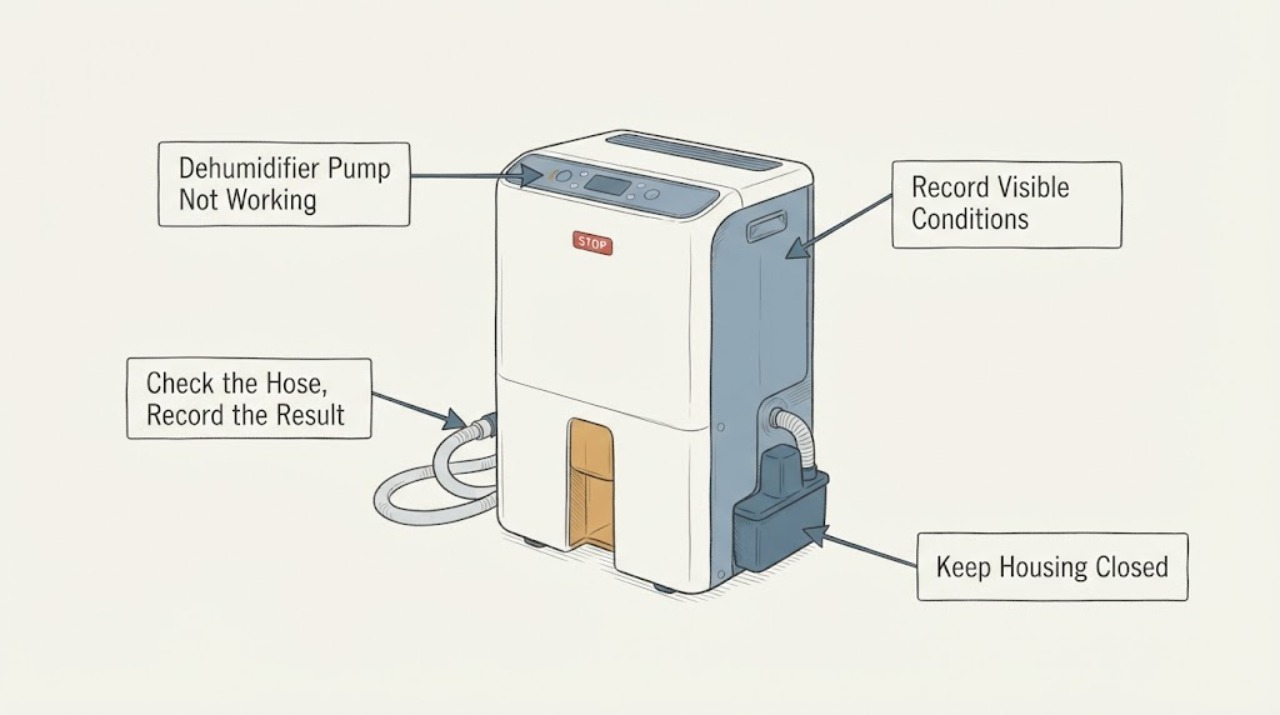
If a Hisense dehumidifier is not pumping water, first confirm that the model actually has a pump and that the pump drain hose is connected at the correct connector before the Pump control is pressed. With the unit off and unplugged, check that the hose is fully seated, reaches the intended drain without a kink or blockage, and follows the exact model guide's length and height limits. A flashing pump indicator is a documented sign that the pump is not functioning properly; on pump models, a dirty water filter can also stop smooth pumping. Do not keep resetting the control, bypass the bucket or float, tilt a water-filled unit, or open the cabinet. If the hose and user-accessible filter are correct but the pump still does not move water, keep the unit off and arrange Hisense or qualified appliance service.
Work through in order
Diagnostic checks
Use only checks that match the exact appliance or system and its official guide.
-
Check 1
Confirm from the exact model label and manual that the Hisense dehumidifier has a built-in pump and identify the pump connector, pump control, pump indicator, and included or specified hose. Record whether water remains in the bucket, whether the unit is still dehumidifying, and whether the pump light is off, on, or flashing.
Expected result: The model has a pump function, the model has only gravity drainage, or the model and pump feature cannot be identified; the pump light is off, steady, or flashing.
Next step: Use only the identified model's pump instructions. If the feature is absent or uncertain, do not press a pump control or install a hose by analogy; use the bucket or documented gravity-drain method and contact Hisense support if the intended configuration is unclear.
Stop if: Do not remove covers, probe the pump wiring, or use a generic hose connection to test an unidentified model.
Why this matters
Why: A unit without a pump cannot lift water through active pump drainage, while a pump model has a separate hose, control, and indicator path. A flashing indicator is a documented pump-fault signal, but an unlit indicator may simply mean the function was not activated.
-
Check 2
Turn the dehumidifier off and unplug it before handling the drain connection. Inspect the pump hose and connector externally, then reconnect the hose exactly as the model guide shows before pressing Pump. Check that the hose is fully inserted, its outlet is in the intended drain, and the hose is not kinked, pinched, blocked, or routed beyond the model's documented height or length.
Expected result: The hose was not connected before Pump was pressed, the connector was loose, the hose was bent or blocked, the outlet is incorrectly placed, or the connection and routing match the manual.
Next step: Correct only the accessible hose connection and routing described for the exact model, then observe the indicator during normal operation. If the hose is correct but the light continues flashing or water still does not move, stop at the external checks and arrange service.
Stop if: Do not force a connector, extend the hose beyond the manual's limits, blow pressurized air into the pump, or run the unit with a leaking connection.
Why this matters
Why: Hisense states that the pump will not operate if the drain hose is not connected first, and that a wrongly connected or bent hose can make the pump light flash and stop the pump system. Correct external routing removes the most direct drainage obstruction without proving the pump itself is healthy.
-
Check 3
With the unit unplugged, verify that the bucket is empty, fully seated, and its water-level float is present and aligned as the exact manual permits. Activate the Pump function only through the normal control after the hose has been correctly connected; do not hold down, wedge, or bypass the bucket or float interlock.
Expected result: The bucket or float was mis-seated, the pump control was not activated, the bucket and float are correct but the pump light flashes, or the pump indicator is normal but no water reaches the drain.
Next step: Correct a full or mis-seated bucket only when it is intact and accessible. If the bucket/float is correct and the pump still fails, continue only with the model's documented accessible filter check and do not defeat the interlock.
Stop if: Stop for a cracked bucket, water inside the cabinet, a missing or stuck float, exposed wiring, or any need to disassemble the pump or safety switch.
Why this matters
Why: Bucket alignment and water-level sensing can prevent a dehumidifier from operating, while pump activation is a separate condition. A normal indicator with no discharge shifts attention to hose blockage, pump water filter, or service; a flashing indicator points to a pump-system fault rather than a reason to bypass protection.
-
Check 4
If the exact model identifies a user-accessible pump water filter, unplug the unit and clean and reinstall that filter only by the model guide's procedure. Do not substitute the air filter for the pump water filter, and do not open the housing or work on the pump, motor, control, or sealed system.
Expected result: The model has the documented pump water filter and it is dirty or obstructed, or the filter is clean/absent and the correctly connected pump still does not discharge water.
Next step: Reinstall a clean, fully dry filter exactly as documented and monitor the normal pump indicator. If water still does not move, keep the dehumidifier off and provide Hisense service with the model, indicator state, hose routing, bucket/float state, and checks already completed.
Stop if: Do not tilt a water-filled unit, remove internal covers, perform live electrical tests, bypass a sensor, or add refrigerant while diagnosing a drainage failure.
Why this matters
Why: Hisense's pump guide says the water filter needs periodic cleaning for smooth pump operation and lists an unclean water filter as a cause of no water from the quick-connect hose. A clean filter with correct hose routing and persistent failure moves the diagnosis beyond routine maintenance.
Use your observations
Decision map
Find the observation that best matches what you see, then follow the next safe action.
-
PATH 01Next step
What you see
The model has a pump, the hose was loose, connected after the Pump control was pressed, kinked, blocked, or routed outside the model guide's limits, and the pump indicator returns to normal after the external correction.
Do this next
Keep the hose routed exactly as the model guide specifies and monitor normal drainage. Stop and arrange service if the pump light flashes again, the connection leaks, or water backs up into the unit.
Why this path and its safety boundary
Why it matters: The drainage setup was the leading explanation for the no-pump symptom. This does not establish that the pump can handle an incorrect route or that an unseen obstruction has been cleared if water still does not move.
-
PATH 02Next step
What you see
The model has a pump, the hose and bucket are correctly installed, the pump control is activated normally, and the pump light flashes or no water reaches the drain.
Do this next
Perform only the exact model's accessible pump-filter maintenance. If the filter is clean or the problem persists, leave the unit off and arrange Hisense or qualified appliance service.
Why this path and its safety boundary
Why it matters: The documented external setup checks did not restore pumping. A blocked pump path, dirty pump water filter, pump, sensor, or control fault is possible, but the symptom does not identify a safe replacement part.
-
PATH 03Next step
What you see
The unit has no built-in pump, or its model and pump feature cannot be confirmed, but water is being expected to travel uphill or through an unverified hose connection.
Do this next
Use the bucket or the exact model's documented gravity-drain arrangement. Do not add a pump hose or press an assumed pump control; obtain the model manual or Hisense support guidance.
Why this path and its safety boundary
Why it matters: A gravity-drain configuration cannot be treated as a pump configuration, and Hisense drainage connectors and controls vary by model. The no-pump expectation may be a configuration mismatch rather than a failed component.
-
PATH 04Next step
What you see
The pump path is correct, but the dehumidifier also shows smoke, burning odor, abnormal heat, water inside the cabinet, a damaged cord or plug, repeated breaker trips, or an error code.
Do this next
Switch off and unplug only when safe, keep people away from the hazard, and arrange Hisense or qualified appliance service. Record the exact model and any displayed code without repeatedly re-energizing the unit.
Why this path and its safety boundary
Why it matters: The issue has crossed the external drainage boundary. Electrical, control, compressor, or water-ingress hazards cannot be separated safely by continuing pump tests.
Helpful context
Understand the symptom
A pump problem is different from a dehumidifier that is not running
A Hisense unit can run normally while its active pump drainage fails. Separate pump drainage from the bucket, gravity-drain, and no-power paths before judging the compressor or control. Pump controls and connectors are limited to models equipped with that feature, so do not copy a hose or button procedure from another Hisense model.
What the pump light tells you
On the opened Hisense pump guide, the pump light should turn on when the pump function is activated; a flashing pump light indicates that the pump is not functioning properly. That indicator narrows the problem to the pump path, but it does not identify a part that is safe to replace from the symptom alone.
Only after diagnosis
Potential parts
- model-matched pump drain hose or connector assembly
Consider a hose or connector only when the exact model has a pump, the existing connection is cracked or cannot seal, and the manual confirms the connector type. A hose replacement does not address a flashing pump indicator caused by an internal fault or dirty pump filter.
Confirm the complete model, regional variant, connector style, routing limits, and Hisense fit information before selecting a part. Do not substitute a garden hose or connector by diameter alone.
When checks do not resolve it
Need a professional?
Contact Hisense or a qualified appliance technician when the pump light continues flashing, correctly routed water does not reach the drain, the pump water filter is clean but pumping still fails, the bucket or float is damaged, the model's pump configuration is unclear, or service would require opening the housing. Stop immediately for smoke, burning odor, abnormal heat, water inside the cabinet, a damaged cord or plug, repeated breaker trips, or an error code.
Common questions
FAQ
Why is my Hisense dehumidifier pump not pumping water?
Start with the pump-specific path: confirm the model has a pump, connect the drain hose before pressing Pump, check for a loose or kinked hose, and note whether the pump light flashes. On models with the documented water filter, a dirty filter can also stop smooth pumping. If those checks do not restore drainage, arrange service rather than opening the cabinet.
Why is the Hisense pump light flashing?
Hisense's pump guide says a flashing pump light means the pump is not functioning properly and also identifies an incorrectly connected or bent hose as a possible cause. Unplug the unit, correct only the model-specific hose connection and routing, and arrange service if the light continues to flash.
Can I use a longer hose or a different hose on a Hisense dehumidifier pump?
Do not assume that any hose will fit or that a longer route is safe. Use the exact model guide for the connector, hose type, length, and height limits; the opened Hisense pump guide gives limits for its covered pump models. Confirm compatibility before replacing a hose and never run a leaking or kinked connection.
Read the exact guide
Official sources
- Hisense 50-Pint Capacity, 4500 sq. ft. Coverage, Built-In Pump DehumidifierHisense USA · Opened Hisense's official support page for model DH5026KP1G; it identifies the product as a built-in-pump dehumidifier and keeps support documents model-specific.
- Use & Care GuideHisense USA Corp. · Opened Hisense USA Use & Care Guide for dehumidifier models with pump function; the guide labels pump-model scope and provides pump draining and troubleshooting instructions.
Community feedback
Share a repair observation
Share a plain-text repair observation. Accepted observations are published automatically; this page may take a moment to update.