
On this page
Start here
Quick answer
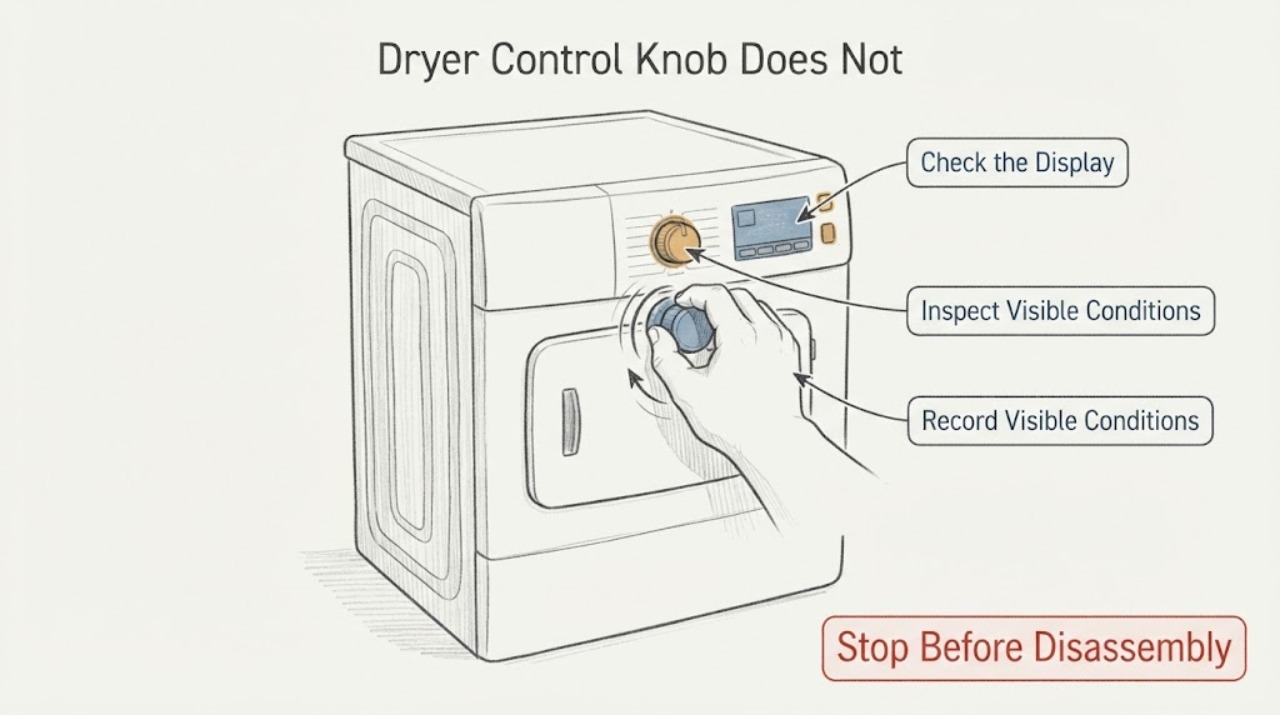
A Hoover dryer control knob that feels stiff or catches should not be forced or turned with pliers. Hoover's Advice Centre routes tumble-dryer troubleshooting by the exact product code and model, and its safety instruction says to disconnect the appliance from the mains before examining it. Unplug the dryer, identify the complete model or product code, and compare the exact instruction manual before trying to remove the knob; the opened Hoover material does not establish one universal removal method for every dryer. From the front, record whether the knob itself is cracked or rubbing the fascia, whether the shaft moves with it, and whether the dryer otherwise starts and heats normally. If removal would require prying the panel, accessing wiring, or forcing a stiff shaft, stop and arrange model-specific service.
Work through in order
Diagnostic checks
Use only checks that match the exact appliance or system and its official guide.
-
Check 1
Turn the dryer off, let any hot cycle finish cooling if it is operating normally, and disconnect it from the mains before examining the control. Do not reach behind the dryer or touch the plug, socket or cord if the area is wet or damaged; use the safe accessible isolator or qualified service instead.
Expected result: The appliance is unplugged and dry, or there is a wet area, damaged cord, burning smell, smoke or heat at the control.
Next step: For the safe case, continue only with identification and a front view. For any hazard sign, keep the dryer isolated and arrange qualified appliance or electrical service; do not attempt knob removal.
Stop if: Stop immediately if isolating power would require handling wet or damaged electrical parts.
Why this matters
Why: An unplugged, dry appliance permits a limited external inspection. Moisture, electrical damage, smoke, burning smell or abnormal heat is a stop-use condition rather than a knob-removal problem.
-
Check 2
Locate and record the complete Hoover model or product code from the rating plate or appliance documentation before ordering a knob or opening the control area. Enter that code in Hoover's tumble-dryer Advice Centre and use the matching instruction manual.
Expected result: A full product code is available, or only the Hoover brand and a general dryer description can be confirmed.
Next step: Use the exact manual for the code before removing anything. If the code cannot be found, keep the task to visible checks and provide the code or a clear rating-plate photograph to a qualified technician; do not choose a cross-model knob.
Why this matters
Why: A full code allows the manufacturer’s model-specific guidance to be selected. Brand-only identity does not prove the knob shape, retainer, shaft, panel access or compatible part.
-
Check 3
With power isolated, look at the knob and fascia from the front without prying. Note whether the knob is cracked, tilted, rubbing the panel, loose on the shaft, or visibly obstructed; compare its feel with another control only if the other control is designed to be turned and the comparison requires no force.
Expected result: The knob is visibly damaged or rubbing, the shaft moves with unusual resistance, or the front appears intact but rotation remains stiff or catches.
Next step: Photograph the control and record which positions are affected. Do not use pliers, a screwdriver, lubricant, adhesive or sideways leverage on the knob or shaft; move to the exact manual or service branch.
Stop if: Stop if the knob or shaft will not move with light finger pressure, if the fascia flexes, or if any tool would contact the panel or shaft.
Why this matters
Why: A visible knob or fascia condition is evidence to give the technician, but it does not show whether the selector/timer behind it is damaged. An intact front does not make a forced removal safe.
-
Check 4
Record whether the dryer otherwise selects a programme, starts, heats and stops normally, without cycling it just to test a resistant knob. If the exact manual documents a user-removable knob, follow only that model-specific procedure with the appliance disconnected; do not infer that a different Hoover model uses the same retainer or pull direction.
Expected result: The knob alone is difficult to turn but the dryer functions normally, or the dryer will not select a programme, start, stop or operate normally.
Next step: For either pattern, use the exact manual or arrange service before opening the panel. Do not turn the shaft with pliers or bypass a control to keep using the dryer.
Why this matters
Why: Normal dryer operation narrows the visible symptom to the control interface but does not prove that the knob is the only failed part. A functional problem together with stiff rotation raises the need for model-specific selector/timer inspection.
-
Check 5
Contact Hoover support or a qualified appliance technician with the complete model/product code, a photograph of the knob and fascia, the positions that feel stiff, whether the shaft moves with the knob, and any electrical or operating symptoms. Ask for the model-specific removal method and part identification before purchasing or opening a control panel.
Expected result: The technician confirms a removable knob procedure for the exact model, finds a damaged knob or fascia, or finds resistance in the selector/timer assembly.
Next step: Follow the written model-specific service recommendation and keep the dryer unplugged if the control is damaged or the technician requires panel access. Do not resume use if operation is abnormal.
Why this matters
Why: Only the exact model documentation or inspection can establish safe access and whether the knob, shaft, selector or timer needs attention. The generic Hoover pages do not establish compatibility or a named failed component.
Use your observations
Decision map
Find the observation that best matches what you see, then follow the next safe action.
-
PATH 01Next step
What you see
The control area has smoke, a burning smell, abnormal heat, visible electrical damage or a wet cord/socket.
Do this next
Keep the dryer disconnected and have qualified appliance or electrical service assess it. Do not operate the dryer or touch the control wiring.
Why this path and its safety boundary
Why it matters: The symptom is an electrical or fire-safety concern, not a safe knob-removal exercise.
-
PATH 02Next step
What you see
A complete Hoover product code is available but the matching manual has not yet been checked.
Do this next
Use the exact product-code entry and instruction manual first. Do not substitute a similar Hoover or Candy model's knob or panel procedure.
Why this path and its safety boundary
Why it matters: The removal method remains unresolved because Hoover publishes model-specific dryer guidance.
-
PATH 03Next step
What you see
The dryer is unplugged and the knob is visibly cracked, tilted, rubbing the fascia or loose, while no electrical hazard is present.
Do this next
Photograph the control and obtain the exact manual or service instruction. Do not pry, use pliers or order a generic knob based on appearance.
Why this path and its safety boundary
Why it matters: The control interface needs model-specific inspection, but the visible appearance does not identify the shaft or timer condition.
-
PATH 04Next step
What you see
The model is still unknown, the front looks intact, and the knob remains stiff or catches with light finger pressure.
Do this next
Keep the dryer unplugged, stop trying to turn the shaft, and arrange model-specific service with the product code and photographs.
Why this path and its safety boundary
Why it matters: The public Hoover sources do not support a universal removal or internal diagnosis for this no-model condition.
Helpful context
Understand the symptom
The model determines the removal method
The supplied question names Hoover and a dryer but does not provide a product code or model. Hoover's own tumble-dryer portal says its questions, maintenance advice and manuals are model specific and provides a product-code search. That means a generic instruction to pull, pry, twist or remove a control-panel screw would risk fitting the wrong knob or damaging the selector shaft. Treat the removal question as model-dependent until the full product identity is found.
Separate a removable knob from a stiff control mechanism
A knob that feels rough may have a damaged plastic hub or fascia interference, but it may also be transmitting resistance from the selector or timer behind the panel. The available official pages do not diagnose the internal cause and do not authorize a cross-model removal technique. Keep the inspection at the unplugged, visible-control boundary until the exact manual or a qualified technician establishes access and compatibility.
When checks do not resolve it
Need a professional?
Arrange service before using or opening the dryer when the knob cannot be turned with light finger pressure, the shaft or fascia flexes, the appliance does not select or run a programme normally, or there is smoke, burning smell, abnormal heat, water or electrical damage. A full Hoover model/product code is required before selecting a knob or timer.
Common questions
FAQ
Can I just pull a Hoover dryer knob straight off?
Do not assume that method across Hoover dryers. Hoover routes dryer guidance by exact product code and model, and the opened official pages do not document one universal knob retainer or removal direction. Unplug the dryer and check the exact manual before applying any force.
Can I use pliers when the knob is hard to turn?
No. Pliers can damage the knob, shaft or selector and can turn a visible control problem into an internal repair. Record the stiffness and use the exact model documentation or qualified service instead.
What if the dryer still works but the knob catches?
Normal operation does not prove that only the knob is affected. Keep the control unplugged for inspection, document the positions that catch and the model code, and obtain model-specific removal or service guidance before continued use if the resistance persists.
Read the exact guide
Official sources
- The buttons are not working or the program will not startHoover Service · Official Hoover Advice Centre page. The page's model-specific examples concern control-panel operation, while the safety instruction is used only for the general mains-isolation boundary; it does not provide a knob-removal procedure for the assigned unknown model.
- Tumble Dryer Appliance Advice CentreHoover Service · Official Hoover support portal. It establishes that dryer advice and manuals are selected by the exact model/product code; it does not define a universal control-knob removal method or diagnose an internal selector.
Community feedback
Share a repair observation
Share a plain-text repair observation. Accepted observations are published automatically; this page may take a moment to update.