
On this page
Start here
Quick answer
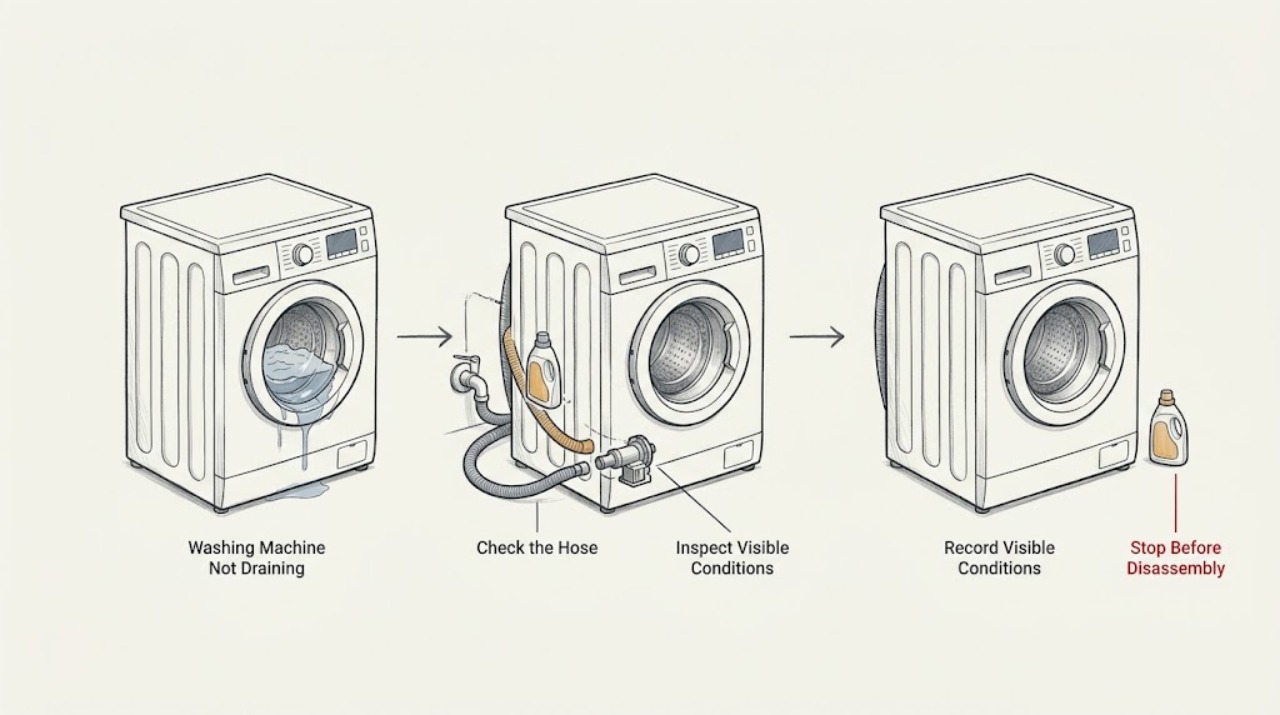
If a Hoover washing machine leaves water in the drum, stop the programme and disconnect mains power before inspecting anything. Keep the floor and plug area dry, and do not reach into standing water. Record the full model or product code and any display code, then check whether the waste hose is kinked and whether a sink connection or household drain is blocked. Hoover's model-specific guidance also supports a safe emergency drain and pump-filter inspection when the manual permits it; use a shallow container and towel because water remains in the pump. Check detergent foam, load balance, and the door lock only as external observations. If the drum is full, water is near electrical parts, the pump is inaccessible, a leak appears, a breaker trips, or the machine still will not drain after the approved low-risk checks, leave it off and arrange qualified service.
Work through in order
Diagnostic checks
Use only checks that match the exact appliance or system and its official guide.
-
Check 1
Record the complete Hoover model or product code, the exact display message or code, and the point at which the programme stopped. Without opening the door or restarting the machine, note whether water remains in the drum, whether the pump was humming, and whether the sink or household drain backed up at the same time.
Expected result: The drum is full, partly full, or empty; a code is present or absent; the pump was silent or humming; the door remains locked; or the sink waste overflowed.
Next step: Keep the machine off and use only the matching model instructions below. If the code is not explained for the exact model, do not guess at its meaning; provide it to qualified service.
Why this matters
Why: Water left in the drum points toward the drain path, while a cycle that never begins draining can also involve a door or control state. Hoover's code pages apply to specified models, so the exact product identity controls the meaning of a code.
-
Check 2
With the water supply closed and mains power isolated from a dry position, inspect the visible drain hose behind the machine without pulling the appliance forward. Look for a sharp kink, crushing, a hose that has slipped from its waste connection, or a blocked visible outlet. Do not loosen a hose while the drum can discharge water onto electrical parts.
Expected result: The drain hose is kinked, crushed, loose, blocked at the visible end, or appears correctly routed and dry.
Next step: Correct only a safe, visible routing problem after the hose is depressurized and the floor is dry. If the hose is damaged, inaccessible, or still will not drain, keep the machine isolated and arrange service.
Why this matters
Why: A restricted or displaced hose can prevent the pump from emptying the drum. A correctly routed hose shifts the next check to the pump filter or household waste connection rather than repeated drain cycles.
-
Check 3
If the drain hose connects under a sink, inspect the accessible sink waste connection with the machine disconnected and a bowl underneath. Look for food deposits, fat, debris, a blocked branch, or a bung that was not removed after plumbing work. Do not place hands in dirty standing water and do not disconnect the washer hose if water can spill onto electrical parts.
Expected result: The sink connection is blocked, the washer branch still has a bung, the sink itself backs up, or the waste path is clear while the drum remains full.
Next step: Clear only a safe, accessible waste obstruction and refit the connection as the installation instructions require. If the sink or pipework continues to back up, call a plumber; if the household path is clear and the washer remains full, continue only with the model-approved pump check.
Why this matters
Why: Hoover says a sink-connected waste can block at the washer branch even when the sink otherwise drains. A clear household connection makes a pump-filter or appliance fault more likely.
-
Check 4
If the exact Hoover manual identifies a user-accessible pump-filter flap and provides an emergency-drain procedure, place a shallow container and towels under it, drain the water slowly, and disconnect mains power before opening the filter. Remove only visible lint, coins, or other loose debris from the filter and chamber; never use a tool to reach beyond the accessible opening.
Expected result: The model has an emergency drain hose, the drum releases water safely, the filter is blocked, no water comes out, or the container fills too quickly to continue safely.
Next step: Use the model manual's safe drain route and keep water away from electrical parts. Stop if the flap or filter is not the documented user-accessible type, the drum is too full, or the water cannot be contained; arrange service instead.
Why this matters
Why: Hoover explains that residual water normally remains in the pump and that a blocked filter can prevent draining. No flow can indicate a hose, pump, or deeper blockage; rapid uncontrolled flow means the procedure must stop.
-
Check 5
After draining only as the model manual permits, inspect the pump filter seal and seating area. Clean visible residue from the seal surfaces, check for a cut or distortion, and refit the filter exactly as the guide shows. Do not run the machine with the filter loose, and do not open the pump housing or cabinet.
Expected result: Debris is present, the filter was not fully seated, the seal is damaged, the filter cannot be tightened as specified, or the filter area is clean and secure.
Next step: Keep power isolated and replace a damaged seal or filter through qualified service. If the model manual permits one short drain confirmation and the area is dry, observe from a safe position; stop at any leak or unusual electrical symptom.
Why this matters
Why: A restriction can stop the pump from emptying, while an incorrectly refitted or damaged filter can leak and allow water back into the base. A secure, clear filter with no drain improvement points beyond a simple blockage.
-
Check 6
Check external cycle and load conditions without restarting a full wash: note whether the machine was overloaded, produced unusual foam, was set to a cycle that delays or omits drain, or stopped with a door or child-lock indication. Use the exact manual to confirm the selected programme and door-lock state; never force the door.
Expected result: A control or door-lock state is active, foam is excessive, the load is unusually large or unbalanced, or the machine has the correct drain programme but still leaves water.
Next step: Correct only a clearly documented setting and make one approved drain selection after the machine is safe. If the lock remains, foam returns, or water remains with the correct programme, stop and arrange service.
Why this matters
Why: Hoover's guide index separates cycle, detergent, door, and drain symptoms. A setting can prevent a drain command, but a correct programme that leaves water after the hose and filter checks indicates a drain-path or pump fault.
-
Check 7
If the model-specific display lists a drain warning such as E3 or E03, record it exactly and follow only the matching Hoover page for that product family. Do not substitute another model's code explanation, repeatedly reset the display, or continue a test while the drum is full or water is leaking.
Expected result: The exact model page identifies a pump or waste check, the code is not listed for the model, the code returns after the approved check, or the machine adds water while it cannot drain.
Next step: Keep the machine disconnected and provide the exact code, product code, water level, and previous checks to qualified service. Close the water tap if the machine fills while idle.
Why this matters
Why: Hoover uses an E3-style drain explanation on specific pages and model lists; it is not evidence that every Hoover machine uses the same code or remedy. A returning code or simultaneous fill-and-drain behavior needs model-specific diagnosis.
-
Check 8
After the drain path is clear, all accessible water is dried, and no hazard is present, make one short, supervised drain confirmation only if the manual permits it. Stop at the first leak, pump grinding, electrical odor, smoke, unusual heat, water near the plug or socket, or a tripped breaker; do not repeatedly run cycles to force a drain.
Expected result: The drum empties normally, the pump runs but leaves water, the pump is silent, water leaks from the filter or hose, or an electrical warning occurs.
Next step: Close the water tap and isolate power from a dry position for any returning failure or hazard. Arrange qualified appliance service, and use an electrician if the breaker, socket, cord, or house circuit is involved.
Why this matters
Why: A successful drain after a visible blockage supports a cleared restriction. A silent or weak pump, recurring blockage, internal leak, or electrical warning requires diagnosis beyond user cleaning.
Use your observations
Decision map
Find the observation that best matches what you see, then follow the next safe action.
-
PATH 01Next step
What you see
The drum is full and the machine stopped during drain or spin.
Do this next
Keep mains power isolated and use the exact model's emergency-drain procedure before inspecting the filter. Stop if water cannot be contained or the filter is not user-accessible.
Why this path and its safety boundary
Why it matters: A pump filter, drain hose, pump chamber, or waste connection may be blocked.
-
PATH 02Next step
What you see
The drain hose is kinked, crushed, loose, or blocked at its visible connection.
Do this next
Correct only a safe visible routing issue with water and power isolated. Replace a damaged hose or request service if the path cannot be made safe.
Why this path and its safety boundary
Why it matters: The pump may be unable to push water through the restricted route.
-
PATH 03Next step
What you see
The washer connects under a sink and the sink branch backs up or contains food debris, fat, or a bung.
Do this next
Keep the washer off, clear only an accessible dry connection, and call a plumber for recurring household backup. Do not repeatedly run the washer to test it.
Why this path and its safety boundary
Why it matters: The household waste connection can be restricting the washer's discharge.
-
PATH 04Next step
What you see
The pump filter contains loose debris and the model-approved drain and refit procedure restores normal emptying.
Do this next
Keep the filter seal clean and correctly seated. Make no further cycles if water leaks, the pump remains noisy, or the fault returns; arrange service.
Why this path and its safety boundary
Why it matters: A removable restriction was likely preventing drainage.
-
PATH 05Next step
What you see
The filter, hose, and household waste are clear, but the pump is silent, only hums, or leaves water in the drum.
Do this next
Keep the machine isolated and request qualified appliance service. Do not open the cabinet, test live voltage, or replace a pump based only on the symptom.
Why this path and its safety boundary
Why it matters: A pump, internal hose, control, or other appliance fault is possible.
-
PATH 06Next step
What you see
The door remains locked, the selected programme has not issued a drain command, or excessive foam is present.
Do this next
Use the exact model manual to check the door or cycle state once. Never force the door; if the drum remains full or the code returns, use service.
Why this path and its safety boundary
Why it matters: A door, cycle, detergent, or control state may be preventing normal progression, but retained water still needs safe handling.
-
PATH 07Next step
What you see
Water reaches electrical parts, the filter or hose leaks, smoke or burning odor appears, the appliance overheats, or a breaker trips again.
Do this next
Do not touch wet electrical areas. Isolate power only from a dry, safe position, close the water tap, leave the machine off, and obtain qualified appliance or electrical help. Use emergency assistance for active smoke or fire.
Why this path and its safety boundary
Why it matters: This is a shock, fire, water, or building-electrical hazard.
Helpful context
Understand the symptom
Make standing water safe
Cancel the programme if the controls respond, close the water tap, and disconnect the machine from mains power only from a dry position. Never touch a plug, socket, or control while standing in water. Keep the door closed if the drum is full and do not force the door lock. Find the full Hoover product code before opening any user-accessible flap because the presence of an emergency drain hose and the filter layout vary by model.
Separate a drain fault from a setting or installation fault
Note whether the machine stopped with a full drum, whether a pump hums or is silent, whether a code appears, and whether the sink or waste pipe backs up. Hoover's pages use particular code meanings only for listed model families; do not treat an E3 or E03-style display as universal. A machine that never starts draining may have a door or control state, while one that pumps but leaves water may have a restriction or installation problem.
Safety boundary
Stop conditions
- Stop the programme, close the water tap, and isolate mains power from a dry position before examining a full drum, hose, filter, or waste connection.
- Do not touch a plug, socket, control, or appliance surface while standing in water, and do not open a filter or hose where water can reach electrical parts.
- Do not force the door lock, open panels, probe live wiring, reach into the pump housing, or remove internal hoses as a user check.
- Do not repeatedly reset a code or run full cycles to force drainage. Use the exact model emergency-drain procedure only when it can safely contain the water.
- Stop for a continuing leak, water near electrical parts, smoke, burning or electrical odor, sparking, abnormal heat, visible damage, or a breaker that trips again; leave the machine off and obtain qualified help.
Only after diagnosis
Potential parts
- drain pump filter or filter seal
Consider this only when a qualified diagnosis confirms a damaged filter, seal, or housing after safe draining and correct refitting do not restore a watertight drain path.
Confirm the complete Hoover model or product code and the manufacturer's fit information before ordering; do not infer fit from a generic not-draining symptom. - drain pump
Consider this only when a qualified technician isolates a pump that is electrically or mechanically faulty after the hose, waste connection, filter, and control state are checked.
Verify model and product-code compatibility before ordering; pump and electrical work require safe isolation and qualified service. - drain hose
Consider this only when the visible hose is cracked, crushed, permanently kinked, or leaking and a qualified diagnosis confirms replacement is appropriate.
Confirm the exact model, hose routing, connection type, and manufacturer's fit information before ordering.
When checks do not resolve it
Need a professional?
Arrange qualified Hoover appliance service when the drum remains full after the model-approved hose, waste, and pump-filter checks; when the pump is silent or only hums; when the filter, seal, hose, pump, cabinet, or door lock is damaged; when a drain code returns; or when the source is internal or inaccessible. Call a plumber for a household waste backup and an electrician when a breaker, socket, cord, or circuit is involved. Stop immediately for water near electrical parts, leaks that cannot be contained, smoke, burning odor, unusual heat, sparking, or a repeated breaker trip.
Have this ready
- Provide the full Hoover model or product code, exact display code, water level in the drum, cycle stage, pump sound, drain-hose and sink connection layout, filter-cleaning history, detergent or foam symptoms, and any leak, odor, heat, smoke, or breaker event.
Common questions
FAQ
What should I do first if my Hoover washing machine is not draining?
Stop the programme, close the water tap, and isolate mains power from a dry position. Record the model and any code, keep the door closed if the drum is full, and check the visible drain hose and sink waste for a safe, accessible restriction.
Can I clean the pump filter on a Hoover washing machine?
Only if the exact model manual identifies a user-accessible filter and safe emergency-drain procedure. Hoover says to disconnect mains power, prepare a shallow container and towel, drain slowly, remove visible debris, and refit the filter correctly; stop if the drum is too full or water cannot be contained.
Why does my Hoover washer not drain into the kitchen sink?
The washer branch can be blocked by food deposits, fat, debris, or a bung left after plumbing work even when the sink itself drains. With the washer disconnected and water contained, inspect only the accessible connection; call a plumber for a recurring household blockage.
What does an E3 or E03 drain code mean on a Hoover washer?
Hoover uses an E3-style drain explanation on specific model-family pages, but codes are not universal across every machine. Record the exact product code and follow only the matching page or manual; a returning code requires service.
Why is the Hoover pump humming but water remains in the drum?
A restriction in the filter, pump chamber, hose, or household waste path can limit flow, but a pump that hums and still leaves water may also need diagnosis. Isolate power, use only the model-approved filter procedure, and arrange service if the path is clear or the fault returns.
When should I stop troubleshooting a Hoover washer that will not drain?
Stop for a full drum you cannot safely drain, an inaccessible filter, continuing leakage, water near electrical parts, smoke, burning odor, sparking, abnormal heat, or a repeated breaker trip. Keep the water tap closed, isolate power from a dry position, and obtain qualified help.
Read the exact guide
Official sources
- Washing Machine Appliance Advice CentreHoover Advice Centre · Hoover washing-machine drain, door, detergent, water-supply, and product-code topics
- Check the Water Hose Is Not LeakingHoover Advice Centre · Hoover models covered by the page where water may reach the inlet or electrical area
- Clean the Filter SealHoover Advice Centre · Hoover models covered by the page when a filter leaks or was recently refitted
- What to Check if Your Washer Stops Full of Water - Check the Pump Filter or Drain ConnectionHoover Advice Centre · Hoover washers that stop with water in the drum or fail to drain
- What to Check if the Hoover Washing Machine Does Not Empty the Water OutHoover Advice Centre · Hoover models covered by the page with water left in the drum or a blocked pump filter
- Error Message E03 - Hoover Advice CentreHoover Advice Centre · Only Hoover models listed on the page when the exact display shows the documented drain warning
- What to Check if Your Hoover Machine Does Not Empty - Is Your Machine Connected to a Sink?Hoover Advice Centre · Hoover models covered by the page whose drain hose connects to a kitchen sink
Community feedback
Share a repair observation
Share a plain-text repair observation. Accepted observations are published automatically; this page may take a moment to update.