
On this page
Start here
Quick answer
If a Hotpoint dishwasher seems not to be using salt, check the salt indicator and the reservoir beneath the lower rack before treating it as a fault. Hotpoint says dishwasher salt softens water, helps protect against limescale and should be topped up when the salt indicator shows it is low or empty. If the reservoir is full but the dishes develop cloudy or streaky marks, use the exact model manual for the water-hardness setting and salt instructions; do not guess a setting or a part from the brand name alone.
Before you begin
Safety first
- Do not open the dishwasher cabinet, bypass a water-softener or sensor, run repeated cycles with a leak, or order a model-specific part from a generic salt symptom.
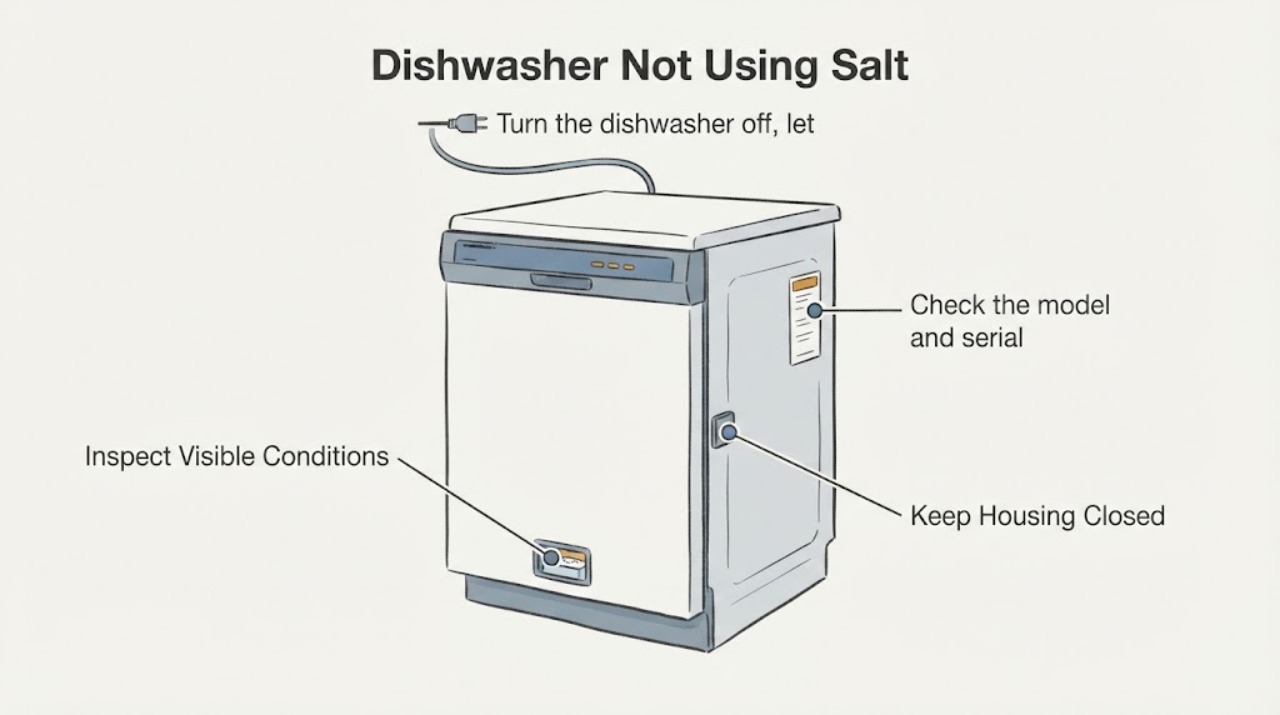
Work through in order
Diagnostic checks
Use only checks that match the exact appliance or system and its official guide.
-
Check 1
Turn the dishwasher off, let it cool, remove the lower rack and inspect the salt symbol and the salt reservoir under the rack. Do not open panels or reach into moving parts.
Expected result: The indicator shows low/empty, the reservoir is visibly low, or the reservoir is full while the indicator remains lit.
Next step: Refill only with the salt specified by the exact Hotpoint manual and reseat the cap; if the warning persists, record the model/serial and arrange model-specific support.
Why this matters
Why: A low or empty reservoir is a refill condition. A full reservoir with a persistent warning is model-specific and is not enough to diagnose the softener or sensor.
-
Check 2
Look at clean glassware and cutlery after a completed cycle and note whether the concern is cloudy glass, streaks, or no visible cleaning problem.
Expected result: Cloudy or streaky marks are present, or the dishes are clean without mineral marks.
Next step: Follow the exact model’s salt and water-hardness instructions; if marks continue after correct filling and settings, use Hotpoint service rather than ordering a dispenser or softener part by guesswork.
Why this matters
Why: Hotpoint identifies calcium deposits and salt/rinse-aid levels as possible contributors to cloudy or marked dishes. If there are no such results, a full reservoir is not evidence by itself that salt is not working.
-
Check 3
Check the model and serial label and retrieve the matching Hotpoint manual before changing hardness settings or selecting replacement parts.
Expected result: The model is readable, or the label is missing or unclear.
Next step: Use the model-specific Hotpoint manual or service route; do not transfer a salt setting, indicator interpretation or part fit from another dishwasher.
Why this matters
Why: A readable model allows the correct reservoir instructions and indicator behavior to be checked. An unclear label leaves model and region differences unresolved.
-
Check 4
If the appliance also fails to fill or empty, inspect only the accessible water connections: confirm the supply tap is open, look for kinked inlet or waste hoses, and check the base filter as the manual permits.
Expected result: The dishwasher retains water, cannot fill, has a leak, or the accessible hose/filter check does not resolve the cycle problem.
Next step: Stop using the dishwasher if it leaks or repeatedly fails to drain, isolate water from a safe position, and arrange qualified service with the model and observed symptoms.
Why this matters
Why: Hotpoint treats fill and drain faults as water-path problems that can prevent a cycle from proceeding; they do not prove a salt-dispenser fault.
Use your observations
Decision map
Find the observation that best matches what you see, then follow the next safe action.
-
PATH 01Next step
What you see
The salt symbol indicates low or empty and the reservoir is low.
Do this next
Refill according to the exact Hotpoint manual, tighten the cap, clean spilled salt and monitor the indicator on the next appropriate cycle.
Why this path and its safety boundary
Why it matters: The immediate issue is a refill condition, not proof of a failed salt mechanism.
-
PATH 02Next step
What you see
The reservoir is full but the salt symbol stays lit or the dishes continue to show cloudy or streaky marks.
Do this next
Recover the exact model and follow its manual; escalate to Hotpoint service if the warning or marks persist after the documented fill and setting checks.
Why this path and its safety boundary
Why it matters: The model-specific indicator, water-hardness setting or water-softening system needs confirmation; the public general pages do not identify a universal internal fault.
-
PATH 03Next step
What you see
The dishwasher also retains water, will not fill, leaks or repeatedly stops before completing a cycle.
Do this next
Stop if there is a leak or repeated water failure, isolate water safely and use the model-specific service route; do not diagnose the salt reservoir from this symptom.
Why this path and its safety boundary
Why it matters: This is a separate fill or drain symptom. Hotpoint states that the dishwasher must drain before filling and lists hose, sink-spigot and filter checks.
-
PATH 04Next step
What you see
The reservoir is full, the indicator is normal, and dishes show no cloudy or streaky mineral marks.
Do this next
Continue the documented maintenance schedule and keep the exact model manual available for the next refill or warning.
Why this path and its safety boundary
Why it matters: The supplied symptom does not demonstrate a fault; salt consumption is not established by visual reservoir level alone.
Helpful context
Understand the symptom
First identify what “not using salt” means
Check whether the complaint is that the salt reservoir still looks full, the salt symbol stays lit, or the dishes are showing cloudy or streaky marks. These observations are different: Hotpoint uses the salt symbol to indicate a low or empty reservoir, while cloudy glassware can be a sign of calcium deposits. A full reservoir by itself does not prove that a dispenser component has failed.
Inspect the reservoir and indicator safely
With the dishwasher off and cool, remove the lower rack and locate the salt reservoir beneath it. Check the cap is seated and look at the salt indicator described for your model. Hotpoint’s general care guidance says to unscrew the reservoir cap, fill it as directed, tighten the cap, and clean away spilled salt; use the model manual if the reservoir layout or filling method differs.
Use the manual for water hardness and settings
If the reservoir is full but the dishwasher continues to show a salt warning or the results remain marked, find the exact Hotpoint model and consult its manual for the water-hardness setting and indicator behavior. Hotpoint’s care guidance links salt use to limescale protection and directs model-specific reservoir and rinse-aid information to the product manual. Do not select a hardness level from a different model or region.
Separate salt symptoms from a filling or draining problem
If the dishwasher also will not fill or empty, treat that as a separate water-path issue. Hotpoint’s repair guidance says a dishwasher must drain before it fills and recommends checking the water taps, kinked pipes, waste hose, sink-spigot connection and base filter. Those checks do not establish that the salt dispenser is at fault; stop and use the model manual or service route if the machine leaks, retains water or repeatedly fails to complete a cycle.
When checks do not resolve it
Need a professional?
Safety scope: Do not open the dishwasher cabinet, bypass a water-softener or sensor, run repeated cycles with a leak, or order a model-specific part from a generic salt symptom.
Have this ready
- Provide the full model and serial numbers, region, the exact salt-symbol behavior, whether the reservoir was low or full, photos of any cloudy or streaky results, and any separate fill, drain or leak symptoms.
Common questions
FAQ
Where is the Hotpoint dishwasher salt reservoir?
Hotpoint’s general care guide says it is beneath the lower rack. Remove the rack, use the exact model instructions, and tighten the reservoir cap after filling. Layout and indicator details can vary by model.
What does the S symbol mean on a Hotpoint dishwasher?
Hotpoint’s symbol guide says the S-shaped salt indicator means the reservoir is almost empty when lit and empty when blinking. Confirm the icon and behavior against the exact model manual before assuming the dispenser has failed.
Can cloudy glasses be caused by not using dishwasher salt?
Hotpoint says cloudy or marked dishes can be associated with calcium deposits and recommends dishwasher salt to improve washing performance and protect against limescale. Persistent marks still require the exact model’s salt and water-hardness instructions.
Should I replace the salt dispenser because it seems full?
No. A full-looking reservoir does not identify a failed part. Check the indicator, model-specific instructions and actual dish results first; use Hotpoint service for a persistent warning or documented performance problem.
Read the exact guide
Official sources
- Hotpoint’s Dishwasher Care GuideHotpoint UK Appliances Limited · Opened the official Hotpoint UK dishwasher care guide. It covers unpleasant odors, filter and spray-arm cleaning, the salt reservoir beneath the lower rack, limescale protection and model-manual referral.
- Hotpoint’s Essential Guide to Dishwasher SymbolsHotpoint UK Appliances Limited · Opened the official Hotpoint UK symbol guide. It identifies the S-shaped salt indicator and distinguishes a lit low-salt indication from a blinking empty indication.
- Hotpoint kitchen mistakes to avoidHotpoint UK Appliances Limited · Opened the official Hotpoint UK page. It says dishwasher salt softens water, helps prevent limescale buildup and should be checked and refilled regularly, especially in hard-water areas.
- Hotpoint Service Dishwasher RepairHotpoint UK Appliances Limited · Opened the official Hotpoint UK dishwasher repair page. It gives general checks for fill, drain hose/filter installation and cloudy or white marks, and directs unresolved cases to Hotpoint service. It does not identify an internal salt component for an unidentified model.
Community feedback
Share a repair observation
Share a plain-text repair observation. Accepted observations are published automatically; this page may take a moment to update.