
On this page
Start here
Quick answer
Do not assign a meaning to a Hotpoint dishwasher code from the code alone. Record the exact characters, every flashing LED and its order, whether the display is horizontal or vertical, the appliance model or product code, and what the dishwasher was doing when the indication appeared. Hotpoint's official error page presents separate LED patterns and asks the owner to choose the interface arrangement; its support pages also separate integrated and slimline dishwashers. Use the exact manual or Hotpoint support entry for that model before attempting a reset or a user check. If the model guide identifies an accessible water-supply, drain, door, or filter check, isolate the appliance as directed and perform only that check; do not open the cabinet or infer a pump, valve, heater, sensor, or board failure. Stop immediately for water overflow, a leak near electrical parts, smoke, sparks, burning odor, a hot cord or socket, or repeated protective-device trips; close the water supply and disconnect power only when safe, then arrange authorized service. Without the exact model and indication, this page deliberately does not decode any particular error code.
Before you begin
Safety first
- The owner may preserve the indication, identify the model, follow the exact guide's accessible water, drain, door, or filter check, and use a documented reset once. Authorized service personnel must handle pumps, valves, heaters, sensors, boards, wiring, floats, anti-flood systems, cabinet access, and live diagnosis.
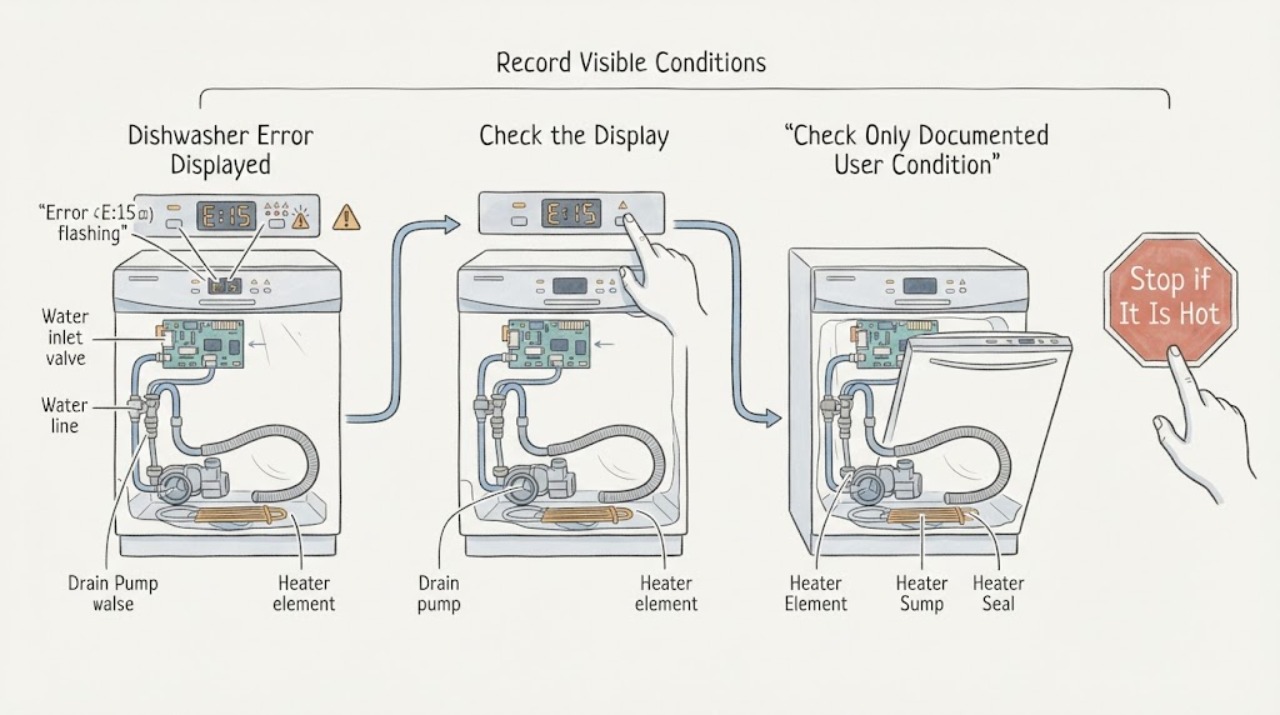
Work through in order
Diagnostic checks
Use only checks that match the exact appliance or system and its official guide.
-
Check 1
Before resetting or switching off, record the exact display characters, every flashing LED and its order, repetition pattern, interface orientation, alarm sound, and the cycle stage. Photograph the panel if possible.
Expected result: A complete alphanumeric code is visible; only LEDs flash; the pattern repeats; the interface orientation is unclear; or the indication disappears before it can be recorded.
Next step: Do not decode a partial indication. Preserve the photo or notes, then identify the model and use the matching support page or manual.
Stop if: Stop immediately for overflow, an active leak, water near electrical parts, smoke, sparks, burning odor, a hot cord or socket, or repeated protective-device trips.
Why this matters
Why: A complete code and interface pattern can be matched to the correct Hotpoint guide. A partial or disappearing indication cannot safely select a fault meaning and may be confused with another interface.
-
Check 2
Read the dishwasher rating plate or product information and record the exact model, Commercial Code, 12NC, or other product code. Confirm whether the appliance is integrated, semi-integrated, or slimline before opening the applicable Hotpoint support guide.
Expected result: The model and product code are clear; only a family name is known; the label is inaccessible; or the physical interface does not match the guide found.
Next step: Use Hotpoint's document and help portals with the exact code. If identity remains uncertain, stop at safe observation and request model-specific support rather than choosing a code meaning.
Stop if: Do not pull an integrated dishwasher out, remove trim or panels, or work around wet wiring to find a label.
Why this matters
Why: Exact identification allows the error table and user checks to be matched to the actual interface. A family name or mismatched panel is insufficient because the same-looking indication can be represented differently.
-
Check 3
After the exact guide identifies a user-level branch, inspect only the accessible condition it names: a fully open water tap and visible inlet hose, a visible drain or under-sink blockage, a door obstruction, or an accessible filter. Keep the dishwasher off and dry while examining it.
Expected result: The documented tap, hose, drain, door, or filter condition is abnormal; it is normal; or the guide points to an internal component or electrical circuit.
Next step: Correct only the documented accessible condition and record the result. For an internal pump, valve, heater, sensor, board, float, or wiring instruction, arrange authorized service.
Stop if: Do not access live wiring, remove the pump or heater, bypass a float or door interlock, or reach into standing water with power connected.
Why this matters
Why: A corrected accessible condition may clear a fill, drain, or door-related indication. A normal check or an internal-component instruction means the code has not been resolved at owner level; it does not justify replacing a part from the code alone.
-
Check 4
If and only if the exact Hotpoint guide permits a reset, perform that sequence once with the water and electrical conditions safe. Note whether the code clears, the dishwasher completes a cycle, drains, or returns to the same indication.
Expected result: The indication clears and the cycle completes; the indication returns immediately; water remains; the machine cannot start or drain; or the guide does not specify a reset.
Next step: Keep the code photo and cycle history. Use service for recurrence or any internal/electrical indication; do not repeat resets to suppress the alarm.
Stop if: Do not reset an active overflow, water leak, burning odor, repeated breaker trip, or wet electrical area, and do not use a reset to bypass a safety device.
Why this matters
Why: A one-time recovery after a documented correction may indicate a temporary control state. A recurrence, retained water, or an unspecified reset means the underlying condition remains unknown and needs model-specific service.
-
Check 5
If the model or code remains uncertain, the indication returns, a documented user check fails, or the guide names a pump, valve, heater, sensor, board, wiring, or anti-flood system, record the evidence and arrange authorized Hotpoint service.
Expected result: The fault clears after the documented check; it recurs; an internal component is named; the display is unreadable; or a water or electrical hazard is present.
Next step: Provide the technician with the exact code or LED pattern, model, cycle stage, water state, checks performed, and photographs. Keep the dishwasher off when the indication or hazard persists.
Stop if: Do not open panels, test live circuits, replace a board or pump, bypass an interlock or float, or run repeated cycles to reproduce the code.
Why this matters
Why: A cleared fault can be monitored according to the exact manual. Recurrence, unreadable identity, or an internal-component indication exceeds safe generic troubleshooting; a water or electrical hazard requires immediate isolation rather than further decoding.
Use your observations
Decision map
Find the observation that best matches what you see, then follow the next safe action.
-
PATH 01Safety boundary
What you see
The complete code or LED pattern, interface orientation, and exact Hotpoint model or product code are known and the matching guide is available.
Do this next
Follow the exact guide's documented user check, if any, and record the result. Do not transfer its meaning or button sequence to another model.
Why this path and its safety boundary
Why it matters: The indication can be interpreted within its proper model context; this is the only branch where a code-specific user check should be considered.
Safety stop: Use service if the guide names an internal part, the fault persists, or water or electrical risk is present.
-
PATH 02Safety boundary
What you see
Only flashing LEDs, an incomplete code, an unclear interface orientation, or a family name without an exact model is available.
Do this next
Photograph the pattern, locate the model or product code without dismantling the appliance, and use Hotpoint's exact manual/support lookup. If identity cannot be established, arrange support without further testing.
Why this path and its safety boundary
Why it matters: No reliable code meaning or component diagnosis can be assigned; Hotpoint's own page provides alternative LED layouts and model-specific support paths.
Safety stop: Do not guess from another Hotpoint code table, press undocumented reset combinations, or open the control panel.
-
PATH 03Safety boundary
What you see
The exact guide links the indication to a visible water-supply, inlet-hose, drain, under-sink, door, or user-accessible filter check, and no hazard is present.
Do this next
Isolate the appliance as the manual directs, correct only the named accessible condition, and perform at most the guide-approved verification.
Why this path and its safety boundary
Why it matters: A simple external condition may be preventing the dishwasher from completing the related operation, but it is not proof of a failed valve, pump, or control board.
Safety stop: Stop if water remains, the hose is damaged, the dishwasher must be moved, or the check reaches a pump, wiring, float, or sealed cabinet area.
-
PATH 04Safety boundary
What you see
The exact guide identifies a pump, fill valve, heater, thermostat or sensor, board, communication, anti-flood, or other internal/electrical condition, or the indication returns after the permitted external check.
Do this next
Keep the water supply and appliance off as appropriate and arrange authorized Hotpoint service with the code, interface pattern, model, and cycle history.
Why this path and its safety boundary
Why it matters: The dishwasher needs model-specific technical diagnosis; the display narrows a system family but does not establish a safe part replacement for an unidentified model.
Safety stop: Do not remove panels, probe connectors, replace parts, bypass an interlock or anti-flood device, or perform live tests.
-
PATH 05Safety boundary
What you see
The error is accompanied by uncontrolled filling, overflow, a leak near electrical parts, smoke, sparks, burning odor, a hot or damaged cord or socket, or repeated protective-device trips.
Do this next
Stop the cycle, close the water supply, and disconnect power only when safe from a dry position. Keep the dishwasher out of service and obtain authorized appliance or qualified electrical help.
Why this path and its safety boundary
Why it matters: Safety takes priority over decoding; continued operation can increase water damage, shock, or fire risk.
Safety stop: Do not reconnect to reproduce the indication, reset protection repeatedly, touch wet electrical parts, or use the dishwasher until the hazard is assessed.
Helpful context
Understand the symptom
An error display is evidence, not a diagnosis
A number, letter, flashing lamp, or alarm is a model's way of identifying a condition; it is not enough to name a failed part without the exact interface and manual. Hotpoint's error page lists multiple dishwasher fault families and also asks owners to match the LED arrangement. Do not copy an F-code meaning from another Hotpoint page, another interface, or another appliance. Preserve the original display before switching anything off.
Capture the complete indication
Photograph or write down every visible character, the order of flashing lights, whether the pattern repeats, and whether the display is horizontal or vertical. Record whether the dishwasher was filling, washing, heating, draining, or idle, and whether water is standing in the tub or on the floor. A partial code or a single flashing light can select the wrong branch, while an active leak changes the priority from decoding to making the appliance safe.
Find the model before following a remedy
Locate the rating plate or product information and retrieve the matching manual or support article. Hotpoint's official help area distinguishes integrated and slimline dishwashers, and its document portal requests a Commercial Code or 12NC. Keep the model and product code with the indication. If the code cannot be found, use Hotpoint support to identify the appliance instead of guessing from a similar-looking control panel.
Perform only the guide's accessible check
Once the exact manual maps the indication, follow only the user-level check it specifies. Depending on the identified model and indication, that may be a visible water tap, a kinked hose, accessible drain or under-sink plumbing, a door closure, or a user-accessible filter. Do one check at a time and record the result. Do not infer that a water, temperature, pump, sensor, or board label authorizes cabinet access or part replacement; the official error page sends persistent faults to service.
Reset only when the exact model says to
Some Hotpoint fault guidance may permit a documented power-off, reset, or correction, while other conditions call for an engineer. A generic reset can leave water in the appliance, mask a recurring fault, or re-energize a leak. If the indication returns, the dishwasher cannot drain or fill, the door will not close, or the display identifies an electronic, heater, pump, or sensor issue, stop at the external checks and arrange authorized service. Never test live wiring or bypass a float, interlock, or anti-flood device.
Safety boundary
Stop conditions
- Stop the cycle and close the water supply for uncontrolled filling, overflow, or an active leak; disconnect mains only when safe from a dry position.
- Do not repeatedly reset a code, protective device, float, interlock, or anti-flood system, and do not run cycles to reproduce an active leak or electrical fault.
- Do not assign a code meaning without the exact model, product code, complete display or LED pattern, and interface arrangement; do not combine Hotpoint tables across models.
- Do not remove panels, probe live wiring, replace pumps, valves, heaters, sensors, boards, or seals, or move an integrated dishwasher to reach concealed parts.
- Use the exact Hotpoint manual for every button sequence, filter access, water or drain check, error meaning, and reset; if the manual is unavailable, use the official model lookup or service path.
When checks do not resolve it
Need a professional?
Arrange authorized Hotpoint dishwasher service when the exact model and indication cannot be identified, the code or LED pattern returns after the guide-approved external check, the guide names a pump, valve, heater, sensor, board, wiring, or anti-flood system, water remains, or the dishwasher cannot fill, drain, or close correctly. Stop immediately for uncontrolled filling, overflow, a leak near electrical parts, smoke, sparks, burning odor, a hot or damaged cord or socket, or repeated protective-device trips; close the water supply and disconnect power only when safe, then obtain qualified help. The owner may record the complete indication, identify the model, follow an exact manual's accessible water, drain, door, or filter check, and perform a documented reset once. Internal component work, cabinet access, bypassing safety devices, and live testing require an authorized service agent.
Safety scope: The owner may preserve the indication, identify the model, follow the exact guide's accessible water, drain, door, or filter check, and use a documented reset once. Authorized service personnel must handle pumps, valves, heaters, sensors, boards, wiring, floats, anti-flood systems, cabinet access, and live diagnosis.
Common questions
FAQ
Can I look up a Hotpoint dishwasher error without the model?
Do not rely on a generic code meaning. Record the complete code or all flashing LEDs and their order, then identify the exact model or product code. Hotpoint's official error page uses interface-specific patterns, and its document portal requests a Commercial Code or 12NC.
Why does the same-looking Hotpoint dishwasher light pattern need an interface check?
Hotpoint's official error page presents alternative horizontal and vertical LED arrangements and asks the owner to select the matching layout. A partial pattern or wrong orientation can lead to the wrong interpretation, so photograph the full panel and use the exact model guide.
Can I reset a Hotpoint dishwasher when an error is displayed?
Only if the exact model manual or support page documents that reset and no water or electrical hazard is present. Perform it once, record whether the indication returns, and do not use repeated resets to mask a leak, overflow, retained water, or internal fault.
What should I do if a Hotpoint dishwasher error is related to water?
If the exact guide names an accessible tap, inlet hose, drain, under-sink, door, or filter check, isolate the appliance as directed and perform only that check. For uncontrolled filling, overflow, a leak near electrical parts, or a persistent indication, close the water supply, disconnect power only when safe, and arrange authorized service.
When does a Hotpoint dishwasher error require an engineer?
Use service when the model or indication remains unknown, the code returns after the documented external check, the guide names a pump, valve, heater, sensor, board, wiring, or anti-flood system, or the machine cannot fill or drain. Stop immediately for smoke, sparks, burning odor, water near electrical parts, a hot cord or socket, or repeated protective-device trips.
Read the exact guide
Official sources
- Hotpoint Service Help and Advice - HotpointHotpoint UK · Opened official Hotpoint help page; used to direct model-specific dishwasher support and authorized repair rather than infer a code meaning.
- Hotpoint DocsHotpoint / Whirlpool document portal · Opened official Hotpoint document portal; used only for exact product identification before applying a manual or code table.
- Hotpoint Dishwasher Error CodesHotpoint UK · Opened official Hotpoint dishwasher error page; it demonstrates code- and interface-specific meanings and is used without assigning any particular code to this unidentified task.
Community feedback
Share a repair observation
Share a plain-text repair observation. Accepted observations are published automatically; this page may take a moment to update.