
On this page
Start here
Quick answer
First confirm whether the drum is actually stationary or only the program dial is not moving. Hotpoint says that on certain dryer models the programmer dial does not rotate and progress lights show the status. If the drum itself is not rotating, record the exact model, cycle, display or flashing lights, and whether the motor is silent, humming, or stopping; do not assume a belt, motor, capacitor, or control has failed. With the dryer switched off, unplugged, and cool, remove only an accessible item obstructing the drum opening and keep the fluff filter clean as Hotpoint directs. Do not open guarded panels, reach into the drive area, or repeatedly run a stalled drum. Leave the dryer unplugged and arrange Hotpoint service if the drum remains stopped, rotation is intermittent, the appliance makes abnormal noise, or there is a burning smell, smoke, heat, or visible electrical damage.
Before you begin
Safety first
- Unplug before inspection or repair. Do not open guarded panels, perform live tests, bypass safety devices, repeatedly run a stalled drum, or order an unverified part. Use qualified service for internal drive or electrical diagnosis.
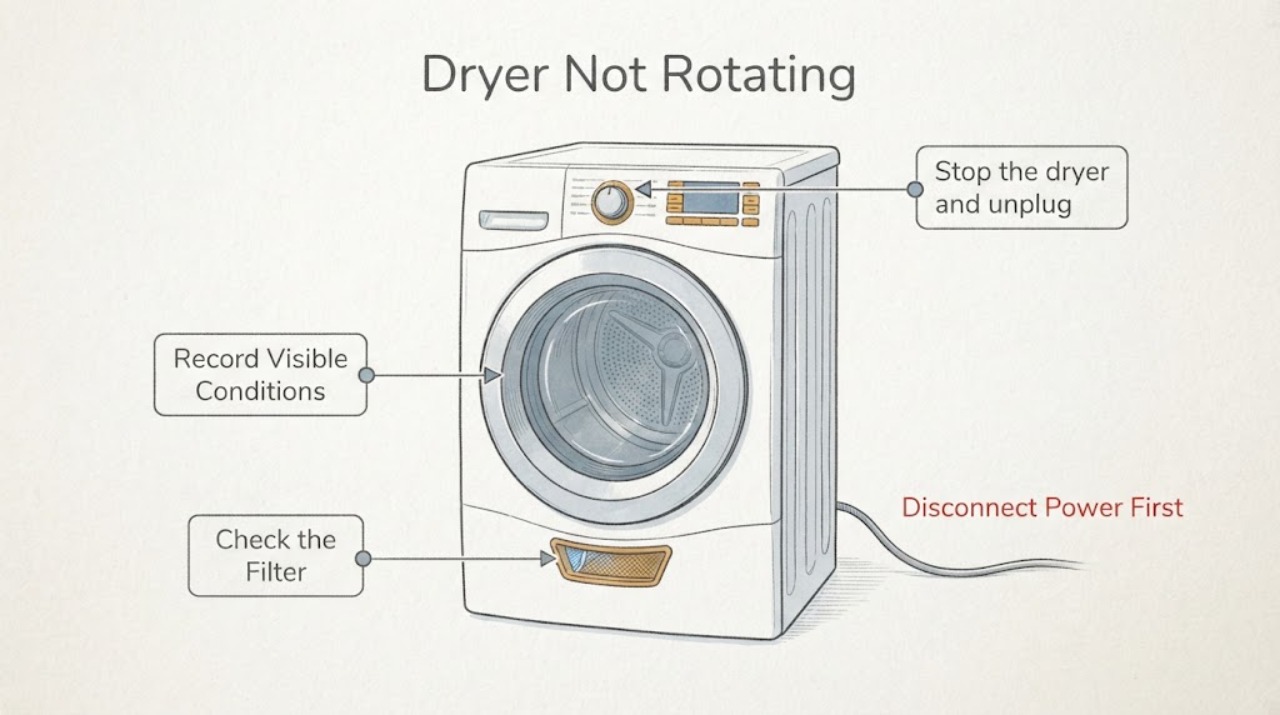
Work through in order
Diagnostic checks
Use only checks that match the exact appliance or system and its official guide.
-
Check 1
Stop the dryer and unplug it before any physical inspection. If there is smoke, a burning smell, a hot or damaged cord or receptacle, melted material, sparking, or an unusually hot cabinet, keep it out of service and do not run another cycle.
Expected result: No hazard sign is present, or smoke, heat, odor, sparking, or visible electrical damage is present.
Next step: For any hazard sign, keep the dryer unplugged and arrange qualified appliance service; use emergency assistance for active smoke or flame. Do not open panels or repeatedly reset and retry.
Why this matters
Why: A stalled or noisy drive can become a heat or fire concern, and a live cabinet or damaged connection is not a user troubleshooting point.
-
Check 2
Watch the drum during a permitted, normal start only if there is no hazard, and separately note whether the program dial moves. Record the full model or 12NC, cycle, display text, flashing-light pattern, and whether the drum is silent, hums, starts intermittently, or never moves; do not keep restarting a stalled drum.
Expected result: Only the dial is stationary while the drum tumbles, or the drum itself is stationary or intermittent.
Next step: If only the dial is stationary and the drum works, use the matched manual for the indicator sequence. If the drum is stationary or intermittent, switch off, unplug, and continue with external checks and service handoff rather than guessing a drive part.
Why this matters
Why: Hotpoint says that certain models use progress lights instead of a rotating programmer dial. A stationary or intermittent drum is a different symptom and cannot be explained by that normal dial behavior.
-
Check 3
With the dryer unplugged and cool, look through the door opening for clothing, a foreign object, or material visibly wedged against the drum or seal. Remove only what is plainly accessible without tools, then clean the accessible fluff filter as Hotpoint directs; do not remove guarded panels or reach behind the drum.
Expected result: An accessible obstruction or heavy fluff buildup is present, or the drum opening and filter look clear.
Next step: Remove the visible obstruction and refit the filter correctly before one manual-supported check. If the drum remains stopped, keep the dryer unplugged and arrange service; do not inspect a belt, motor, or capacitor through the cabinet.
Why this matters
Why: A visible obstruction can stop or load the drum, while Hotpoint identifies regular filter cleaning as part of safe dryer care. A clear opening does not prove the internal drive system is sound.
-
Check 4
Check the load and installation externally: do not overfill the drum, and for a vented model look for a visibly crushed or blocked vent hose. For a condenser model, use the exact manual for the water container and condenser care; do not infer a rotation fault from a full container alone.
Expected result: The load is tightly packed, the visible vent is crushed or blocked, or the external load and vent path appear normal.
Next step: Correct only the visible load or vent condition allowed by the matched manual. If the drum still does not rotate, stop using the appliance and request service instead of opening the cabinet.
Why this matters
Why: Hotpoint says overfilling can impair performance and that a vent hose should not be blocked or crushed. These conditions may affect operation, but they do not identify a failed drive component.
-
Check 5
Prepare a service handoff with the model or 12NC, drum-versus-dial observation, exact display or light sequence, cycle and load, sound or odor, filter/vent observations, and any recent installation or repair. Do not order a belt, motor, capacitor, or control from the symptom alone.
Expected result: The drum remains stopped or intermittent after safe external checks, the motor hums or makes abnormal noise, the exact code cannot be matched, or the problem returns.
Next step: Leave the dryer unplugged and arrange qualified Hotpoint service. Do not run repeated tests, open the cabinet, defeat a safety device, or perform live electrical measurements.
Why this matters
Why: The remaining possibilities include an internal drive, motor, control, safety, or installation issue. The no-model symptom cannot select a compatible part or safe internal procedure.
Use your observations
Decision map
Find the observation that best matches what you see, then follow the next safe action.
-
PATH 01Next step
What you see
The program dial does not move, but the drum tumbles and the progress lights operate.
Do this next
Check the exact model manual for the indicator sequence and continue only if the dryer otherwise operates normally; do not replace a drive part for the dial behavior alone.
Why this path and its safety boundary
Why it matters: Hotpoint documents that certain models use progress lights rather than a rotating programmer dial.
-
PATH 02Next step
What you see
The drum is stationary or intermittent while the controls appear to run, or it only hums and stops.
Do this next
Switch off, unplug, and arrange Hotpoint service. Do not keep restarting the drum or open the cabinet to inspect live or guarded components.
Why this path and its safety boundary
Why it matters: The actual drum-rotation symptom remains unresolved; it does not prove a belt, motor, capacitor, or control failure without the exact model and safe service diagnosis.
-
PATH 03Next step
What you see
A visible item is wedged at the door or drum opening, the filter is heavily blocked, the load is tightly packed, or a vent hose is visibly crushed.
Do this next
With power disconnected and the dryer cool, correct only the visible condition allowed by the manual. Stop and request service if the drum remains stopped or the issue returns.
Why this path and its safety boundary
Why it matters: A user-visible obstruction, maintenance issue, load condition, or vent restriction may be affecting operation, but it does not identify an internal drive part.
-
PATH 04Next step
What you see
Smoke, burning smell, sparking, a hot or damaged connection, melted material, or repeated abnormal noise is present.
Do this next
Keep the dryer unplugged, move people away from an active hazard, and obtain qualified service or emergency help for smoke or flame. Do not open the cabinet or bypass protection.
Why this path and its safety boundary
Why it matters: The symptom has a fire, electrical, or mechanical safety priority and is not suitable for repeated user tests.
Helpful context
Understand the symptom
A stationary dial is not always a stationary drum
Hotpoint's tumble-dryer repair guidance says that on certain models the programmer dial does not rotate and progress lights indicate status. Check the drum itself and the complete display before treating the symptom as a mechanical failure. The task has no model or code, so an F-code, belt, motor, capacitor, or control diagnosis cannot be transferred from another Hotpoint family.
Use an unplugged, external check before service
Hotpoint says to unplug before repairs or replacements and recommends the user manual for model-specific care. With the dryer cool and disconnected, check only the visible drum opening, door area, load, and fluff filter. A drum that remains stopped after those checks needs qualified service rather than a guessed part or a cabinet-open test.
When checks do not resolve it
Need a professional?
Arrange qualified Hotpoint service when the drum remains stopped or intermittent after the model-supported external checks, the machine hums or makes abnormal noise, any burning smell/smoke/heat or visible electrical damage is present, or the exact model and display pattern cannot be matched. Keep the dryer unplugged until assessed.
Safety scope: Unplug before inspection or repair. Do not open guarded panels, perform live tests, bypass safety devices, repeatedly run a stalled drum, or order an unverified part. Use qualified service for internal drive or electrical diagnosis.
Have this ready
- Full model or 12NC, drum-versus-dial observation, exact display/LED sequence, cycle and load, whether the motor is silent or humming, abnormal noise or odor, filter/vent observations, and recent installation or repair.
Common questions
FAQ
Is a Hotpoint dryer programmer dial supposed to rotate?
Not on every model. Hotpoint says that certain dryers use progress indicator lights instead of a rotating programmer dial. Check whether the drum is actually tumbling before treating a stationary dial as a drum fault.
Does a stopped drum prove the belt or motor failed?
No. The task has no model or complete code, and the symptom can involve different internal or installation conditions. Unplug the dryer, record the exact behavior, and arrange service rather than opening the cabinet or ordering a part from the symptom alone.
What should I do if the dryer hums but the drum does not turn?
Stop the cycle and unplug the dryer. A hum with a stationary or intermittent drum is not cleared by repeatedly restarting it; provide the model and sound sequence to qualified Hotpoint service and do not perform live tests.
Read the exact guide
Official sources
- Hotpoint Service Tumble Dryer RepairHotpoint · The opened official page covers Hotpoint tumble dryers and supports the distinction between a non-rotating programmer dial and drum rotation, filter care, model-manual lookup, and service escalation. It does not identify a universal internal drive part for the unspecified task.
- Tumble Dryer Troubleshooting - Quick Fixes & TipsHotpoint · The opened official troubleshooting page supports unplugging before repairs/replacements, visible drum/filter/vent/load checks, and professional help. Its generic possible causes are not used to diagnose a part in this no-model article.
- Get Hotpoint Appliance ManualsHotpoint · The opened official manual portal states that the first five model digits or 12NC locate the matching manual. It supports the article's model-identification boundary, not an unseen repair procedure.
- Hotpoint Tumble Dryer Error CodesHotpoint · The opened official page lists Hotpoint tumble-dryer error entries and directs users to service for unresolved faults. Its F02 entry contains mixed wording referring to a wash cycle, so it is used only to reinforce the need for the exact model/code and not as a universal no-rotation diagnosis.
Community feedback
Share a repair observation
Share a plain-text repair observation. Accepted observations are published automatically; this page may take a moment to update.