
On this page
Start here
Quick answer
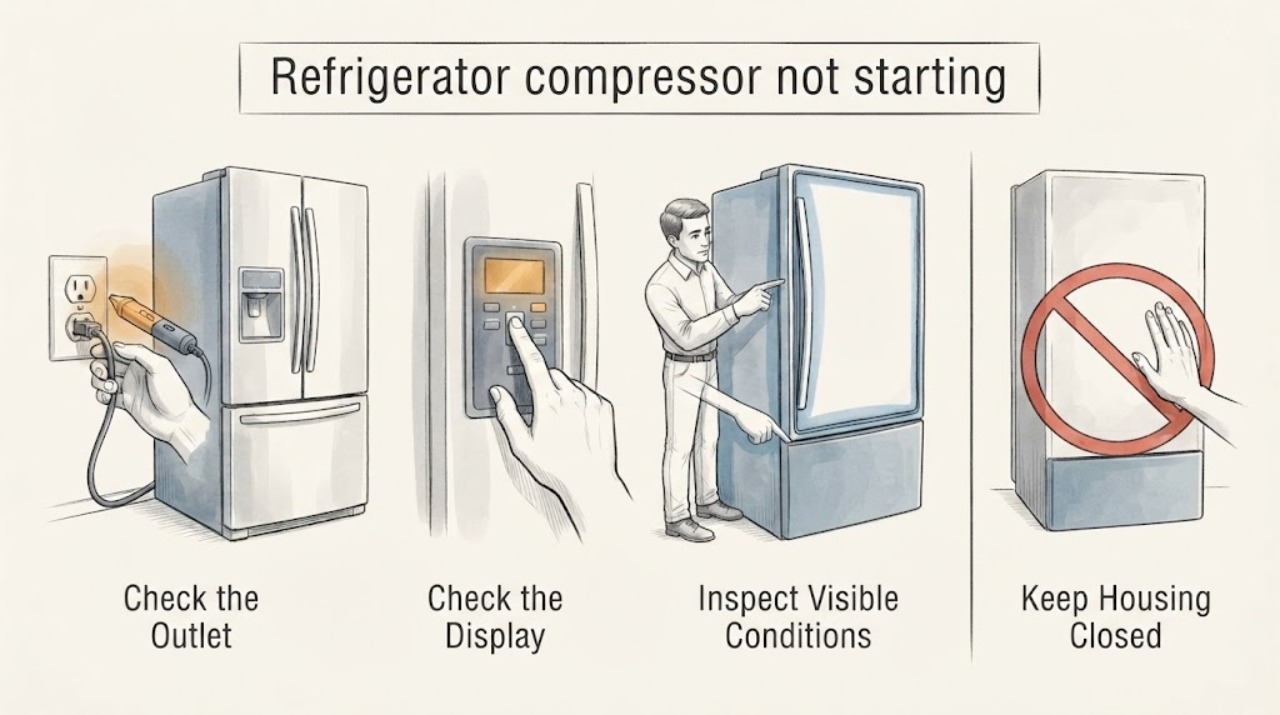
A Hotpoint refrigerator that appears to have a compressor that is not starting may be in a normal defrost period, have no usable power, have its controls turned off, or be in a model-specific demo or diagnostic mode; the symptom alone does not prove a failed compressor. Check the interior light and plug or outlet only from a dry, safe position, confirm the temperature controls, and check the exact model manual for modes and installation requirements. Also inspect the door seal, blocked airflow, ambient conditions, and any recent power interruption without opening the sealed system or cabinet. If the refrigerator remains warm and the compressor still does not run after those external checks, arrange Hotpoint/qualified appliance service and provide the exact model and observed sequence. Do not replace a start relay or compressor, open the refrigerant circuit, or perform live electrical testing from this symptom alone.
Before you begin
Safety first
- Keep user checks to safe external power observation, control settings, model-manual lookup, defrost or power-event timing, door/gasket/airflow/clearance observation, and service documentation. Do not open the cabinet or sealed refrigerant circuit, bypass a start device, perform live electrical measurements, or handle a hot, wet, sparking, or damaged connection.
Work through in order
Diagnostic checks
Use only checks that match the exact appliance or system and its official guide.
-
Check 1
From a dry, safe position, check whether the fresh-food interior light works and whether the refrigerator plug is seated in its outlet; do not remove panels or touch a hot, wet, sparking, or damaged electrical connection.
Expected result: The interior light is off, or the light works while the compressor appears silent.
Next step: If the light is off and the connection is safe, confirm the household outlet and breaker through normal external checks and arrange electrical/appliance help if power is unavailable. If the light works, continue to controls and temporary-state checks.
Stop if: Do not pull a damaged plug or perform live tests; leave the refrigerator in a safe state and arrange qualified service.
Why this matters
Why: GE Appliances says no interior light may indicate no power to the refrigerator, while a working light means the controls and operating state need checking next. A light alone cannot prove that the compressor has failed.
-
Check 2
Check the temperature controls and the exact Hotpoint model manual for an off setting, demo mode, diagnostic mode, or model-specific control sequence; make only normal user-interface changes described by that manual.
Expected result: The controls were off, the appliance is in a demo or diagnostic mode, or the controls are set normally with the refrigerator still warm.
Next step: Restore only the documented user setting or exit mode according to the exact Hotpoint manual. Do not use an unverified reset sequence or infer one model's controls for another.
Stop if: Continue with defrost/power-event and external cooling checks; if the model manual is unavailable, record the model rather than guessing the mode.
Why this matters
Why: GE Appliances lists accidentally disabled controls and demo mode among reasons a refrigerator may seem not to run, and says a post-service diagnostic mode can affect cooling. A normal setting does not prove a compressor fault.
-
Check 3
Consider whether the silence began during a normal defrost period or immediately after a brief outage, unplugging, or a power interruption; observe the refrigerator without repeatedly cycling power.
Expected result: The symptom coincided with a defrost period or recent power interruption, or the refrigerator remains silent and warm well beyond that event.
Next step: Allow the model's normal operation to resume without forcing a restart, then check whether cooling returns. If the unit remains warm or the symptom repeats, document the timing for service.
Stop if: Treat the compressor-not-starting report as unresolved and continue only with external checks; do not conclude that the sealed system or compressor is defective.
Why this matters
Why: GE Appliances says the compressor and fans do not run during defrost and that the compressor overload may cycle after a short outage until the refrigerant system equalizes. It explicitly says there is no need to cycle power for that automatic protection behavior.
-
Check 4
Inspect the refrigerator externally for a setpoint that is too warm, a door or gasket that does not close, tall containers blocking cold-air flow, an installation area outside the model's allowed range, inadequate clearance, or an interior light that stays on when the door closes.
Expected result: A door does not seal, airflow is blocked, the light remains on, the installation is unusually hot or cold, or the manual's clearance requirement is not met; or these external conditions are normal.
Next step: Correct only the external placement, door obstruction, setpoint, or loading issue covered by the exact Hotpoint manual, and monitor temperature. Do not remove sealed-system covers or parts.
Stop if: If the refrigerator remains warm with normal external conditions, proceed to model-specific professional service rather than guessing a compressor or relay part.
Why this matters
Why: GE Appliances identifies these conditions as factors that can affect cooling even when the underlying cooling system is not diagnosed. They do not confirm a compressor failure and the clearance requirement varies by model.
-
Check 5
Record the exact Hotpoint model, whether lights and controls work, the last known cooling time, any outage or service event, measured cabinet temperatures, and any smell, heat, leak, or electrical warning before arranging service.
Expected result: The refrigerator remains warm and the compressor still appears not to start after safe external checks, or any electrical/refrigerant warning is present.
Next step: Arrange Hotpoint/certified or qualified appliance service. Leave the unit plugged in only when the appliance and connection are safe and the technician's guidance calls for preserving the symptom; isolate it and obtain qualified help for smoke, burning smell, sparking, heat, damage, or water at the electrical connection.
Stop if: Continue monitoring only if the refrigerator is cooling normally and no warning remains; stop if the no-start symptom returns with worsening temperature.
Why this matters
Why: GE Appliances directs owners to service when the listed suggestions do not resolve a no-cool condition and uses the observed plugged-in symptom to help the technician diagnose it. The evidence supports service escalation, not a compressor diagnosis or part selection.
Use your observations
Decision map
Find the observation that best matches what you see, then follow the next safe action.
-
PATH 01Next step
What you see
The interior light is off and the plug, outlet, or breaker cannot be confirmed safe and powered.
Do this next
Do only safe external power checks. Do not touch hot, wet, sparking, or damaged electrical parts; obtain qualified electrical or appliance help if power cannot be safely restored.
Why this path and its safety boundary
Why it matters: GE Appliances treats the lack of interior light as a possible power problem; this is not evidence of a failed compressor.
-
PATH 02Next step
What you see
The light works, but the controls are off, the exact model is in demo/diagnostic mode, or the model manual shows a user setting that prevents cooling.
Do this next
Use only the matching model manual's user-interface instructions to restore the documented setting; do not apply a guessed reset sequence or replace a control part.
Why this path and its safety boundary
Why it matters: The appliance may be intentionally prevented from cooling or running, and the control state must be interpreted for the exact Hotpoint model.
-
PATH 03Next step
What you see
Silence began during defrost or shortly after a brief power interruption and cooling returns once the automatic state ends.
Do this next
Do not repeatedly cycle power. Monitor the refrigerator and record the event if it recurs; arrange service if cooling does not return or the symptom becomes persistent.
Why this path and its safety boundary
Why it matters: GE Appliances identifies defrost and compressor-overload equalization as temporary states that can make the refrigerator seem to stop.
-
PATH 04Next step
What you see
The refrigerator has normal power and controls but remains warm after the external door, airflow, clearance, installation, and model-manual checks.
Do this next
Keep the exact model and observed sequence for Hotpoint/certified or qualified service. Do not open the sealed system, perform live tests, bypass a start device, or order a guessed part.
Why this path and its safety boundary
Why it matters: The opened guidance supports service escalation, but it does not establish that the compressor itself, its relay, or the sealed system is defective.
-
PATH 05Next step
What you see
There is smoke, burning smell, sparking, a hot or damaged electrical connection, water at the electrical connection, or suspected refrigerant-system damage.
Do this next
Stop using the refrigerator from a safe position and obtain qualified electrical/appliance service. Do not restore power, open the cabinet or sealed system, or handle a damaged connection.
Why this path and its safety boundary
Why it matters: The situation has exceeded safe user troubleshooting and requires qualified assessment; a non-starting compressor cannot be confirmed from these signs.
Helpful context
Understand the symptom
A refrigerator that seems silent is not automatically a failed compressor. GE Appliances' opened support guidance says the compressor and fans can be off during defrost, and a short power interruption can make the overload cycle while the refrigerant system equalizes. It also lists power, controls, and demo mode before repair. These are general refrigerator checks; the exact Hotpoint model manual controls the model-specific mode names and operating details.
Keep the checks external. Do not remove the rear cover, open the sealed refrigerant system, bridge a relay, or take live measurements. A Hotpoint owner-center page identifies Hotpoint refrigerators by model and provides the matching manual and certified service route, so record the model from the rating label if it can be read safely.
If the cabinet is warm, protect food using your local food-safety guidance while you investigate. If there is a burning smell, smoke, sparking, a hot or damaged plug, or water at the electrical connection, stop and obtain qualified help rather than leaving the unit powered for diagnosis.
When checks do not resolve it
Need a professional?
Use the exact Hotpoint model and arrange qualified service for persistent no-cool/no-start symptoms after external checks. Preserve the plugged-in symptom only when the appliance and electrical connection are safe and service guidance calls for it.
Safety scope: Keep user checks to safe external power observation, control settings, model-manual lookup, defrost or power-event timing, door/gasket/airflow/clearance observation, and service documentation. Do not open the cabinet or sealed refrigerant circuit, bypass a start device, perform live electrical measurements, or handle a hot, wet, sparking, or damaged connection.
Common questions
FAQ
Does a silent Hotpoint refrigerator prove the compressor has failed?
No. The opened GE Appliances guidance says compressors and fans can be off during defrost, and an overload can cycle after a short power interruption. Check power, controls, demo mode, and external cooling conditions before arranging service; do not select a compressor part from silence alone.
Should I keep cycling the power to make the compressor start?
No. GE Appliances says the power-outage overload behavior is automatic and that there is no need to cycle power for the refrigerant system to equalize. Use only model-documented user controls and stop if the connection is unsafe.
What should I give the Hotpoint technician?
Provide the exact model, whether the interior light and controls work, when cooling stopped, any outage or service event, external temperature and door/airflow observations, and any smell, heat, leak, or electrical warning. Hotpoint owner-center pages provide the model-specific manual and certified GE service route.
Read the exact guide
Official sources
- Refrigerator - Does Not Run or CoolGE Appliances · Opened the official GE Appliances support article. It is used for general refrigerator external checks and temporary operating states; it does not identify a Hotpoint compressor failure or establish a part fit. The exact Hotpoint model manual remains controlling.
- Refrigerator - Not Cooling EnoughGE Appliances · Opened the official GE Appliances troubleshooting article. It covers control settings, installation stabilization, door/gasket closure, airflow, model-specific condenser cleaning, ambient conditions, clearance, interior light behavior, and service. It is used only for general external checks, not for a Hotpoint compressor or sealed-system diagnosis.
- Hotpoint HTR16ABSRBB Hotpoint® 15.6 Cu. Ft. Top-Freezer RefrigeratorGE Appliances / Hotpoint · Opened the official Hotpoint product owner-center page. It identifies the page as a Hotpoint refrigerator, links the owner manual and installation literature for the exact model, and states that Hotpoint appliances are serviced by certified GE technicians. It is not used to generalize this example model's construction or parts to the unmodeled task.
Community feedback
Share a repair observation
Share a plain-text repair observation. Accepted observations are published automatically; this page may take a moment to update.