
On this page
Start here
Quick answer
First observe exactly when the Hotpoint refrigerator light flickers: only as the door moves, continuously while the door is open, after the door closes, or together with the display, alarm, compressor, or other power. Hotpoint's official support separates freestanding and integrated refrigerator families and provides model-specific manuals and repair videos, including a fridge-lamp-bulb procedure; its lamp-parts catalogue also lists both bulbs and LED assemblies and requires the model or industrial code to check fit. Record the exact model before touching the lamp. If the exact manual permits a bulb change, isolate power and follow that procedure with only the specified part. Check the door, gasket, shelves, food, and—on an integrated model—the décor door from outside, because incomplete closure can keep a door-controlled light on or alter its trigger. If flicker persists, the light is a sealed LED system, the display or cooling changes too, or there is a hot socket, burning smell, smoke, sparking, damaged cord, water near electricity, or repeated breaker trip, stop using the appliance and arrange qualified Hotpoint service. Do not probe the socket, bypass a door switch, remove panels, or perform live electrical tests.
Before you begin
Safety first
- This article covers symptom classification, model identification, external door and décor-panel observation, and only the exact manual's power-isolated bulb procedure. LED modules, sockets, switches, sensors, controls, wiring, outlets, panels, and live tests require qualified service.
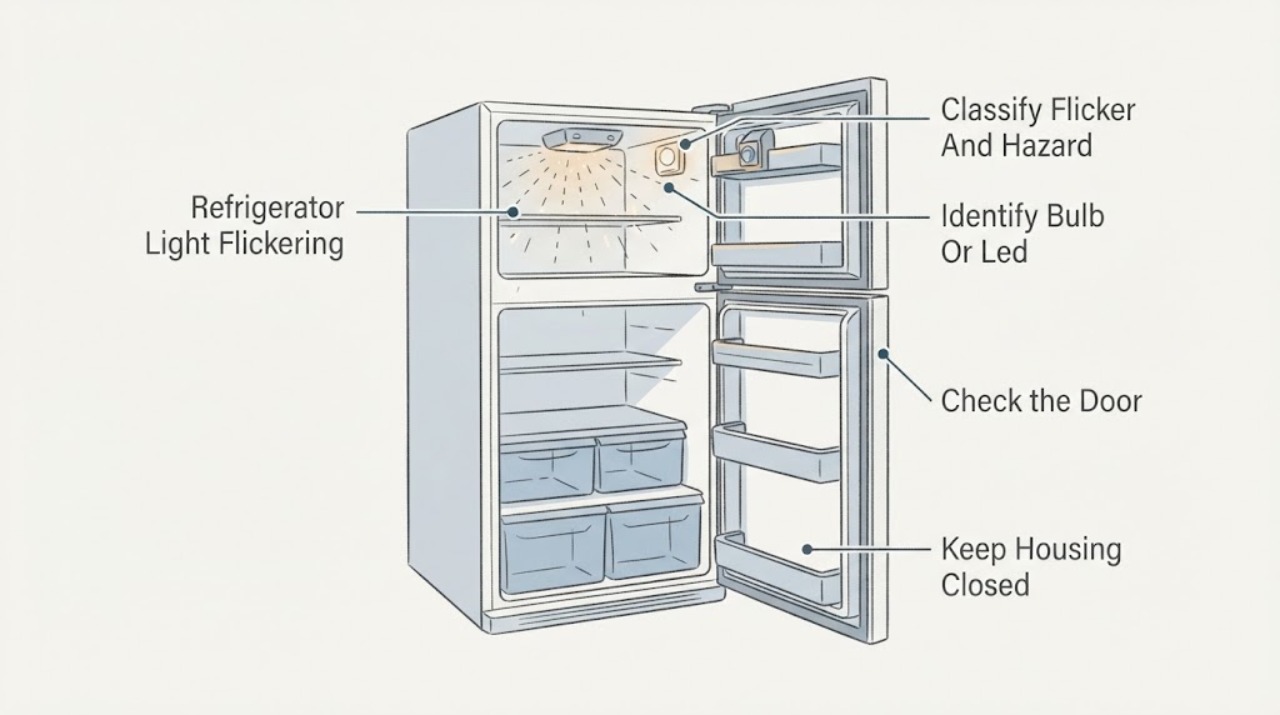
Work through in order
Diagnostic checks
Use only checks that match the exact appliance or system and its official guide.
-
Check 1
Observe the light from a safe position without touching the lamp or socket. Note whether it flickers only while the door is moving, while the door is open, after the door closes, when the compressor starts, or at all times. Check whether the display, alarms, refrigerator cooling, outlet, cord, or other lights change at the same moment.
Expected result: Only the lamp flickers with door movement, the lamp goes out after a door-position change, the display or cooling also flickers, or heat, burning smell, smoke, sparks, water, or a breaker trip is present.
Next step: For a lamp-only non-hazard symptom, record the model and continue with the light-type and door checks. For a whole-appliance or hazardous symptom, stop use, isolate power from a dry safe position, and arrange service.
Stop if: Do not touch a hot or damaged lamp, socket, cord, or wet area; do not restart after smoke, burning odor, sparks, or repeated breaker trips.
Why this matters
Why: A door-linked lamp-only symptom is more consistent with the lamp, door trigger, or door alignment; a synchronized whole-appliance fluctuation points toward supply, control, or wiring. Heat, smoke, burning, water near electricity, and breaker trips are immediate safety stops.
-
Check 2
Find the complete Hotpoint model or industrial code and use the matching official manual or maintenance route to determine whether the interior light is a replaceable bulb, a lamp cover assembly, or a model-specific LED system. Do not remove the cover unless the exact instructions document it as an accessible user step, and do not choose a replacement by shape alone.
Expected result: The exact support route shows a lamp-bulb procedure, the parts catalogue shows a model-matched LED or lamp assembly, the lamp type cannot be identified, or the cover or socket is cracked or loose.
Next step: If and only if the exact manual permits it, unplug the refrigerator and follow its bulb procedure with the specified part. Otherwise keep the lamp untouched and arrange Hotpoint service with the model information.
Stop if: Do not probe the socket, install a higher-wattage or visually similar bulb, substitute an LED module, remove a sealed assembly, or work while the refrigerator is energized.
Why this matters
Why: A model-approved bulb instruction supports only a limited, power-isolated bulb check. An unknown or sealed LED architecture does not authorize bulb substitution, and physical damage increases shock and moisture risk.
-
Check 3
From outside the appliance, inspect whether the refrigerator door closes squarely and whether the gasket, shelves, food, or—on an integrated model—the outer décor door prevents full closure. Observe whether the lamp changes when the door is gently moved through its normal closing path; do not hold or bypass a switch or sensor.
Expected result: The door is not fully closing, the gasket or décor panel is misaligned, the lamp flickers at one repeatable door position, or the door closes normally and the lamp still flickers.
Next step: Remove only an obvious external obstruction and correct a visibly loose décor-panel fit according to the model installation instructions. Arrange service for a persistent trigger symptom, damaged gasket, or door alignment issue.
Stop if: Do not force the door, remove hinges, bypass the door switch, hold a sensor closed, or place fingers near a closing door.
Why this matters
Why: Hotpoint states that an incorrectly fitted décor door can prevent a built-in appliance door from closing fully and keep the interior light on. A repeatable position-linked change makes the door trigger or alignment more likely; normal closure with flicker points back to the lamp or its circuit.
-
Check 4
Without opening electrical compartments, observe whether the refrigerator plug is firmly seated, the cord and accessible outlet show damage or heat, and the display or power indicator remains stable. If safe and practical, note whether the refrigerator loses power or resets rather than repeatedly unplugging and reconnecting it.
Expected result: The plug or cord is hot or damaged, the outlet is loose or discolored, the display and lamp flicker together, the refrigerator resets, or external power appears stable and only the lamp flickers.
Next step: Stop using the refrigerator and have a qualified electrician or Hotpoint service assess a damaged or overheated outlet, cord, or whole-appliance fluctuation. For a stable lamp-only symptom, continue no further than the model-approved light check.
Stop if: Do not use an extension cord as a fix, open the outlet, test voltage, manipulate exposed contacts, or repeatedly cycle power to reproduce the flicker.
Why this matters
Why: A damaged or hot power path, synchronized display flicker, or reset indicates a broader electrical or control problem. A stable appliance with only lamp flicker keeps the lamp, door trigger, or localized connection higher on the list, but does not prove a safe internal repair.
-
Check 5
Record any exact display code, alarm, temperature change, fan or compressor interruption, or door-open indication that accompanies the flicker. Compare it only with the exact Hotpoint manual or official code guide, and protect perishable food if the refrigerator is no longer maintaining temperature.
Expected result: No code or cooling symptom appears, a model-specific sensor or control code appears, the refrigerator is warming, or the door alarm and lamp change together.
Next step: Capture the exact code and model and arrange service for any code, warming, or repeated alarm. Do not apply another model's code table or attempt a control reset beyond the exact manual's documented user step.
Stop if: Do not dismantle the control panel, test sensors or wiring live, or leave food in an appliance that is not maintaining a safe temperature.
Why this matters
Why: A lamp-only issue may remain localized, while a sensor or control indication, warming, or synchronized door alarm suggests a broader control, door, or supply condition. Hotpoint's error guide assigns codes to specific faults and recommends service for unresolved conditions.
-
Check 6
Record the model, light type, flicker timing, door position, display behavior, cooling status, and any damage or smell. If a documented bulb replacement was performed, verify only from a dry, safe position that the cover is secure and no abnormal symptom remains; otherwise leave the appliance untouched.
Expected result: The specified bulb restores steady light, the LED or lamp still flickers, the whole appliance flickers or resets, the door trigger remains position-sensitive, or electrical, fire, water, or food-safety symptoms are present.
Next step: Use the refrigerator only if the exact model-approved repair resolved the symptom and cooling and door closure are normal. Otherwise keep it isolated as appropriate and arrange qualified Hotpoint service.
Stop if: Do not remove panels, bypass a door sensor, replace a sealed LED module, perform live electrical tests, or continue operation for smoke, burning smell, sparks, water near electricity, or repeated power trips.
Why this matters
Why: A successful model-approved bulb change supports a bulb fault. Continued or broader symptoms can involve an LED module, socket, switch or sensor, control, wiring, supply, or door alignment and cannot be identified safely without service.
Use your observations
Decision map
Find the observation that best matches what you see, then follow the next safe action.
-
PATH 01Safety boundary
What you see
The interior light flickers only as the door moves or reaches one repeatable position, and the display, cooling, cord, and outlet remain stable.
Do this next
Check for an obvious external obstruction and visible door or décor-panel misalignment. Use the exact model instructions for any permitted adjustment and arrange service if the trigger remains position-sensitive.
Why this path and its safety boundary
Why it matters: A door switch or sensor, door alignment, gasket, or built-in décor-door fit is more likely than a general power fault.
Safety stop: Do not hold or bypass the switch, remove hinges, force the door, or continue if the door cannot close or electrical parts are exposed.
-
PATH 02Safety boundary
What you see
The exact Hotpoint support route identifies a replaceable bulb, the flicker is confined to the lamp, and there is no heat, smell, smoke, display fluctuation, or cooling problem.
Do this next
Unplug the refrigerator and perform only the exact manual's lamp procedure with the specified bulb. If flicker remains, stop and arrange service rather than changing the socket.
Why this path and its safety boundary
Why it matters: A failing bulb, lamp contact, or cover connection is more likely, but the bulb type and rating remain model-specific.
Safety stop: Do not use a higher-wattage or visually similar bulb, touch contacts while powered, or continue with a cracked cover or hot socket.
-
PATH 03Safety boundary
What you see
The lamp is a sealed LED or lamp assembly, the light type cannot be safely identified, or a correct model-approved bulb change does not stop the flicker.
Do this next
Keep power isolated as needed and arrange Hotpoint service with the exact model and symptom timing. Do not open the LED assembly or select a module by appearance.
Why this path and its safety boundary
Why it matters: An LED module, local light circuit, connector, control, or door sensor may be involved; a generic bulb replacement is not justified.
Safety stop: Do not remove sealed covers, probe the socket, bypass the door trigger, or perform energized testing.
-
PATH 04Safety boundary
What you see
The refrigerator display, alarm, compressor or fan operation, lamp, or other electrical indicators flicker or reset together, or the accessible plug, cord, or outlet is hot, loose, discolored, or damaged.
Do this next
Stop using the refrigerator, isolate power from a dry and safe position, and arrange qualified electrical or Hotpoint service. Protect food if cooling has been interrupted.
Why this path and its safety boundary
Why it matters: A supply, cord, outlet, control, or wiring issue is more likely than a lamp-only failure and can create shock or fire risk.
Safety stop: Do not repeatedly reset the breaker, use an extension cord as a workaround, open the outlet, or inspect live contacts.
-
PATH 05Safety boundary
What you see
The flicker accompanies an exact model-specific code, warming, a persistent door alarm, water near electricity, burning smell, smoke, sparks, melting, or repeated power trips.
Do this next
Stop use, isolate power safely, protect or relocate food when safe, and contact qualified Hotpoint service with the model, code, and observations.
Why this path and its safety boundary
Why it matters: A sensor, control, door, defrost, wiring, or other internal fault may be present; hazard or food-safety symptoms override lamp troubleshooting.
Safety stop: Do not continue operation, remove panels, test sensors or wiring, bypass alarms or switches, or touch wet electrical areas.
Helpful context
Understand the symptom
A door-linked flicker is different from a whole-appliance power flicker
Hotpoint's support material treats the interior light as part of a door-controlled appliance and separately discusses door fit, model-specific indicators, temperature, and service. If the lamp changes only as the door moves or closes, inspect the external door and trigger path first. If the lamp, display, alarm, or cooling changes together, treat it as a broader supply, control, or wiring symptom rather than simply changing a bulb.
Identify bulb versus LED before ordering anything
Hotpoint's official pages expose separate refrigerator and integrated-fridge-freezer support routes, a lamp-bulb maintenance video, and a lamps catalogue containing bulbs, LED lighting, lamp covers with LED PCBs, housings, and harnesses. Those listings are not proof that a part fits an unknown appliance. Use the exact model or industrial code and the matching manual; never infer a lamp type, rating, socket, module, or replacement from appearance alone.
Persistent or synchronized flicker is a service symptom
A lamp-only flicker with stable cooling and a stable display can remain localized to the bulb, LED module, door trigger, or lamp connection. A display, compressor, alarm, or other appliance indicator that flickers at the same time is broader evidence of supply, control, or wiring trouble. Hotpoint's official error guidance identifies model-specific sensor and control faults and requires the appliance to be unplugged before replacing a part; unresolved faults belong with qualified service.
Safety boundary
Stop conditions
- Stop using the refrigerator immediately for smoke, burning or electrical smell, sparks, melting, a hot or damaged cord, water near electrical parts, or repeated breaker trips.
- Unplug the refrigerator before any model-approved bulb replacement or accessible lamp maintenance; switching a control knob off is not a substitute for disconnecting power.
- Do not probe a socket, perform live voltage or continuity tests, remove panels, open a sealed LED module, bypass a door switch or sensor, or alter wiring.
- Do not install a bulb or LED module by appearance, exceed the exact manual's rating, or use an extension cord as a flicker workaround.
- Stop and arrange service for a persistent flicker, synchronized display or cooling fluctuation, exact error code, damaged door or décor panel, or food-safety temperature concern.
When checks do not resolve it
Need a professional?
Arrange qualified Hotpoint refrigerator service when the exact model's permitted bulb check does not restore steady light, the appliance uses a sealed LED system, the flicker follows door position, the display or cooling changes with the lamp, or a code, alarm, damaged socket, door alignment issue, or temperature problem appears. Stop immediately for smoke, burning or electrical smell, sparks, melting, a hot or damaged cord, water near electricity, or repeated breaker trips.
Safety scope: This article covers symptom classification, model identification, external door and décor-panel observation, and only the exact manual's power-isolated bulb procedure. LED modules, sockets, switches, sensors, controls, wiring, outlets, panels, and live tests require qualified service.
Common questions
FAQ
Why does my Hotpoint refrigerator light flicker when I open the door?
Because the light is door-controlled, a flicker tied to door movement can point to door alignment, a gasket or décor-panel fit, a door switch or sensor, or the lamp itself. Check only visible closure issues and use the exact model route; do not hold or bypass the switch.
Can I replace a Hotpoint refrigerator LED light myself?
Do not assume so. Hotpoint's official support distinguishes refrigerator lamp-bulb maintenance from model-specific LED and lamp assemblies. Identify the exact model first; only perform a replacement that the matching instructions explicitly permit, with power isolated. Never open a sealed LED assembly or work while powered.
What bulb or lamp part should I use in a flickering Hotpoint refrigerator?
Only the exact model or industrial code can establish the bulb, LED assembly, rating, and fit. Hotpoint's official catalogue includes several bulb, LED-lighting, cover, housing, and harness products and asks users to verify the model. Do not choose a part by appearance or install a higher-rated replacement.
Can a Hotpoint refrigerator door problem make the light flicker or stay on?
Yes. Hotpoint says an incorrectly fitted décor door on a built-in appliance can keep the appliance door from closing fully and leave the interior light on. Check the gasket, door, shelves, food, and décor-panel fit from outside; arrange service for a persistent position-sensitive symptom.
What if the Hotpoint light and display flicker together?
That is broader than a lamp-only symptom and may involve the outlet, cord, supply, control, or wiring. Stop repeated testing, isolate the refrigerator safely if there is heat or damage, protect food if cooling has been interrupted, and arrange qualified electrical or Hotpoint service.
When should I stop using a Hotpoint refrigerator with a flickering light?
Stop for smoke, burning or electrical smell, sparks, melting, a hot or damaged cord, water near electrical parts, repeated breaker trips, warming food, or synchronized power fluctuations. Also arrange service when a correct model-approved bulb check does not resolve the flicker.
Read the exact guide
Official sources
- Hotpoint Fridge Freezer Error CodesHotpoint UK Appliances Limited · Hotpoint refrigerator and fridge-freezer model-specific error, sensor, control, temperature, power-isolation, and service guidance
- How To Videos - Integrated Fridge Freezers RepairHotpoint UK Appliances Limited · Hotpoint integrated fridge-freezer maintenance videos, door seal, lamp bulb, door reversal, and model-number guidance
- Hotpoint Fridge Troubleshooting & Repair ServiceHotpoint UK Appliances Limited · Hotpoint fridge door closure, built-in décor-door alignment, door-controlled light, model manual, and troubleshooting guidance
- Official Hotpoint Appliance Service RepairHotpoint UK Appliances Limited · Hotpoint manuals, dishwasher and refrigerator service categories, qualified-engineer support, and model-specific repair escalation
- How to Videos - Fridge RepairHotpoint UK Appliances Limited · Hotpoint refrigerator maintenance videos, model manual access, door-seal guidance, and fridge lamp-bulb maintenance
- Shop Fridge Freezer Lamps and Bulbs Parts & AccessoriesHotpoint UK Appliances Limited · Hotpoint fridge-freezer lamp, bulb, LED, cover, housing, and harness catalogue with model-fit verification
Community feedback
Share a repair observation
Share a plain-text repair observation. Accepted observations are published automatically; this page may take a moment to update.