
On this page
Start here
Quick answer
If a Hotpoint washing machine will not turn on, first stop for water near electrical parts, smoke, a burning smell, a hot or damaged socket, or repeated breaker trips. If the area is dry and safe, check the external power supply, confirm the door is fully closed, and make sure Control Lock, delay, program, and Start settings are not blocking the cycle. Check the water supply and displayed lights or code, then use only the model's documented reset once. A washer that remains dead or will not accept a documented start command needs qualified service; do not open the cabinet or bypass the door lock.
Before you begin
Safety first
- Keep diagnosis external and low risk. Hotpoint advises removing mains power before repairs or replacements; isolate power only when the area is dry and the plug or isolator is safely reachable. Standing water, smoke, heat, odor, damaged electrics, and repeated trips require stopping and qualified help.
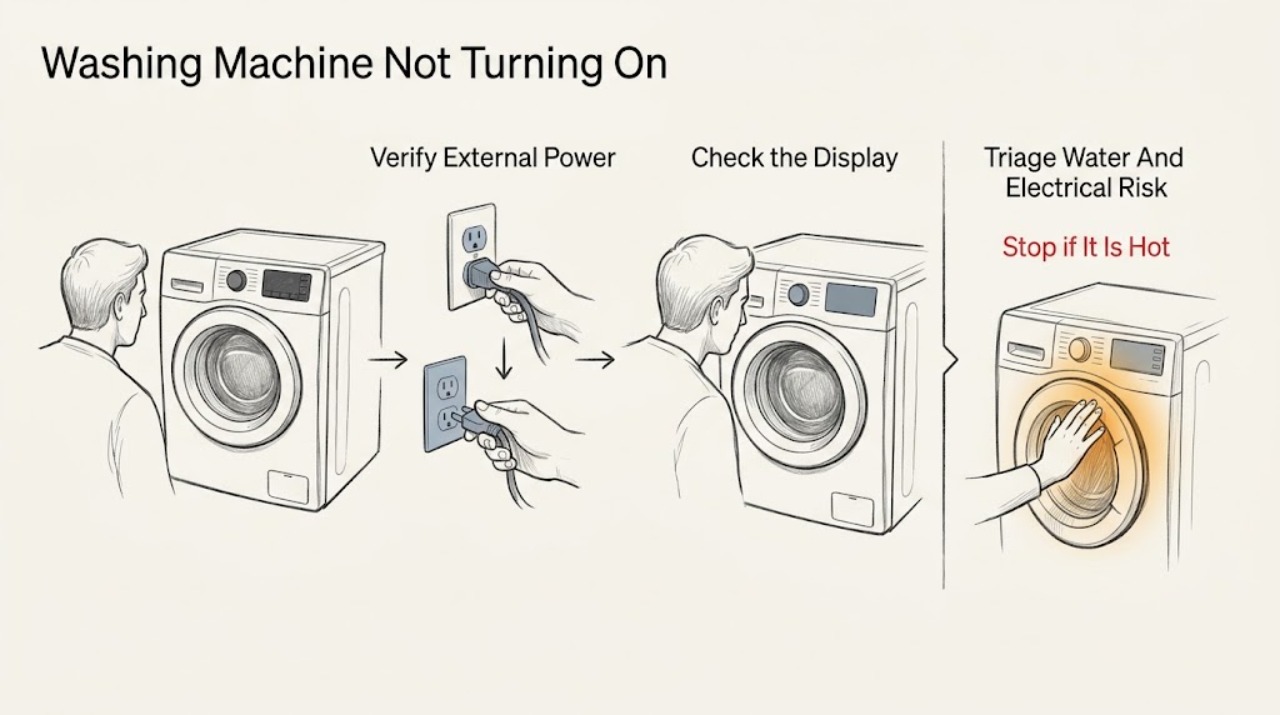
Work through in order
Diagnostic checks
Use only checks that match the exact appliance or system and its official guide.
-
Check 1
From a dry, safe position, look for water near the plug or socket, smoke, a burning smell, sparks, damaged wiring, a hot outlet, or a breaker that has tripped. Do not touch the appliance or power connection through water.
Expected result: A leak reaches electrical parts, the cabinet or socket is hot or damaged, smoke or arcing is present, or the breaker trips again; alternatively the area is dry and there is no warning sign.
Next step: If a hazard is present and power isolation and water shutoff are safely reachable without touching wet electrics, isolate the washer and close the water taps; otherwise leave the area and get qualified help. If no hazard is present, continue with the external power check.
Stop if: Stop immediately for smoke, burning odor, arcing, water near electrical parts, damaged wiring, heat, or repeated breaker trips.
Why this matters
Why: These signs make a no-start symptom an electrical, fire, or flood hazard rather than a routine control problem.
-
Check 2
With dry hands and no active leak, check that the washer's plug is seated, the nearby power switch is on, and the socket works by using a small known-good appliance. Observe whether the washer display, indicators, or sounds return; do not open the plug, socket, or washer.
Expected result: The socket is dead, the breaker or fuse has operated, power is intermittent, or the washer remains completely blank while the socket works.
Next step: If the socket is dead, stop using it and have the household electrical supply checked. If the washer remains blank on a working socket, leave it unplugged or isolated and continue only with external observations before arranging service.
Stop if: Stop for a hot or loose socket, damaged plug or cord, wet access, a burning smell, or any breaker that trips again; do not use an extension lead as a workaround.
Why this matters
Why: A dead socket or unstable supply can prevent every washer function from operating. A working socket with a blank washer shifts suspicion toward the washer's cord, internal power path, or control and requires service rather than a guessed part.
-
Check 3
If the display is lit, close the door firmly without slamming and check the model manual for a Control Lock or child-lock indicator. Confirm the on/off or Start control is in the documented position and look for a door-lock light or a code; do not force the door or bypass its lock.
Expected result: The door is not registering closed, a lock indicator is active, the controls respond after the documented unlock or start sequence, or the controls remain unresponsive.
Next step: If the manual documents an unlock or door-position correction, perform it once and try the normal Start command. If the door will not latch, the lock indication persists, or the controls remain unresponsive, leave the washer off and arrange service.
Stop if: Stop if the lock must be bypassed, the door or seal is damaged, water is visible behind it, or the control panel behaves erratically.
Why this matters
Why: A safety interlock or control-lock state can make a powered washer appear not to turn on. Hotpoint also identifies door-lock faults as a reason a program will not start, and the exact indicators differ by model.
-
Check 4
Read the model manual and inspect the visible controls for a delayed-start, paused, rinse-hold, or non-wash program. Confirm the household water supply is on and the visible inlet hoses are not kinked or leaking; do not remove a hose or filter while pressurized or while water is near electrics.
Expected result: A delay or pause is selected, the program dial or indicator is in an unexpected position, a tap or water light is shown, the water supply is off, or the program and supply appear normal.
Next step: If the manual identifies a cancel-delay or program correction, use it once, then select the documented wash program and Start. If water is unavailable or a hose leaks, leave the washer off until the supply issue is corrected; if the prerequisites are normal, continue to the error and reset check.
Stop if: Stop for a leaking or swollen hose, water near electrical components, a full drum, or any need to dismantle the inlet or drain path without model instructions.
Why this matters
Why: The washer may have power but be waiting for a scheduled start, a program-state correction, or water. Hotpoint links a missing water supply and hose condition to cycle interruptions and notes that indicator meanings vary.
-
Check 5
Record the exact error code or flashing-light pattern and compare it with the Hotpoint manual or official error guide. Only if the area is dry, no hazard is present, and the guide permits it, disconnect mains power once for the model's stated interval, reconnect, and observe without immediately loading the machine.
Expected result: The washer returns to a normal idle state, remains blank, shows the same code or lights, or immediately refuses the documented Start command.
Next step: If normal operation returns, follow the manual for a cautious empty test. If the symptom returns or the guide directs service, leave the washer off and provide the exact code and observations to Hotpoint support or a qualified technician.
Stop if: Do not repeat resets, test live wiring, open the cabinet, or continue if the machine leaks, smokes, heats, sparks, or trips the breaker.
Why this matters
Why: A one-time reset may clear a temporary electronic state, but a recurring code or dead control path points to an unresolved electronic, door-lock, pump, motor, or supply fault.
-
Check 6
If the washer still will not turn on or accept Start after the safe external checks and one permitted reset, prepare a service handoff with the model number, display state, code or lights, door behavior, program and delay settings, socket and breaker result, water status, and any leak or noise.
Expected result: The washer remains dead or unresponsive, or it starts only intermittently; alternatively, a documented low-risk correction restored stable operation.
Next step: If unresolved, leave the washer off and contact Hotpoint support or a qualified appliance technician. Do not bypass the door lock, replace a control or valve from the symptom alone, or move the appliance to inspect connections.
Stop if: Stop all testing for water near electrics, smoke, burning odor, arcing, damaged wiring, severe vibration, or repeated breaker trips.
Why this matters
Why: Persistent no-start behavior after the documented checks can involve internal power, control, lock, motor, pump, or water-control components that need qualified diagnosis.
Use your observations
Decision map
Find the observation that best matches what you see, then follow the next safe action.
-
PATH 01Next step
What you see
Water reaches electrical parts, smoke, burning odor, sparks, damaged wiring, a hot socket, or repeated breaker trips occur.
Do this next
Stop testing. Isolate power and close the water supply only if safely reachable without touching wet electrics; leave the washer off and obtain qualified help.
-
PATH 02Next step
What you see
The display and indicators are completely blank but the area is dry.
Do this next
Check the external socket, switch, and breaker without opening anything. A working socket with a blank washer requires service for the washer's power or control path.
-
PATH 03Next step
What you see
The display is lit but Start is ignored, a lock or delay is shown, or the door is not registering closed.
Do this next
Use the exact manual's Control Lock, delay-cancel, door, and program sequence once. Persistent failure needs service; never bypass the lock.
-
PATH 04Next step
What you see
A tap or water light appears, the supply is off, a hose leaks, or a code indicates a fill or drain condition.
Do this next
Control the water safely, inspect only visible hoses, and use model-specific guidance. Do not run the washer until a leak or supply issue is corrected.
-
PATH 05Next step
What you see
The same code or flashing pattern returns, or the washer remains dead after one permitted reset.
Do this next
Leave the washer off and arrange qualified diagnosis with the exact code, model, and observations.
Helpful context
Understand the symptom
Separate a dead washer from a washer that will not start
“Not turning on” can mean a blank display, no response to the power button, a lit display that will not accept Start, or a cycle that has power but is waiting for a door, water, or delayed-program condition. Record whether any lights, sounds, or display segments appear. Hotpoint publishes multiple washer interfaces, so use the complete model number and its manual for the exact button sequence, indicator meaning, and reset behavior.
Safety before a power check
Do not touch a plug, socket, or washer through standing water. Stop for a burning smell, smoke, heat, sparks, damaged wiring, or a breaker that trips again. If water is leaking, close the supply taps only when they are safely reachable and keep clear of electrical parts. Never remove the cabinet, defeat a door lock, or reach into a moving drum to restore operation.
Why the door, water, or program can block Start
Hotpoint's troubleshooting guidance says a front-load washer will not start if its door is not securely closed. It also identifies water-supply and drain-hose conditions that can interrupt a cycle, and notes that flashing lights can represent different conditions such as a moved program dial, an unbalanced load, or a completed program. A lit panel therefore does not prove that the washer is ready to run.
Use one documented recovery attempt
If the manual identifies a low-risk Cancel, Control Lock, or reset sequence, perform it once. Hotpoint's error guidance gives a limited power-disconnect procedure for some electronic faults, but the exact error and model instructions control. Repeatedly resetting a washer that remains dead, fills unexpectedly, leaks, or trips power can hide the real fault and increase risk.
Prepare the service handoff
If the checks do not restore operation, leave the washer isolated and provide the model number, display state, lights or code, outlet and breaker behavior, door-lock behavior, water-supply state, and the exact result after one documented reset. This gives Hotpoint support or a technician a useful starting point without unsafe internal testing.
Safety boundary
Stop conditions
- Stop for water near electrical parts, smoke, burning odor, sparks, damaged wiring, a hot socket, or repeated breaker trips.
- Close the water taps and leave the washer off if it keeps filling or leaks, provided the taps can be reached safely.
- Never force or bypass the door lock, reach into a moving drum, open panels, or repeatedly reset a washer that remains unresponsive.
Only after diagnosis
Potential parts
- washer door-lock component
Consider only if qualified diagnosis confirms the door is mechanically closed but the model's lock circuit prevents a start command.
Verify the full model number and official fit information; do not bypass or replace the lock based on a no-start symptom alone. - washer electronic control component
Consider only after the socket, cord, door, program, water, and model-specific reset checks pass and a qualified diagnosis identifies a control fault.
Control components vary by model and revision and require model-specific verification before replacement.
When checks do not resolve it
Need a professional?
Call Hotpoint support or a qualified appliance technician when the documented power, door, program, water, and one-time reset checks do not restore operation; when a code returns; or when diagnosis would require opening the cabinet, testing wiring, bypassing the lock, replacing a component, or moving the appliance.
Common questions
FAQ
Why is my Hotpoint washing machine completely blank?
Check the external socket, nearby switch, and breaker with dry, safe access. If the socket works but the washer remains blank, leave it off and arrange qualified diagnosis rather than opening the cabinet.
Why is the display on but my Hotpoint washer will not start?
Check the exact model's door, Control Lock, delay, program, and Start sequence. A water-supply light or error code can also block the cycle; persistent failure after one documented correction needs service.
Can I bypass the Hotpoint door lock to start the washer?
No. The lock is a safety interlock. Do not force or bypass it, especially when water or heat is present; use the model manual's safe procedure or call a technician.
Should I keep resetting my Hotpoint washing machine?
No. Use a model-documented reset once, and only with dry, safe access. If the washer remains dead, repeats a code, fills, leaks, or trips power, leave it off and arrange service.
What details help diagnose a Hotpoint washer that will not turn on?
Provide the complete model number, blank or lit display state, code or lights, door-lock behavior, selected program and delay, socket and breaker result, water status, and any leak, noise, odor, smoke, heat, or vibration.
Read the exact guide
Official sources
- Appliance Support - HotpointHotpoint · Hotpoint appliance support and repair routing in the Americas and Europe
- Washing Machine Error Codes Troubleshooting Guide - HotpointHotpoint · Hotpoint washing-machine electronic, door-lock, pump, software, and control error guidance
- Washing Machine Troubleshooting - Quick fixes & Tips - HotpointHotpoint · Hotpoint washing-machine power, door, water, drain, indicator, safety, and professional-help guidance
- Hotpoint Service Washing Machine RepairHotpoint · Hotpoint washing-machine repair guidance, water supply, mid-cycle, leaks, and indicator troubleshooting
Community feedback
Share a repair observation
Share a plain-text repair observation. Accepted observations are published automatically; this page may take a moment to update.