
On this page
Start here
Quick answer
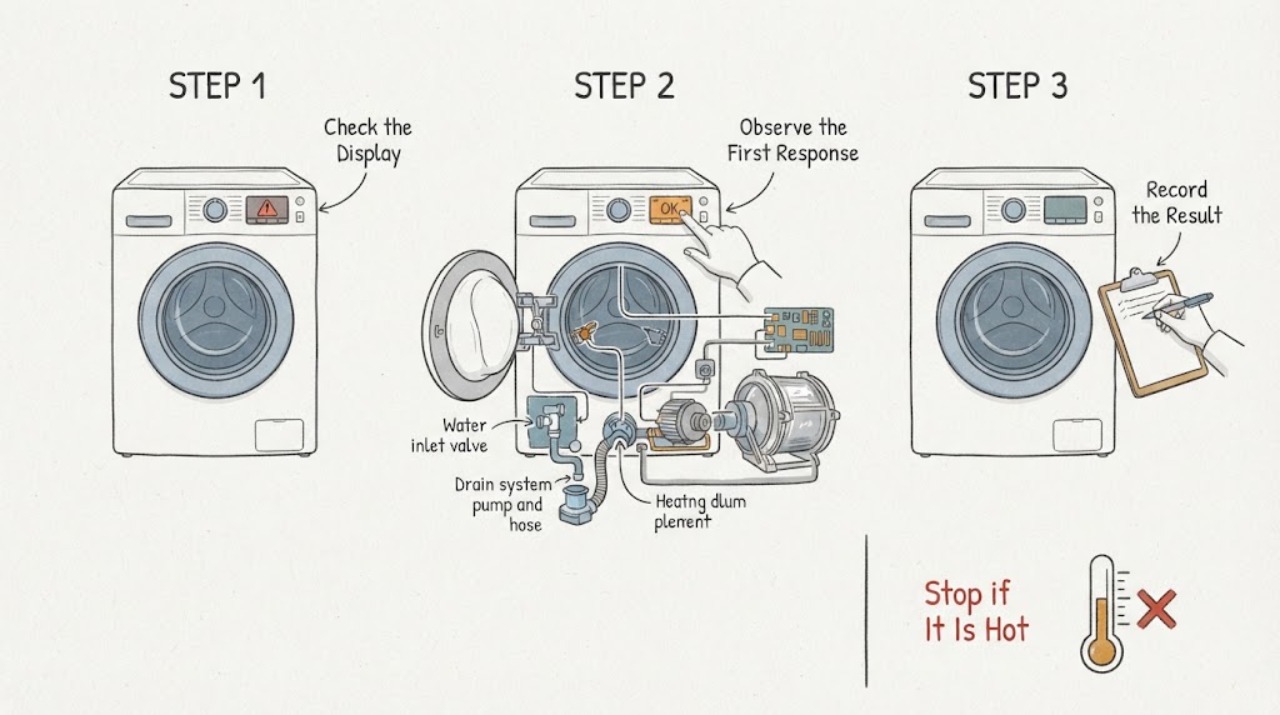
When an Indesit washing machine displays an error, photograph the complete code or record the exact flashing-light pattern, model number, programme stage, water level, and whether the drum or pump is moving before clearing anything. Indesit Service lists different fault families: F01 and F18 can affect controls or functions, F02 concerns drum rotation, F03/F07/F08/F15 concern temperature or heating paths, F05/F11 concern draining, F06 concerns the door lock, F09 concerns software or programme selection, and F12 concerns the electronic control. Those meanings are not universal across every model, so match the code to the exact manual. Only when there is no water, smoke, burning smell, sparking, damaged cord, severe vibration, or electrical hazard should you perform the one model-documented disconnect/reconnect step for a code that permits it. A code that returns, a door that will not lock, standing water, a leak, repeated trips, or a heating, motor, or control fault needs qualified service rather than a guessed part.
Before you begin
Safety first
- This article supports recording the display, model, programme phase, and ordinary-access checks of the door, supply, hoses, load, and drain path, plus one exact-manual restart when safe. Do not access live wiring, control boards, motors, heaters, pumps, door interlocks, or pressurized water connections.
Work through in order
Diagnostic checks
Use only checks that match the exact appliance or system and its official guide.
-
Check 1
From a dry, safe position, photograph the entire display or write down every flashing light, the exact error code, the programme stage, door state, water level, and whether the drum or pump is moving; look for leaks, standing water near electrics, smoke, burning odor, sparks, a hot or damaged cord, or violent movement.
Expected result: Record whether the control is fully lit, whether only a light pattern is present, whether the drum is full of water, whether the door is locked, and whether any hazard symptom is present.
Next step: If a hazard is present, stop the programme if it can be done without touching wet or damaged equipment, keep clear, and arrange appropriate emergency, electrical, plumbing, or appliance help. Otherwise preserve the code and continue with model identification.
Stop if: Do not open a locked door against resistance, touch wet controls or a damaged cord, reach into a moving drum, or keep operating with smoke, burning odor, sparks, a leak near electrical equipment, severe vibration, or repeated tripping.
Why this matters
Why: A code or light pattern is useful only with its context. A leak, water near electrical parts, smoke, odor, sparks, severe vibration, or repeated trip changes the problem into a safety escalation rather than a code lookup.
-
Check 2
Find the full Indesit model and product identification details from the rating label or model documentation, then determine whether the appliance has a digital F-code, a group of flashing indicator lights, or both.
Expected result: Record the model, region if known, exact code or the named lights, the programme selected, and the point where the machine stopped: filling, washing, heating, draining, spinning, or end of cycle.
Next step: Use the exact model manual in Indesit's official document search, then compare the code or light pattern with the official error-code and troubleshooting pages before trying a reset.
Stop if: Do not substitute a code table from another Indesit model, Hotpoint model, region, or appliance type, and do not claim a component is bad from the code alone.
Why this matters
Why: Indesit says model controls vary and provides separate digital-code and flashing-light guidance. The programme stage narrows the branch, but a code from another model or an incomplete light sequence must not be treated as definitive.
-
Check 3
If the code is F01, F09, F12, or F18, compare the exact model guidance with the visible control symptoms: inability to select programmes, multiple flashing lights, a completely inactive control, or a display that loses functions.
Expected result: Note whether some functions remain selectable, whether the machine powers on but will not accept a programme, whether the code is constant or intermittent, and whether the display returns after a documented single restart.
Next step: When the exact code guidance permits it and no hazard is present, disconnect the appliance from mains for the documented interval, reconnect, wait as directed, and try one normal programme. If the code or control failure remains, leave the machine off and arrange service.
Stop if: Do not repeatedly power-cycle the machine, open the control panel, bypass a control or door safety, or continue if the code returns with smoke, odor, water, arcing, or abnormal heat.
Why this matters
Why: Indesit lists F01 as an electronic circuit-board fault, F09 as a software fault, F12 as an electronic control fault associated with not turning on, and F18 as an internal-data error. These are fault families, not permission to replace a board or to generalize the code beyond the applicable model.
-
Check 4
For F06, a door-lock symbol, or a machine that will not start with the door closed, inspect only the accessible door seal and lock opening for clothing or another obstruction; close the door normally and confirm the on/off or start control and programme dial are in the intended position.
Expected result: Record whether the door closes firmly, the lock indicator changes, the programme starts, or F06/light activity returns. Do not force the door if water remains inside or the lock resists.
Next step: Remove only an accessible obstruction, close the door once, and try the intended programme once. If the door will not lock or the code returns, keep the machine off and arrange qualified appliance service.
Stop if: Do not force or pry the door, bypass the door lock, reach into a moving drum, or dismantle the lock. Treat a locked door with standing water as a drain/safety branch.
Why this matters
Why: Indesit identifies F06 as a door-lock fault and says an obstruction can prevent the programme from starting. A persistent lock fault may involve the interlock or control and needs service, not a bypass.
-
Check 5
If the machine stopped during filling or draining, observe the cold-water supply, inlet hose for a kink or leak, drain hose position, accessible pump-filter area, and under-sink connection without removing a wet hose or opening a pressurized connection.
Expected result: Record whether the tap symbol or pre-wash light flashes, water enters, water remains in the drum, the pump runs continuously, the drain hose is kinked or pushed too far into a standpipe, and whether any leak is present.
Next step: When safe, correct an accessible kink or plumbing blockage according to the exact manual, and use the model's prescribed drain procedure if water remains. If the pump fault, leak, standing water, or error remains, stop and arrange service.
Stop if: Do not remove a filter or hose with water present unless the exact manual provides a safe procedure and the appliance is disconnected and protected from flooding; stop for a leak near electrics, uncontrolled water, or a damaged hose.
Why this matters
Why: Indesit associates fill-light activity with an inlet/supply restriction, F05 with waste-pipe blockage or pump issues, and F11 with a pump-circuit fault. Its troubleshooting guidance also identifies drain-hose routing and under-sink blockages as possible stop-mid-cycle causes.
-
Check 6
If the code appears during washing, heating, or spinning, note the load balance, drum movement, water temperature, programme phase, and whether the machine is excessively shaking; inspect only accessible loading and installation conditions.
Expected result: Record a spin light, no drum rotation, an unbalanced or tightly packed load, a programme pause while heating, a pump that runs continuously, unusual vibration, burning odor, smoke, or a trip.
Next step: If there is no hazard, redistribute a plainly unbalanced load once and use the correct programme guidance. For a persistent motor, heating, or vibration fault, leave the machine off and arrange qualified service with the code and phase recorded.
Stop if: Stop for violent vibration, metal-on-metal noise, smoke, burning odor, abnormal heat, water leakage, sparks, or repeated tripping. Do not open the motor, heater, wiring, or control area.
Why this matters
Why: Indesit lists F02 for motor-circuit/no-rotation symptoms; F03, F07, F08, and F15 for temperature, heater, or heater-control symptoms; and its troubleshooting page says an excessive or unbalanced load can abort spinning. A code does not identify a safe replacement part.
-
Check 7
After documenting the code and correcting only an accessible, model-supported condition, perform no more than the one reset or restart described by the exact Indesit guidance; then observe one normal programme attempt without leaving the machine unattended.
Expected result: Record whether the code clears, whether the display and controls return, whether the machine fills, locks, drains, heats, and spins normally, or whether the same code or a new safety symptom returns.
Next step: Turn the machine off and arrange Indesit-authorized or qualified appliance service when the code returns, a function remains unavailable, water remains, the door will not lock, or the machine cannot complete its programme. Give the technician the exact model, code/light pattern, phase, and observations.
Stop if: Do not repeat resets, guess at a part, bypass a safety device, or continue a programme after water, electrical, fire, vibration, motor, or heating stop symptoms.
Why this matters
Why: A cleared code can be a temporary control state, but a returning error is evidence that the fault remains. Indesit directs owners to service for persistent control, door, pump, motor, heating, and software faults.
Use your observations
Decision map
Find the observation that best matches what you see, then follow the next safe action.
-
PATH 01Safety boundary
What you see
There is smoke, a burning smell, sparking, a hot or damaged cord, a leak near electrical equipment, severe uncontrolled vibration, abnormal heat, or a breaker that trips again.
Do this next
Stop the programme only if it is safe to do so, keep clear, disconnect power only from a dry and safe position, and arrange appropriate emergency, electrical, plumbing, or appliance help.
Why this path and its safety boundary
Why it matters: This is a safety event, not a routine error-code lookup.
Safety stop: Do not touch wet controls, open panels, reach into the drum, repeatedly reset power, or run another cycle.
-
PATH 02Safety boundary
What you see
The display or multiple indicators show F01, F09, F12, or F18, or controls cannot select a programme.
Do this next
Record the full code, use one model-documented disconnect/reconnect only when safe, and request service if the error or control failure remains.
Why this path and its safety boundary
Why it matters: Indesit describes these as electronic board, software, electronic-control, or internal-data fault families; exact model behavior still governs.
Safety stop: Do not keep power-cycling, open the control area, or replace a board based on a generic code table.
-
PATH 03Safety boundary
What you see
F06, a door-lock indicator, or a door that will not close or lock prevents programme start.
Do this next
Inspect the accessible seal/lock area, close the door normally once, and request service if the lock or F06 condition remains.
Why this path and its safety boundary
Why it matters: An accessible obstruction may prevent the interlock from engaging, but a persistent lock fault may need service.
Safety stop: Do not force, pry, or bypass the door lock, especially when water remains in the drum.
-
PATH 04Safety boundary
What you see
The machine stops while filling or draining, shows a tap or fill light, leaves water in the drum, or shows F05/F11.
Do this next
Check only accessible supply and drain conditions as the exact manual permits; stop for leaks or standing water near electrical parts and request service when the problem persists.
Why this path and its safety boundary
Why it matters: The inlet supply, hose routing, drain path, pump, or pump circuit may be involved; the code alone does not prove pump failure.
Safety stop: Do not loosen wet connections, flood the floor, or open a filter without a model-supported safe draining procedure.
-
PATH 05Safety boundary
What you see
The code appears during drum rotation, heating, or spin, or the machine shows an unbalanced-load light, persistent pause, pump activity, or severe movement.
Do this next
Record the programme phase; redistribute an obviously unbalanced load once only when there is no hazard, and request service for persistent rotation, heating, or vibration faults.
Why this path and its safety boundary
Why it matters: F02, F03, F07, F08, F15, or an imbalance indication can point to different motor, temperature/heater, control, or load branches.
Safety stop: Stop for violent vibration, metal noise, smoke, burning odor, abnormal heat, water, sparks, or repeated trips; do not open internal components.
-
PATH 06Safety boundary
What you see
The code or light sequence is not listed, is incomplete, or behaves differently from the available general guidance.
Do this next
Preserve a photo, model number, sequence, and programme phase, then use the exact manual or qualified service path rather than guessing.
Why this path and its safety boundary
Why it matters: Indesit model and region differences make a cross-model interpretation unreliable.
Safety stop: Do not apply a Hotpoint, competitor, or different Indesit model's code table or reset sequence.
Helpful context
Understand the symptom
An error code is a branch marker, not a universal parts diagnosis
Indesit Service publishes code families, but controls and flashing-light meanings vary by model and region. Preserve the exact characters or light sequence and use the model-specific manual from Indesit's document search. A code can tell you which symptom family to investigate—such as door locking, fill, drain, rotation, or heating—without proving which component should be replaced.
The programme stage changes what the same display means
A code shown while filling points toward the inlet path; one that appears with water left in the drum points toward drain or pump conditions; a programme that pauses during heating is a different branch from one that cannot select any programme. Record the stage, water level, door state, drum movement, and any flashing indicators before a reset changes the evidence.
One safe reset is not a repair
Indesit lists a short mains-disconnect and restart sequence for some control or internal-data codes. Use it only when the appliance is dry, stable, not leaking, and free of electrical or fire symptoms, and only when the exact manual or code guidance applies. If the code returns, stop repeating resets and arrange service with the recorded code and sequence.
Safety boundary
Stop conditions
- Stop immediately for smoke, burning odor, sparks, a hot or damaged cord, water near electrical equipment, abnormal heat, violent vibration, metal-on-metal noise, or a breaker that trips again.
- Do not force or bypass the door lock, reach into a moving drum, open panels, access wiring, or replace a heater, pump, motor, sensor, or control board from a code guess.
- Do not loosen a wet hose or filter, flood the floor, or drain a locked drum unless the exact model manual provides a safe, disconnected procedure.
- Do not repeatedly power-cycle or reset the machine; one model-documented restart is the limit when the appliance is dry, stable, and free of hazards.
- Arrange qualified service when an error returns, controls remain unavailable, the door will not lock, water remains, the machine cannot fill/drain/heat/spin, or the cause is not supported by the exact manual.
When checks do not resolve it
Need a professional?
Arrange Indesit-authorized or qualified appliance service when the error returns after one applicable restart, the full code or light pattern cannot be matched to the exact model, the door will not lock, water remains, a programme cannot be selected or completed, or motor, heating, drain, or control symptoms persist. Use appropriate electrical or plumbing help for supply and water hazards. Treat smoke, burning odor, sparks, severe vibration, abnormal heat, water near electrical equipment, and repeated trips as immediate safety escalations.
Safety scope: This article supports recording the display, model, programme phase, and ordinary-access checks of the door, supply, hoses, load, and drain path, plus one exact-manual restart when safe. Do not access live wiring, control boards, motors, heaters, pumps, door interlocks, or pressurized water connections.
Common questions
FAQ
What should I do first when an Indesit washing machine shows an error?
Photograph the complete display or record every flashing light, the model, programme stage, water level, door state, and drum/pump activity. Then use the exact model manual and Indesit's official error-code page. Do not guess from a code list for another model.
What does F06 mean on an Indesit washing machine?
Indesit Service describes F06 as a door-lock fault: the door may not open or close, or the programme may not start with the door closed. Check only for an accessible obstruction and close the door normally once. If the lock or code remains, arrange service; never bypass the interlock.
What do F05 and F11 mean on an Indesit washing machine?
Indesit lists F05 with a waste-pipe blockage or pump issue and F11 with a pump-circuit fault. Check accessible hose routing and the drain path only as the exact manual permits. Standing water, a leak, or a returning code needs a safe drain procedure and qualified service rather than a guessed pump replacement.
Can I reset an Indesit washing-machine error?
Some Indesit code guidance permits one mains disconnect/reconnect sequence, including for certain control or internal-data symptoms. Do it only when the appliance is dry, stable, not leaking, and free of smoke, odor, sparks, or other hazards, and only when the exact model guidance applies. If the code returns, stop resetting and request service.
When is an Indesit washing-machine error an emergency?
Stop for smoke, burning odor, sparks, a hot or damaged cord, water near electrical equipment, severe vibration, abnormal heat, a leak that cannot be controlled, or repeated power trips. Keep clear and arrange appropriate emergency, electrical, plumbing, or qualified appliance help. Do not open the machine or bypass a safety device.
Read the exact guide
Official sources
- Indesit Washing Machine RepairsIndesit Service · Brand-level official guidance; the page repeatedly directs owners to model-specific manuals because controls and indicators vary.
- Indesit DocsIndesit · Use the appliance's exact identification details to retrieve the correct documentation; this page does not define a universal error code.
- Indesit Safety NoticesIndesit Service · Brand safety-notice index; check the exact appliance and date/model scope rather than assuming a notice applies.
- Indesit | Washing Machine Error CodesIndesit Service · Official Indesit Service guidance; code meanings and control behavior still need confirmation against the exact model and region.
- Indesit Washing Machine FAQIndesit Service · Official FAQ guidance; exact model manual controls safe procedures and regional details.
Community feedback
Share a repair observation
Share a plain-text repair observation. Accepted observations are published automatically; this page may take a moment to update.