
On this page
Start here
Quick answer
First decide whether the induction cooktop has no display at all, has a locked or wet control panel, detects no pan, or powers a zone without heating. Induction has no gas igniter: it heats a suitable magnetic pan through an electrical coil. With the appliance cool and dry, check the accessible power state and breaker, clear and dry the controls, release Control Lock or pause using the exact manual, and center a flat magnetic pan of the correct size. Record any exact error or indicator before a single manual-approved reset. Stop for cracked glass, smoke, arcing, a burning smell, repeated trips, unusual overheating, or heat that will not stop, and arrange qualified service for a persistent fault.
Before you begin
Safety first
- This article supports symptom classification, accessible supply observation, cool dry-panel checks, model-approved control checks, and a limited suitable-pan comparison only. A qualified professional should handle the underside, glass, coil, fan, sensors, power electronics, wiring, and internal controls.
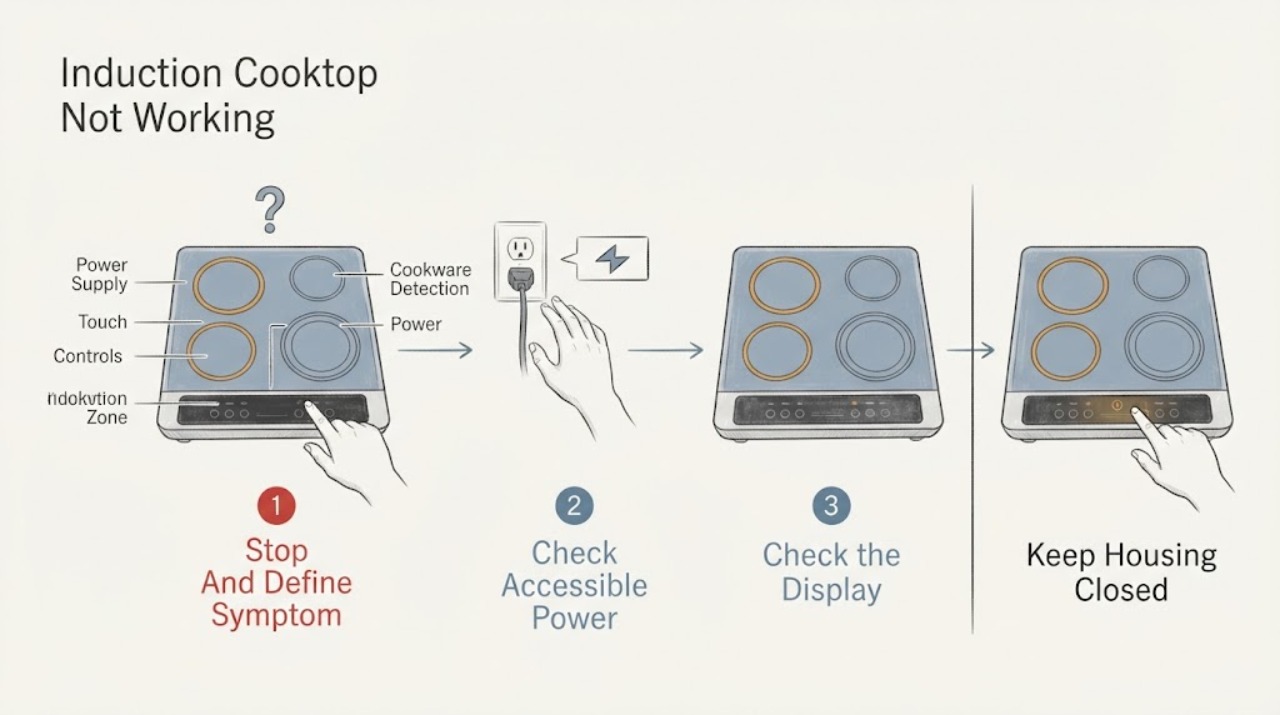
Work through in order
Diagnostic checks
Use only checks that match the exact appliance or system and its official guide.
-
Check 1
Turn all induction zones off and keep hands and cookware clear while the surface is safe to inspect; if there is smoke, visible arcing, a burning or melting odor, cracked or lifting glass, a hot connection, repeated breaker trips, or heat that will not stop, use the emergency or service branch.
Expected result: Record whether the display is blank, the controls are lit but unresponsive, one zone or every zone is affected, a pan is not detected, a zone starts but stays cold, an error appears, or the cooktop shut itself off after becoming hot.
Next step: For active smoke, fire, or an electrical hazard, leave and use local emergency help from a safe location; otherwise continue only after the cooktop is cool and visibly safe.
Stop if: Do not touch damaged glass, operate controls near smoke or a burning odor, keep resetting a tripped circuit, or run another test to reproduce a hazardous condition.
Why this matters
Why: A blank display points first to supply, while a live display with one inactive zone points toward controls, cookware detection, a local zone, or protection; smoke, arcing, damage, or uncontrolled heat is a safety fault.
-
Check 2
With the cooktop off, check only the accessible plug or isolator status and the household breaker or fuse for the cooktop circuit; do not remove covers or inspect live wiring.
Expected result: Note whether the display is completely blank, the breaker is open, the cooktop was recently installed or rewired, the connection is hot or damaged, or the supply appears normal while the controls remain dead.
Next step: If the breaker is open and there is no damage, follow the exact manual's one-time reset guidance; if it trips again or the supply is uncertain, keep the cooktop off and arrange qualified electrical or appliance service.
Stop if: Do not open the junction box, probe the supply, replace a fuse with an improvised value, or reset a breaker repeatedly.
Why this matters
Why: An open breaker or recent connection issue can explain a blank cooktop, but a hot, damaged, or repeatedly tripping connection requires electrical service rather than more resets.
-
Check 3
When the glass is cool, remove objects from the touch area and wipe away liquid or soil with the method allowed by the exact manual; dry the panel completely before trying a control.
Expected result: Check for a key or padlock indicator, a pause or demo indication, flashing displays, an object or liquid over the controls, or a panel that remains unresponsive after it is clean and dry.
Next step: Use only the exact model manual to release Control Lock or pause and to interpret a demo mode; if the panel stays dead or errors return, stop and arrange service.
Stop if: Do not pour cleaner onto the controls, use metal tools on the panel, open the console, or bypass a lock or safety setting.
Why this matters
Why: A lock, pause, demo state, or wet control can prevent operation without a failed induction zone; a dry panel with a recurring fault points toward control or supply diagnosis.
-
Check 4
With the surface cool and dry, place one flat, undamaged pan approved for induction in the center of the affected zone; if the manual permits, verify that a magnet attracts to the pan base, then select that zone and a modest power level.
Expected result: Record whether the zone recognizes the pan, whether the power display stays steady or flashes, whether the pan fits the zone, and whether the pan heats normally without an error.
Next step: Try the manual's matching zone for the pan base and a second suitable pan only if no hazard is present; if the same zone will not heat with suitable cookware, arrange service.
Stop if: Do not heat an empty pan, use a warped or rough base, place cookware over the controls, or continue if the glass cracks, overheats, sparks, or smells hot.
Why this matters
Why: Recognition and heating with the known suitable pan point away from a failed zone; no recognition suggests pan material, size, placement, or control selection, while recognition without heat makes a local zone or power fault more likely.
-
Check 5
If the cooktop was hot or shut down, let it cool fully without covering the ventilation area, then write down the exact code or indicator and look it up only in the model's manual or official support page.
Expected result: Classify the event as a one-time overheat protection shutdown, hot cookware near controls, a wet-panel indication, an incorrect-supply indication, a child lock, a demo or pause state, or an error that returns after cooling.
Next step: Follow the manual's single reset or cool-down instruction only when no hazard is present; if the code returns or the cooktop shuts down again, keep it off and arrange service.
Stop if: Do not bypass thermal protection, cover vents, continue high-power cooking after an overheat event, or keep resetting a recurring code.
Why this matters
Why: A protection shutdown may clear after cooling, while a returning error, supply indication, or persistent control fault needs model-specific diagnosis; an exact code must not be interpreted across brands.
-
Check 6
After the supply, controls, pan, and safety checks are normal, make at most one supervised test on the affected zone and one known-good zone with the same suitable pan, then turn both off normally.
Expected result: Record whether every zone works, only one zone fails, the controls fail intermittently, the pan is detected but remains cold, the cooktop loses power, or the original indicator or error returns.
Next step: Keep the cooktop off and arrange qualified induction-cooktop service for any persistent failure, recurring error, abnormal heat, or inability to regulate; provide the model and test record.
Stop if: Do not run unattended tests, remove the glass, probe live parts, bypass a safety device, or order an internal component based only on the symptom.
Why this matters
Why: A single-zone failure with other zones working suggests a localized service issue; a whole-unit failure suggests supply, controls, or shared electronics, and a repeat safety shutdown needs diagnosis.
Use your observations
Decision map
Find the observation that best matches what you see, then follow the next safe action.
-
PATH 01Safety boundary
What you see
The display is blank, the accessible breaker or isolator is open, or a recent connection or supply change is reported.
Do this next
Check only the accessible supply as the manual allows; stop repeated resets and arrange qualified electrical or appliance service for recurrence, damage, or uncertain wiring.
Why this path and its safety boundary
Why it matters: The cooktop may not be receiving its required supply, but the supply cannot be diagnosed by opening the appliance.
Safety stop: Do not open wiring covers, touch a hot connection, or reset a breaker that trips again.
-
PATH 02Safety boundary
What you see
The display is present but touch controls do not respond, a lock or pause indicator is shown, or the panel is wet or covered.
Do this next
Dry and clear the panel, then follow the exact model manual for Control Lock, pause, or demo release; arrange service if the panel remains unresponsive.
Why this path and its safety boundary
Why it matters: A control state or surface condition can block operation without proving that the induction electronics have failed.
Safety stop: Do not bypass the lock, flood the panel with cleaner, or open the control area.
-
PATH 03Safety boundary
What you see
The zone display flashes, does not activate, or stops when the pan is removed, and the pan is nonmagnetic, too small, empty, off-center, or unsuitable.
Do this next
Use one flat, magnetic, model-approved pan centered on the matching zone and test with food or liquid rather than an empty pan; arrange service if a suitable pan is still not detected.
Why this path and its safety boundary
Why it matters: The zone is responding to its cookware-detection logic rather than necessarily failing.
Safety stop: Do not heat empty cookware, use a damaged base, or place a small pan where the manual says the zone cannot detect it.
-
PATH 04Safety boundary
What you see
The controls and display work, a suitable pan is recognized, but one cooking zone does not heat while other zones operate normally.
Do this next
Stop testing that zone and arrange qualified service with the affected zone, pan, settings, and any indicator record; do not assume a particular replaceable part.
Why this path and its safety boundary
Why it matters: A localized induction-zone, sensor, or power-electronics fault becomes more likely than a general cookware problem.
Safety stop: Do not remove the glass, swap internal components, or continue using a zone that overheats, sparks, or behaves erratically.
-
PATH 05Safety boundary
What you see
The cooktop or zone shut down after overheating, an exact error or supply indicator appears, or the same message returns after cooling and one manual-approved reset.
Do this next
Let the unit cool, record the code and model, follow only the exact manual, and arrange service if it returns or the cooktop does not recover.
Why this path and its safety boundary
Why it matters: Protection or a model-specific fault is active; the indicator cannot be safely generalized across brands.
Safety stop: Do not bypass protection, continue high-power cooking, or repeatedly reset the unit.
-
PATH 06Safety boundary
What you see
Power and controls appear normal but no suitable pan heats, every zone fails, the cooktop loses power intermittently, or the fault persists after safe checks.
Do this next
Keep the cooktop off and arrange qualified appliance or electrical service with the exact model and symptom sequence.
Why this path and its safety boundary
Why it matters: A shared control, supply, sensor, cooling, or power-electronics fault remains possible.
Safety stop: Do not open the unit, probe live circuits, bypass a safety, or keep cycling power to force operation.
Helpful context
Understand the symptom
What not working means on an induction cooktop
This symptom can describe a blank display, an unresponsive touch panel, a locked control, a zone that does not recognize a pan, a zone that recognizes the pan but does not heat, or a safety shutdown. It is not an ignition problem: there is no gas flame to light. Start with the symptom that you can observe, and do not apply a gas-cooktop diagnosis to an induction surface.
Use the correct pan before judging a zone
Induction heating depends on the pan base. A compatible magnetic pan should be flat, stable, and centered over a zone that fits its base. If the display flashes or the zone stops when the pan is removed, that may be pan detection rather than a failed heater. An empty pan can also trigger protection or heat very quickly, so do not use an empty high-power pan as a test.
Separate a safety shutdown from a dead cooktop
An induction control can shut a zone down for an overheated surface or electronics, an object or liquid on the controls, an incorrect supply condition, or a model-specific error. Let a hot appliance cool and record the exact indicator. If the code returns, the glass is damaged, or the appliance cannot regulate heat, stop using it and arrange service rather than repeatedly resetting it.
Safety boundary
Stop conditions
- Stop using the cooktop for smoke, visible arcing, a burning or melting odor, a hot or damaged connection, repeated breaker trips, uncontrolled heat, or abnormal shutdowns.
- Keep the unit off for cracked, lifting, or shattered glass, liquid beneath the glass, exposed damage, or controls that activate unpredictably.
- Do not open the cooktop, remove the glass, probe live wiring, bypass a thermal or control safety, or continue after a recurring error.
- Do not heat empty cookware, use a rough or badly warped pan, or treat a pan-detection warning as proof that a gas igniter or flame system is missing.
- Arrange qualified service when a suitable pan is recognized but a zone remains cold, when every zone fails, or when safe external checks do not restore operation.
Only after diagnosis
Potential parts
- induction cooktop control panel or control assembly
Consider this category only after a qualified diagnosis confirms a failed control assembly following power, panel, lock, and cookware checks.
Confirm the exact model and professional diagnosis; do not open the panel or substitute a control from another model. - induction cooktop zone or power electronics
Consider this category only when a qualified technician identifies a localized zone or shared power fault after a suitable pan is recognized.
Confirm the exact model and diagnosis; induction power electronics and glass access require qualified service.
When checks do not resolve it
Need a professional?
Arrange qualified induction-cooktop service for a blank display with a normal accessible supply, a control panel that remains unresponsive when clean and dry, a single zone that stays cold with a recognized suitable pan, a recurring error or overheat shutdown, intermittent power, uncontrolled heat, smoke, arcing, cracked glass, or any need to access the underside. Give the technician the exact model, affected zones, pan type and size, indicators or codes, breaker behavior, and the sequence of safe checks.
Safety scope: This article supports symptom classification, accessible supply observation, cool dry-panel checks, model-approved control checks, and a limited suitable-pan comparison only. A qualified professional should handle the underside, glass, coil, fan, sensors, power electronics, wiring, and internal controls.
Common questions
FAQ
Why does my induction cooktop not turn on at all?
Start with the accessible supply and breaker, then check the exact model's lock, pause, and control-panel conditions. Do not open wiring or repeatedly reset a tripping circuit. A blank display with normal supply needs qualified service.
Does an induction cooktop have an igniter?
No. Induction uses an electrical coil and magnetic cookware, not a gas flame or igniter. If the pan is not detected or does not heat, follow the cookware, controls, supply, and zone checks for induction equipment.
Why does my induction cooktop show a pan warning?
The pan may be nonmagnetic, too small, empty, off-center, or not suitable for that zone. Use a flat, model-approved magnetic pan of the right size and center it; if a suitable pan is still not detected, arrange service.
What if only one induction zone is not heating?
Confirm the control selection and test that zone with one known suitable pan. If the pan is recognized but remains cold while other zones work, stop testing that zone and arrange qualified service; do not remove the glass or guess at a part.
What should I do when an induction cooktop overheats or shows an error?
Turn it off, let it cool, record the exact indicator, and use only the model manual or official support guidance. A returning error, repeated shutdown, smoke, arcing, cracked glass, or uncontrolled heat means keep it off and arrange service.
Read the exact guide
Official sources
- Samsung Cooktop FAQsSamsung Electronics · Official Samsung USA cooktop FAQ; settings and indicators vary by model.
- Electric Range & Cooktop - How Does Induction Work?GE Appliances · Official GE Appliances explanation of general induction operation; exact model cookware and safety instructions control.
- Bosch Induction Cooktop Error Codes | Bosch - Troubleshooting Error Codes, Beeping & Other ProblemsBSH Home Appliances · Official Bosch US induction error-code guide; codes and reset behavior are model-specific.
- Bosch Gas Cooktop Troubleshooting & Repair | Bosch – Fix Cooktops Not Heating, Overheating, Uneven Heating & MoreBSH Home Appliances · Official Bosch US induction-cooktop troubleshooting page; exact Bosch model instructions control.
- One burner on the Samsung cooktop does not workSamsung Electronics · Official Samsung USA support guidance for an induction element that does not work; exact model manual controls.
Community feedback
Share a repair observation
Share a plain-text repair observation. Accepted observations are published automatically; this page may take a moment to update.