
On this page
Start here
Quick answer
“Not working” is too broad to identify one refrigerator fault. First record the exact Kelvinator model and choose the most visible symptom: no light or control response, lights on but no cooling cycle, running but warm, frost or ice, water, a door that will not close, a dispenser/ice issue, or an unusual sound. Kelvinator's official troubleshooter routes these conditions separately: power-point and plug checks for a non-working refrigerator, temperature and clearance checks for poor cooling, door and seal checks for frost or closure problems, and model-manual/service escalation for internal faults. Check only the dry, accessible plug, outlet, switch, breaker/fuse, controls, door path, gasket, vents, and visible water source. Do not remove panels, test live wiring, open refrigerant lines, force a fan, or use a sharp tool or direct heat on ice. Select the matching symptom guide below; arrange qualified service for repeated electrical trips, burning odor, water near electricity, rear-wall ice on a frost-free model, wet insulation, exposed wiring, or any internal compressor, fan, defrost, drainage, or sealed-system work.
Before you begin
Safety first
- This page is a symptom router and covers ordinary-access observation only. Do not open panels, perform live electrical tests, access refrigerant or compressor parts, bypass controls, or use direct heat or sharp tools on ice.
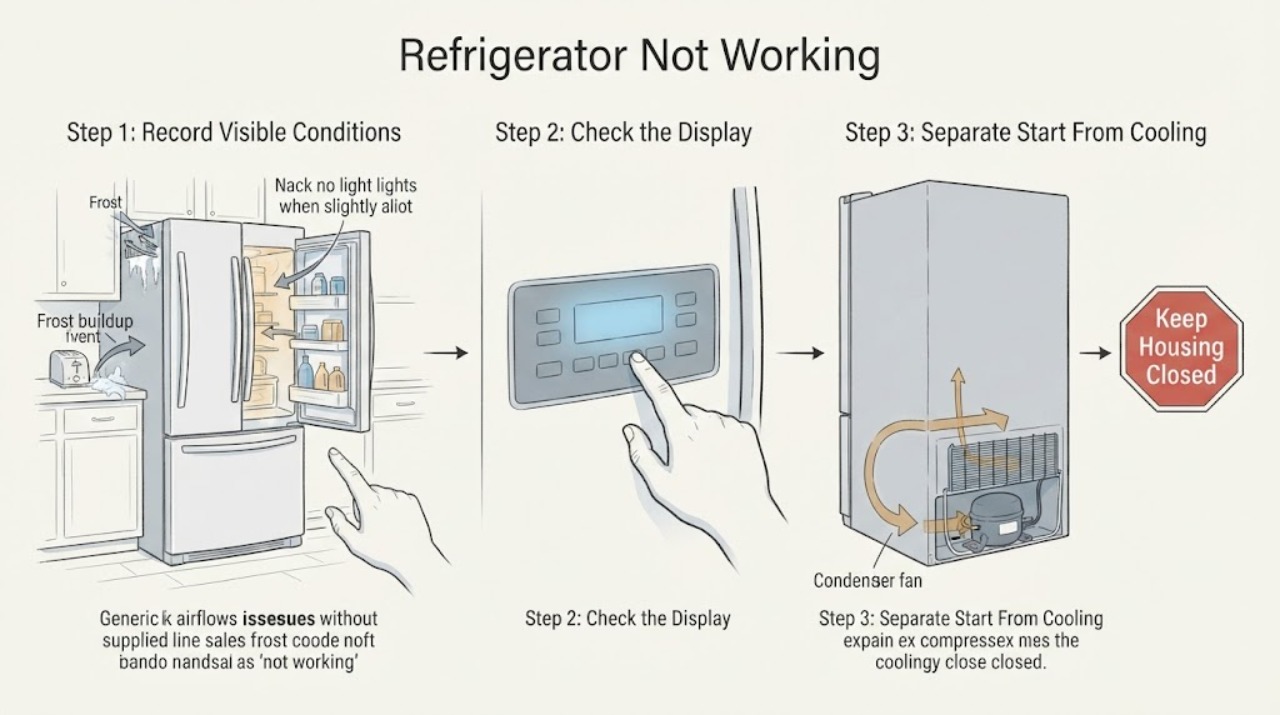
Work through in order
Diagnostic checks
Use only checks that match the exact appliance or system and its official guide.
-
Check 1
Photograph the Kelvinator rating label and record the complete model number. Without moving the appliance or opening a panel, note the interior light, controls, fan/compressor sound, compartment temperature, water, frost/ice, door closure, dispenser behavior, and any unusual noise.
Expected result: The unit is completely dark, the interface has power but cooling does not start, the unit runs but is warm, frost/ice is present, water is present, the door will not close, a dispenser is affected, or noise is the main complaint.
Next step: Choose the matching branch below and open the exact model manual before any model-specific control, defrost, or adjustment step.
Stop if: Stop for smoke, burning odor, exposed wiring, a hot or damaged plug, water near electricity, an unstable cabinet, or food warming with no safe way to maintain it.
Why this matters
Why: These are different symptom families with different safe first checks. Kelvinator's support tree does not treat power, cooling, frost, water, doors, and noise as one diagnosis.
-
Check 2
If the symptom is a dark or silent refrigerator, check only the dry, accessible power point, plug, switch, breaker, or fuse. Then compare any temperature or power control with the exact Kelvinator manual; do not remove a cover or perform an electrical measurement.
Expected result: The power point or switch was off, a breaker/fuse was tripped, the refrigerator returns, the supply is normal but the unit stays dark, or the control is set to an off/incorrect state.
Next step: Restore only an accessible switch, fuse, or breaker once when there is no hazard. If the unit remains dark or trips again, choose the no-power service route.
Stop if: Do not repeatedly reset a breaker, use a damaged cord or outlet, use an extension-cord workaround, or access energized wiring.
Why this matters
Why: Kelvinator routes a non-working refrigerator through the power point, plug, fuses, and controls. A normal supply with no response is an appliance-side fault, not a reason to keep resetting power.
-
Check 3
If lights or controls work, listen from outside for a compressor or fan and observe the temperature trend without opening the doors repeatedly. Record whether the unit is silent, running but warm, newly installed, recently moved, or affected after a control change.
Expected result: No compressor/fan sound is present, the compressor or fan runs but the compartments stay warm, the unit is new or recently moved, or the temperature setting/clearance/airflow is visibly wrong.
Next step: Use the not-starting or not-cooling specialist route that matches the observation. Correct only a visible setting or airflow issue, and use the model manual for installation or stabilization time.
Stop if: Do not touch the compressor, force a fan, remove a rear cover, open refrigerant tubing, or perform live tests.
Why this matters
Why: A lit interface with no cooling cycle is a start/control route; running but warm is a cooling route. Kelvinator also notes that a new refrigerator can take time to reach its normal running pattern and that poor cooling has separate setting, clearance, room, door, and airflow checks.
-
Check 4
For a refrigerator that has power, classify the physical symptom before attempting a fix: local frost or rear-wall ice, water on a shelf/floor/under the cabinet, a door held open or not sealing, a dispenser/ice problem, or a sound from the cabinet. Inspect only visible food, doors, gaskets, vents, drain area, and external clearance.
Expected result: The issue is frost/ice, leaking/dripping, door closure, ice/water dispensing, normal defrost noise, vibration, or an unexplained abnormal sound.
Next step: Select the corresponding specialist route and stop at its stated internal-service boundary. Do not combine a frost, leak, door, dispenser, and noise procedure into one repair.
Stop if: Stop for water near electrical parts, a wet liner/insulation, rear-wall ice, a damaged drain or water line, a door that cannot close, or an unexplained hot/burning condition.
Why this matters
Why: Kelvinator's official support tree uses different checks for each of these symptoms. Frost may be local, door-related, airflow-related, or an internal defrost issue; water may be spill, drain, tray, or humidity-related; noise may be normal gas expansion/defrost or an installation/vibration problem.
-
Check 5
Write down the selected symptom, model, visible result, and any safe correction already made. If the refrigerator or freezer is warming, limit door openings and protect perishable food using applicable food-safety guidance while choosing the specialist route.
Expected result: The symptom clears after a visible correction, remains unchanged, returns after a temporary correction, or is accompanied by warming food or an unsafe condition.
Next step: Use the matching detailed page for persistent no-power, not-starting, not-cooling, frost, leak, door, dispenser, or noise symptoms; arrange qualified service when that page reaches an internal boundary.
Stop if: Do not repeatedly restart, defrost, or run the refrigerator to reproduce an unsafe symptom.
Why this matters
Why: A cleared visible condition can end the route, but a recurring symptom or warming food indicates that the broad “not working” label needs a deeper model-specific diagnosis. The router is not evidence that a part has failed.
Use your observations
Decision map
Find the observation that best matches what you see, then follow the next safe action.
-
PATH 01Next step
What you see
Are the interior light, controls, and sounds all absent?
Do this next
If the supply is normal, the refrigerator stays dark, or a breaker trips again, disconnect it when safe and arrange qualified appliance/electrical service.
Why this path and its safety boundary
Why it matters: Choose the no-power route: check the accessible power point, plug, switch, breaker/fuse, and model control state once.
-
PATH 02Next step
What you see
Do lights or controls work, but no compressor or fan starts?
Do this next
If cooling is correctly enabled but the cycle still does not start, arrange qualified service for the start/control path.
Why this path and its safety boundary
Why it matters: Choose the not-starting/control route. Confirm the exact model's temperature or cooling state and any model-specific restart guidance without opening the cabinet.
-
PATH 03Next step
What you see
Does the refrigerator run but remain warm?
Do this next
If those external conditions are normal and temperatures do not recover, protect food and arrange qualified cooling service.
Why this path and its safety boundary
Why it matters: Choose the not-cooling route. Check only settings, room/clearance, door closure, and visible airflow; do not infer a compressor or refrigerant fault from warmth alone.
-
PATH 04Next step
What you see
Is frost or ice the main visible symptom?
Do this next
Use only the exact manual for a permitted defrost; recurring rear-wall ice, solid evaporator-cover ice, or wet insulation needs service.
Why this path and its safety boundary
Why it matters: Choose the frost/ice route and record the location: bag/product, vent, door edge, evaporator cover, rear wall, or liner. Kelvinator assigns different meanings to each pattern.
-
PATH 05Next step
What you see
Is water present or is a door not closing/sealing?
Do this next
Keep water away from electricity and arrange service for a damaged seal, drain, tray, water line, or any internal access.
Why this path and its safety boundary
Why it matters: Choose the leak or door route. Identify a spill, drain/tray area, humidity, gasket, obstruction, or door-closure condition from visible evidence only.
-
PATH 06Next step
What you see
Is dispensing or unusual noise the only main complaint?
Do this next
Do not dismantle the dispenser or cabinet. Arrange service for persistent abnormal noise, a failed mechanism, or an unexplained symptom.
Why this path and its safety boundary
Why it matters: Choose the dispenser/ice or noise route. Kelvinator notes that gas expansion and auto-defrost sounds can be normal, while vibration, cabinet contact, airflow, or a blocked dispenser can need separate checks.
Helpful context
Understand the symptom
Use the symptom, not the phrase “not working”
A refrigerator with no light or sound needs a power route. A refrigerator with lights but no compressor or cooling needs a start/control route. A running refrigerator that is warm belongs to a cooling route, while water, frost, a door problem, a dispenser issue, and unusual noise each have different first checks. This router keeps those decisions separate so a reader does not repeat an unrelated repair procedure.
Kelvinator models are not interchangeable
Kelvinator's published product information shows different refrigerator layouts, manual or separate temperature controls, frost-free systems, rollers, and door features across model families. Record the model number and use its user manual before changing a control, defrosting, moving the cabinet, or ordering a part.
Do only the safe external checks in this router
The route below is intentionally shallow: it identifies what to observe and where to continue. It does not authorize live voltage tests, internal panel removal, refrigerant work, defrost-component tests, or forced ice removal. If a symptom points inside the cabinet, stop at the matching specialist path and arrange qualified service.
Safety boundary
Stop conditions
- Stop for smoke, burning odor, abnormal heat, a hot or damaged plug/cord, exposed wiring, water near electricity, repeated trips, an unstable cabinet, or warming food with no safe way to protect it.
- Do not remove panels, test live wiring, touch compressor terminals, open refrigerant lines, force fans, or perform sealed-system, drainage, or defrost-component repair.
- Do not chip, pierce, scrape, or heat ice with a knife, hair dryer, heat gun, boiling water, open flame, or other direct heat.
- Do not repeatedly restart or defrost the appliance to reproduce a fault, and do not combine instructions from different Kelvinator models.
- Do not order a compressor, fan, thermostat, defrost part, gasket, drain component, or control without the exact model and qualified diagnosis.
When checks do not resolve it
Need a professional?
Arrange qualified Kelvinator service when the accessible power and control checks do not restore operation, when a powered refrigerator will not start cooling, when external cooling checks do not restore temperature, when rear-wall ice or wet insulation is present, when water reaches electrical areas, or when internal compressor, fan, defrost, drainage, wiring, or sealed-system access is required. Use the symptom-specific route rather than repeating this general router.
Safety scope: This page is a symptom router and covers ordinary-access observation only. Do not open panels, perform live electrical tests, access refrigerant or compressor parts, bypass controls, or use direct heat or sharp tools on ice.
Common questions
FAQ
What should I check first if my Kelvinator refrigerator is not working?
Record the model and classify the symptom: no power, lights but no start, running but warm, frost/ice, water, door, dispenser, or noise. Then use the matching Kelvinator route; do not apply a not-cooling or defrost procedure to a dark refrigerator.
My Kelvinator refrigerator has lights but is not cooling. Is it off?
Not necessarily. Lights can be present while a cooling state, compressor start, airflow, door seal, or defrost issue is preventing proper temperature. Check the model control state and visible external conditions, then use the not-starting or not-cooling route.
Does frost mean my Kelvinator refrigerator is broken?
The pattern matters. Kelvinator distinguishes local frost, door-edge ice, evaporator-cover frost, rear-wall ice, and liner frost. A frost-free model should not be repeatedly manually defrosted; rear-wall ice or wet insulation needs qualified service.
Can I open the back of my Kelvinator refrigerator to find the problem?
No. This general route is limited to visible, accessible checks. Do not open panels, test wiring, touch compressor parts, open refrigerant lines, or access defrost, drainage, or fan components. Arrange qualified service when the matching symptom route reaches an internal boundary.
Read the exact guide
Official sources
- Troubleshooter | Support | KelvinatorKelvinator · Kelvinator Australia support tree; exact model manual and market determine controls, architecture, and safe procedures.
- 430L White Bottom Mount Refrigerator - KBM4300WB-LKelvinator · Applies directly to KBM4300WB-L and demonstrates one Kelvinator model; it is not a universal specification for all Kelvinator refrigerators.
- Frequently Asked QuestionsKelvinator · Kelvinator Australia FAQ covering multiple refrigerator/freezer families; exact model literature remains controlling.
Community feedback
Share a repair observation
Share a plain-text repair observation. Accepted observations are published automatically; this page may take a moment to update.