
On this page
Start here
Quick answer
Do not decode a Kenmore dishwasher blinking light from the brand name alone. Record which light is blinking, its color, the pattern or interval, whether the dishwasher fills, washes, drains or stops, and the full model number. Kenmore documents a light system for specific Elite models 12813 and 12833, where colors indicate cycle progress, but that mapping cannot be transferred to an unknown Kenmore. Use the exact manual; if the light is accompanied by a leak, burning smell, breaker trip, water left in the tub or a dishwasher that will not stop, stop the appliance and use qualified service. Do not repeatedly reset, bypass a door latch or replace a control part based only on a blinking light.
Before you begin
Safety first
- Do not bypass the door latch or other safety device, open the control panel, perform energized tests or replace a board, latch, pump or other part from a blinking light alone. Stop and isolate water/power from a safe location for leaks or electrical symptoms.
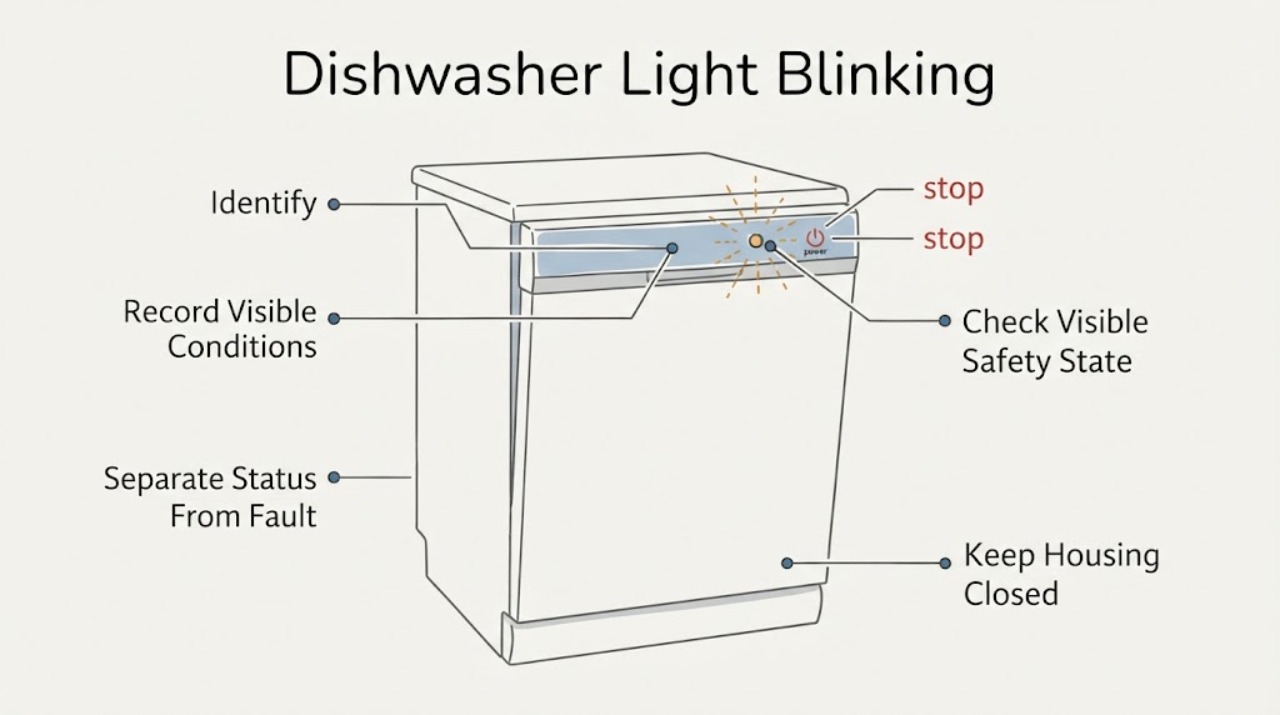
Work through in order
Diagnostic checks
Use only checks that match the exact appliance or system and its official guide.
-
Check 1
Record the exact light label or location, color, blink count/interval and whether the light is on the console, door edge or display.
Expected result: The light identity and pattern are clear, or only an unlabelled/uncertain blinking light is visible.
Next step: Photograph the panel and obtain the full model number before interpreting the light or selecting a reset.
Why this matters
Why: A pattern without its exact label and model cannot be mapped to a Kenmore function or error meaning.
-
Check 2
Note whether the dishwasher fills, sprays/washes, drains and completes, or whether it stops, stays silent or leaves water while the light blinks.
Expected result: The appliance continues a normal-looking cycle, or the blinking accompanies no start, an interruption, standing water, a leak or unusual noise.
Next step: Do not label a board, latch, pump or other component from this observation; use the exact model instructions or stop and call service for unsafe symptoms.
Why this matters
Why: A status light may reflect cycle progress on some models, while a blinking light with an operating failure needs the exact manual and service triage.
-
Check 3
With the dishwasher stopped, observe only the closed-door position, visible water/leak location and exterior control condition; do not force a latch or open the panel.
Expected result: A leak, water near electrical areas, burning smell, breaker trip, loud/unusual noise or a damaged control is present, or no visible hazard is present.
Next step: For a hazard, stop use and isolate water/power from a safe location before qualified service; otherwise continue only with model identification.
Why this matters
Why: A blinking light with a water or electrical hazard exceeds a status-light interpretation; a clear exterior does not prove the appliance is fault-free.
-
Check 4
Read the complete Kenmore model number from the appliance label and enter it in Kenmore's official manual portal.
Expected result: The model number is available, or the label is missing/unreadable.
Next step: Follow only the matching manual; if the model cannot be identified, send the label/photo and light pattern to Kenmore support or qualified service.
Why this matters
Why: Kenmore's manual system requires the model number and includes dishwasher manuals; model-specific light and button meanings cannot be safely inferred otherwise.
-
Check 5
Provide service with the model, light name/color/pattern, cycle stage, whether water enters/drains and any leak, noise, odor or breaker event.
Expected result: The light continues after exact-manual checks, the dishwasher will not complete, or diagnosis would require the control panel, latch, pump or wiring.
Next step: Keep the dishwasher out of service as appropriate and use Kenmore Customer Care or qualified appliance service; do not bypass a safety device or replace a part from the light alone.
Why this matters
Why: The opened Kenmore sources do not provide a universal blinking-light code or model-independent internal repair.
Use your observations
Decision map
Find the observation that best matches what you see, then follow the next safe action.
-
PATH 01Next step
What you see
The exact manual identifies the light as a normal cycle-progress indicator and the dishwasher completes without a leak, odor, unusual noise or water problem.
Do this next
Use the model manual's status explanation and monitor the appliance; do not substitute another Kenmore model's color mapping.
Why this path and its safety boundary
Why it matters: The blinking may be an intended status display for that model rather than a fault code.
-
PATH 02Next step
What you see
The light blinks while the dishwasher will not start, stops, leaves water, or fails to complete.
Do this next
Stop repeated resets, capture the pattern and use the exact manual or qualified service; do not diagnose a control board, latch or pump from the light alone.
Why this path and its safety boundary
Why it matters: The light is associated with an operating symptom, but the model, light label and exact pattern are required before interpreting it.
-
PATH 03Next step
What you see
A leak, water near electrical parts, burning smell, breaker trip or damaged control accompanies the blinking.
Do this next
Stay clear, isolate water or power from a safe location and arrange qualified appliance service; do not reproduce the event or open the control panel.
Why this path and its safety boundary
Why it matters: This is a water/electrical stop-use condition beyond status-light troubleshooting.
-
PATH 04Next step
What you see
The model number or light identity is missing, unreadable or inconsistent with the proposed manual.
Do this next
Do not use a generic code table or button sequence; obtain the label information and request model-matched support.
Why this path and its safety boundary
Why it matters: A Kenmore light system may vary by model, and the published Elite example cannot be transferred to an unidentified dishwasher.
-
PATH 05Next step
What you see
The light is accompanied by loud or unusual noise, poor cleaning or a filter/spray-arm concern.
Do this next
Stop if the noise or water symptom is unsafe, and use model-specific maintenance/service guidance rather than replacing a part from the light indication.
Why this path and its safety boundary
Why it matters: Kenmore identifies these as maintenance or repair clues, but they do not establish the cause of a blinking indicator.
Helpful context
Understand the symptom
Capture the exact light behavior
Before changing settings, record the light's label, color, blink count or interval, and whether it is on the door edge, console or a display. Note what the dishwasher was doing: filling, washing, drying, draining, stopping or remaining silent. A light can be a progress indicator on one Kenmore design and a fault clue on another.
Do not transfer another Kenmore's color code
Kenmore's published light-system example is explicitly for Elite models 12813 and 12833 and describes blue, red and green cycle-progress lights. It does not establish the meaning of a blinking light on an unidentified Kenmore dishwasher. Treat the example as evidence of model variation, not as a universal code.
Check only the visible operating state
Without opening the appliance, note whether the door is fully closed, the cycle responds, water enters, water remains after stopping, or a leak, unusual noise or odor is present. Do not force the latch, reach under the tub, remove the control panel or continue cycling a leaking or electrically abnormal dishwasher.
Use the exact Kenmore manual
Read the complete model number from the appliance label and enter it in Kenmore's manual portal. Kenmore says model numbers are required for its appliance manuals, including dishwashers. Use the matching manual for the light name, reset or cycle-status instructions; do not apply a button combination from another Kenmore.
Escalate unresolved or unsafe symptoms
Give Kenmore support or qualified appliance service the model, light label/color/pattern, cycle stage, water state and any leak, odor, noise, breaker or stopping behavior. Kenmore's Customer Care page provides manual, warranty and repair-support routes. A control-board, latch, pump or other part cannot be identified from a blinking light alone.
When checks do not resolve it
Need a professional?
Use the exact Kenmore manual and Customer Care or qualified appliance service for an unresolved light pattern, no-start/interruption, standing water, leak, unusual noise, odor, breaker trip or any internal access.
Safety scope: Do not bypass the door latch or other safety device, open the control panel, perform energized tests or replace a board, latch, pump or other part from a blinking light alone. Stop and isolate water/power from a safe location for leaks or electrical symptoms.
Common questions
FAQ
What does a blinking light mean on a Kenmore dishwasher?
It depends on the exact model and the light's label, color and pattern. Kenmore documents progress-light meanings for specific Elite models 12813 and 12833, so do not apply those colors to an unidentified dishwasher.
Can I reset a Kenmore dishwasher when a light blinks?
Do not rely on a generic reset sequence. First record the pattern and retrieve the exact model manual; repeated resets can obscure whether the dishwasher has a leak, water problem or electrical symptom.
Does a blinking light prove the control board is bad?
No. A status indicator, door/control condition, cycle interruption or another model-specific fault can produce a blinking light. The opened Kenmore sources do not support naming a control board from the indicator alone.
Read the exact guide
Official sources
- New! Kenmore Elite Welcomes a New Dishwasher to the LineupKenmore / Transform SR Brands LLC · Only the specifically named Elite 12813 and 12833 models; not a generic Kenmore light-code table.
- Customer Care & Support | Kenmore AppliancesKenmore Appliances / Transform SR Brands LLC · Official Kenmore support hub for unresolved appliance symptoms.
- Find Your Manual | Kenmore Appliance Manuals & GuidesKenmore Appliances / Transform SR Brands LLC · Official Kenmore manual lookup for dishwashers; requires the complete model number.
- Appliance Maintenance Tips to Help Maximize EfficiencyKenmore / Transform SR Brands LLC · General Kenmore maintenance guidance; not a model-specific blinking-light code source.
Community feedback
Share a repair observation
Share a plain-text repair observation. Accepted observations are published automatically; this page may take a moment to update.