
On this page
Start here
Quick answer
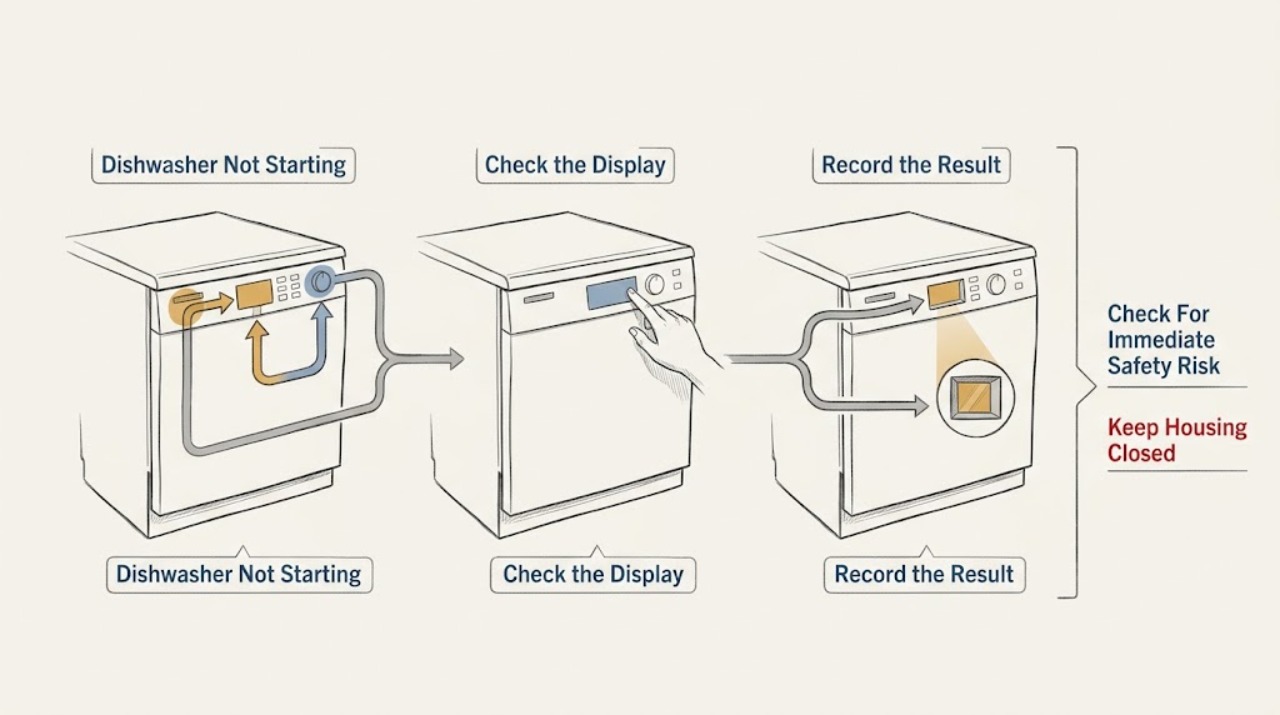
First separate a completely dead dishwasher from one that lights up but will not begin. From a dry, safe position, check whether the display or indicators respond and whether the household breaker or accessible GFCI has tripped; do not open the dishwasher or perform a live electrical test. Confirm the door closes and latches normally, then use the exact model number in Kenmore's official manual finder for the model's control sequence. Kenmore's official dishwasher catalog shows multiple built-in families and model numbers, and its control-panel part guidance identifies a button set that makes contact with a switch to activate cycles or options—evidence that control parts and procedures must be model-checked, not generalized. If the controls remain dead, the door will not latch, a breaker trips again, there is a burning smell, or the machine hums without starting, stop and arrange qualified service.
Before you begin
Safety first
- Owner scope ends at dry external power-state observation, one safe breaker/GFCI status check, model identification, normal door/loading observation, and the exact manual's documented control action. Opening covers, bypassing interlocks, accessing wiring or internal components, and energized testing require qualified service.
Work through in order
Diagnostic checks
Use only checks that match the exact appliance or system and its official guide.
-
Check 1
Stop trying to start the dishwasher if there is water near the plug, outlet, cord, controls, or other electrical equipment, or if there is smoke, a burning odor, arcing, hot wiring, or a repeated breaker trip. From a dry, safe position, use only an accessible water shutoff or power isolation that does not require opening or moving the machine.
Expected result: The area is dry and there is no odor or arcing; the breaker or GFCI has tripped once; the breaker trips again; or water/electrical warning signs are present.
Next step: Keep the dishwasher off and obtain qualified appliance or electrical service for a recurring trip, damaged wiring, or wet electrical equipment. If the area is dry and safe, continue only with external checks.
Stop if: Do not repeatedly reset a breaker or GFCI, touch wet electrical equipment, remove an enclosure, or perform a live voltage test.
Why this matters
Why: A dead control panel can be a supply-path symptom, but a recurring trip or wet electrical condition is a safety fault rather than a reset opportunity.
-
Check 2
From outside the appliance, observe whether the display, indicator lights, or touch controls respond. If the installation has an accessible cord and dry outlet, look for an obvious loose connection without unplugging wet equipment; otherwise note whether the appliance is hardwired and leave the connection untouched.
Expected result: The panel is completely dark; some indicators respond; the display returns after one safe external breaker/GFCI check; or the panel remains dead.
Next step: Record the result and obtain the exact Kenmore model manual. If the panel remains dead or power does not stay on, arrange service instead of opening the machine.
Stop if: Do not remove the control panel, toe-kick, junction-box cover, or terminal cover, and do not bridge a fuse or switch.
Why this matters
Why: No indicators narrows the complaint toward the external supply or internal power path, while a lit panel means the start-command, door, control-state, or interlock path needs separate model-specific checks.
-
Check 3
Read the complete Kenmore model number from an accessible label or paperwork without moving the dishwasher. Use that model in Kenmore's manual finder and write down the selected cycle, visible indicators, any displayed code, and whether Start or another documented control changes the panel state.
Expected result: The model number is confirmed and a control response is visible; the model cannot be found; or a control state/code is present but its meaning is unknown.
Next step: Follow only the exact model manual for any documented reset, lock release, or start sequence. If no matching documentation is available, stop at the observation and use qualified service.
Stop if: Do not invent a reset sequence, hold controls indefinitely, or borrow a service procedure from a different model.
Why this matters
Why: Kenmore publishes model-specific manuals and has multiple dishwasher families. A control sequence or indicator meaning from another Kenmore model may be wrong for this appliance.
-
Check 4
With the dishwasher stopped, check that racks, dishes, or utensils do not block normal door closure. Close the door normally and use the exact manual's Start control once; observe whether the indicator changes, the cycle begins, a drain or hum is heard, or nothing changes. Do not force the latch or hold the door closed by hand.
Expected result: The door closes and latches normally; an item prevents closure; the door will not latch; the panel changes but the cycle does not begin; or a hum/drain sound occurs without a wash cycle.
Next step: Remove only an obvious loading obstruction. If the latch, controls, or cycle movement remain abnormal, leave the dishwasher off and arrange model-specific service.
Stop if: Do not pry, bend, bypass, or remove the latch; do not remove the door or control panel; and do not run repeated cycles to provoke a response.
Why this matters
Why: A loading or latch symptom makes the door-interlock/start path more relevant. A panel response without cycle movement or a hum/drain-only response points to a model-specific control or internal mechanical path, not a universal button fault.
-
Check 5
If the dishwasher stays dead, will not latch, ignores the documented Start command, hums without starting, stops immediately, or trips power again, leave it off and collect the model, symptom timing, indicator state, and any code or odor from a safe position.
Expected result: The no-start condition persists after safe external checks; the machine makes a new electrical or mechanical sound; or power trips again.
Next step: Arrange qualified Kenmore appliance service and provide the exact model and observations. Use electrical service when the household circuit, outlet, or wiring is implicated.
Stop if: Do not open the enclosure, bypass a switch or latch, replace a fuse with a different rating, or test energized components.
Why this matters
Why: The remaining possibilities include internal power, control, door-interlock, pump, motor, wiring, or other model-specific components. The official Kenmore control-part page itself requires power isolation before part installation, so internal diagnosis is not an ordinary-user live test.
Use your observations
Decision map
Find the observation that best matches what you see, then follow the next safe action.
-
PATH 01Safety boundary
What you see
The display and indicators remain dark, or a breaker/GFCI trips again after one safe external check.
Do this next
Keep the dishwasher off and arrange qualified electrical or appliance service. Do not remove covers or repeat the reset.
Why this path and its safety boundary
Why it matters: An external supply or internal power-path fault is more likely than a simple Start-command issue; a recurring trip is a safety boundary.
Safety stop: Do not bypass protection or perform live electrical measurements.
-
PATH 02Next step
What you see
The controls light or respond, but the selected cycle does not begin after the exact manual's documented Start action.
Do this next
Confirm normal door closure and loading clearance once, then follow only the exact model manual. Escalate if no documented correction works.
Why this path and its safety boundary
Why it matters: A door-interlock, control-state, button/switch, or model-specific cycle condition is more likely than a completely dead supply.
-
PATH 03Safety boundary
What you see
The door is obstructed, does not close normally, or will not latch without force.
Do this next
Remove only an obvious rack or dish obstruction. If the latch remains abnormal, leave the machine off and arrange model-specific service.
Why this path and its safety boundary
Why it matters: The door/interlock path can prevent a cycle start, but the visible symptom does not identify a compatible latch or control part.
Safety stop: Do not force, bend, bypass, or disassemble the latch.
-
PATH 04Safety boundary
What you see
The dishwasher hums, drains, or stops immediately but does not proceed into the selected wash cycle.
Do this next
Leave the appliance off, document when the sound occurs, and arrange qualified service using the exact model.
Why this path and its safety boundary
Why it matters: An internal control, pump, motor, water-management, or cycle-state issue becomes more relevant; repeating the cycle can worsen a fault or create a water risk.
Safety stop: Do not reach into the tub while moving parts may operate, remove panels, or run repeated tests.
-
PATH 05Safety boundary
What you see
Water reaches electrical equipment or the no-start symptom is accompanied by smoke, burning odor, arcing, hot wiring, or repeated breaker operation.
Do this next
Stay clear, use only a safely accessible shutoff, and obtain qualified appliance/electrical service. Do not use the dishwasher until cleared.
Why this path and its safety boundary
Why it matters: This is an immediate electrical or water-safety fault, not a normal control reset situation.
Safety stop: Do not touch wet equipment or open the appliance.
Helpful context
Understand the symptom
Start by separating power from start-command symptoms
A dark display and no indicator response is a different path from a lit control panel that ignores Start. Check only external, dry, accessible conditions: the household breaker or accessible GFCI status and the visible cord or outlet if the installation uses one. Do not remove a toe-kick, junction-box cover, control panel, or other enclosure. If water is present near electrical equipment, keep clear and do not handle the appliance as a live test.
Kenmore model identity changes the next check
Record the complete model number from an accessible label or paperwork without moving the dishwasher. Kenmore's official manual finder requires a model number and includes dishwashers, while its built-in-dishwasher catalog lists several families and distinct model numbers. Use the exact manual for button behavior, indicator meanings, door requirements, and any model-specific reset or lock procedure; a different Kenmore model is not a substitute.
Check the physical start conditions without forcing them
With the dishwasher stopped, check that no rack, dish, or utensil prevents normal door closure and that the latch engages without extra force. Observe whether pressing the documented Start control produces an indicator, a countdown, a pump sound, or no response. Kenmore's official control-panel guidance says a button set makes contact with a switch to activate cycles or options, but it is a model-specific part page—not proof that every Kenmore uses that assembly. Do not pry the latch or remove the control panel.
Use the symptom pattern to choose service scope
A restored display after one safe breaker or GFCI check still does not prove the dishwasher is repaired; record whether the controls stay on and whether Start produces any response. A panel that lights but will not start can involve model-specific control, door-interlock, or cycle-state behavior. A hum, repeated drain action, immediate stop, or recurring breaker trip can involve internal electrical or mechanical components. Kenmore's customer-care hub separates manuals and parts literature from repairs and services, so use the exact documentation and escalate internal work.
Safety boundary
Stop conditions
- Stop immediately for water near electrical parts, smoke, burning odor, arcing, hot wiring or outlet, or repeated breaker/GFCI operation.
- Do not repeatedly reset protection, bypass a latch or switch, bridge a fuse, or perform live voltage tests.
- Do not remove the toe-kick, control panel, junction-box cover, terminal cover, door, pump, motor, wiring, or other enclosure parts.
- Do not force a door, hold it closed by hand during a cycle, or run repeated cycles to provoke a start response.
Only after diagnosis
Potential parts
- exact-model control-panel button or switch assembly
Consider this category only if the exact Kenmore manual or qualified diagnosis confirms that a control button or switch fails to actuate the cycle-start circuit after power, door, and documented control-state checks.
The official Kenmore control-part page describes one dishwasher button-set design; do not assume its fit, wiring, or procedure for another Kenmore model. Confirm the complete model number and manufacturer fit information before ordering or installing.
When checks do not resolve it
Need a professional?
Arrange qualified Kenmore appliance service when the display remains dead, the Start command is ignored after the exact model procedure, the door will not latch, the dishwasher hums or drains without starting, it stops immediately, or the condition returns after a safe external power check. Use electrical service when the household circuit, outlet, or wiring is implicated, and keep the appliance out of use for any water or electrical warning.
Safety scope: Owner scope ends at dry external power-state observation, one safe breaker/GFCI status check, model identification, normal door/loading observation, and the exact manual's documented control action. Opening covers, bypassing interlocks, accessing wiring or internal components, and energized testing require qualified service.
Common questions
FAQ
Why is my Kenmore dishwasher completely dark and not starting?
First note whether any display or indicator responds. From a dry, safe position, check for one obvious breaker or accessible GFCI trip without repeatedly resetting it or opening the appliance. If the panel remains dark, or power trips again, leave the dishwasher off and arrange qualified appliance or electrical service.
Why does my Kenmore dishwasher have lights but not start?
A lit panel moves the problem away from a completely dead supply and toward the model-specific start command, door latch/interlock, control state, or another internal component. Confirm normal door closure and use the exact model manual's Start procedure once; if there is no cycle movement, arrange service.
Can a Kenmore dishwasher door prevent it from starting?
Yes, a door that does not close or latch normally can prevent a cycle from being accepted, but the visible symptom does not identify a universal latch or switch part. Remove only an obvious loading obstruction. Do not force, bend, bypass, or disassemble the latch.
Should I replace a Kenmore dishwasher control button if Start does nothing?
Not without the complete model number and a diagnosis. Kenmore's official control-part page describes one button-set design that contacts a switch to activate cycles or options, but that is not proof of fit or failure on another Kenmore model. Use the matching manual or qualified service before selecting a part.
When should I stop troubleshooting a Kenmore dishwasher that will not start?
Stop for water near electrical equipment, smoke, burning odor, arcing, hot wiring, a repeated breaker trip, a persistent dead panel, a door that will not latch, or humming/draining without a wash cycle. Keep it off and obtain qualified appliance, electrical, or plumbing help as appropriate.
Read the exact guide
Official sources
- Dishwasher Control Panel Button Set Genuine Original Equipment Manufacturer (OEM) part | KenmoreKenmore / Transform SR Brands LLC · Official Kenmore product page for one control-panel button-set design; it is conditional evidence and not a universal Kenmore part or fit claim.
- Best Appliances for Home, Kitchen, Laundry, & Cooking | KenmoreKenmore / Transform SR Brands LLC · Official Kenmore category page showing the built-in dishwasher product route; model-specific documentation remains required.
- Biological Pollutants in Your HomeU.S. Consumer Product Safety Commission · Government household-safety guidance used only for wet-area handling and disconnect-before-cleaning boundaries; it is not Kenmore repair guidance.
- Find Your Manual | Kenmore Appliance Manuals & GuidesKenmore · Official Kenmore manual finder; it requires a complete model number and explicitly includes dishwashers.
- Customer Care & Support | Kenmore AppliancesKenmore / Transform SR Brands LLC · Official Kenmore support hub separating model documentation from repair and service resources.
Community feedback
Share a repair observation
Share a plain-text repair observation. Accepted observations are published automatically; this page may take a moment to update.