
On this page
Start here
Quick answer
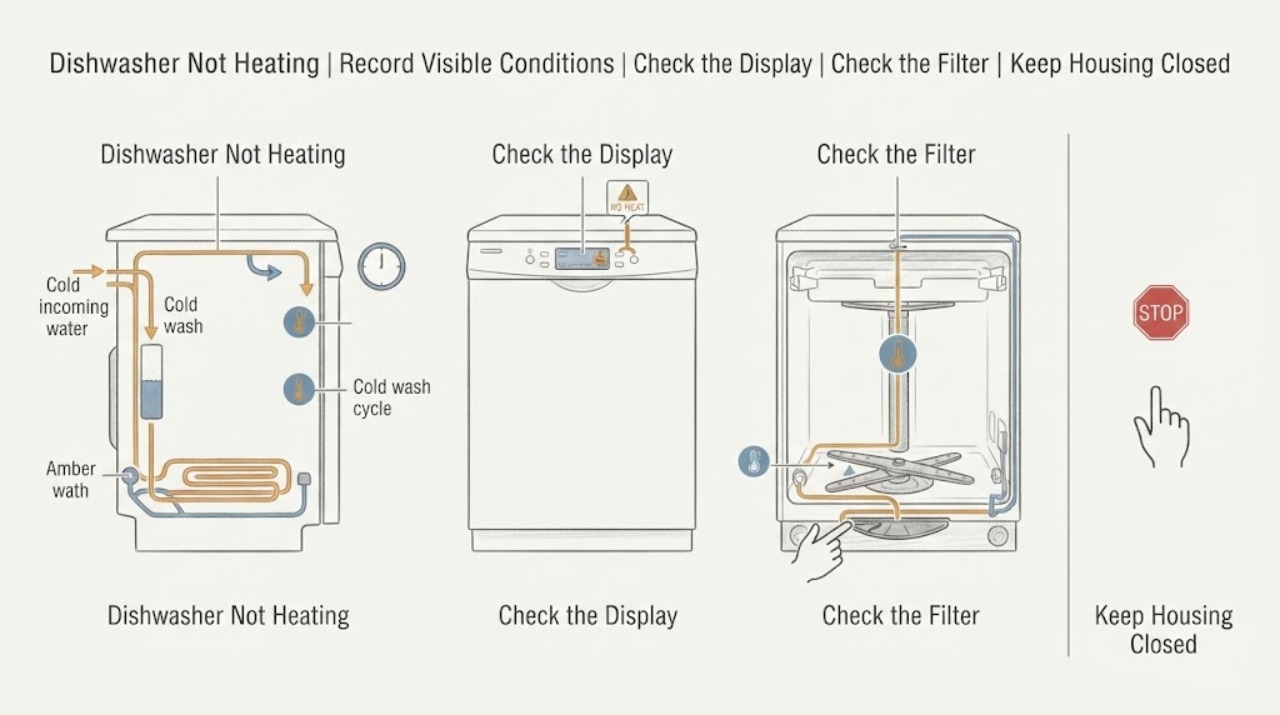
First separate a dishwasher that is not heating wash water from one that cleans but leaves dishes wet after drying. Record the complete Kenmore model and the selected cycle, then check only the user-accessible filter, spray arms, water supply, cycle options, and visible error or pause state described in that model's manual. Kenmore's current dishwasher information shows that cycles can use sensors, filtered water, temperature changes, and model-dependent drying features, so a control sequence or diagnostic code cannot be generalized across all Kenmore dishwashers. If the cycle remains cold, the heater or control never activates, the unit stops with an error, or there is a burnt smell, smoke, a hot connection, water near wiring, or a breaker trip, stop using it and arrange qualified service. Do not probe live terminals, remove the toe-kick or door panel to test voltage, or order a heater, thermostat, fuse, or control board from a symptom alone.
Before you begin
Safety first
- User checks are limited to model-documented controls, water availability, door closure, accessible filter, spray arms, and visible observations. A qualified person must handle live electrical testing, door or toe-kick panel removal, heater, thermostat, fuse, control, wiring, pump, sensor, and internal water access.
Work through in order
Diagnostic checks
Use only checks that match the exact appliance or system and its official guide.
-
Check 1
Read the complete Kenmore model and record whether the complaint is cold wash water, poor cleaning, a cycle that will not advance, no warmth during drying, wet dishes at the end, or a visible error or pause state.
Expected result: The dishwasher is cold throughout, washing is normal but drying is poor, the cycle stops or waits, or the symptom overlaps with filling, spraying, draining, or control problems.
Next step: Retrieve the exact model manual and continue with the branch matching the dominant symptom. If the model cannot be identified, limit checks to external safety and visible operating observations.
Stop if: Do not move the dishwasher, remove panels, or expose wiring to find the model number.
Why this matters
Why: Heating during washing and drying are not the same user symptom, and the model determines the cycle, sensor, heater, and diagnostic behavior.
-
Check 2
Using the exact manual, confirm that the door closes, the selected program is a wash cycle rather than delay or pause, the water supply is available, and the unit fills, sprays, and drains. Do not assume a cycle option or reset sequence from another Kenmore model.
Expected result: The door or control state prevents a normal cycle, the unit does not fill or spray, it drains normally but stays cold, or the cycle completes with expected wash action.
Next step: Correct only an obvious user-level cycle, door, or water-supply condition documented for the model. Arrange service for a persistent cold cycle or any internal control or pump diagnosis.
Stop if: Stop for a damaged door, leaking water, a hot connection, smoke, sparks, or a breaker trip; do not bypass the door latch or run a wet electrical test.
Why this matters
Why: A door, delay, water, circulation, or cycle-selection problem can prevent a heating stage; normal filling and washing with a cold result shifts attention to temperature control or heating service.
-
Check 3
With the dishwasher stopped, inspect only the user-accessible filter, spray arms, and loading arrangement described by the manual. Remove visible food debris from the accessible filter and confirm that spray arms are not blocked by dishes or loose debris.
Expected result: The filter is dirty or not seated, a spray arm is obstructed, the load blocks circulation, or the accessible wash path looks clear.
Next step: Restore the documented filter and load condition, then use the correct model cycle once. If the water remains cold or drying remains abnormal, stop repeating cycles and arrange service.
Stop if: Do not remove the sump, heater, wiring, pump, or lower access panel, and do not use tools or chemicals inside an unknown opening.
Why this matters
Why: Poor filtration or circulation can make dishes look poorly washed and can affect the observed cycle result, but a clear filter does not prove that the heating circuit is working.
-
Check 4
After a documented cycle has completed, record whether the dishes were cleaned, whether the tub or water seemed warm, whether the cycle advanced normally, and whether the complaint is limited to wet dishes or extends to cold washing.
Expected result: Cleaning and draining are normal but dishes remain wet; washing is poor and the water stays cool; the cycle stops before its heating stage; or the result changes by cycle option.
Next step: Use the exact manual's cycle and drying guidance. If the same result returns with a documented cycle and clear accessible wash path, provide the model and observations to qualified service.
Stop if: Do not open the door during a hot stage to touch the heater or water, and do not probe terminals or run a service cycle without model-specific instructions.
Why this matters
Why: A drying-only complaint can involve the selected drying feature or model-specific drying system, while cold water or a cycle that waits points toward a broader temperature, sensor, control, or heating issue.
-
Check 5
From outside the appliance, document any displayed code, flashing pattern, unusual pause, burnt odor, smoke, sparking, hot plug, water near wiring, or breaker activity. Do not infer the meaning of a code from another Kenmore model.
Expected result: No code or hazard is visible, a model-specific code is shown, the cycle repeatedly stops, or an electrical or fire warning is present.
Next step: Use the exact manual for a displayed code only. For a persistent stop or any hazard, keep the dishwasher off and arrange qualified appliance or electrical service.
Stop if: Do not reset repeatedly, bypass the door or temperature safety, remove the door or toe-kick panel, or perform live electrical tests.
Why this matters
Why: A code or stop may identify a model-specific lockout, but a hazard overrides code interpretation and requires immediate stop use.
-
Check 6
Give qualified service the complete model, selected cycle and options, fill/spray/drain behavior, warm-versus-cold result, drying result, visible code, filter and spray-arm observations, and any odor, heat, water, or breaker event.
Expected result: The unit remains cold after documented external checks, repeatedly fails to dry, stops before heating, or needs access behind a panel.
Next step: Stop using the dishwasher and arrange Kenmore or qualified appliance service. Disconnect power only from a safe accessible point when a hazard requires it, and do not restart for a test.
Stop if: Do not measure energized terminals, remove panels, handle internal wiring, or replace the heater, fuse, thermostat, or control board based only on the symptom.
Why this matters
Why: A heating element, sensor, control, wiring, circulation or water-level issue, or model-specific lockout may be involved; a symptom cannot identify a compatible part or safe test.
Use your observations
Decision map
Find the observation that best matches what you see, then follow the next safe action.
-
PATH 01Safety boundary
What you see
The door, delay or pause state, water supply, fill, spray, or drain behavior is abnormal before a heating stage is reached.
Do this next
Follow only the exact model manual for the door, cycle, water, filter, spray, and drain checks. Escalate if the internal cause is not user-accessible.
Why this path and its safety boundary
Why it matters: The dishwasher may not be reaching the heating stage, so a heater failure is not yet established.
Safety stop: Do not bypass the door latch, run without water, or open electrical access panels.
-
PATH 02Next step
What you see
The dishwasher cleans and drains normally, but dishes remain wet or the expected end-of-cycle warmth is absent.
Do this next
Confirm the exact cycle and drying option in the model manual. If the result persists with a clear filter and normal wash action, arrange service rather than replacing the heater by guesswork.
Why this path and its safety boundary
Why it matters: The complaint may be limited to a selected drying feature or model-specific drying system, although a temperature or control fault remains possible.
-
PATH 03Next step
What you see
Water remains cool, the interior never warms during a documented wash, or the cycle repeatedly waits or stops around its heating stage.
Do this next
Stop repeated cycles and arrange qualified service with the model and observed sequence. Do not run a generic diagnostic or perform electrical tests.
Why this path and its safety boundary
Why it matters: A temperature sensor, heating circuit, control, circulation or water-level condition, or model-specific safety lockout is possible; the heating element is not proven to be the failed part.
-
PATH 04Safety boundary
What you see
A code or flashing pattern appears, or the dishwasher behaves differently between cycles or options.
Do this next
Record the exact display or light pattern and use only the matching manual. Contact qualified service if the code returns or the manual calls for internal access.
Why this path and its safety boundary
Why it matters: The control has identified a model-specific condition, but Kenmore codes and service sequences cannot be safely transferred between models.
Safety stop: Do not clear a code repeatedly, bypass a safety lockout, or probe live terminals.
-
PATH 05Safety boundary
What you see
There is smoke, sparking, a burnt odor, melting, a hot plug or connection, water near wiring, a damaged cord, or a repeated breaker trip.
Do this next
Leave the dishwasher off and arrange qualified appliance or electrical service. Provide the model and the exact hazard observation.
Why this path and its safety boundary
Why it matters: This is an immediate stop-use condition. Continued operation cannot safely distinguish a heater, control, wiring, or water-related fault.
Safety stop: Do not reconnect power, reset repeatedly, open panels, or touch wet or hot electrical parts.
Helpful context
Understand the symptom
Define what is not heating
A Kenmore dishwasher can appear not to heat because the wash water stays cool, the cycle does not advance as expected, the interior is not warm at the end, or the dishes remain wet even though washing and draining are normal. Note the selected cycle and options, whether the unit fills and sprays, whether it drains, whether the display shows a pause or error, and whether the result is cold water, poor cleaning, or wet dishes. Kenmore's dishwasher information describes sensor-controlled temperature and drying features, so do not treat every cool or wet result as a failed heating element.
Use the exact model manual
Kenmore's manual center requires the appliance model number before it provides the applicable documentation. Use the matching guide to identify cycle options, heated-dry wording, filter access, water requirements, displayed codes, and any owner-level reset or cleaning instruction. A Kenmore label does not prove that a button sequence, diagnostic mode, heater layout, or error interpretation from another model applies to yours.
Check only accessible causes
With the dishwasher stopped, check that the water supply is available, the door closes normally, the selected cycle is not paused or delayed, the filter is seated and clean as the manual describes, and the spray arms can turn without an obvious obstruction. Use only the cycle and options documented for the exact model. These observations can explain a cycle that never reaches its intended operation, but they cannot prove that the heater, thermostat, sensor, relay, or wiring is healthy.
Do not generalize a code or test sequence
Online Kenmore 665 discussions show why a model number matters: one user reported reduced warmth and drying after the unit still cleaned and drained, while replies discussed a particular diagnostic sequence and possible fault codes. That sequence is not a brand-wide instruction. Do not run a hidden service mode, measure voltage, remove a heater, or replace a thermostat or control board unless the exact model documentation and a qualified technician support the procedure.
Escalate persistent no-heat symptoms
If the dishwasher fills, sprays, and drains but remains cold or repeatedly leaves dishes wet after the documented cycle and accessible checks, the remaining possibilities include a heating component, temperature sensor, control, wiring, circulation or water-level condition, or another model-specific safety lockout. A burnt odor, smoke, damaged connector, water near electrical parts, or a breaker trip is an immediate stop condition. Record the model and observed sequence, keep the unit off, and use Kenmore's support and repair resources.
Safety boundary
Stop conditions
- Stop using the dishwasher for smoke, sparks, burnt odor, melting, a hot plug or connection, damaged wiring, water near electrical parts, or repeated breaker trips.
- Do not bypass the door latch, temperature safety, water-level sensing, or any other safety device.
- Do not probe live terminals, remove the toe-kick or door panel, or run a generic diagnostic sequence from another Kenmore model.
- Do not touch the heater or hot water during a cycle, chip residue from internal parts, or replace a heater, thermostat, fuse, or control board from a symptom alone.
- If the exact model's accessible checks do not restore normal heating or drying, arrange qualified appliance service.
When checks do not resolve it
Need a professional?
Arrange qualified Kenmore dishwasher service when the unit remains cold after the exact model's accessible cycle, water, filter, and spray checks; the cycle stops before heating; a code returns; washing and draining are normal but drying remains abnormal; or internal access or electrical testing is required. Stop immediately for smoke, sparks, burnt odor, melting, a hot connection, water near wiring, damaged wiring, or repeated breaker trips. Heating-element, sensor, fuse, thermostat, control, wiring, pump, and live-voltage diagnosis belong to qualified personnel.
Safety scope: User checks are limited to model-documented controls, water availability, door closure, accessible filter, spray arms, and visible observations. A qualified person must handle live electrical testing, door or toe-kick panel removal, heater, thermostat, fuse, control, wiring, pump, sensor, and internal water access.
Common questions
FAQ
Why does my Kenmore dishwasher run but not heat?
First record whether the wash water stays cold, the cycle waits or stops, or only the dishes remain wet after drying. Confirm the exact cycle, water supply, fill, spray, drain, filter, and visible control state using the model manual. A persistent cold result can involve heating, sensing, circulation, water-level, or control systems, so do not assume the element is the failed part.
Does wet dishes always mean the Kenmore heater is bad?
No. A drying-only complaint can depend on the selected cycle or model-specific drying feature, while the wash may still be normal. Confirm the documented drying option and compare it with the water-temperature and cycle behavior before arranging service or considering parts.
Can I use a Kenmore diagnostic button sequence from another model?
No. Kenmore manuals are retrieved by complete model number, and a public Kenmore 665 discussion illustrates that code displays and diagnostic steps are model-specific. Use only the exact manual or qualified service guidance; do not probe live terminals.
Should I replace the heating element or thermostat first?
Not from the symptom alone. A cold or wet result can also involve cycle selection, water level, circulation, sensor, control, wiring, or a model-specific safety lockout. Record the model and external observations, then have qualified service identify the fault and compatible part.
When should I stop using a Kenmore dishwasher that is not heating?
Stop for smoke, sparks, burnt odor, melting, a hot plug or connection, damaged wiring, water near electrical parts, or repeated breaker trips. Keep the dishwasher off and arrange qualified appliance or electrical service; do not reset repeatedly or open panels.
Read the exact guide
Official sources
- Customer Care & Support | Kenmore AppliancesKenmore · Opened official Kenmore support page for escalation when safe model-specific checks do not resolve a fault.
- Kenmore Dishwasher 665 not cleaning/drying wellReddit · One lived Kenmore 665 case, not evidence for every Kenmore dishwasher or for a universal repair procedure.
- Dishwashers | Built-In & Portable Dishwashers | KenmoreKenmore · Opened official Kenmore dishwasher category page; individual models and cycles may differ.
- Find Your Manual | Kenmore Appliance Manuals & GuidesKenmore · Opened official Kenmore manual center; exact cycle, code, and service instructions depend on the full model number.
Community feedback
Share a repair observation
Share a plain-text repair observation. Accepted observations are published automatically; this page may take a moment to update.