
On this page
Start here
Quick answer
Treat “Kenmore dryer not working” as four different symptoms: a blank panel, a powered panel that will not start, a running dryer whose drum does not turn, or a turning dryer that does not heat. With the dryer and floor dry, check the accessible plug, breaker or fuse, door closure, cycle controls, Start control, lint filter, and visible exhaust path using the exact model manual. Do not run or reset the dryer again for a burning smell, smoke, sparking, unusual overheating, damaged cord, water near electrical parts, or a repeated breaker trip; disconnect power only without touching a wet or damaged connection and arrange qualified service.
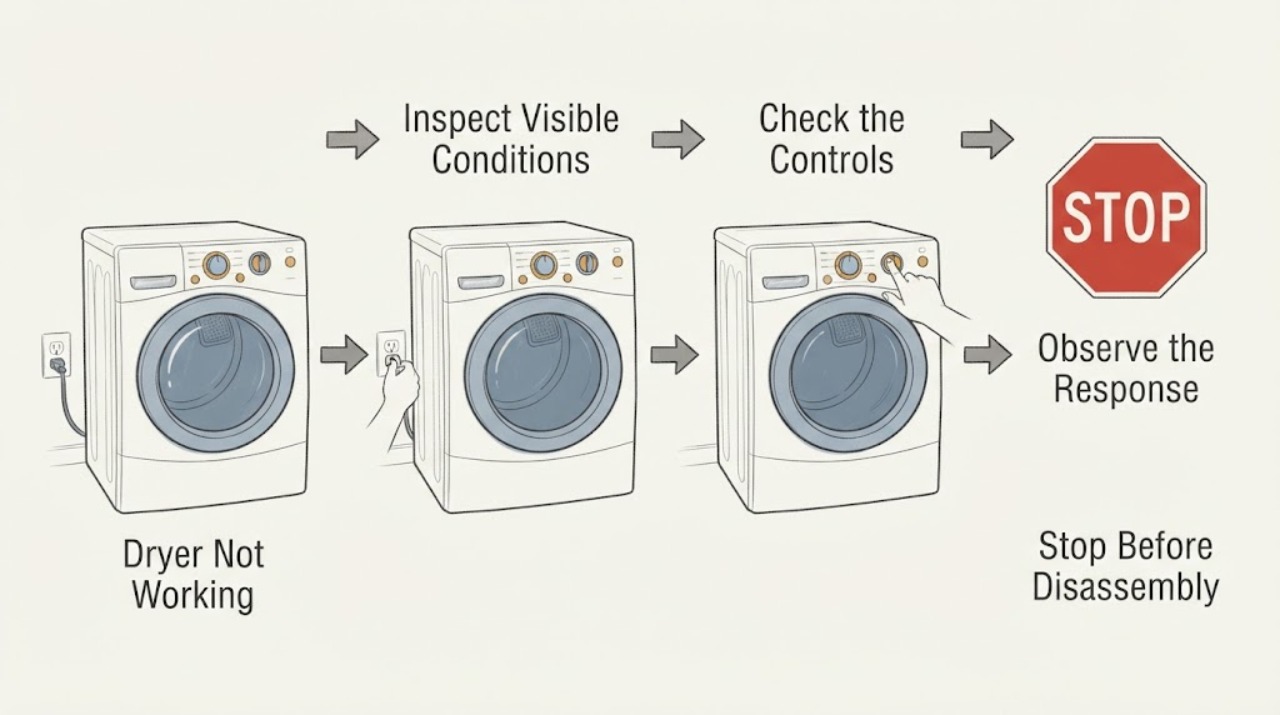
Work through in order
Diagnostic checks
Use only checks that match the exact appliance or system and its official guide.
-
Check 1
With the dryer off and the laundry area dry, observe the console while pressing the normal Power and Start control once. Do not press through a burning smell, smoke, sparking, water, or a damaged control.
Expected result: The console stays completely blank, the console lights but Start does nothing, the motor hums without drum movement, or the drum turns but the load remains cold.
Next step: Use only the checks below for the observed branch and record any displayed indicator or code; do not dismantle the cabinet.
Why this matters
Why: A blank console is a supply or internal power branch. A lit console with no start points to door/controls or an interlock. A hum without rotation points to a motor/drive or overload branch. Rotation without heat is a heat, airflow, gas/electric supply, or cycle-setting branch.
-
Check 2
Inspect the accessible power cord, plug, outlet face, wall switch if present, and the laundry-room breaker or fuse from the outside of the panel. If the area is dry and undamaged and a breaker is visibly tripped, reset it once; do not replace a fuse with a different type or remove covers.
Expected result: The outlet or cord is damaged, the breaker trips again, the dryer remains blank, or power returns and the console operates.
Next step: Leave a repeated-trip circuit off and call qualified service. If power is stable, continue to the door and control checks without repeatedly cycling the dryer.
Why this matters
Why: A single safe reset can explain a loss of supply, but a repeat trip or damaged connection indicates an unresolved electrical or appliance fault. If power returns, the original symptom may still be a door, control, motor, or heater fault.
-
Check 3
Verify the loading door is fully closed, the selected cycle and temperature are appropriate, and no Control Lock, Delay Start, or other model-specific setting is preventing operation. Press Start/Pause as the exact manual describes; never hold or bypass the door safety switch.
Expected result: The dryer starts after the door is closed or the setting is corrected, a door indicator remains, or the console ignores all controls.
Next step: Leave the dryer out of use if the door switch does not behave normally, and arrange model-specific service for an unresponsive console or persistent lock indication.
Why this matters
Why: A door interlock or control setting can prevent a start even when the console has power. If the lock indicator persists with a closed door, the interlock or control path needs diagnosis rather than bypassing.
-
Check 4
For a dryer that hums or starts then stops without turning the drum, stop the cycle and note whether an overload indicator or code appears. Allow the appliance to cool only as the model manual permits; do not reach into a moving drum or remove panels.
Expected result: The drum resumes after a cool-down once, the overload indication returns, the motor only hums, or the drum never moves.
Next step: Remove the dryer from use if the overload repeats, the cabinet is unusually hot, or the drum will not turn; do not attempt a belt, motor, pulley, or control repair from the outside.
Why this matters
Why: A motor overload protector may open after overheating, but a repeated overload is evidence of an unresolved motor, drive, airflow, or load problem. A persistent hum or no rotation requires service-level inspection.
-
Check 5
For a dryer that turns but does not heat, check the selected cycle and temperature, confirm the lint filter is in place and clean, and visually inspect the accessible exhaust outlet for airflow only during a safe brief test with no heat/smoke warning. Do not disconnect ducting or open the cabinet for this check.
Expected result: The cycle is No Heat/Cool Down, the lint filter is loaded, outside exhaust is weak or absent, or airflow is normal but the load remains cold.
Next step: Correct only the setting or accessible filter issue. If exhaust is weak, the cabinet overheats, or heat remains absent, stop and request qualified dryer service.
Why this matters
Why: A no-heat setting or restricted lint/exhaust path can look like a failed heater. CPSC says lint blockage can reduce airflow and increase heat; normal airflow does not prove the heating element, gas ignition, thermal protection, or electrical supply is healthy.
-
Check 6
Check the lint screen, area around the exhaust opening, and visible outside vent hood for lint or an obstruction without reaching into the chassis. Keep flammable liquids, chemical-soiled items, and clutter away from the dryer; never test with gasoline- or solvent-contaminated clothing.
Expected result: Lint is heavy, the vent hood does not release air during a safe normal operation, the duct is visibly kinked/crushed, or the path is clear.
Next step: Clean the accessible lint screen and keep the area clear. Arrange qualified vent/chassis cleaning or repair if airflow remains weak, drying is unusually long, or the dryer overheats.
Why this matters
Why: Restricted exhaust can cause long drying, overheating, and eventual shutdown or damage. A clear visible path does not clear lint inside the duct or dryer chassis, which CPSC assigns to periodic qualified cleaning.
Use your observations
Decision map
Find the observation that best matches what you see, then follow the next safe action.
-
PATH 01Next step
What you see
The console is completely blank and the area, cord, and outlet are dry and undamaged
Do this next
Investigate only the accessible plug and breaker/fuse supply path once.
-
PATH 02Next step
What you see
The console is lit but Start does nothing or the door indicator remains
Do this next
Treat door closure, control settings, Control Lock/Delay Start, and the interlock as the active branch.
-
PATH 03Next step
What you see
The motor hums, the drum does not turn, or an overload indication returns after cooling
Do this next
Stop repeated starts and treat the motor/drive/overload condition as unresolved.
-
PATH 04Next step
What you see
The drum turns but there is no heat, drying is unusually long, or exhaust airflow is weak
Do this next
Treat cycle setting, lint filter, exhaust restriction, and the heating/thermal system as separate possibilities.
-
PATH 05Next step
What you see
There is water near electrical parts, a damaged cord, burning smell, smoke, sparking, unusual heat, or a repeated breaker trip
Do this next
Do not operate, reset, or reach into the dryer.
Helpful context
Understand the symptom
“Not working” is not one diagnosis. A completely blank console is a power path symptom; a lit console that ignores Start is usually a start prerequisite or control symptom; a tumbling dryer with no heat has a different branch; and a drum that never turns can involve the door interlock, motor overload, drive system, or controls. Kenmore models vary, so use the model number to obtain the correct owner and installation literature before opening anything.
Stop first for heat, smoke, water, or electrical warning signs
Do not operate a dryer that is smoking, sparking, smells electrically burnt, becomes unusually hot, has a damaged cord, or sits in water. Do not repeatedly reset a breaker or bypass the door switch. If the outlet, cord, or floor is wet, keep clear rather than reaching for the plug; isolate power only when it can be done without contact with the hazard and obtain qualified help.
How to read the symptom
Record exactly what happens after a normal start command: no lights at all, lights but no motor, a motor hum with no drum movement, drum movement with room-temperature air, or a cycle that stops after overheating. That observation determines whether to stay at the supply and controls, inspect airflow, or stop for service.
Safety boundary
Stop conditions
- Stop immediately for smoke, fire, sparking, burning or gas odor, an unusually hot cabinet, a damaged cord, water near electrical parts, or a breaker that trips again.
- Do not bypass the door switch, operate with missing guards or panels, reach into a moving drum, test live terminals, or replace internal parts without qualified model-specific instructions and skills.
- Do not keep running a dryer with weak exhaust, heavy lint, repeated overload indication, or unusually long drying; restricted airflow can increase heat and fire risk.
Only after diagnosis
Potential parts
- door switch or door interlock
Only if service confirms that the door is closed but the dryer does not register the safety interlock.
Match the exact Kenmore model and revision; never bypass the switch or order from a no-start symptom alone. - motor overload or drive component
Only if qualified diagnosis confirms repeated overload, humming, or no drum rotation after accessible airflow checks.
Motor, belt, pulley, and protection parts require exact model verification and internal service skills. - heating or thermal-protection component
Only after service confirms a no-heat fault and rules out cycle setting, airflow restriction, and supply issues.
Electric and gas configurations differ; do not infer a heater or fuse from the symptom or substitute by appearance.
When checks do not resolve it
Need a professional?
Call appliance service when the console stays blank after one safe supply check, Start remains unresponsive, the drum will not turn, or an overload condition returns., Request qualified vent and dryer service for no heat, weak exhaust, unusually long cycles, overheating, or a suspected internal lint blockage., Use qualified electrical or emergency help for repeated breaker trips, water near energized equipment, damaged wiring, smoke, fire, or sparking.
Common questions
FAQ
What does “Kenmore dryer not working” mean?
Separate a blank console, a lit console that will not start, a drum that does not turn, and a drum that turns without heat. Each branch has different next checks and service needs.
Can I reset the breaker again if the dryer stops?
Only one safe reset is a reasonable observation when the area is dry and undamaged. If it trips again, leave the circuit off and obtain qualified appliance or electrical service.
Why does the dryer turn but not heat?
Check the cycle and temperature setting, lint filter, and accessible exhaust airflow. Weak airflow, overheating, or persistent no-heat requires qualified service for the thermal and heating path.
When should I stop using a Kenmore dryer?
Stop for smoke, burning or gas odor, sparking, unusual heat, water near electrical parts, a damaged cord, weak exhaust with overheating, or a repeated breaker trip. Do not bypass safety devices.
Read the exact guide
Official sources
- KenmoreKenmore · Kenmore product identity and model-specific owner documentation entry point
- Overheated Clothes Dryers Can Cause FiresU.S. Consumer Product Safety Commission · lint and exhaust blockage, airflow, overheating, fire prevention, and qualified dryer cleaning boundaries
Community feedback
Share a repair observation
Share a plain-text repair observation. Accepted observations are published automatically; this page may take a moment to update.