
On this page
Start here
Quick answer
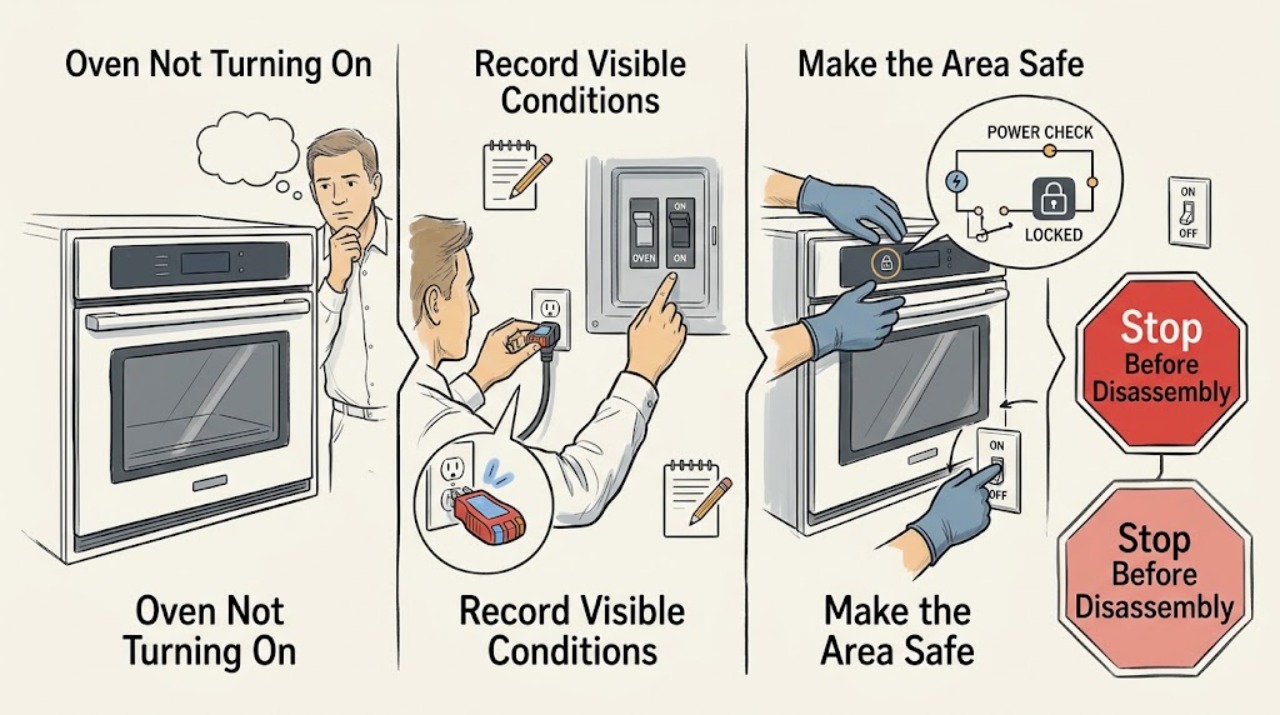
First identify whether the Kenmore oven is electric or gas and whether the display is completely blank, the controls respond but the oven will not start, or the oven starts but does not heat or ignite. From a dry, safe position, check the cord, outlet, breaker or fuse, and any accessible gas shutoff; use the model number to open the Kenmore manual. Dry the control area, clear Control Lock if the manual identifies it, set the clock or cooking mode as required, choose a temperature, close the door fully, and press Start. On gas models, do not keep trying if there is a gas odor, delayed ignition, or an abnormal flame. On electric models, do not open panels or test live terminals. A single safe, model-approved power reset is reasonable; if the display stays blank with confirmed supply, an error returns, the oven still will not heat or ignite, or power trips again, stop and arrange qualified service. Smoke, burning odor, sparks or arcing, damaged wiring, water near electrics, uncontrolled heat, or any gas odor requires immediate stop and a safe emergency or professional response.
Work through in order
Diagnostic checks
Use only checks that match the exact appliance or system and its official guide.
-
Check 1
Record the model number and classify the symptom: gas or electric; completely blank display or some display; no response to keys or a cycle that starts; no heat or no ignition; any code, lock icon, clock message, odor, noise, or recent outage. Do not remove panels to identify the fuel type.
Expected result: No display, interior light, or control response supports a supply or main-control branch. A display with a lock, clock prompt, mode indicator, or code supports a control-setup branch. A cycle that runs without heat or ignition supports a heating, igniter, gas-supply, sensor, or control branch.
Next step: Continue with the external supply check only from a dry, safe position, then use the exact Kenmore manual for the displayed control state.
Why this matters
Why: The same phrase—“not turning on”—can describe loss of electrical power, a blocked start sequence, or a heating/ignition fault. The model and symptom determine which manual instructions are safe and relevant.
-
Check 2
From a dry, safe position, inspect the accessible power cord and plug for damage and confirm the plug is fully seated in the intended outlet. Check the oven circuit breaker or fuse once; do not remove an electrical cover. If the model uses an accessible gas shutoff, do not manipulate it when gas odor is present and do not open the gas system.
Expected result: A disconnected plug, tripped breaker, or blown fuse can leave the display and oven unresponsive. A warm or damaged cord, wet outlet, repeated trip, or inability to restore power safely indicates an electrical hazard rather than a control setting.
Next step: Restore only an obvious, dry external connection and perform at most one model-approved reset. If power does not return or trips again, leave the oven off and arrange qualified service.
Why this matters
Why: An external supply problem must be separated from an oven-control failure before any model-specific start or heating diagnosis. Protective devices that trip again are warning signs, not invitations to keep resetting them.
-
Check 3
If the display is present, dry the control surface and remove only visible residue. Check for Control Lock, a clock-setting prompt, Demo Mode, Sabbath or other special-mode indicator, and the exact Start or Cancel sequence in the Kenmore manual. Select the intended cooking mode and temperature, close the door fully, and press Start once.
Expected result: Keys that work after the panel is dry or the lock/mode/clock is corrected point to a control-state issue. A lock icon, Demo Mode, an unset clock, or a mode that prevents heating can make a powered oven appear not to start. If controls respond correctly but the cycle still will not start, the door switch or control may need service.
Next step: Follow the Kenmore manual once for the identified state. Do not bypass the lock or door switch, and stop if the panel remains wet, cracked, erratic, or unresponsive.
Why this matters
Why: Official oven guidance treats condensation, lock state, Demo Mode, and incorrectly set electronic controls as distinct causes; clearing them requires the applicable model procedure, not a universal shortcut.
-
Check 4
For a gas Kenmore oven only when there is no gas odor and the appliance is otherwise safe, confirm the external supply condition and select the documented bake or broil mode. Observe from a normal operating position whether ignition occurs promptly and whether the flame is stable; do not reach into the burner area, repeatedly cycle ignition, or disassemble the gas train.
Expected result: No click or no ignition with a powered control can indicate a control, igniter, door, or gas-supply problem. Delayed ignition, repeated clicking, a yellow or unstable flame, popping, or any gas odor is an unsafe branch. A prompt, stable ignition that still produces no heat points toward a different heating or control fault.
Next step: Stop immediately for odor, delay, popping, or abnormal flame; leave the area and contact emergency or qualified help from a safe location. If there is no hazard but ignition still fails, leave the oven off and arrange appliance service.
Why this matters
Why: Gas models can fail to operate because of gas-line air or control state, but an ignition or flame abnormality can allow gas to accumulate or indicate combustion trouble. It cannot be safely diagnosed by repeated attempts.
-
Check 5
For an electric Kenmore oven, confirm the selected mode, temperature, Start command, and fully closed door from the manual. Observe only the normal exterior or interior indication that the model exposes; do not touch or measure a heating element, terminal, fuse, or wiring and do not run the oven with a damaged door or insulation.
Expected result: A correct mode and Start command with no heating indication suggests an element, sensor, door-switch, control, or supply fault. Smoke, arcing, a burning smell, an exposed or damaged element, or repeated breaker trips is a stop condition, not a heating test.
Next step: If the oven remains cold after one correctly configured cycle and there is no hazard, record the mode and symptom for service. If any electrical warning appears, stop, isolate power only when safely reachable, and do not restart.
Why this matters
Why: Power at the display does not prove that every heating circuit is safe or operating. Heating components and high-voltage wiring require model-specific service procedures and isolation by a qualified person.
-
Check 6
Record any exact error code, message, lock icon, power interruption, and whether a single documented reset changed the display. Compare the code with the Kenmore model manual rather than substituting a code from another model. If the same code returns or the panel remains blank with confirmed safe supply, stop troubleshooting.
Expected result: A transient message that clears after the documented reset may be a control interruption. An E-code or other code that returns, a display that stays blank, or an oven that still will not start with correct settings points to service for the control, supply, door circuit, ignition, or heating system.
Next step: Give the technician the model number, fuel type, code, display state, settings, breaker result, odor/noise observations, and the point at which the oven stopped responding. Do not make additional reset or ignition attempts.
Why this matters
Why: Error-code meaning and reset behavior are model-specific. Official oven support recommends noting the exact code and arranging service when a malfunction persists, rather than repeatedly resetting the appliance.
Use your observations
Decision map
Find the observation that best matches what you see, then follow the next safe action.
-
PATH 01Next step
What you see
The display and controls are completely blank, and the external outlet, breaker, or fuse cannot be restored safely.
Do this next
Leave the oven off and arrange qualified electrical or appliance service. Do not remove covers, probe terminals, or keep resetting the protective device.
-
PATH 02Next step
What you see
The display works, but a lock icon, clock prompt, Demo Mode, or other model-specific control state prevents Start or heating.
Do this next
Use the exact Kenmore manual to correct that state once, then select mode, temperature, close the door, and press Start. If the state returns or the door switch does not respond, arrange service.
-
PATH 03Next step
What you see
A gas model has no odor but does not ignite promptly, clicks continuously, or shows a flame problem.
Do this next
Stop the ignition attempt and leave the oven off. Arrange qualified appliance service; do not open the gas path, adjust pressure, or repeatedly test ignition.
-
PATH 04Next step
What you see
A gas odor, delayed ignition, popping, abnormal flame, or suspected gas leak is present.
Do this next
Do not operate switches, phones, flames, or engines near the suspected leak. Leave the area and contact emergency help from a safe location; do not return to test the oven until professionals say it is safe.
-
PATH 05Next step
What you see
An electric model has correct settings and a closed door but remains cold, or an error code returns after the documented single reset.
Do this next
Stop repeated testing and arrange qualified service for the supply, element, sensor, door circuit, igniter where applicable, or electronic control. Do not perform live electrical tests.
-
PATH 06Next step
What you see
Smoke, burning or electrical odor, sparks, arcing, a hot or damaged cord, water near electrical parts, uncontrolled heat, or a breaker that trips again is present.
Do this next
Stop immediately. If safe and dry, isolate power from the external disconnect; otherwise keep away and obtain emergency or qualified help. Do not restart, open panels, or touch wet equipment.
Helpful context
Understand the symptom
Start by separating no power from no heat
Record the Kenmore model number, whether the oven is gas or electric, and exactly what happens when you select a cycle. A blank display and no light point first to supply or controls. A lit display with no response can be a lock, clock, mode, door, or Start-sequence issue. A cycle that starts but produces no heat moves the diagnosis toward the heating element, igniter, gas supply, sensor, or control. Do not assume a part has failed until the symptom and model-specific manual support that branch.
Use the model manual for controls and safety limits
Kenmore oven controls vary by model. The official manual portal is the right place to confirm whether the clock must be set, how Control Lock or Demo Mode is shown, which key starts a cycle, and whether a Sabbath or other special mode applies. Do not guess a hidden key combination or bypass a door switch.
Stop before opening the oven or gas system
Only make external, dry, visible checks. Stop immediately for gas odor, delayed ignition, an abnormal yellow or unstable flame, smoke, a burning or electrical smell, sparks, arcing, a hot or damaged cord, water near electrical parts, uncontrolled heating, or a breaker that trips again. Do not repeatedly ignite a gas oven, remove electrical covers, test live voltage, alter gas pressure, or replace an igniter or element without qualified model-specific service.
When checks do not resolve it
Need a professional?
Arrange qualified service when safe external power is present but the Kenmore oven remains blank, will not accept a correct Start sequence, does not heat, or a gas model will not ignite promptly., Provide the model number, gas or electric type, display state, exact error, clock or lock state, selected mode and temperature, door behavior, breaker result, ignition or heating observation, and any odor or noise., Do not open electrical covers, test live voltage, bypass a door switch or safety control, alter gas pressure, disassemble the gas path, or replace an element or igniter based only on symptoms., For gas odor, smoke, fire, arcing, uncontrolled heat, water near electrics, damaged wiring, or a recurring breaker trip, stop immediately and use emergency or qualified help from a safe location.
Common questions
FAQ
Why is my Kenmore oven display blank?
From a dry, safe position, check the plug, outlet, breaker or fuse, then use the model manual for the control sequence. If safe power is confirmed but the display remains blank, or the breaker trips again, leave the oven off and arrange service.
Why does my Kenmore oven have power but not start?
Check the model-specific clock requirement, Control Lock, Demo or other mode, selected cooking mode and temperature, closed door, and Start command. If the controls are correct but the cycle will not start, the door circuit or control may need service.
Why does my gas Kenmore oven not ignite?
If there is no gas odor, record whether the igniter clicks and whether ignition is prompt and stable; do not repeat attempts. Any odor, delay, popping, or abnormal flame requires stopping and contacting emergency or qualified help from a safe location.
Why does my Kenmore oven turn on but not heat?
Confirm the mode, temperature, Start command, door closure, and whether the model is gas or electric. A persistent no-heat condition can involve the element, igniter, sensor, supply, or control and should be diagnosed by qualified service rather than by opening the oven.
Should I keep resetting the oven breaker?
No. One safe, model-approved reset can distinguish a transient interruption, but a breaker that trips again is a stop condition. Leave the oven off and arrange qualified electrical or appliance service.
What should I do if I smell gas from the oven?
Do not use switches, phones, flames, or engines near the suspected leak. Leave immediately and contact emergency help from a safe location. Do not return to relight or test the oven until professionals confirm it is safe.
Read the exact guide
Official sources
- Bosch Oven & Microwave Error CodesBosch Home · Comparable manufacturer guidance for oven control-panel condensation, power reset, exact error-code recording, and persistent-error service
- Common Oven Problems and How to Fix ThemBosch Home · Comparable manufacturer guidance for oven no-heat, heating-element, convection, door, and service branches
- Kenmore ManualsKenmore · Kenmore manuals and model-specific oven, range, stovetop, and control instructions
- Gas Range User InstructionsWhirlpool · Comparable manufacturer guidance for gas-oven operation, control lock, Demo Mode, electronic control setup, display messages, ignition, and flame safety
- Recognizing and Responding to Pipeline EmergenciesU.S. Department of Transportation, Pipeline and Hazardous Materials Safety Administration · Gas-odor emergency response and evacuation precautions
Community feedback
Share a repair observation
Share a plain-text repair observation. Accepted observations are published automatically; this page may take a moment to update.