
On this page
Start here
Quick answer
Do not assign a generic meaning to dashes on an unidentified Kenmore French-door refrigerator. Kenmore's official manual lookup requires the appliance model number, and control layouts and display states vary by model. First determine whether dashes appear in one compartment display or both, whether the refrigerator is actually cooling, and whether the panel is otherwise responsive. Find the full model number and use Kenmore's manual lookup before trying any model-specific button sequence. If food is warming, the display is accompanied by an alarm or loss of cooling, or there is smoke, burning odor, damaged wiring or liquid near electrical parts, protect the food and arrange service; do not remove the control panel or perform live electrical tests.
Work through in order
Diagnostic checks
Use only checks that match the exact appliance or system and its official guide.
-
Check 1
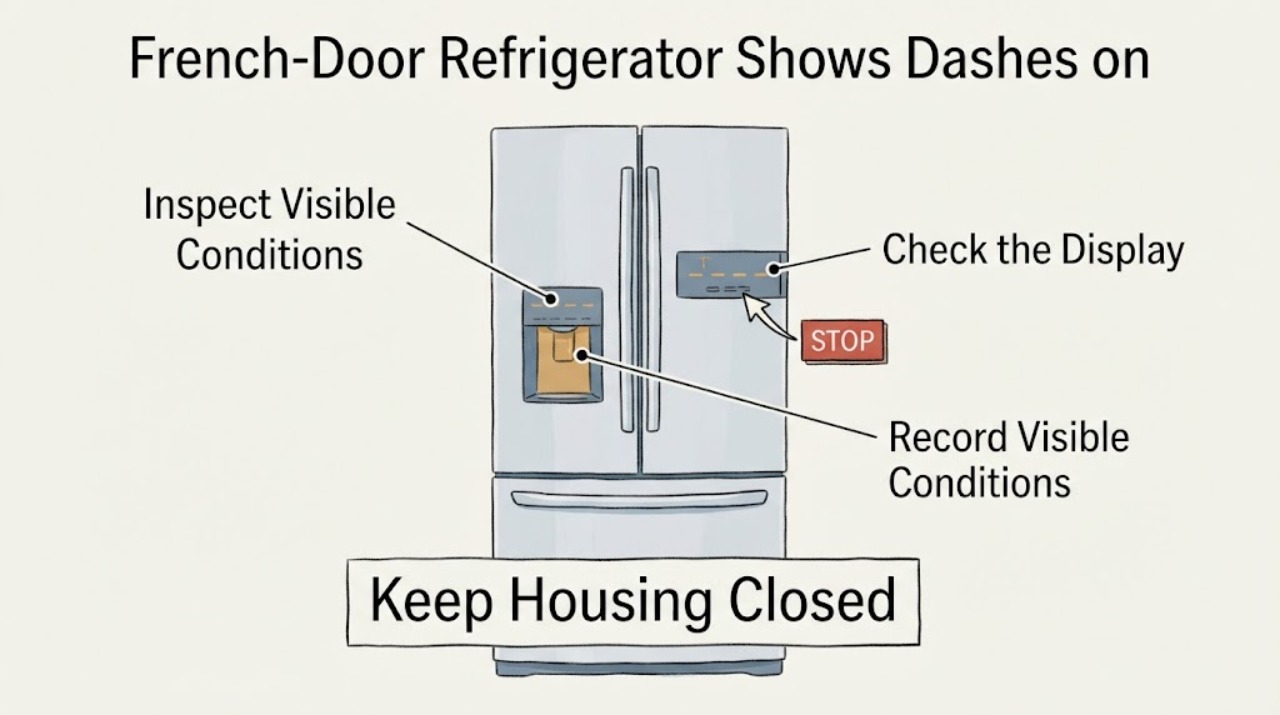
Observe the panel without pressing a sequence: record whether the dashes are in the refrigerator display, freezer display or both, whether they are solid or flashing, and whether other icons, interior lights, dispenser functions or alarms respond.
Expected result: Only one compartment shows dashes, both compartments show dashes, the whole panel is blank, or the panel responds to a normal temperature-control touch without revealing a number.
Next step: Photograph the panel and continue by locating the full model number. Do not select a generic reset, cooling-off, demo-mode or error-code procedure from another Kenmore model.
Why this matters
Why: The pattern helps distinguish a compartment-specific display state from a panel-wide power or interface symptom, but it does not establish what the dashes mean on an unidentified Kenmore model.
-
Check 2
Check cooling independently of the display: note whether food is remaining cold, whether the freezer is maintaining frozen food, and whether either compartment has become noticeably warm. Keep the doors closed while making the observation.
Expected result: Both compartments continue to preserve food normally, or one or both compartments are warming despite the panel showing dashes.
Next step: If cooling is normal, prioritize model identification and the exact manual. If food is warming, protect perishable food and arrange model-specific refrigerator service rather than repeatedly changing unknown controls.
Why this matters
Why: Normal cooling makes a display or control-state issue more likely, while warming makes the symptom an appliance-performance concern as well as a display concern. Neither observation identifies a failed control board, sensor or compressor.
-
Check 3
Find and record the complete model number from the refrigerator's identification label, including all digits, letters, prefix and suffix. Do not use only a capacity, color, French-door description or partial number.
Expected result: A complete model number is readable, or the label is missing, damaged or still incomplete.
Next step: Enter the complete model number in Kenmore's official manual lookup. If it cannot be read, photograph the label and provide the appliance details to Kenmore customer care or a qualified technician; do not borrow a manual from a similar French-door unit.
Why this matters
Why: Kenmore's official manual lookup requires a model number and says model numbers are at least 11 characters long. Without the full identifier, the applicable display instructions remain unresolved.
-
Check 4
Use the exact Kenmore manual after the model is confirmed to check the panel legend and the documented meaning of the displayed dash. Follow only the button sequence and operating-state instructions written for that model.
Expected result: The exact manual identifies the dash as a normal control state, gives a model-specific way to restore the temperature display, or does not describe the observed display.
Next step: Follow the documented step only if the model and panel match. If the manual does not match the display, stop experimenting and provide the photo, model and cooling observations to Kenmore support or service.
Why this matters
Why: A model-specific manual can distinguish an intentional setting from an unresolved display or control fault. An undocumented or different display state cannot be decoded by transferring instructions from another Kenmore refrigerator.
-
Check 5
Check only safe, visible conditions around the appliance: confirm the power cord and plug are not damaged, look for water near the control area or outlet, and note smoke, burning odor, unusual heat or repeated electrical protection operation. Do not remove covers or measure energized wiring.
Expected result: There is no visible damage and cooling is normal, or there is smoke, burning odor, water near electrical parts, a hot/damaged cord or repeated protection operation.
Next step: For a safety warning, stop using the refrigerator and arrange qualified service; disconnect power only if it can be done without touching wet or damaged equipment. Otherwise continue with the exact-manual path and service if the display remains unresolved.
Why this matters
Why: A normal visible installation does not explain the dash, but a heat, moisture or electrical warning makes continued troubleshooting at the panel unsafe. The warning does not identify a particular part.
Use your observations
Decision map
Find the observation that best matches what you see, then follow the next safe action.
-
PATH 01Next step
What you see
Dashes appear in one or both temperature areas, but the refrigerator is cooling normally and the rest of the panel responds.
Do this next
Record the complete model number and use the matching Kenmore manual before pressing a reset or changing a setting.
Why this path and its safety boundary
Why it matters: A model-specific control state or display interpretation remains possible; the observation does not establish an electronic failure.
-
PATH 02Next step
What you see
The model label is incomplete or unreadable, or the manual lookup returns no matching manual.
Do this next
Send the label information and panel photograph to Kenmore customer care or qualified appliance service. Do not generalize an OFF, demo or error-code procedure.
Why this path and its safety boundary
Why it matters: The display meaning and safe button sequence are model-scope unresolved; a similar French-door refrigerator is not a reliable substitute.
-
PATH 03Next step
What you see
The display shows dashes and the refrigerator or freezer is warming, food is softening, or an alarm accompanies the display.
Do this next
Protect perishable food, minimize door openings and arrange refrigerator service using the full model and symptom record. Do not keep cycling unknown controls to test the appliance.
Why this path and its safety boundary
Why it matters: This is a cooling-performance concern in addition to an unreadable or ambiguous panel. The dash still does not identify a board, sensor or compressor fault.
-
PATH 04Next step
What you see
Smoke, burning odor, visible melting, a hot or damaged cord, water at electrical parts or repeated electrical protection operation is present.
Do this next
Stop using the refrigerator and arrange qualified service. Disconnect power only from a dry, safe location and do not perform live tests or remove the control housing.
Why this path and its safety boundary
Why it matters: The appliance should not be tested through the control panel or opened by a general user; the visible warning takes priority over interpreting the display.
Helpful context
Understand the symptom
A dash is an observation, not a diagnosis
The reported mark may be a deliberate control state, a model-specific display condition, a loss of display data or a symptom of a control problem. The supplied topic has no model number, and no opened official Kenmore page defines a dash for every French-door refrigerator. Treat the display as an observation until the exact manual and the refrigerator's cooling behavior are known.
Identify the appliance before using a button sequence
Kenmore's manual page says to enter the model number to obtain the applicable manual and notes that model numbers are at least 11 characters long. Record the complete label, including its prefix and suffix, rather than relying on the French-door description or a partial number. The exact manual may define the panel's display states and the safe way to change them.
Check cooling separately from the display
A temperature panel can be unreadable while the refrigerator is still cooling, or it can show a control state while the compartments are not cooling. Check the food and compartment condition without opening the control housing, and document which display segments, lights, alarms and controls respond. Kenmore directs owners to its manuals and customer-care/repair resources for model-specific help; the display alone does not prove a board or sensor failure.
When checks do not resolve it
Need a professional?
Arrange Kenmore or qualified refrigerator service when the exact model cannot be identified, the exact manual does not explain the display, the panel remains unresolved after the model-documented step, or cooling performance is affected. Provide the full model number and a photograph of the panel.
Have this ready
- Provide the complete model number, French-door configuration, which display shows dashes, whether the dashes are solid or flashing, whether the freezer and fresh-food sections are cooling, any alarms or other icons, and the safe visible power/cord observations.
Common questions
FAQ
Do dashes always mean the Kenmore refrigerator is turned off?
No conclusion is safe without the model and matching manual. Kenmore's official manual lookup is model-based, and the task does not identify the refrigerator model, so do not transfer a dash or OFF interpretation from another Kenmore panel.
What should I do if the refrigerator is still cold but the temperature display has dashes?
Record whether one or both displays show dashes, locate the full model number and retrieve the exact Kenmore manual. Do not use a generic reset or demo-mode sequence; the display symptom alone does not prove a failed part.
What if I cannot find the Kenmore model number?
Do not substitute a nearby French-door model. Kenmore says its manual search requires the model number; photograph the identification label and panel, then provide those details to Kenmore customer care or qualified service.
When is the dash display a service issue?
Arrange service when the exact manual does not match the display, the panel stays unresolved after the documented model-specific step, cooling is lost, food is warming or an alarm persists. Stop using the refrigerator for smoke, burning odor, water near electrical parts or damaged or hot wiring.
Read the exact guide
Official sources
- Refrigerators & Freezers | French Door, Side-by-Side | KenmoreKenmore / Transform SR Brands LLC · Supports the assigned Kenmore French-door refrigerator context only; it is not a manual for the unidentified appliance.
- Find Your Manual | Kenmore Appliance Manuals & GuidesKenmore / Transform SR Brands LLC · Supports the need to identify the exact refrigerator before interpreting a display; it does not define the reported dash.
- Customer Care & Support | Kenmore AppliancesKenmore / Transform SR Brands LLC · Supports escalation to Kenmore's model-specific resources or service; it does not assign a dash meaning or a failed component.
Community feedback
Share a repair observation
Share a plain-text repair observation. Accepted observations are published automatically; this page may take a moment to update.