
On this page
Start here
Quick answer
First separate a Kenmore washer with no lights from one whose controls light up but the cycle will not begin. Check the normal supply and breaker from a safe position, then look for Control Lock, a cycle selector that is not on a valid program, a lid or door that is not fully latched, a Start button that needs a brief hold, or an exact model message about water or fill. Use the Kenmore model manual for the correct sequence because Kenmore platforms differ. If there is standing water, a leak near electricity, a hot cord, smoke, a burning smell, an arc, or another breaker trip, stop using the washer. When no hazard is present, one model-approved power cycle may clear a temporary control state; a returning fault needs qualified service.
Before you begin
Safety first
- This article covers ordinary-access observation and model-specific control steps only. Do not open the cabinet, work on energized parts, disconnect pressurized hoses, or defeat the lid or door safety lock.
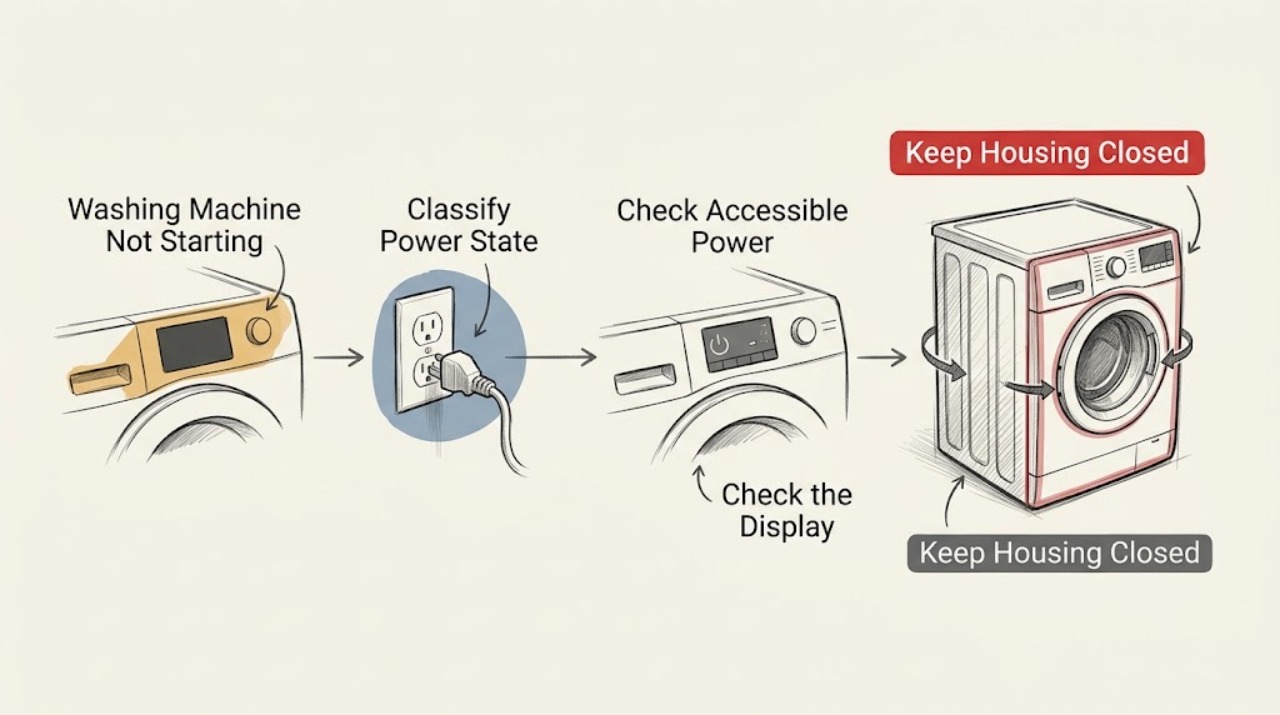
Work through in order
Diagnostic checks
Use only checks that match the exact appliance or system and its official guide.
-
Check 1
From a dry, stable position, press the normal Power or Start control once and record whether the console is dark, partly lit, or fully lit; note any lock light, delay indicator, countdown, water message, or exact error text.
Expected result: Nothing lights, the console lights but ignores input, or the console responds but the selected cycle does not begin; record top-load versus front-load and the visible lid or door state.
Next step: Use the dark-console branch for supply checks or the lit-console branches for controls, latch, water, and start-sequence checks. Keep the exact model number for the Kenmore manual.
Stop if: Stop for smoke, a burning smell, visible arcing, a hot cord or outlet, liquid entering the console, or controls that activate without a command.
Why this matters
Why: No lights points first to supply or internal power. A lit but unresponsive console points to Control Lock or a control fault. A responsive console that will not start points to the lid or door, cycle selection, water, Start gesture, or an exact model condition.
-
Check 2
For a dark console, check the normal user-accessible plug, outlet switch, GFCI, or household breaker position and look for visible cord damage without removing panels or opening a junction box; do not repeatedly reset a trip.
Expected result: The outlet or breaker is off or tripped, the console returns after one normal restoration, or the supply appears on while the washer remains dark.
Next step: Restore a clearly off supply once when there is no hazard. If it trips again, the cord or outlet is damaged, or the console stays dark, leave the washer out of use and arrange qualified electrical or appliance service.
Stop if: Do not use an extension cord, open the washer, touch exposed conductors, or continue after heat damage, moisture, smoke, or an arc.
Why this matters
Why: A console that returns after a supply interruption supports a power event. A dark console with the accessible supply apparently on can indicate an internal power or installation fault.
-
Check 3
With clean, dry hands and a dry console, check the Kenmore manual and the visible panel for Control Lock, delay or soak state, a paused cycle, a selector between programs, or a required Start-button hold; clear only the state documented for that model.
Expected result: The lock indicator clears, a delayed or paused cycle becomes ready, the selector now points to a named cycle, or the controls still do not accept the command.
Next step: Select one ordinary model-supported cycle, close the lid or door, and hold Start only for the duration specified by the manual. If the lock or error returns, record it and move to service.
Stop if: Do not guess a key combination from another Kenmore platform, press a wet or erratic panel, or bypass a control lock.
Why this matters
Why: A locked control, future start, pause state, or invalid selector position can look like a failed washer even when power is present. Continued non-response after the documented control step suggests a control or input fault.
-
Check 4
For a top-load washer, close the lid gently and inspect the visible strike area for lint, detergent residue, clothing, or a broken piece; for a front-load washer, close the door firmly and check the visible seal area for an obstruction, without forcing the lock.
Expected result: The lid or door closes evenly and the lock indication engages, the lock light flashes, or the lid or door will not close, latch, lock, or unlock normally.
Next step: Remove only loose visible debris from the exterior strike or seal area with the washer safe and still. Retry one valid cycle after normal closure; if the lock will not engage or a locked door will not release, stop and request service.
Stop if: Do not hold down the lid switch, defeat the lock, reach into a moving tub, force a locked door, or open the cabinet to reach the latch.
Why this matters
Why: The washer can refuse to start until its lid or door is fully latched. A flashing lock can reflect interference, a lock motor or sensing problem, or an obstruction, but the exact platform determines the sequence.
-
Check 5
If the console shows a fill, water, or inlet message, inspect the accessible hot and cold supply valves and hose connections for an obvious closed valve, kink, or leak; do not disconnect a pressurized hose or move a wet machine.
Expected result: Both required valves are open and hoses are connected with no leak, one valve is closed or a hose is visibly kinked, or water is leaking, pooled, or reaching the outlet or controls.
Next step: If the setup is dry and an obvious valve position or kink is corrected without moving the washer, retry the model-supported cycle once. If the message remains or any leak is present, stop and arrange qualified service.
Stop if: Do not add water by hand, loosen hoses under pressure, reach into standing water near a plug, or run a washer with a leaking hose or damaged floor connection.
Why this matters
Why: A washer can remain at the start when the model is waiting for water, and some exact codes are tied to fill time or water supply. A leak or water near electricity is a safety event, not a fill adjustment.
-
Check 6
Only when the washer is dry, stable, free of smoke or odor, and not tripping protection, follow the Kenmore model manual for one power cycle; if the manual has no separate sequence, use the applicable documented control reset and then select a valid cycle once.
Expected result: The console returns to normal and one cycle starts, or the washer remains dark, repeats the same message, fails to latch, or trips the supply again.
Next step: If the symptom returns or the cycle still will not start, leave the washer out of use and provide the model, exact message, console state, latch result, water result, and reset result to a qualified technician.
Stop if: Do not repeat breaker resets, remove panels, probe live wiring, bypass a lid or door safety, or continue if the machine becomes hot, wet, smoky, or electrically noisy.
Why this matters
Why: A single power cycle can clear a temporary control hang-up, but it cannot repair a failed lock, supply, inlet, control, or wiring fault. A returning symptom is evidence for service rather than more resets.
Use your observations
Decision map
Find the observation that best matches what you see, then follow the next safe action.
-
PATH 01Safety boundary
What you see
The console is dark, with no smoke, odor, heat damage, liquid, or arc.
Do this next
Check the normal plug, outlet switch, GFCI, or breaker once. If the supply is on but the console remains dark, request qualified service.
Why this path and its safety boundary
Why it matters: Start with the accessible power path rather than the cycle controls.
Safety stop: A repeated trip, hot cord, damaged outlet, smoke, or arc requires immediate stop-use and qualified electrical attention.
-
PATH 02Next step
What you see
The console is lit and shows Control Lock, a delayed or paused state, or no valid cycle position.
Do this next
Use the exact Kenmore manual to clear the state, choose a named cycle, and hold Start as directed once. Escalate if the panel stays locked or returns to the same state.
Why this path and its safety boundary
Why it matters: The washer may be waiting for a model-specific control state rather than lacking power.
-
PATH 03Safety boundary
What you see
The lid or door is not accepted, a lock light flashes, or the machine will not latch or unlock normally.
Do this next
Clear only loose visible debris from the exterior strike or seal area and close normally. Do not defeat or force the lock; request service if the signal remains abnormal.
Why this path and its safety boundary
Why it matters: The safety lock signal is not confirmed, or the mechanism has an obstruction or fault.
Safety stop: Stop for a locked door with standing water, a broken strike, cracked glass, a loose lid, or any need to open the cabinet.
-
PATH 04Safety boundary
What you see
An exact display message points to water, inlet, or a long-fill condition.
Do this next
Check accessible valve positions, hose connection, kink, and leak status without disconnecting hoses. Use the model manual for the exact code; arrange service if the message remains.
Why this path and its safety boundary
Why it matters: The selected cycle may be waiting for the model's required water supply or reporting a fill problem.
Safety stop: Stop for a hose leak, pooling water near electricity, a moving or unstable washer, or any pressurized connection that needs disassembly.
-
PATH 05Safety boundary
What you see
One documented power cycle does not restore operation, or the same lock, water, control, or supply symptom returns.
Do this next
Leave the washer out of use and arrange qualified appliance service with the model, exact message, and test results.
Why this path and its safety boundary
Why it matters: The remaining cause is likely a persistent input, safety, supply, or control fault rather than a temporary state.
Safety stop: Do not keep resetting, bridge the lid or door lock, open the cabinet, or perform live electrical diagnosis.
-
PATH 06Next step
What you see
The washer has smoke, a burning smell, visible arcing, a hot cord or outlet, uncontrolled movement, a serious leak, or water contacting electricity.
Do this next
Stop using the washer, keep people away, leave the area when needed, and contact appropriate emergency, electrical, or appliance help from a safe location.
Why this path and its safety boundary
Why it matters: This is a stop-use safety event, not a start-up troubleshooting branch.
Helpful context
Understand the symptom
A dark washer and a lit washer need different first checks
If the console is completely dark, begin with the accessible supply, breaker, outlet, and visible cord condition. If the console lights up, power is present at least at the controls; a lock, lid or door signal, cycle selection, water condition, or Start-button gesture can still prevent a cycle. Record whether the machine is top-load or front-load and keep the exact model number for the Kenmore manual.
Kenmore model identity matters
Kenmore washers are sold across more than one platform, so a lid lock, front door lock, selector, delay option, and error display do not behave identically. The official Kenmore manual page lets you retrieve the guide by model number. Use a Whirlpool help page only for the clearly marked general behavior it describes, never as proof that an unconfirmed Kenmore model has the same control sequence.
Water and safety signals can stop a valid start
A washer may accept a program yet wait at the start when the lid or door is not secured, the inlet water is unavailable, or a fill message is present. Check hoses and valves only from ordinary access and keep water away from the outlet and controls. Do not reach into a moving tub, defeat a lock, open the cabinet, or continue a test after an electrical or water hazard.
Safety boundary
Stop conditions
- Stop use for smoke, a burning smell, visible arcing, a hot or damaged cord or outlet, uncontrolled movement, or another breaker trip.
- Stop for water leaking or pooling where it can reach a plug, outlet, controls, or wiring; do not reach into standing water near electricity.
- Do not defeat a lid or door lock, hold a switch closed, reach into a moving tub, force a locked door, or open the cabinet.
- Do not disconnect a pressurized hose, probe live wiring, use an extension cord, or keep testing a wet or unstable washer.
- Use a power cycle only once when the washer is dry and free of immediate hazards; a returning fault requires qualified service.
Only after diagnosis
Potential parts
- lid lock or door lock assembly
Consider this category only if the lid or door closes normally but the exact model still cannot confirm the lock or repeatedly shows a latch-related message.
Confirm the exact Kenmore model and technician diagnosis before ordering; do not bypass or substitute the safety lock. - washer water inlet valve
Consider this category only after the manual and service diagnosis point to a persistent fill fault with open valves, connected hoses, and no external kink or leak.
Confirm the exact model, hose arrangement, and fit information; do not open a pressurized water connection as a test. - washer control board or start input
Consider this category only after correct supply, valid cycle selection, normal lock behavior, and one documented reset have been checked by a qualified technician.
Internal electrical parts require exact model verification and qualified installation; do not open the washer to identify or replace them.
When checks do not resolve it
Need a professional?
Arrange qualified Kenmore appliance or electrical service when the console stays dark with the supply apparently on, a breaker trips again, the control remains locked, the lid or door will not latch or unlock normally, a water message persists, the washer leaks, or one documented power cycle does not restore operation. Provide the model number, top-load or front-load type, exact display message, console state, latch result, water result, and reset result.
Safety scope: This article covers ordinary-access observation and model-specific control steps only. Do not open the cabinet, work on energized parts, disconnect pressurized hoses, or defeat the lid or door safety lock.
Common questions
FAQ
Why is my Kenmore washing machine completely dark?
Separate a supply interruption from an internal fault. Check the normal accessible plug, outlet switch, GFCI, or breaker once without opening the washer or repeatedly resetting a trip. If supply is present but the console stays dark, arrange qualified service.
Why does my Kenmore washer have power but not start?
Check Control Lock, a paused or delayed state, a selector that is not on a valid cycle, the required Start-button hold, and the lid or door latch. Then check any exact water or fill message using the model manual.
Can a lid or door stop a Kenmore washer from starting?
Yes. Many washer designs require the lid or door to be fully closed and latched before filling or movement. Remove only loose visible debris from the exterior strike or seal area. Never hold the switch closed or bypass the lock.
What if the washer shows a water or fill message?
Check the accessible hot and cold valve positions, hose connection, visible kink, and leak status without disconnecting a pressurized hose. The exact code and model manual control the next step; a leak or water near electricity is a stop-use condition.
Should I keep resetting the washer until it starts?
No. If the washer is dry and free of smoke, odor, leakage, and a recurring trip, use the model-approved power cycle once. A returning lock, water, control, or power symptom needs qualified diagnosis rather than more resets.
What information should I give a Kenmore washer technician?
Provide the exact model, top-load or front-load type, dark or lit console state, every displayed message, lid or door result, water-valve result, supply or trip history, and whether one documented power cycle changed anything. Mention any leak, heat, odor, smoke, or arc.
Read the exact guide
Official sources
- No Power - Washer - Product HelpWhirlpool Product Help · Whirlpool top-load washer guidance used as a clearly scoped platform example; Kenmore model behavior can differ and its exact manual takes priority.
- Not Starting or Operating - Compact Front Load Washer - Product HelpWhirlpool Product Help · Whirlpool compact front-load example; only the clearly marked water and control concepts transfer to an unconfirmed Kenmore model.
- Won't Start - Has Power - Washer - Product HelpWhirlpool Product Help · Whirlpool stacked-laundry example; water codes and control gestures are not universal to Kenmore.
- Not Starting or Not Operating - Front Load Washer - Product HelpWhirlpool Product Help · Whirlpool front-load example used for platform-specific branches; consult the exact Kenmore manual for the assigned appliance.
- Find Your Manual | Kenmore Appliance Manuals & GuidesKenmore · Kenmore's official manual portal; the exact washer manual controls model-specific operation and error meanings.
- Lid Lock Flashing - Washer - Product HelpWhirlpool Product Help · Whirlpool top-load example; use only the diagnostic concept and not an unconfirmed Kenmore code interpretation.
- Not Starting - Washer - Product HelpWhirlpool Product Help · Whirlpool top-load example used for the shared diagnostic concepts; do not assume its gesture or timing on an unconfirmed Kenmore model.
- Lid Locking on a Top Load High Efficiency Washer - Product HelpWhirlpool Product Help · Whirlpool top-load high-efficiency example; lid behavior varies across Kenmore platforms.
Community feedback
Share a repair observation
Share a plain-text repair observation. Accepted observations are published automatically; this page may take a moment to update.