
On this page
Start here
Quick answer
Treat “not working” as a routing symptom, not a single diagnosis. First record the KitchenAid model number and decide which of these is actually happening: no lights or power, lights on but controls do not respond, a cycle will not start, a cycle stops partway, water remains, or a code or repeating light pattern appears. KitchenAid's official help separates those paths and says model-specific manuals are needed; its error guide also warns that exact codes vary by model. Check only the matching external condition: a correctly connected supply and non-tripped breaker for no power, control lock and door latch for no response, the water valve for a start problem, the visible filter/drain hose/disposer path for a drain symptom, and the complete code or flash sequence for an error. A single model-supported reset may clear a transient control state, but a returning symptom, leak, water near electrical parts, smoke, sparking, or any need to open a panel requires qualified service. Do not use this broad page to replace a dedicated model-specific error, drain, no-power, or cycle page, and do not order an internal part from the phrase “not working.”
Before you begin
Safety first
- Do not open panels, access terminal blocks, test energized wiring, bypass the door latch or other protection, repeatedly reset a tripping breaker, or order a part solely from “not working.” For a leak, smoke, sparking, hot cord, or water near electrical parts, stop using the dishwasher and isolate power only if safe before obtaining qualified service.
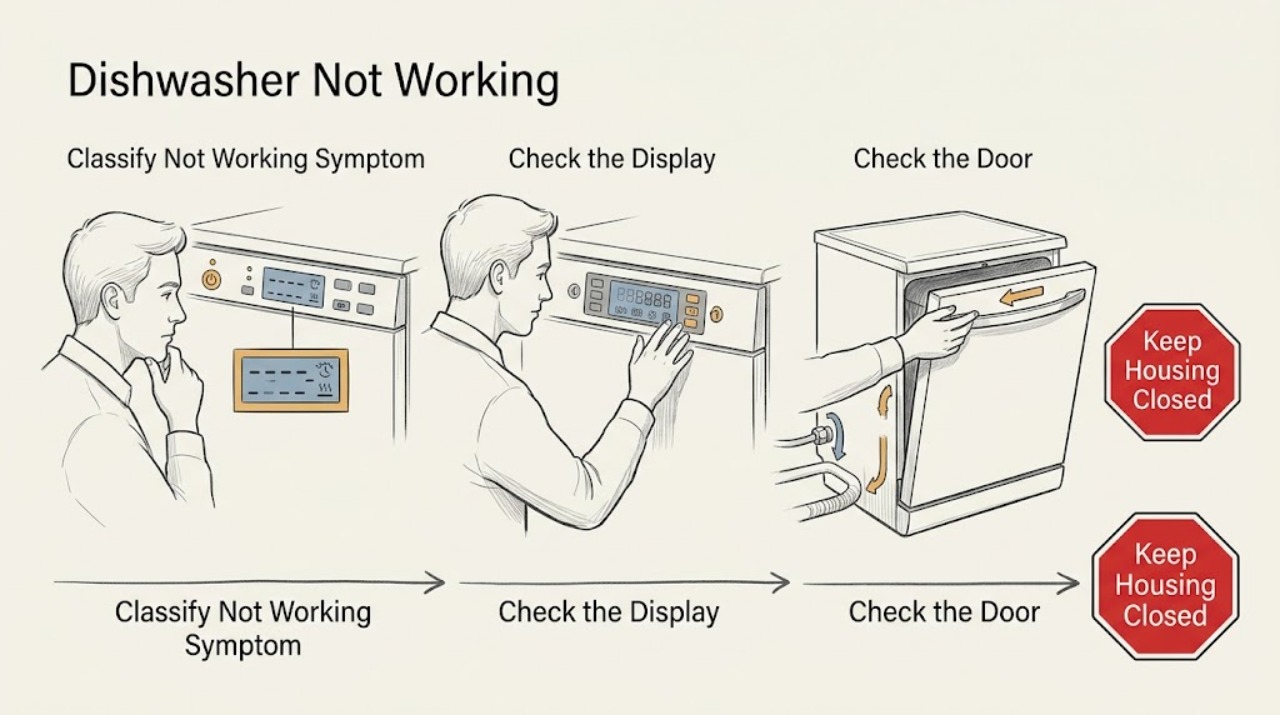
Work through in order
Diagnostic checks
Use only checks that match the exact appliance or system and its official guide.
-
Check 1
Record the complete KitchenAid model number and classify the symptom as no power, controls not responding, not starting, stopping mid-cycle, not draining, poor washing, or a digital code/flashing-light indication. Note whether water is present and whether a cycle was already running.
Expected result: The panel is dark, the panel is lit but locked, the cycle never begins, it stops after filling or washing, water remains, or a code or repeat light pattern appears.
Next step: Use the matching branch below and the exact model manual. Do not combine actions from no-power, drain, error, and mid-cycle pages unless the observations independently match.
Stop if: Stop for smoke, sparking, a hot or damaged cord, a leak near electrical parts, or any need to remove a panel.
Why this matters
Why: Each observation selects a different KitchenAid support path. The broad label “not working” does not identify one component or authorize one repair procedure.
-
Check 2
For a dark panel, check only that a plug-in power cord is seated or that the household breaker has not tripped; for a lit but unresponsive panel, check whether Control Lock is active. Do not inspect direct wiring or a terminal block yourself.
Expected result: The breaker is tripped, the cord is not seated, the Control Lock indicator is on, the panel is lit but still does not respond, or power and lock state are normal.
Next step: Correct only a safe external connection or use the exact manual's Control Lock release. If the panel remains unresponsive, use the reset/service branch rather than opening the controls.
Stop if: Do not repeatedly reset a tripping breaker, change breaker size, open a terminal area, or test energized wiring.
Why this matters
Why: A supply or lock state can explain the matching symptom. KitchenAid says newly installed wiring problems require installation instructions and service-level attention; normal power and lock state move the issue toward model-specific controls.
-
Check 3
For a cycle that will not start, confirm the under-sink water valve is open, delay or standby mode is not active, Control Lock is not active, and the door closes and latches firmly. Use only visible checks and the exact model's normal buttons.
Expected result: The valve is closed or restricted, delay/standby or Control Lock is active, the door is not latched, or all external conditions are normal but the cycle still will not start.
Next step: Correct the matching external condition and retry once as the manual permits. If the dishwasher still will not start, record the model and arrange service rather than accessing internal parts.
Stop if: Do not defeat the latch, reach into a running tub, remove the control, or perform live electrical measurements.
Why this matters
Why: KitchenAid identifies water supply, lock/delay state, and door latching as distinct start conditions. Normal external conditions do not prove an inlet valve, latch, control, or motor fault.
-
Check 4
If the cycle stopped, note whether the door was opened or power was interrupted, whether water remains, and whether a code or flashing panel is present. For a matching drain symptom, inspect only the accessible filter, drain hose, disposer connection, air gap, and suds described by the exact KitchenAid article.
Expected result: The door interrupted the cycle, water remains, an exact F9E1 or other code is displayed, the drain path has a visible obstruction, excessive suds are present, or no external cause is found.
Next step: Close the door or clear only a documented accessible obstruction, then follow the model article's resume/reset instruction once. Escalate a returning code, standing water, leak, or unknown pattern.
Stop if: Do not disconnect wet plumbing, enter the tub while energized, remove a pump or heater, or use live tests.
Why this matters
Why: An interrupted cycle, drain condition, and error code require different next steps. KitchenAid's F9E1 page identifies a long-drain path but does not authorize replacing or testing the internal pump.
-
Check 5
If the matching KitchenAid article permits a reset, cancel or drain as instructed, disconnect power from an accessible plug or dedicated breaker for the article's stated interval, restore power, close the door, and retry the documented cycle once. Record the exact result.
Expected result: The dishwasher resumes normally, the same symptom or code returns, it will not drain or latch, or a leak or electrical warning appears.
Next step: Arrange qualified KitchenAid or appliance service for a returning or unknown symptom. Keep the appliance off for a leak or electrical/fire warning and isolate power only if safe.
Stop if: Do not repeatedly cycle power, bypass protection, open panels, or order an internal component from the broad phrase “not working.”
Why this matters
Why: A successful reset can clear a transient control state. A returning symptom means the reset did not identify or repair the underlying condition; it is not evidence for a replacement part.
Use your observations
Decision map
Find the observation that best matches what you see, then follow the next safe action.
-
PATH 01Next step
What you see
The panel and indicators are completely dark and the dishwasher gives no response.
Do this next
Correct only the safe external supply condition. If the panel remains dark or the breaker trips again, stop resetting it and arrange service.
Why this path and its safety boundary
Why it matters: A supply issue is more plausible when the external connection or breaker is abnormal. Normal supply with a dead panel requires model-specific electrical diagnosis.
-
PATH 02Next step
What you see
The panel has power but buttons do not respond, or a Control Lock indicator is active.
Do this next
Use the exact model's lock-release and one reset procedure. If the controls remain unresponsive, arrange service without opening the control area.
Why this path and its safety boundary
Why it matters: Control Lock can disable touch commands; persistent unresponsiveness after that check moves the issue toward a model-specific control or installation condition.
-
PATH 03Next step
What you see
The dishwasher has power but will not begin, or a running cycle stops after the door was opened, a power interruption, or a possible drain issue.
Do this next
Follow the matching model article and resume or reset once. A returning stop, standing water, or code requires qualified service.
Why this path and its safety boundary
Why it matters: KitchenAid treats start conditions, interrupted cycles, drainage, and error displays as separate paths. One normal check cannot explain every form of a stopped cycle.
-
PATH 04Next step
What you see
A digital code, flashing clean light, or repeating group of indicator lights appears.
Do this next
Record the pattern and match it to the exact model manual or KitchenAid error article. Perform only the listed external check, then service a returning code.
Why this path and its safety boundary
Why it matters: The recorded pattern can route to a model-specific error article. KitchenAid warns that exact codes vary by model, so a partial sequence or another model's table is not sufficient.
Helpful context
Understand the symptom
Route the complaint by what the dishwasher actually does
“Not working” can mean a dead panel, unresponsive touch controls, a cycle that never starts, a cycle that stops, standing water, or an error display. KitchenAid publishes separate help paths for those observations. Write down the model number, panel state, cycle state, water state, and any code before pressing reset. This keeps a broad route page from duplicating a dedicated symptom page or applying the wrong check.
Power and controls are different branches
KitchenAid's no-power guidance checks the power connection and household breaker, while its controls-not-responding guidance says Control Lock can leave the controls disabled and provides a limited reset path. A lit control-lock indicator is not evidence that the dishwasher has lost power. Newly installed hard-wired units may require installation-specific wiring service; do not open the terminal area as a user test.
Water, cycle, drain, and error paths must stay separate
For a unit that will not start, KitchenAid points to water supply, lock or delay mode, and door latching. For a cycle that stops, it points to interruption, draining, displayed errors, and reset. For the F9E1 example, it lists the filter, hose, disposer knockout plug, air gap, obstructions, and excessive suds. Those checks are useful only when the observed symptom and code match; they are not a universal not-working checklist.
Read codes and lights without guessing
KitchenAid's error-reading guide says display models commonly show F#E# and flashing clean-light models use two groups of flashes separated by pauses. Count and record the complete sequence, then match it to the exact model. Do not infer a pump, valve, heater, motor, or control failure from a single light, a partial count, or another model's code table.
When checks do not resolve it
Need a professional?
Call qualified service when the symptom cannot be routed to a documented external check, the dishwasher remains nonfunctional after one model-supported reset, a code returns, water remains or leaks, or the next step involves internal components, wiring, or a panel. Stop immediately for smoke, sparking, a hot cord, or water near electrical parts.
Safety scope: Do not open panels, access terminal blocks, test energized wiring, bypass the door latch or other protection, repeatedly reset a tripping breaker, or order a part solely from “not working.” For a leak, smoke, sparking, hot cord, or water near electrical parts, stop using the dishwasher and isolate power only if safe before obtaining qualified service.
Common questions
FAQ
What should I check first when my KitchenAid dishwasher is not working?
First identify whether it has no power, unresponsive controls, a no-start condition, a mid-cycle stop, standing water, or an error display. KitchenAid publishes separate paths for each, and the model number is needed before applying a code or control procedure.
Why is my KitchenAid dishwasher panel lit but not responding?
Check whether Control Lock is active and use only the model's documented release. KitchenAid says a locked control will not respond to touch commands; if it remains unresponsive after the official reset path, arrange service rather than opening the control area.
Can I reset a KitchenAid dishwasher that is not working?
A single model-supported power cycle may clear a transient control state. KitchenAid's general guidance says to cancel or drain, disconnect power, wait at least one minute, restore power, close the door, and restart; if the concern returns, contact KitchenAid. Follow the exact article for your model and do not repeat resets indefinitely.
How do I know whether a KitchenAid dishwasher light is an error code?
Record which light flashes and count the complete groups and pauses. KitchenAid says a flashing clean light commonly communicates a two-part code, while exact codes vary by model. Match the complete sequence to the model-specific article rather than guessing from one blink.
When should I stop troubleshooting a KitchenAid dishwasher?
Stop when the symptom returns after the matching external check or one reset, water remains or leaks, the pattern is unknown, or the next step involves a pump, heater, wiring, control, or panel. Stop immediately for smoke, sparking, a hot cord, or water near electrical parts and obtain qualified service.
Read the exact guide
Official sources
- Stops Mid Cycle - DishwasherKitchenAid Product Help · KitchenAid dishwasher mid-cycle page; the listed checks are symptom-specific.
- F9E1 - DishwasherKitchenAid Product Help · KitchenAid article for F9E1; do not apply it to a different code or unidentified model.
- Owners CenterKitchenAid · KitchenAid owner-resource portal; use the exact model manual instead of a generic not-working or code table.
- Dishwasher Error Codes - ReadingKitchenAid Product Help · KitchenAid error-reading guide; exact meanings and checks remain model-specific.
- No Power - Not Turning On - DishwasherKitchenAid Product Help · KitchenAid dishwasher no-power page; direct wiring and installation details require the model instructions and qualified service.
- Resetting the Dishwasher's Controls (Cycle Power)KitchenAid Product Help · KitchenAid general reset guidance; exact model manual and electrical setup control.
- Operation - Product Help | KitchenAidKitchenAid Product Help · KitchenAid dishwasher operation index; it routes to model-specific pages rather than diagnosing a universal not-working fault.
- Not Starting or Operating - DishwasherKitchenAid Product Help · KitchenAid dishwasher start page; controls and features can vary by model.
- Clean Light Flashing - DishwasherKitchenAid Product Help · KitchenAid models using a flashing clean light; use the complete sequence and matching model article.
- Controls Not Responding - DishwasherKitchenAid Product Help · KitchenAid dishwasher controls-not-responding page; model manual controls the lock-release sequence.
- Home - Product Help | KitchenAidKitchenAid Product Help · KitchenAid official support portal; it routes model-specific help and service but is not a universal component diagnosis.
Community feedback
Share a repair observation
Share a plain-text repair observation. Accepted observations are published automatically; this page may take a moment to update.