
On this page
Start here
Quick answer
Record the exact characters on the display, whether they alternate, and the dryer's model number before trying to clear anything. KitchenAid's dryer instruction sheet distinguishes PF power-failure, L2 low-or-no-line-voltage, F# E# service, and Check Vent conditions; the correct meaning and reset depend on the model. A PF display can be cleared once after a confirmed safe power interruption, while an F# E# code or a code that returns needs service. For a Check Vent indication, clean the accessible lint screen and inspect the accessible vent path; stop using the dryer if there is overheating, smoke, a burning or gas odor, sparking, water near electrical parts, or a tripped breaker.
Work through in order
Diagnostic checks
Use only checks that match the exact appliance or system and its official guide.
-
Check 1
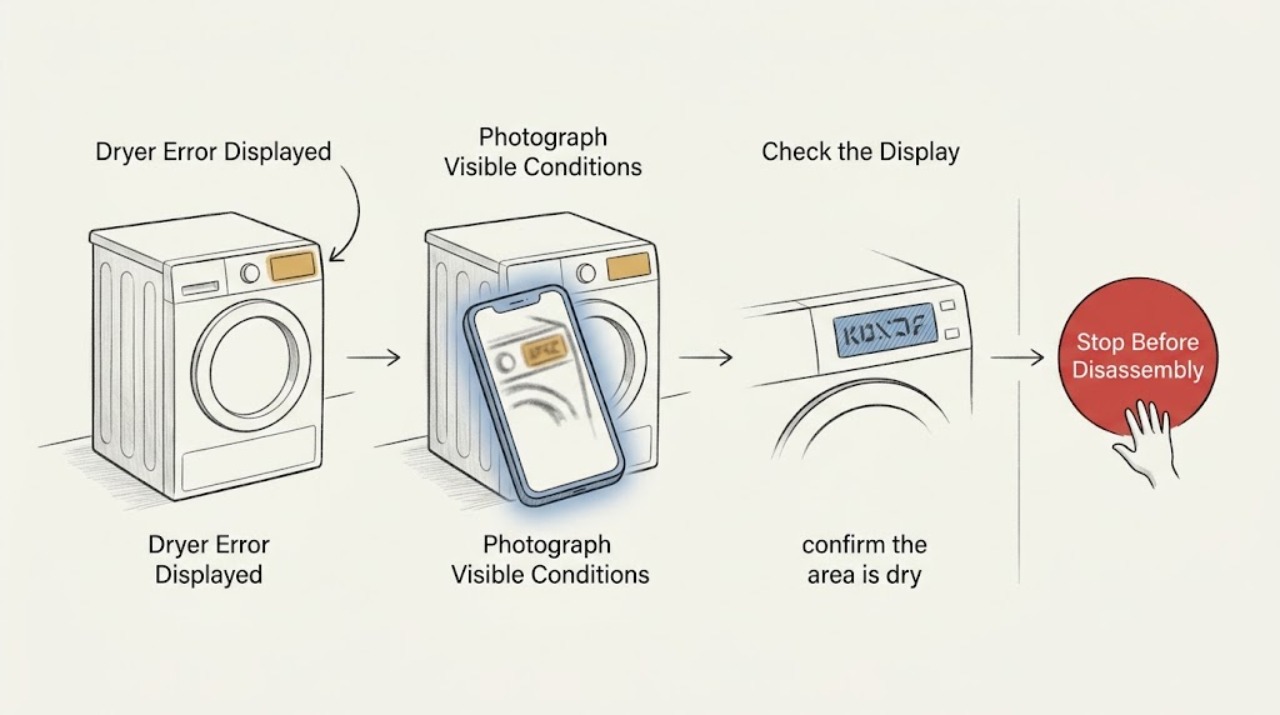
Photograph the entire display and write down every character, including a leading letter, a number, a space, an icon, or an alternating pair; also record whether the drum was running and capture the full model number from the dryer's identification label.
Expected result: You have an exact code and model instead of a description such as error or flashing lights.
Next step: Keep the display photo, then use KitchenAid's model-specific manuals and troubleshooting resources before clearing the message.
Why this matters
Why: The code can be matched to the correct KitchenAid documentation; a guessed or partially remembered code cannot safely identify the fault.
-
Check 2
Classify the display only by what is actually visible: PF, L2, Check Vent, an alternating F# E# pattern, Loc, or an unlisted/uncertain message; do not expand a partial code into a more specific code.
Expected result: One of the documented patterns is present, or the display remains unlisted or uncertain.
Next step: Follow only the branch matching the exact display; treat an unlisted or uncertain code as a service/documentation case rather than guessing.
Why this matters
Why: PF relates to a power interruption, L2 to a low-or-no-line-voltage condition, Check Vent to lint or vent restriction, F# E# to a service condition, and Loc to Control Lock; an unlisted code needs model-specific interpretation.
-
Check 3
If the display is PF and the interruption is known to have ended, confirm the area is dry and free of smoke, odor, sparking, unusual heat, and breaker trouble, then touch POWER once to clear the message; do not repeatedly restart the dryer.
Expected result: The PF message clears and the dryer remains normal, or PF returns immediately or during the next attempt.
Next step: If PF returns, stop using the dryer and provide the exact code and model to qualified appliance service; if any hazard is present, follow the stop conditions immediately.
Why this matters
Why: A cleared PF can be consistent with a power interruption, but a returning message indicates an unresolved power or control problem rather than a reason to keep cycling the machine.
-
Check 4
If Check Vent is lit, switch the dryer off, clean the lint screen, inspect the accessible run between the dryer and wall for crushing or kinking, and look at the exterior exhaust hood for visible lint or debris; do not open the cabinet or disconnect an inaccessible duct to work inside the chassis.
Expected result: The lint screen and accessible vent path are clear, the exterior hood can exhaust normally, and the indicator clears; or the indicator remains lit, airflow is weak, or the dryer becomes unusually hot.
Next step: Stop heated operation and arrange a qualified vent cleaning or appliance assessment if the indicator remains, airflow is poor, or heat is excessive.
Why this matters
Why: A persistent indicator or weak exhaust points to a vent-system restriction or configuration issue that can raise dryer heat; it is not proof that a particular internal part has failed.
-
Check 5
If the display alternates between F# and E# (for example, a visible F and E pair with numbers), preserve the exact sequence and do not remove panels, bypass a switch, or perform live electrical measurements.
Expected result: The F# E# pattern remains or returns after the controls are used normally.
Next step: Stop troubleshooting, keep the model and code photo, and request qualified service with the exact sequence; use the safety stop path first if any hazard is present.
Why this matters
Why: KitchenAid's instruction sheet identifies an alternating F# E# display as a control-detected problem requiring service, not a homeowner-adjustable setting.
-
Check 6
If the message is L2, Loc, or an unlisted code, compare the exact display with the model-specific manual: check only accessible breaker/fuse status and control-lock instructions, and do not alter wiring or work inside the dryer.
Expected result: The model manual gives a matching low-risk clearing step, or the message does not match the manual or returns after that step.
Next step: For a returning L2, have a qualified electrician assess the household supply; for a returning Loc or any unlisted code, use qualified appliance service and provide the exact model and display sequence.
Why this matters
Why: L2 can involve the home's supply and Loc can be Control Lock, but an unlisted or returning message remains unresolved without model-specific service information.
Use your observations
Decision map
Find the observation that best matches what you see, then follow the next safe action.
-
PATH 01Next step
What you see
The exact display is PF and there is no safety symptom.
Do this next
Arrange qualified service and follow the exact model guidance.
Why this path and its safety boundary
Why it matters: Clear it once with POWER after the power interruption has ended; if it returns, stop and arrange service.
-
PATH 02Next step
What you see
The exact display is Check Vent or an airflow-related indicator.
Do this next
Arrange qualified service and follow the exact model guidance.
Why this path and its safety boundary
Why it matters: Clean the lint screen and inspect the accessible vent path and exterior hood; persistent restriction, weak exhaust, or excess heat requires qualified vent or appliance service.
-
PATH 03Next step
What you see
The display alternates between F# and E#.
Do this next
Arrange qualified service and follow the exact model guidance.
Why this path and its safety boundary
Why it matters: Treat it as a service-required control condition. Preserve the exact code and model and do not open the cabinet or bypass safety devices.
-
PATH 04Next step
What you see
The exact display is L2.
Do this next
Arrange qualified service and follow the exact model guidance.
Why this path and its safety boundary
Why it matters: Use only the model-specific guidance for accessible breaker/fuse and installation checks; a persistent L2 needs a qualified electrician or appliance professional.
-
PATH 05Next step
What you see
The exact display is Loc.
Do this next
Arrange qualified service and follow the exact model guidance.
Why this path and its safety boundary
Why it matters: Use the model-specific Control Lock instruction; if the control will not unlock or the message returns without an intentional lock, request service.
-
PATH 06Next step
What you see
The display is unknown, incomplete, or not listed for the model.
Do this next
Arrange qualified service and follow the exact model guidance.
Why this path and its safety boundary
Why it matters: Do not guess the meaning. Keep a photo and exact model number and use KitchenAid documentation or qualified service for identification.
Helpful context
Understand the symptom
Why the exact code matters
Error displayed is not one diagnosis. A power interruption, restricted exhaust, low supply voltage, control fault, or enabled control lock can produce different displays and different next steps. Photograph the display before clearing it, including any alternating characters, and keep the code with the full model number. Do not substitute a similar-looking code from another KitchenAid model.
Use the model-specific documentation
KitchenAid's manuals and owners resources are organized around the appliance model. If the label is not obvious, check the upper-left rear cabinet, the rear frame with the door open, inside the door, or behind the access panel on a gas dryer. The model determines which controls clear a message and which service instructions apply.
Keep the first checks low risk
The checks below are observations a homeowner can make without opening the cabinet or working on live electrical or gas components. If the display returns, the dryer overheats, or a safety symptom appears, preserve the code and stop rather than repeatedly restarting the appliance.
Safety boundary
Stop conditions
- Stop the cycle and disconnect power at the accessible control or breaker only if it can be done safely when there is smoke, sparking, a burning odor, or abnormal heat; do not touch a wet or damaged electrical area.
- Stop using the dryer for any gas odor, suspected delayed ignition, flame abnormality, or other fuel-related concern; leave the area and obtain qualified emergency help from a safe location.
- Stop if water is near the dryer or its electrical connection, if the breaker repeatedly trips, or if the cabinet or laundry becomes unusually hot.
- Do not open panels, bypass a door or thermal safety, handle gas components, or perform live electrical measurements as a homeowner troubleshooting step.
Only after diagnosis
Potential parts
- lint screen or vent-system service component
Consider this category only if the Check Vent path remains restricted after the accessible lint-screen and vent observations, and the model documentation identifies a replaceable component.
Confirm the complete dryer model and the manufacturer's documentation before selecting any part; an airflow code alone does not identify a replacement part. - airflow or thermal protection component
Consider this category only after qualified service confirms that the vent path is clear and an internal airflow or thermal component is implicated.
Do not infer fit from the error code; use the exact model-specific parts information and qualified service assessment. - dryer control assembly
Consider this category only when qualified diagnosis links a persistent F# E#, PF, or other model-specific code to the control assembly.
A service code does not by itself prove a control failure; confirm the model and diagnosis before ordering.
When checks do not resolve it
Need a professional?
Call qualified appliance service for any alternating F# E# code, a returning PF or unlisted code, a control that will not unlock, or a message that persists after the model-specific low-risk step., Call a qualified electrician when L2 persists after the accessible installation and breaker/fuse checks described by the model manual., Arrange qualified vent-system service when Check Vent remains lit, exhaust is weak, the vent path is inaccessible, or the dryer overheats.
Have this ready
- Exact display characters and order
- Photo of the display
- Full KitchenAid model number
- What happened immediately before the message appeared
- Whether the code returns after a normal control reset
Common questions
FAQ
Should I reset a KitchenAid dryer error before finding the model number?
Record the exact display and model number first. A single safe PF clear may be appropriate after a known power interruption, but do not repeatedly reset a returning code or any code accompanied by a hazard.
What does an alternating F# E# display mean on a KitchenAid dryer?
KitchenAid's opened instruction sheet treats an alternating F# E# pattern as a control-detected problem requiring service. Preserve the exact code and model and do not open the cabinet or bypass a safety device.
What should I check when Check Vent is displayed?
Clean the lint screen and inspect the accessible vent run for crushing, kinking, lint, or debris, including the exterior hood. Persistent indication, weak exhaust, or excess heat needs qualified vent or appliance service.
Where can I find the KitchenAid dryer model number?
KitchenAid lists locations including the upper-left rear cabinet, the rear frame with the door open, inside the door, and behind the access panel on gas dryers. Use that model number to retrieve the matching manual.
Read the exact guide
Official sources
- Instruction SheetKitchenAid · The opened KitchenAid instruction sheet contains dryer troubleshooting guidance; exact code behavior can vary by model.
- CPSC Dryer Fire Safety AlertU.S. Consumer Product Safety Commission · The opened CPSC safety alert supports lint-screen, exhaust-duct, and heat/fire precautions for clothes dryers generally.
- Kitchen Appliance Manuals | KitchenAidKitchenAid · The opened KitchenAid manuals page instructs owners to enter the appliance model number to retrieve documents.
- Owners Center | KitchenAidKitchenAid · The opened Owners Center lists dryer model-number locations and links to troubleshooting resources.
Community feedback
Share a repair observation
Share a plain-text repair observation. Accepted observations are published automatically; this page may take a moment to update.