
On this page
Start here
Quick answer
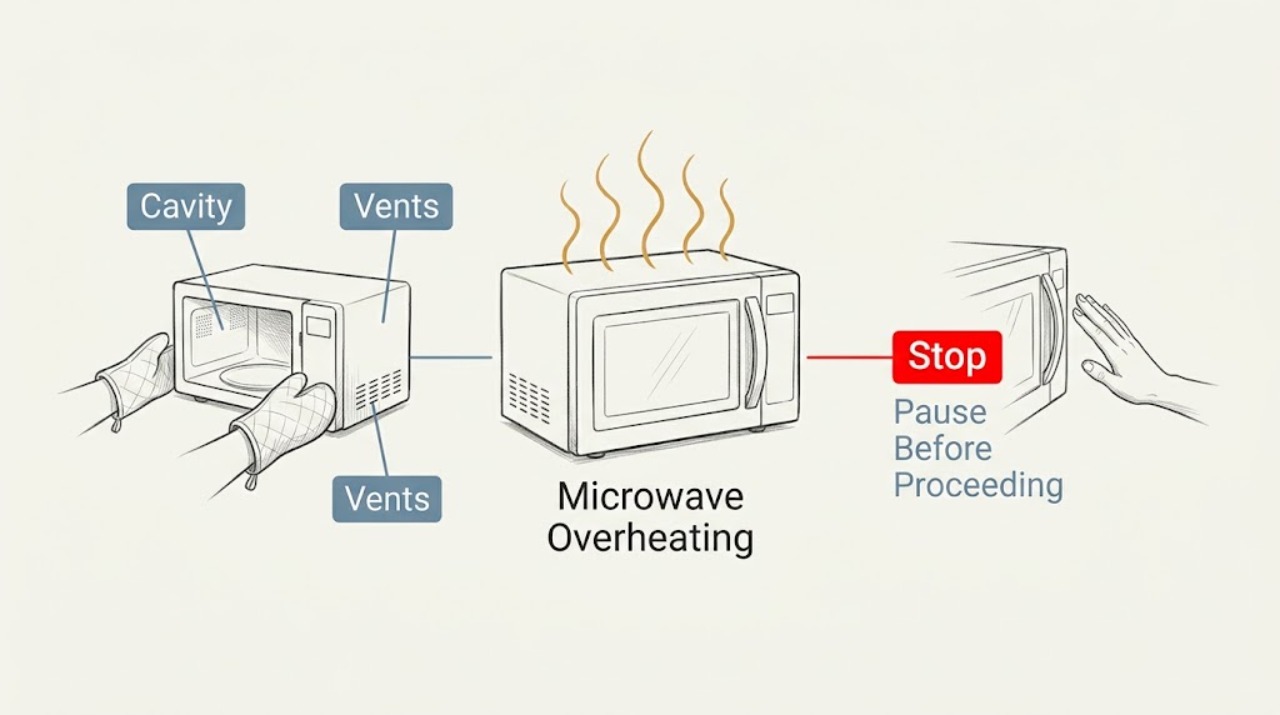
Stop the cycle for unusual cabinet heat, smoke, odor, or arcing. When fully cool, check only the door, cavity, and external vents using the exact manual. Persistent overheating requires qualified service.
Work through in order
Diagnostic checks
Use only checks that match the exact appliance or system and its official guide.
-
Check 1
Cancel the cycle and disconnect power only if safe; allow the microwave to cool fully.
Expected result: Heat or odor stops, or returns after power is restored.
Next step: Keep it out of use and request service for recurrence.
Why this matters
Why: A recurring symptom can indicate an active electrical or thermal fault.
-
Check 2
When cool and unplugged, inspect the cavity, turntable, door seal, and waveguide-cover area for residue, scorch marks, metal, cracks, or damage without removing panels.
Expected result: Residue or damage is visible, or the cavity looks intact.
Next step: Remove only loose food or cookware. Stop for scorch marks, damage, or arcing.
Why this matters
Why: Residue or damage can create localized heating or arcing; an intact cavity does not clear internal parts.
-
Check 3
Check that external ventilation openings are not covered and the door closes without force.
Expected result: A vent is blocked or the door is damaged, or both look normal.
Next step: Clear only external obstructions; request service for damage or persistent heat.
Stop if: Never bypass the door interlock or open the cabinet.
Why this matters
Why: Blocked airflow or a door problem can affect cooling and safe operation.
Use your observations
Decision map
Find the observation that best matches what you see, then follow the next safe action.
-
PATH 01Next step
What you see
Smoke, arcing, burning odor, damaged door, or rapid abnormal heat is present.
Do this next
Stop using the microwave and request service.
Why this path and its safety boundary
Why it matters: This is beyond a settings check.
-
PATH 02Next step
What you see
No visible obstruction exists but overheating returns.
Do this next
Disconnect and arrange qualified service.
Why this path and its safety boundary
Why it matters: Internal fan, control, or high-voltage diagnosis is required.
-
PATH 03Next step
What you see
The cavity, door, and vents are intact and a short model-approved check is normal.
Do this next
Use only normal model-approved operation and monitor closely.
Why this path and its safety boundary
Why it matters: The immediate symptom is not reproduced, but recurrence still needs service.
When checks do not resolve it
Need a professional?
Request service immediately for smoke, arcing, burning odor, damaged door, or persistent overheating.
Common questions
FAQ
Can a running fan mean the microwave is overheating?
The fan can run during normal cooling, but unusual heat, smoke, odor, or arcing requires stopping use and requesting service.
Read the exact guide
Official sources
- Use and Care GuideKitchenAid · KitchenAid microwave manual family; exact model controls all procedures
Community feedback
Share a repair observation
Share a plain-text repair observation. Accepted observations are published automatically; this page may take a moment to update.