
On this page
Start here
Quick answer
A KitchenAid washer can skip or delay spin because it is still in a normal pause, the lid or door is not recognized as closed, the load is tightly packed or unbalanced, or water has not drained. First note whether the basket never moves, the washer leaves the load wet, or it stops with water inside. Use the exact model manual to distinguish front-load and top-load behavior, select the documented Drain & Spin option when appropriate, and rearrange a safe load evenly. Check only the visible drain hose and accessible filter area for a kink or blockage; do not reach into a moving basket or pump. Small items, excess suds, low-spin cycles, and incorrect drain-hose installation can all affect draining and spinning. Stop for leaking water near electrical parts, violent movement, metal-on-metal rubbing, smoke, burning odor, arcing, or repeated breaker trips, and arrange qualified service for a persistent lock, drain, motor, control, or drive fault.
Work through in order
Diagnostic checks
Use only checks that match the exact appliance or system and its official guide.
-
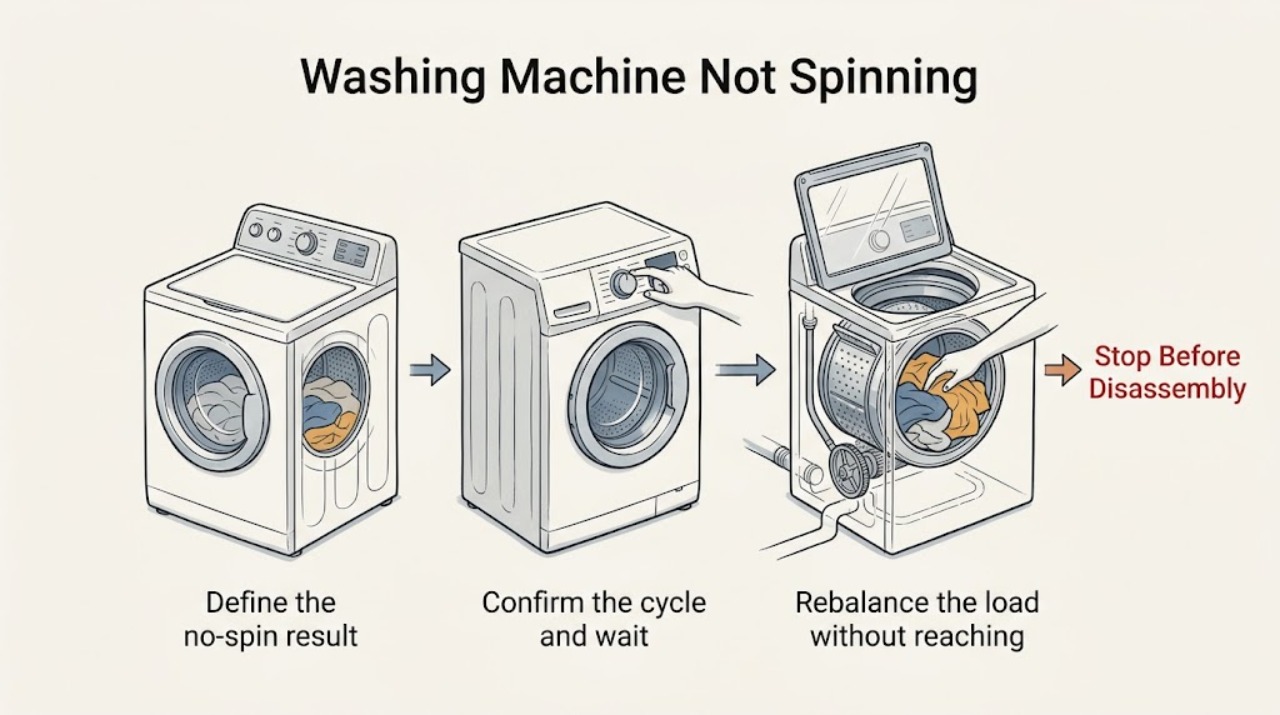
Define the no-spin result and washer type
Record the complete KitchenAid model, whether the washer is front-load or top-load, the selected cycle and spin speed, and the point at which spinning stops. Note whether the basket is empty, full of water, full of a wet load, or moving only briefly. Keep hands away from the basket and stop for leaking water near electrical parts, violent movement, metal rubbing, smoke, burning odor, arcing, or a breaker trip.
Expected result: The washer is in a normal pause; it finishes with a wet load; it stops with water inside; the basket never moves; or a hazard symptom is present.
Next step: Follow the cycle, balance, drain, and lock checks below only when no stop condition is present. Keep the washer out of service for electrical, water, impact, or heat hazards.
Why this matters
Why: A pause or low-spin result may be normal, while water remaining in the tub points toward a drain interlock. A basket that never moves after draining points toward lock, control, motor, or drive conditions. A hazard symptom ends testing.
-
Confirm the cycle and wait through a normal pause
Check the exact model manual for the selected cycle and observe whether the washer is in a fill, soak, suds-reduction, drain, or other documented pause. Confirm that a low-spin or delicate setting was not selected, then use the model's documented Drain & Spin option only when the load and water level make it safe. Do not interrupt a moving cycle or open a locked door by force.
Expected result: The washer resumes after its normal phase; the cycle uses a low spin speed; Drain & Spin removes water; or the controls stay paused or locked.
Next step: If the washer resumes and drains normally, monitor one cycle. If it stays locked, paused, or wet after the documented cycle, record the display and continue with the balance and drain observations rather than repeating cycles.
Why this matters
Why: KitchenAid notes that washers can pause during some phases and that low spin speeds remove less water. A documented cycle that remains paused or locked suggests a control, door or lid, or water-level condition.
-
Rebalance the load without reaching into moving parts
When the basket has stopped and the lid or door can be opened normally, remove a few items if the load is tightly packed and spread the wet garments evenly around the basket. Check that small objects are not visibly caught at the opening, and empty pockets for the next safe load. Do not add water, reach below the basket, or force a locked door.
Expected result: The load was tightly packed or gathered on one side; the load is evenly distributed; a small item is visible; or the washer still will not spin.
Next step: Close the lid or door normally and use one documented Drain & Spin or suitable cycle. If the problem returns with a balanced load, stop repeated attempts and record the result for service.
Why this matters
Why: KitchenAid says a tightly packed or unbalanced load may prevent correct spinning and leave clothes wetter. A visible foreign item can also interfere with the pump or basket path, while a balanced load with persistent failure points to another branch.
-
Inspect the visible drain path and suds context
With the washer off and the area dry, inspect the accessible drain hose for a kink, crushing, an obviously loose connection, or an installation position that differs from the model manual. Note excessive suds, standing water, or a pump/filter access warning. Do not remove a filter or hose while water may escape toward electrical parts, and do not pour more water into the washer.
Expected result: The drain hose is kinked or incorrectly positioned; water drains slowly; excessive suds are present; the visible path is clear; or water remains in the washer.
Next step: Correct only an obvious safe external hose position or detergent-use issue according to the model manual. If water remains, the filter or pump area is inaccessible, or a leak is present, stop and arrange qualified service.
Why this matters
Why: Restricted draining can prevent or delay spin. KitchenAid also identifies small items in the pump path, incorrect hose installation, and too much detergent as causes of a no-drain/no-spin or wet-load result.
-
Check the lid or door lock indication
Observe the lid or door lock indicator and the visible strike or latch area with the washer stopped. Remove only a loose visible item that prevents closure; close the lid or door normally and note whether the indicator changes. Do not tape, hold, defeat, or force the interlock, and do not put hands in the basket while it may move.
Expected result: The lid or door closes and locks; the indicator remains open; the latch or strike is visibly damaged; or the washer drains but never authorizes spin.
Next step: If the lock engages and the washer still will not spin, record the stage and code and move to service handoff. If the lock will not engage or is damaged, keep the washer out of service and arrange qualified repair.
Why this matters
Why: The washer uses a closed-lid or locked-door condition as part of its operating sequence. A persistent open indication with no visible obstruction can block spin and requires model-specific diagnosis.
-
Capture codes and distinguish mechanical from electrical symptoms
Write down every error code, flashing indicator, and the exact cycle stage. Listen only from a safe distance for a normal drain sound, a hum without movement, repeated clicking, or metal-on-metal rubbing; do not remove panels or try to turn the basket by force. If a safe, dry power reset is explicitly documented for the model, perform it once only after the washer is empty of standing water and has no hazard symptom.
Expected result: The same code returns; the washer hums but does not move; it clicks or rubs; the reset restores one cycle; or smoke, odor, arcing, heat, water, or a breaker trip occurs.
Next step: Keep the washer out of service for any hazard, repeat code, severe noise, or failed reset. Provide the model, stage, code, load, drain result, lock indication, and symptom timing to qualified KitchenAid service.
Why this matters
Why: A returning code or repeated hum/click/rub after balance and drain checks indicates a lock, pump, motor, control, bearing, or drive fault that cannot be confirmed safely by a consumer. A hazard symptom requires immediate stopping.
Use your observations
Decision map
Find the observation that best matches what you see, then follow the next safe action.
-
PATH 01Next step
What you see
The washer is in a documented pause, low-spin, soak, or drain phase and then resumes normally.
Do this next
Let the documented phase complete and use the model's recommended cycle and spin speed. Treat a repeat stop as a fault rather than repeatedly interrupting the cycle.
-
PATH 02Next step
What you see
The load is tightly packed or unbalanced and the washer leaves clothes wet.
Do this next
With the washer stopped, remove a few items and redistribute the load evenly, then use one suitable Drain & Spin cycle. Arrange service if the symptom returns with a balanced load.
-
PATH 03Next step
What you see
Water remains in the washer, the drain hose is restricted, or excess suds are visible.
Do this next
Correct only an obvious safe external hose issue or detergent-use issue from the model manual. Keep water away from electrics and arrange qualified service for a blocked or inaccessible pump or filter path.
-
PATH 04Next step
What you see
The lid or door will not report closed or locked, or its visible latch area is damaged.
Do this next
Do not force or defeat the interlock. Keep the washer out of service and arrange qualified KitchenAid repair.
-
PATH 05Next step
What you see
The washer drains and the load is balanced, but the basket still will not spin, or a code, hum, click, or metal-rubbing sound returns.
Do this next
Stop repeated cycles and arrange qualified diagnosis of the pump, motor, control, bearing, drive, or lock path. Do not open panels or access moving parts.
-
PATH 06Next step
What you see
There is leaking water near electrical parts, violent movement, metal-on-metal rubbing, smoke, burning odor, arcing, abnormal heat, cord damage, or a repeat breaker trip.
Do this next
Stop the washer immediately. If safe and dry, disconnect it without touching wet energized equipment; otherwise keep people away and obtain qualified or emergency help as appropriate.
Helpful context
Understand the symptom
Start by defining what did not spin
A washer that pauses during a normal phase is different from one that finishes with water and a soaked load. A top-load washer may refuse to spin until its lid is recognized as closed; a front-load washer may wait for its door lock and a safe water level. A low-spin cycle may also leave more water than expected. Identify the stage and remaining water before looking for a drive fault.
Drain and balance checks come before internal parts
KitchenAid's washer guidance connects wet loads and no-spin results with load balance, low spin selection, drain restrictions, small items in the pump path, and excess suds. Check only cool, stopped, accessible areas. Do not reach into the basket, remove a pump cover with water behind it, or put hands near moving parts.
Front-load and top-load behavior is not interchangeable
Use the complete model number to obtain the correct KitchenAid manual. The lock indicator, cycle names, drain access, and reset behavior differ between front-load and top-load configurations. A persistent mechanical noise, failed lock, error, or electrical symptom needs qualified diagnosis rather than repeated spin attempts.
Safety boundary
Stop conditions
- Stop immediately for leaking water near electrical parts, violent movement, metal-on-metal rubbing, smoke, burning odor, arcing, abnormal heat, visible cord damage, or a breaker that trips again.
- Do not reach into a moving basket, force a locked lid or door, defeat an interlock, remove a pump cover with standing water, open panels, or access moving or live parts.
- Do not add water to correct a spin problem, repeatedly run Drain & Spin to reproduce a fault, or continue after a returning code or severe mechanical noise.
- Stop after the documented cycle, safe load-balance check, visible drain-path check, and one permitted reset if the washer still will not spin; arrange qualified service.
Only after diagnosis
Potential parts
- lid or door lock assembly
Consider only when qualified diagnosis confirms that the lid or door is aligned but the washer does not receive a safe closed or locked signal.
Confirm the complete KitchenAid model and manufacturer fit information; never defeat the interlock. - drain pump or filter component
Relevant only when qualified diagnosis links remaining water or a no-drain/no-spin condition to the pump path after safe external hose checks.
Water may escape when this area is opened; use qualified service and exact model fit information. - drive or motor component
Consider only when the washer drains and the load is balanced but qualified diagnosis finds a drive or motor fault.
Do not open the washer or order a drive part from a no-spin symptom alone; confirm exact model compatibility. - electronic control component
Relevant only when a returning code or persistent control response fault is traced to the control by qualified service.
Verify the complete model and diagnosis before replacement; do not perform live electrical testing.
When checks do not resolve it
Need a professional?
Arrange qualified KitchenAid appliance service when a balanced load and documented cycle still do not spin, when water remains after safe drain-path checks, when a lid or door lock will not engage, when a code or severe noise returns, or whenever leaking water near electrical parts, violent movement, metal rubbing, smoke, odor, arcing, heat, cord damage, or repeat breaker tripping occurs. Provide the complete model number and exact cycle-stage observations.
Common questions
FAQ
Why is my KitchenAid washer not spinning but still has water?
Treat remaining water as a drain-path clue. Check the selected cycle and visible drain hose only when the washer is stopped and the area is safe. Small items, excess suds, hose restrictions, or pump conditions can delay spin. Do not open a wet pump area toward electrical parts; arrange service if water remains.
Can an unbalanced load stop a KitchenAid washer from spinning?
Yes. A tightly packed or uneven load can prevent correct spinning and leave clothes wet. With the washer stopped, remove a few items and distribute the load evenly, then use one suitable documented Drain & Spin cycle. Repeated failure with a balanced load needs service.
Why does my KitchenAid washer pause before spinning?
Some pauses are normal during fill, soak, suds reduction, or drain phases, and low-spin cycles remove less water. Use the exact model manual to identify the phase. If the washer stays paused, remains locked, or repeats the stop, record the stage and arrange diagnosis.
What if the lid or door will not lock?
Do not force or bypass the lock. Check only for a loose visible obstruction and close the lid or door normally. A persistent open indicator or damaged latch can block spin and requires qualified KitchenAid repair.
When is a no-spin problem urgent?
Stop immediately for leaking water near electrical parts, violent movement, metal-on-metal rubbing, smoke, burning odor, arcing, abnormal heat, cord damage, or a repeat breaker trip. Keep the washer out of service and obtain qualified or emergency help as appropriate.
Read the exact guide
Official sources
- Kitchen Appliance Manuals | KitchenAidKitchenAid · KitchenAid model-number manual and product-document lookup
- Customer Service | KitchenAidKitchenAid · KitchenAid major-appliance product support and service routing
- Owner's ManualKitchenAid · KitchenAid washer operating, safety, and troubleshooting guidance for the opened manual family
Community feedback
Share a repair observation
Share a plain-text repair observation. Accepted observations are published automatically; this page may take a moment to update.