
On this page
Start here
Quick answer
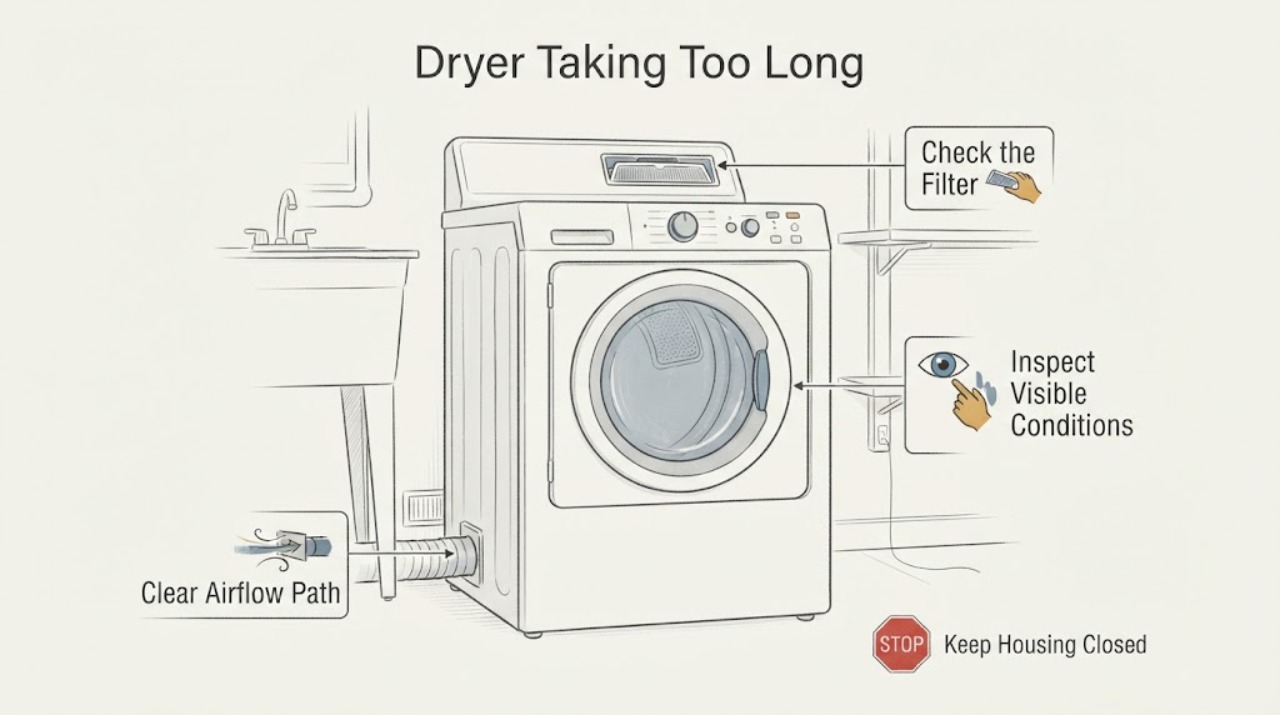
When an LG dryer takes too long to dry, start with airflow and load conditions rather than assuming a failed heater. Clean the lint filter, check the visible exhaust outlet for weak airflow or lint, and with the dryer off and unplugged inspect the accessible hose for crushing, kinks, loose connections, or visible obstruction. For sensor cycles, clean the humidity sensor with a dry cloth, sort thick and thin items, avoid overloading, and choose a cycle and dry level that match the load. Energy Saver, door openings, low room temperature, or a heat-pump design can also make a cycle longer on supported models. If airflow remains weak, a Flow Sense warning stays on, the vent needs cleaning, or drying remains poor after these checks, stop repeated use and arrange qualified vent or LG service; these symptoms do not identify a heater, sensor, or control-board part by themselves.
Work through in order
Diagnostic checks
Use only checks that match the exact appliance or system and its official guide.
-
Check 1
Run one representative load only long enough to characterize the symptom: note whether the drum tumbles, whether the clothes are still damp at the end, whether the remaining time extends, and whether a Flow Sense or airflow message appears.
Expected result: Clothes remain damp with a Flow Sense/airflow warning or weak exhaust, the cycle runs long without a warning, or the dryer stops early with damp items.
Next step: Record the display wording and continue with the external filter and vent checks. Do not use a warning-free display as proof that the internal heating system is healthy.
Why this matters
Why: A warning or weak exhaust makes restricted ventilation the first branch. A no-warning long cycle can still involve load, sensor, cycle, temperature or filter conditions; early stopping can occur when sensor contact is poor on a small load.
-
Check 2
Turn the dryer off and let it cool. Remove and clean the lint filter as the model manual directs; if the filter is washable, return it only after it is completely dry. Wipe the accessible humidity-sensor surface with a dry cloth and reinstall the filter before loading laundry.
Expected result: The filter is visibly covered or damp, the sensor has residue, or both are clean and dry.
Next step: Run a correctly sized test load after the filter is dry. If the symptom persists, move to the home exhaust check rather than removing panels.
Why this matters
Why: Lint, moisture or residue can reduce ventilation or interfere with sensor-dry readings. Clean surfaces remove a documented external cause but do not prove that a sensor or heater part has failed.
-
Check 3
With the dryer powered off and unplugged, inspect the accessible exhaust hose behind the unit for crushing, sharp kinks, compression, holes or loose joints. From outside, observe whether the exhaust flap opens and whether airflow is weak or lint is visible; remove only loose visible lint that is safely reachable.
Expected result: The hose is crushed/kinked or the outside airflow is weak/no flow, the outside flap does not open, or the visible path appears clear with normal airflow.
Next step: Correct only an accessible hose position or loose visible lint. Arrange professional vent cleaning when the duct is concealed, long, heavily bent, blocked, or a Flow Sense warning remains; do not keep running the dryer to compensate.
Why this matters
Why: A restriction between the dryer and outside exhaust can lengthen drying and may create an unsafe operating condition. Normal visible airflow does not rule out a concealed, overly long or sharply bent duct.
-
Check 4
Compare the load and cycle with LG’s sensor-dry guidance: separate thick and thin items, keep the load around the model-appropriate level rather than overfilling, select a cycle and dry level for the fabric, and use Time Dry only when that is appropriate for the load. Check whether Energy Saver is enabled on a model that supports it.
Expected result: The load is mixed, bulky, too large or too small; the cycle/dry level does not match the fabric; or Energy Saver is active on a supported model.
Next step: Resort the load and choose the exact cycle described in the owner manual, then compare one normal-sized test load. Do not copy a button sequence from another LG model.
Why this matters
Why: Sensor contact and cycle selection can make thick items remain damp or extend time, while Energy Saver can air-dry without heat for much of the cycle on some models. These are operating conditions, not proof of an internal fault.
-
Check 5
Note whether the door was opened or the cycle was paused, whether the room is unusually cold, and whether the dryer is a heat-pump/condenser design. Record the full model number and the test-load results before contacting LG.
Expected result: The cycle was repeatedly interrupted, the surrounding temperature is low, or the appliance is a heat-pump/condenser model; alternatively, the condition and model-specific settings are normal.
Next step: Allow a stable cycle without unnecessary pauses and use the model’s documented settings. If the dryer still takes too long after airflow, filter, sensor, load and setting checks, request qualified diagnosis.
Why this matters
Why: LG says interruptions can lower tub temperature and add time, low ambient temperature can lengthen preheating, and heat-pump designs can warm more slowly than heater or gas dryers. A normal environment does not identify a failed component.
Use your observations
Decision map
Find the observation that best matches what you see, then follow the next safe action.
-
PATH 01Next step
What you see
The Flow Sense/airflow indication remains on, the outside flap barely opens, or airflow is weak after the lint filter is clean.
Do this next
Stop repeated dryer use and arrange a qualified vent inspection/cleaning. Do not bypass the warning or compensate with longer cycles.
Why this path and its safety boundary
Why it matters: The exhaust path is restricted or cannot move air normally, which can prolong drying and create an unsafe operating condition.
-
PATH 02Next step
What you see
The filter and visible airflow are normal, but a mixed, bulky, too-small or too-large load remains damp or the sensor cycle ends unexpectedly.
Do this next
Sort the load, use a model-appropriate cycle and dry level, and compare one stable test load. Use Time Dry only as directed for that load type.
Why this path and its safety boundary
Why it matters: Load contact, fabric thickness, dry level or cycle choice can prevent sensor drying from representing the whole load.
-
PATH 03Next step
What you see
The dryer was paused or the door was opened repeatedly, the room is cold, or the model is a heat-pump/condenser dryer and the temperature rise is slower than expected.
Do this next
Run a stable load using the exact manual guidance. Escalate if the result remains abnormal after the external checks or if clothes never dry.
Why this path and its safety boundary
Why it matters: The longer time may be an operating or design characteristic documented by LG rather than a failed heater.
-
PATH 04Next step
What you see
Airflow remains poor, the dryer smells burned, smokes, overheats, has a damaged cord, or still leaves clothes damp after the documented external checks.
Do this next
Stop using the dryer, disconnect power only if safe, keep the vent path and appliance unused, and arrange qualified LG service or professional vent cleaning.
Why this path and its safety boundary
Why it matters: The problem has reached a safety or professional-diagnosis boundary; the symptom does not identify a safe DIY internal repair.
Helpful context
Understand the symptom
A long cycle is a symptom, not a component diagnosis. LG’s support guidance starts with lint and exhaust airflow, then separates sensor behavior, load selection and environmental conditions. The exact buttons and features vary by model, so this page keeps the checks at the user-accessible level.
Do not open the cabinet or test a heater, gas valve, thermal fuse, motor, sensor wiring or control board to explain a long cycle. If the dryer has a burning smell, smoke, abnormal heat, damaged cord or an airflow warning that does not clear, stop using it and arrange qualified service.
When checks do not resolve it
Need a professional?
Arrange professional vent cleaning when airflow is weak, the duct is concealed, long, sharply bent or obstructed, or Flow Sense remains active. Request LG service if drying remains poor after the filter, sensor, airflow, load and setting checks, or if the dryer has a burning smell, smoke, abnormal heat, damaged cord or another electrical concern.
Common questions
FAQ
Does a long LG dryer cycle prove the heater is bad?
No. LG first points to airflow, lint, sensor condition, load size, cycle choice, interruptions and ambient temperature. The symptom alone cannot identify a heater, gas valve or control fault.
Can I keep running the dryer when Flow Sense shows a restriction?
No. LG says restricted airflow can create an unsafe environment and recommends resolving the duct restriction before continuing to use the dryer. Arrange professional vent cleaning when the accessible checks do not clear it.
What load should I use to compare drying performance?
Use a stable, model-appropriate load with similar fabric thickness, avoid overloading, and select a cycle and dry level that match the fabric. LG also says small or mixed loads may not maintain reliable sensor contact, so use the owner manual for the exact cycle choice.
Read the exact guide
Official sources
- LG Dryer – Why is My Dryer Not Heating, Not Drying or Taking a Long Time Drying?LG USA Support · LG dryer guidance for long drying, blocked airflow, lint filter, exhaust hose/outlet checks, Flow Sense, cycle behavior and service escalation; exact controls vary by model.
- [LG Dryer drying time] The drying time is extended.LG USA Support · LG dryer and washer-dryer guidance for humidity sensor/filter condition, load thickness, cycle choice, interruptions and low ambient temperature; exact product features vary by model.
- LG Dryer - Reasons Why Your Dryer Won't DryLG USA Support · LG dryer video guidance for lint filter, outside exhaust airflow, accessible duct restriction checks, professional duct cleaning and the safety boundary for continued use.
- LG Dryers: Understanding Sensor DryLG USA Support · LG dryer sensor-dry guidance for sensor cleaning, dry level, load size, fabric sorting, Time Dry comparison and service; images and controls may differ by model.
Community feedback
Share a repair observation
Share a plain-text repair observation. Accepted observations are published automatically; this page may take a moment to update.