
On this page
Start here
Quick answer
For an LG dryer that starts sometimes, stops early, or powers off during a cycle, first separate a normal sensor-based early finish from a true loss of operation. LG says interrupted power, a small load that does not touch the moisture sensors, or residue on those sensors can make a cycle end abruptly; it also says to check the plug and breaker. Check the door and lint filter, use a suitable load or a timed cycle where the model permits, and document any code. If the dryer will not restart, repeatedly trips power, smells hot or burnt, shows damage, or still powers off after the external checks, stop using it and arrange service. Do not infer a motor, thermal fuse, control board, or wiring fault from this broad symptom.
Before you begin
Safety first
- No cabinet opening, wiring work, safety-device bypass, fuse substitution, or live electrical test is provided.
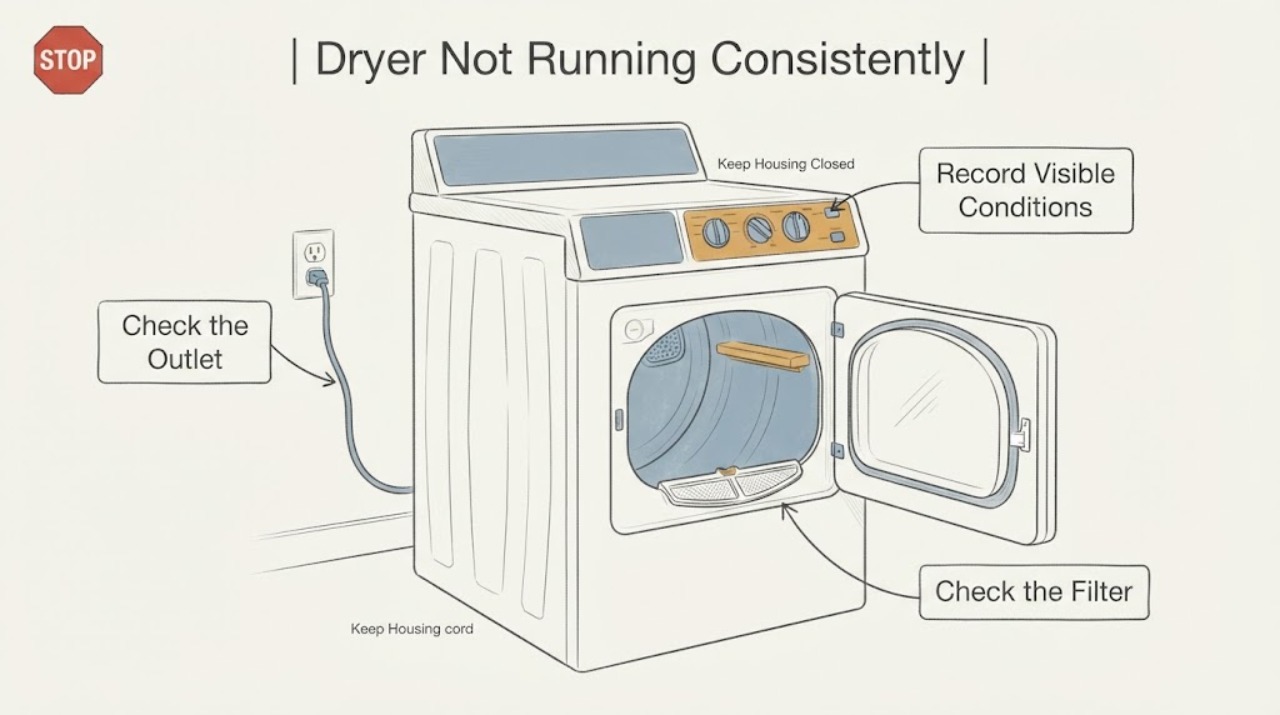
Work through in order
Diagnostic checks
Use only checks that match the exact appliance or system and its official guide.
-
Check 1
Record what ‘stops’ means: the display and drum go dark, the display stays on but the drum pauses, or the cycle ends early with the dryer still powered.
Expected result: The unit loses all power, remains powered while the drum pauses, or ends a sensor cycle much earlier than expected.
Next step: If all lights go out, continue with the outlet and breaker check; if the display stays on, continue with door, load, filter, and sensor checks.
Stop if: If the symptom cannot be reproduced safely, record the cycle, load, and any code for model-specific service rather than repeatedly testing it.
Why this matters
Why: A total power loss points first to supply interruption; a powered early finish can be a load-sensing or cycle condition rather than a mechanical stop.
-
Check 2
With the dryer off, check that the power cord is fully seated in its intended outlet and inspect the accessible outlet or breaker for an obvious trip or damage; do not remove covers or manipulate wiring.
Expected result: The breaker has tripped, the plug or outlet is loose or damaged, or the supply appears stable and the dryer still stops.
Next step: If the breaker repeatedly trips or there is damage, leave the dryer unused and have an electrician or appliance technician assess it; do not keep resetting it.
Stop if: If supply is stable, continue with the door, filter, and load checks instead of diagnosing an internal board or motor.
Why this matters
Why: LG lists interrupted power as a cause of abnormal shutdown. A damaged cord or outlet, repeated breaker trip, or electrical smell is a safety issue rather than a reset problem.
-
Check 3
Close the door firmly and verify that the lint filter is fully inserted with no clothing caught in the opening; clean the filter as LG describes for the model family.
Expected result: The dryer starts after the door/filter is corrected, shows a door or filter indication, or still will not start or powers off.
Next step: Use the exact model guide if a door or filter code remains; if the unit still will not start or powers off, arrange service.
Stop if: Do not bypass the door or filter safety condition and do not open the cabinet to reach a switch.
Why this matters
Why: LG says opening the door stops the drum for safety and that a filter reminder is not itself a fault; an incorrectly inserted filter or a door condition can prevent operation on applicable models.
-
Check 4
Check the load size and cycle: remove excess items from an overloaded drum, and for a very small load use the exact model's timed or speed-dry option if available.
Expected result: A small load ends abruptly, an overloaded load will not tumble, or the dryer behaves the same with a reasonable load.
Next step: Correct the load and use the model-supported cycle; do not treat a sensor-cycle finish as a confirmed hardware failure.
Stop if: If the dryer still stops or will not rotate with a suitable load, stop repeated testing and use the service boundary.
Why this matters
Why: LG says small loads may not touch the moisture sensors and can end early, while overload can prevent rotation; the same symptom with a suitable load needs escalation.
-
Check 5
If the unit remains powered but a sensor cycle ends early, inspect the moisture-sensor area only as the exact model manual permits and remove visible residue without opening the cabinet.
Expected result: Residue is visible at the sensor area, or the area is clean but the cycle still ends prematurely.
Next step: Clean only as the model guide permits and try a suitable cycle once; if the behavior returns, arrange service.
Stop if: Do not disassemble the drum or sensor wiring; document the cycle and request model-specific diagnosis.
Why this matters
Why: LG says residue on the sensors can prevent proper load detection; a clean sensor area with repeated early termination is not proof of a failed sensor or control.
-
Check 6
Stop using the dryer and request service when it will not restart, repeatedly loses power, trips the breaker, overheats, smells burnt, shows smoke or sparking, has a damaged cord/outlet, or still powers off after the external checks.
Expected result: One or more escalation signs is present, or the problem returns with stable power, a closed door, clean filter, and suitable load.
Next step: Leave the dryer off and provide the exact model, cycle, load size, display behavior, any code, and whether the breaker moved to the technician. Do not open the cabinet, bypass the door/filter safety, replace a fuse, or test live wiring.
Why this matters
Why: LG routes a dryer that will not start or powers off during operation to service; the broad task has no model or code to support an internal diagnosis.
Use your observations
Decision map
Find the observation that best matches what you see, then follow the next safe action.
-
PATH 01Next step
What you see
The display and drum go dark, and the breaker or outlet has an obvious interruption.
Do this next
Stop repeated reset attempts and have the outlet, breaker, cord, and dryer assessed if the interruption returns.
Why this path and its safety boundary
Why it matters: LG's documented first distinction is interrupted power; this is not enough evidence to identify an appliance part.
-
PATH 02Next step
What you see
The display stays on and a small sensor-dry load ends early, while a suitable timed cycle runs normally.
Do this next
Use a suitable load and clean only the model-supported sensor area; request service if the behavior returns.
Why this path and its safety boundary
Why it matters: LG associates this pattern with load sensing, small loads, or sensor residue rather than a confirmed motor failure.
-
PATH 03Next step
What you see
The drum will not turn with the door closed, filter correctly seated, and a suitable load, or it stops repeatedly during operation.
Do this next
Stop using the dryer and arrange model-specific service; do not bypass the door or filter safety.
Why this path and its safety boundary
Why it matters: The external explanations have not resolved the symptom and the broad identity does not support a component diagnosis.
-
PATH 04Next step
What you see
There is a burning smell, smoke, sparking, overheating, damaged cord or outlet, or repeated breaker trip.
Do this next
Stop immediately, disconnect power only if safe, keep clear, and use qualified electrical or appliance service.
Why this path and its safety boundary
Why it matters: This is a possible electrical or fire hazard, not a normal inconsistent-cycle symptom.
Helpful context
Understand the symptom
“Not running consistently” can mean several different behaviors: the dryer loses power, the drum stops but the display remains on, a sensor cycle ends early, or a door or filter condition prevents starting. LG's opened support guidance distinguishes these cases. Identify which behavior is happening before calling it a failed motor or control.
If the unit powers back on after stopping, LG points to interrupted power, a small load that does not contact the sensors, or residue on the sensors. The same brand's drum guidance says a small load can skip to air-dry and finish early, while an overloaded drum may not rotate. These checks are model-family guidance, not a diagnosis of an internal part.
Keep the checks external: verify the outlet and breaker, close the door fully, clean and reseat the lint filter, and use a load and cycle appropriate to the exact model. Stop for a burning smell, smoke, overheating, repeated breaker operation, damaged cord or outlet, or a unit that will not restart; do not open the cabinet or bypass a safety device.
When checks do not resolve it
Need a professional?
Request qualified appliance service when the dryer will not restart, powers off repeatedly after the outlet, door, filter, and load checks, or shows a code that the exact model guide does not resolve. Use an electrician for a damaged outlet, cord, wiring, or repeated breaker trip.
Safety scope: No cabinet opening, wiring work, safety-device bypass, fuse substitution, or live electrical test is provided.
Common questions
FAQ
Why does my LG dryer stop early but still have power?
LG says a small load may not touch the moisture sensors, and residue on the sensors can cause an early cycle ending. A suitable load or model-supported timed cycle can help separate sensing behavior from a persistent fault; repeated recurrence needs service.
Should I keep resetting the breaker when the dryer stops?
No. Check the breaker once without opening electrical covers. If it trips again, or the cord or outlet is damaged or smells hot, leave the dryer off and use qualified electrical or appliance service.
Can a door or lint-filter issue make the dryer seem inconsistent?
Yes. LG says opening the door pauses the drum, and its filter guidance requires the filter to be cleaned and reinserted. Do not bypass the door or filter condition if the dryer still will not start or powers off.
Does this symptom prove the motor or control board is bad?
No. LG's published causes include power interruption, load size, sensor residue, door state, and filter conditions. Without an exact model and reproducible code or test result, an internal part cannot be identified safely.
Read the exact guide
Official sources
- LG Dryer – Why Does My Dryer Turn Off Abnormally?LG USA Support · LG dryer abnormal shutdown, power, load-sensing, sensor-residue and service guidance
- LG Dryer - Check Filter Blinking LightLG USA Support · LG dryer lint-filter reminder, reinsertion and no-start/power-off service boundary
- [LG Dryer] Dryer Drum Not TurningLG USA Support · LG dryer door, load-size, drum-rotation and service checks
- LG Dryer Owner's ManualLG USA Support · LG dryer family operating, lint-filter and electrical-safety instructions for the documented manual family
Community feedback
Share a repair observation
Share a plain-text repair observation. Accepted observations are published automatically; this page may take a moment to update.