
On this page
Start here
Quick answer
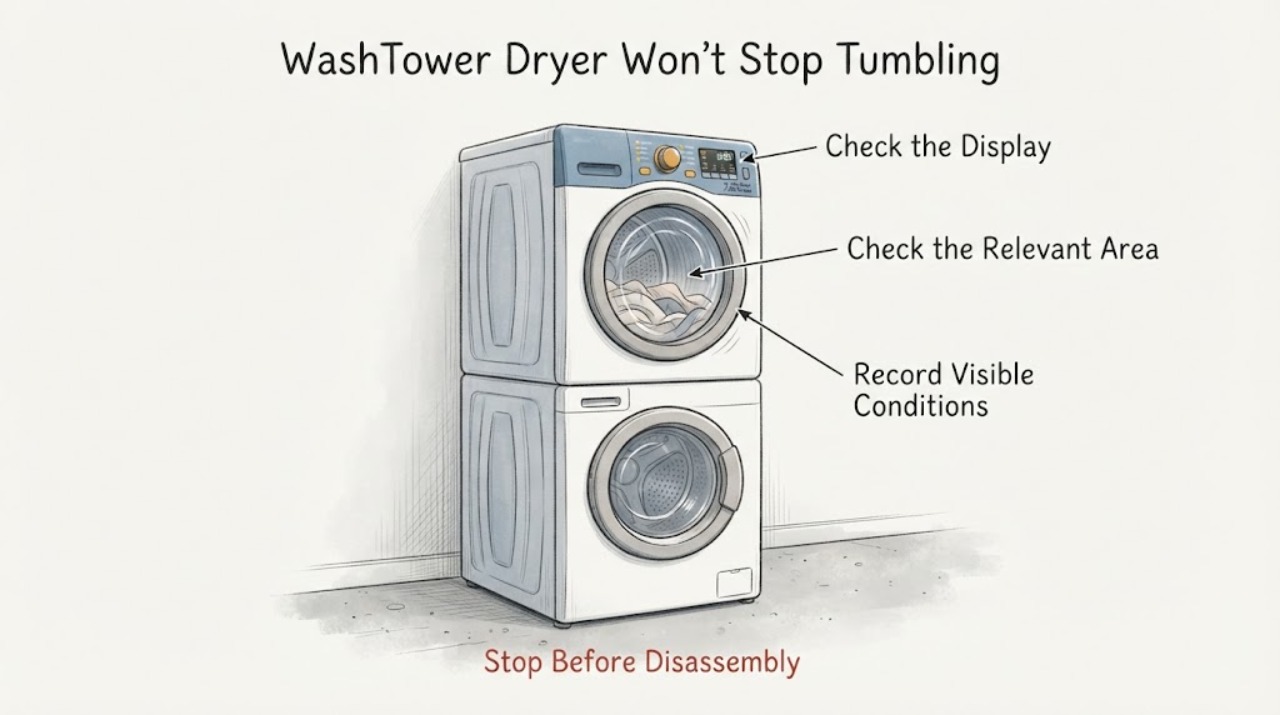
An LG WashTower dryer may continue tumbling normally after the timed dry ends if Wrinkle Care, Wrinkle Prevention or Anti Crease is active. LG says these options periodically rotate the drum without heat for up to about three hours, and the display may show an End indication with a dotted moving border. Press Power to end that completed-cycle option, and wait for any door-lock indicator to clear before opening the door. Do not assume a motor or control failure until you confirm the option and the cycle phase. If the drum keeps turning continuously with no wrinkle option, continues after Power is pressed, turns with the door open, or is accompanied by heat, smoke, a burning odor, noise or a control fault, stop using the dryer and request LG service; do not open the WashTower or bypass a door or control safety.
Work through in order
Diagnostic checks
Use only checks that match the exact appliance or system and its official guide.
-
Check 1
From outside the moving drum, read the display and note whether time is counting down, the dryer is in its last cooling phase, or End and a dotted circular border/anti-crease indicator are alternating. Do not open the door while the drum is moving.
Expected result: The display shows Wrinkle Care/Anti Crease, the last cooling phase is active, the time is extending, or no normal cycle/option indicator explains the motion.
Next step: Use the option-ending step for Wrinkle Care/Anti Crease. If the state is not explained by the display or the motion is continuous, stop repeated testing and follow the service branch.
Why this matters
Why: LG documents no-heat cooling and post-cycle periodic tumbling as normal states. A display with no matching option or phase makes a persistent control or motor issue more plausible, but does not identify a component.
-
Check 2
When the drying cycle is complete and the panel shows the completed-cycle/dotted-border state, press Power once as LG directs. Wait for the door-lock indicator to clear before opening the dryer door; do not force the door or reach into a turning drum.
Expected result: The drum stops after Power, the drum continues periodic turns, the drum runs continuously, or the door remains locked after the documented completion state.
Next step: Open the door only when the lock indicator clears. If the drum does not stop or the door remains locked, keep the dryer out of service and request LG diagnosis rather than bypassing the lock.
Why this matters
Why: Stopping after Power supports normal Wrinkle Care/Anti Crease behavior. Periodic turns can still be the selected wrinkle option; continuous motion or a lock that does not clear is not established as normal by the opened guidance.
-
Check 3
With the dryer stopped, record the selected cycle and whether Wrinkle Care, Wrinkle Prevention, Anti Crease or another post-cycle option was enabled. Compare the control labels and display symbols with the exact LG WashTower manual for the full model number.
Expected result: A wrinkle option is confirmed, the model uses different wording, no wrinkle option was selected, or the model manual cannot be located.
Next step: Follow only the exact model's documented option-ending control. If no option was selected or the manual cannot explain the motion, request service with the model and display information.
Why this matters
Why: LG uses different names and displays across dryer families, and its WashTower guidance says error behavior can differ by model. The absence of a familiar label does not prove a failed control.
-
Check 4
After one documented Power attempt, observe from outside for continuous drum motion, motion with the door open, heat after the cycle, smoke, burning odor, scraping, a control fault or a door that cannot safely unlock. Do not open the stacked unit or manipulate internal wiring.
Expected result: The symptom repeats without a wrinkle option, the drum moves with the door open, a safety or electrical symptom is present, or the dryer stops normally after the documented option step.
Next step: For any unsafe or persistent symptom, stop using the dryer and request LG service. Provide the full model, cycle, option, display symbols, timing and result of the Power command; do not choose a relay, motor or board from the symptom alone.
Why this matters
Why: Persistent or unsafe motion is outside the normal post-cycle explanation and may involve a door, motor, control or other internal condition. Normal stopping after the option step does not prove the hardware is fault-free under every cycle.
Use your observations
Decision map
Find the observation that best matches what you see, then follow the next safe action.
-
PATH 01Next step
What you see
The completed cycle shows Wrinkle Care, Wrinkle Prevention or Anti Crease, and the drum turns periodically without heat.
Do this next
Press Power to end the completed-cycle option and wait for the door-lock indicator to clear before opening. Use the exact manual if the control label differs.
Why this path and its safety boundary
Why it matters: LG documents this as a post-cycle wrinkle-prevention function that can continue for up to about three hours or until the door is opened.
-
PATH 02Next step
What you see
The dryer is in the final cooling portion of a cycle, the drum tumbles without heat, and the timer has not reached the documented end state.
Do this next
Allow the documented cycle to finish and check the display. If it continues beyond the model's cycle or develops a fault symptom, stop use and request service.
Why this path and its safety boundary
Why it matters: LG says the last cooling phase continues airflow and drum tumbling so heat can leave the drum and clothing cool; this is not by itself a stuck-motor diagnosis.
-
PATH 03Next step
What you see
The drum turns continuously after Power, no wrinkle option is active, or the panel shows no normal cooling/completed-cycle state.
Do this next
Stop using the dryer, use the exact model manual and request LG service. Do not open the WashTower, bypass a door switch or repeatedly reset it.
Why this path and its safety boundary
Why it matters: The opened LG guidance does not establish this as normal post-cycle behavior; an internal control, motor or door-related fault is possible but not identifiable from the symptom alone.
-
PATH 04Next step
What you see
The drum moves with the door open, the door will not safely unlock, or there is smoke, burning odor, abnormal scraping or another electrical/mechanical symptom.
Do this next
Keep people away, stop the appliance using normal controls and disconnect power only from a safe location if necessary, then request qualified LG appliance service. Do not reach into the drum or remove covers.
Why this path and its safety boundary
Why it matters: This is a stop-use safety boundary rather than a wrinkle-option question; the observed symptom does not identify a safe user repair.
Helpful context
Understand the symptom
First identify the display state and cycle phase
Watch the control panel rather than opening the door while the drum is moving. A remaining-time display that is counting down, a final cooling phase, or an End indication with a dotted circular border can represent different states. LG says the dryer can continue tumbling during Cool Down and that Wrinkle Care or Anti Crease may continue after the drying time has ended. Record the exact words, icons and whether heat is present before treating the behavior as a fault.
End Wrinkle Care or Anti Crease normally
If the cycle is complete and the panel shows the dotted moving border or the Wrinkle Care/Anti Crease indicator, press Power as LG directs to end the completed-cycle operation. LG's option guide says Wrinkle Care periodically tumbles for up to three hours or until the door is opened; the dryer is not necessarily stuck. Wait for the door-lock indicator to turn off before removing laundry, and do not force the door.
Separate periodic wrinkle tumbling from continuous operation
Observe whether the drum turns briefly and then rests, or turns continuously without pauses. LG describes Wrinkle Care as periodic tumbling and Cool Down as a final no-heat phase; a drum that runs continuously after Power is pressed, or runs when the door is open, does not match the normal description. Do not remove panels or attempt to interrupt the motor mechanically; keep the model label and behavior notes for service.
Use the exact WashTower manual for model-specific controls
A single-unit WashTower combines washer and dryer controls, and LG states that error behavior and instructions can differ by model. Record the full model number, selected dryer cycle, options, display symbols, whether the drum pauses, whether Power responds, and whether the door remains locked. Do not reset repeatedly, change service settings, bypass the door switch, or diagnose a relay or control board from continuous tumbling alone.
When checks do not resolve it
Need a professional?
Request LG service if the WashTower dryer continues tumbling after Power with no Wrinkle Care/Anti Crease state, runs with the door open, will not safely unlock, or shows smoke, burning odor, abnormal noise, a control fault or other persistent motion. Provide the full model number, selected cycle and options, exact display symbols, whether the drum pauses, whether heat is present, and what happened after Power was pressed. Do not open the stacked unit, bypass a door or control safety, change hidden settings or choose a motor, relay or board from the symptom alone.
Common questions
FAQ
Is it normal for an LG WashTower dryer to keep tumbling after the timer reaches zero?
It can be normal when Wrinkle Care, Wrinkle Prevention or Anti Crease is active. LG says these functions periodically tumble the load without heat for up to about three hours or until the door is opened. Check the display and press Power to end the completed-cycle option.
How do I stop LG Wrinkle Care tumbling?
When the completed cycle and dotted moving-border state is shown, LG instructs you to press Power to end the operation. Wait for the door-lock indicator to clear before opening; do not force the door.
What if the dryer keeps turning continuously with no Wrinkle Care option?
A continuous motion that is not explained by the display or exact model manual needs service diagnosis. Stop using the dryer and do not open the WashTower or bypass a door switch; provide LG with the model, cycle, display state and result of the Power command.
Does this advice apply to every LG WashTower?
The overall distinction applies, but controls, names and display symbols vary. LG states that WashTower error behavior can differ by product model, so use the full model number and exact owner manual for the final control or service instructions.
Read the exact guide
Official sources
- Dryer - Clothing Too HotLG USA Support · Official LG support page used only for the final Cool Down distinction: air and drum motion can continue without heat during the last portion of a cycle. It does not establish the exact WashTower cycle duration.
- LG Dryer drying time: The drying time has finished, but the dryer continues to operateLG USA Support · Official LG support page used for the display-led check when a dryer appears to keep running after the timer stops. It states that images/content may differ by product and is not a model-specific WashTower manual.
- Drying time extended [dryer]LG USA Support · Official LG support page used to distinguish a normal drying/cooling phase and display behavior from a post-cycle wrinkle option. It is a general dryer guide, not a diagnosis for a specific WashTower model.
- [LG WashTower] Error Code Resolution GuideLG USA Support · Official LG WashTower guide used to establish that error behavior and instructions vary by product model and that persistent component-related issues require service. It does not identify the cause of unspecified continuous tumbling.
- LG Dryer - Troubleshooting Wrinkle ClothesLG USA Support · Official LG support page used for the normal Wrinkle Care branch. It is a general LG dryer page and does not establish the exact WashTower model's panel labels.
- LG Dryer - Cycles and OptionsLG USA Support · Official LG cycle guide used for Wrinkle Prevention/Wrinkle Care periodic no-heat tumbling and model-dependent option availability. It does not diagnose an unspecified WashTower control fault.
Community feedback
Share a repair observation
Share a plain-text repair observation. Accepted observations are published automatically; this page may take a moment to update.