
On this page
Start here
Quick answer
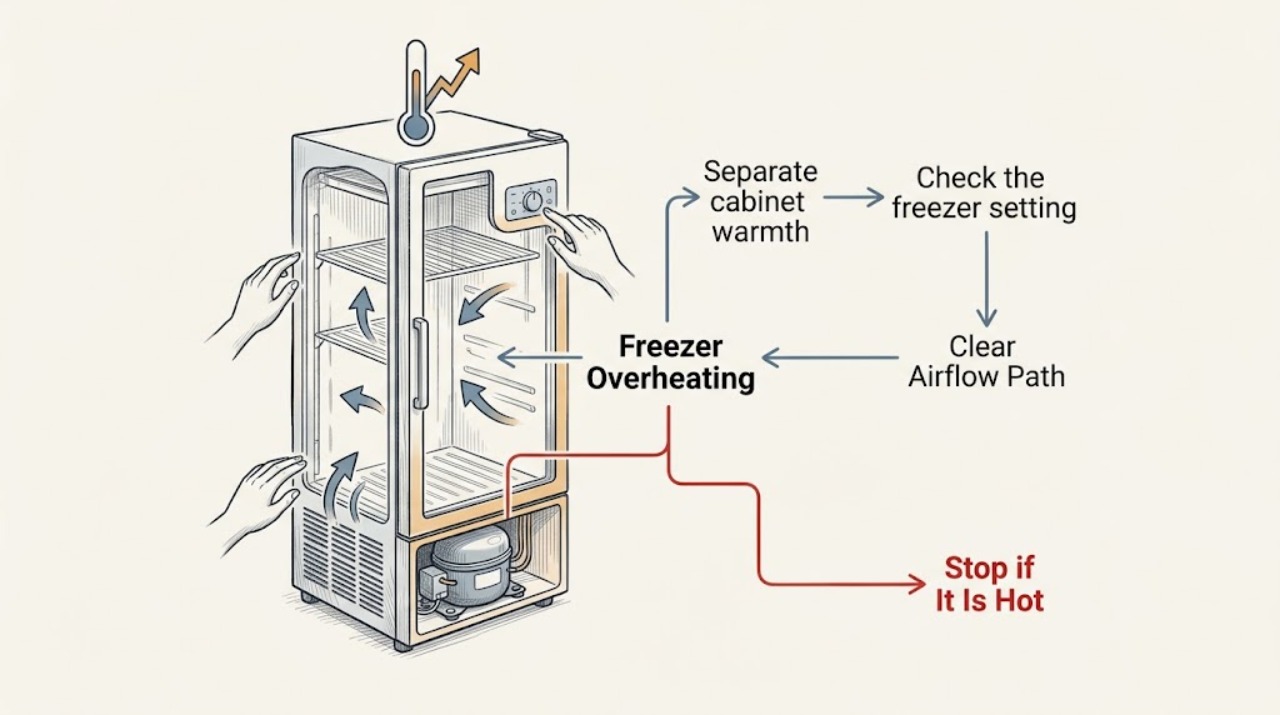
A warm LG freezer cabinet is not automatically overheating. LG explains that heat from the compressor and a built-in heat-dissipation system can make the sides, bottom, front perimeter, or area between doors feel warm during normal cooling, especially after installation, in hot weather, or after frequent door openings. The important distinction is whether the freezer is still holding its selected temperature and whether the heat is ordinary surface warmth or an abnormal electrical or burning symptom. Check the freezer setting, door seal, blocked air vents, overpacking, installation clearance, and dust around the accessible rear mechanical compartment. Unplug the refrigerator before removing dust, and use only the exact model's care instructions. If food is thawing, frost blocks airflow, the compressor runs abnormally, the cabinet is dangerously hot, smoke or a burning odor appears, power trips, or the unit cannot maintain temperature after safe external checks, leave it off and arrange qualified refrigerator service.
Work through in order
Diagnostic checks
Use only checks that match the exact appliance or system and its official guide.
-
Separate cabinet warmth from an internal temperature problem
From a safe position, note where the LG freezer feels hot: side panels, front door perimeter, bottom, rear mechanical area, or inside the compartment. Check the control display and observe whether food remains fully frozen, frost is present, or the freezer is clearly losing temperature. Do not use your hand on the cabinet as the only temperature measurement.
Expected result: Only the exterior feels warm while frozen food and the display appear normal, the freezer contents are softening, frost or condensation is increasing, or a hot spot is accompanied by smoke, a burning odor, or unusual noise.
Next step: For normal cooling with ordinary warmth, continue with ventilation and usage checks. For rising freezer temperature or any electrical or burning symptom, keep the appliance off and arrange service.
Stop if: Do not touch a suspected electrical hot spot, continue operation through smoke or burning odor, or open the rear mechanical compartment to investigate.
Why this matters
Why: LG identifies warm exterior surfaces as a normal heat-dissipation or anti-condensation effect when cooling is normal. Softening food, frost, weak cooling, or an abnormal odor changes the situation to a cooling or safety fault rather than ordinary cabinet warmth.
-
Check the freezer setting and recent recovery conditions
Read the freezer setting and compare it with the exact LG model manual. Note whether the refrigerator was newly installed, recently unplugged or moved, loaded with a large amount of warm food, exposed to hot ambient conditions, or opened frequently. Do not repeatedly change the setting while trying to diagnose the cabinet temperature.
Expected result: The setting is warmer than intended, the unit is newly installed or recovering from power loss, warm food was added, doors have been opened often, or the setting and usage are stable.
Next step: Set the freezer only as the model manual recommends, limit door openings, and allow the unit to recover. If the freezer cannot regain temperature under normal loading or the exterior heat continues with poor cooling, request service.
Stop if: Do not set the control to an extreme value as a test, block vents with food, or keep opening the door to repeatedly check warm contents.
Why this matters
Why: LG says the cooling motor may operate longer after installation, reconnection, during summer, or after frequent door openings. A freezer control set too warm or a large warm load can also make recovery take longer without proving that the compressor is overheating.
-
Inspect door sealing and internal airflow
With the doors open only briefly, check whether drawers, shelves, packages, or frost prevent the freezer door from closing completely. Inspect the gasket for a visible gap, residue, compression, or damage, and make sure food does not cover the cold-air outlet or return vent. Close the door normally and do not scrape ice with a sharp object.
Expected result: The door is obstructed, the gasket is dirty or has a gap, the freezer is overpacked, a vent is blocked, or the seal and airflow path are clear.
Next step: Rearrange only accessible items, clean a dirty gasket with the model-approved method, and leave vents clear. Request service for a torn gasket, misaligned door, persistent frost, or weak cooling after the door closes correctly.
Stop if: Do not pull hard on a gasket, chip frost with a knife or ice pick, remove panels, or continue using the freezer with a door that cannot seal.
Why this matters
Why: LG says a door that is not fully sealed lets warm air enter and can weaken refrigeration; its frost guidance links a poor door seal, overpacking, and blocked vents with frost and reduced cooling efficiency.
-
Check ventilation around the refrigerator
From the outside, inspect the clearance around the LG refrigerator, especially behind and beside the cabinet. Look for a wall, sink, range, dishwasher, stored items, or other heat source blocking the air path. Compare the installation with the exact model instructions; do not push or pull the loaded refrigerator to create clearance.
Expected result: The back or sides are crowded, dust or debris is visible around the rear mechanical compartment, another heat-producing appliance is nearby, or the ventilation path is clear.
Next step: Remove only loose items that are safely accessible without moving the appliance. If the refrigerator is installed too close to a wall or heat source, arrange qualified installation help; if clearance is normal, continue to the unplugged dust check.
Stop if: Do not move a heavy refrigerator alone, block an air outlet, place it beside a heat source, or reach behind it while connected to power.
Why this matters
Why: LG says heat must escape from the rear and sides and recommends ventilation clearance; another heat-producing appliance or a dusty mechanical area can add heat or reduce cooling performance.
-
Remove only accessible rear dust with power disconnected
If the unit is stable, the floor is dry, and the exact care instructions allow it, unplug the refrigerator before removing loose dust from the accessible rear cover or mechanical-compartment area with a vacuum. Do not remove the cover, touch wiring, or use water. Restore power only after the area and plug are dry and the manual permits reconnection.
Expected result: Heavy dust or foreign material is restricting the rear area, the rear area is clean, the power connection is damaged, or the compartment cannot be accessed safely without removing a cover.
Next step: If dust was safely removed, allow the unit to resume normal cooling and monitor temperature. If the freezer remains warm, the cabinet remains abnormally hot, or access requires panel removal, arrange qualified service.
Stop if: Do not open the mechanical compartment, use compressed air or water on electrical parts, bypass grounding, or vacuum a live appliance.
Why this matters
Why: LG identifies dust and foreign material around the mechanical compartment as a contributor to weak freezing and directs owners to disconnect power before removing dust. A damaged cord, exposed wiring, or inaccessible compartment requires professional handling.
-
Check frost and cold-air circulation before service
Look for a thick frost pattern on the freezer wall, shelves, food, or air vents. If only light surface frost is present, follow the exact LG care instructions. If frost blocks an air vent or repeatedly returns, record the location and door-seal condition; do not use a sharp object or a heat source to remove it.
Expected result: There is no frost, frost blocks a vent, frost is concentrated near a door gap, or frost repeatedly returns after safe cleaning and a correctly sealed door.
Next step: Clear only accessible obstructions and follow the model's documented frost procedure. Request service for recurring heavy frost, a failed seal, or a freezer that remains warm after the airflow path is restored.
Stop if: Do not chip ice with knives or picks, pour hot water into the freezer, remove the evaporator cover, or continue if food safety is compromised.
Why this matters
Why: LG says frost can form from moisture and can increase when the door seal leaks or air vents are blocked. Repeated or heavy frost can restrict circulation and make the cooling system work harder, but it does not identify a specific failed part by itself.
-
Use the safety and service boundary
After the safe external checks, record the LG model number, freezer setting, whether the contents are thawing, where the cabinet is hot, the door-seal and frost condition, rear dust and clearance, recent installation or power loss, and any sound or odor. Do not open the sealed cooling system or make live electrical measurements.
Expected result: Cooling returns with normal cabinet warmth, the freezer remains warm or food is thawing, the compressor runs continuously without recovery, or an electrical or burning symptom appears.
Next step: Keep the refrigerator closed as much as possible for food protection and arrange qualified LG appliance service for persistent warm-freezer symptoms. For smoke, burning odor, sparks, damaged wiring, or repeated power trips, disconnect power only when safe and obtain urgent electrical or appliance help.
Stop if: Do not continue operating through smoke, burning odor, sparks, a damaged cord, repeated breaker trips, a dangerously hot cabinet, or food that is no longer safely frozen.
Why this matters
Why: Normal cabinet heat with stable freezing can be expected. Persistent loss of temperature, repeated frost, unusual running, or electrical symptoms means the refrigeration, fan, defrost, sensor, control, or power system needs diagnosis beyond user checks.
Use your observations
Decision map
Find the observation that best matches what you see, then follow the next safe action.
-
PATH 01Next step
What you see
The cabinet sides or front feel warm, but the freezer holds temperature and there is no odor, smoke, or power symptom.
Do this next
Keep the unit ventilated and monitor cooling; do not remove panels or add cooling devices.
Why this path and its safety boundary
Why it matters: The warmth is likely normal compressor heat dissipation or anti-condensation heating.
-
PATH 02Next step
What you see
The freezer is warm after installation, reconnection, hot-food loading, hot weather, or frequent door openings, with no other hazard.
Do this next
Use the recommended temperature setting, keep the door closed, and allow recovery. Request service if the temperature does not recover under normal conditions.
Why this path and its safety boundary
Why it matters: The compressor may be in an extended recovery period rather than overheating from a confirmed failure.
-
PATH 03Next step
What you see
The door gasket has a gap, the door is obstructed, food blocks a vent, or frost blocks circulation.
Do this next
Clear only accessible obstructions, clean the gasket as directed, and follow the exact model frost procedure. Arrange service for a damaged seal or recurring heavy frost.
Why this path and its safety boundary
Why it matters: Warm-air entry or restricted cold-air movement may be making the freezer work harder.
-
PATH 04Next step
What you see
The rear or sides have restricted clearance, another heat source is nearby, or dust covers the accessible mechanical area.
Do this next
Restore safe clearance and remove loose dust only with power disconnected and without removing covers; request installation or appliance service if the unit must be moved or opened.
Why this path and its safety boundary
Why it matters: Heat rejection or airflow may be restricted.
-
PATH 05Next step
What you see
The freezer remains warm, food is thawing, or the compressor runs without recovery after the temperature, door, airflow, ventilation, and dust checks.
Do this next
Leave the unit closed and arrange qualified LG refrigerator service; do not open the sealed system or make live tests.
Why this path and its safety boundary
Why it matters: A refrigeration, fan, defrost, sensor, control, or power fault is possible.
-
PATH 06Next step
What you see
Smoke, burning odor, sparks, damaged wiring, repeated breaker trips, a dangerously hot spot, or food-safety loss is present.
Do this next
Keep people away, disconnect power only if safe without touching wet or damaged parts, protect food as practical, and obtain urgent qualified electrical or appliance service.
Why this path and its safety boundary
Why it matters: This is an immediate electrical, fire, heat, or food-safety stop.
Helpful context
Understand the symptom
Warm outside does not always mean the freezer is overheating
LG refrigerators move heat out of the refrigerated space through the compressor area and heat-dissipation components. The cabinet sides, bottom, door perimeter, or divider can therefore feel warm while the freezer is cooling normally. A warm cabinet becomes a fault investigation when the freezer is also losing temperature, frosting over, running continuously without recovery, or producing smoke, a burning odor, or repeated power trips.
Check heat escape and cold-air movement
Restricted ventilation around the rear or sides can make it harder for the refrigerator to release heat. Inside, overpacked shelves, blocked return vents, a door gasket gap, or frost can reduce cold-air circulation and make the compressor work longer. Use the clearance, temperature, and defrost instructions for the exact LG model; do not remove covers or attack ice with a sharp tool.
Safety boundary
Stop conditions
- Never open the sealed refrigeration system, remove the rear mechanical cover, make live electrical measurements, or touch exposed wiring as a freezer-temperature test.
- Stop immediately for smoke, burning odor, sparks, a damaged cord, repeated breaker trips, a dangerously hot cabinet, or water near electrical parts.
- Do not chip frost with a knife or ice pick, pour hot water into the freezer, block air vents, or continue using a freezer that cannot keep food safely frozen.
- Do not move a heavy refrigerator alone or remove support and clearance components without qualified installation or appliance service.
Only after diagnosis
Potential parts
- freezer door gasket
Consider this category only when inspection confirms a torn, hardened, compressed, or non-sealing gasket that allows warm air and frost into the freezer.
Confirm the complete LG model and manufacturer's fit information before ordering; cabinet warmth alone does not identify a failed gasket. - condenser or evaporator fan component
Consider this category only when qualified service confirms a fan or airflow component is not operating correctly after external ventilation and dust checks.
Verify the complete model and technician diagnosis before ordering; do not infer a failed fan from warm cabinet surfaces alone. - defrost, temperature-sensing, or control component
Consider this category only when repeated frost, inaccurate temperature, or a control symptom leads a qualified technician to identify a defrost, sensor, or control fault.
Confirm the complete LG model and diagnosis before ordering; frost and warm-freezer symptoms can also result from door sealing, loading, or ventilation.
When checks do not resolve it
Need a professional?
Arrange qualified LG refrigerator service when the freezer remains warm or food is thawing after safe setting, door-seal, airflow, ventilation, dust, and model-approved frost checks; when the compressor runs continuously without recovery; when frost repeatedly returns; or when the source of abnormal heat is inside the cabinet or mechanical compartment. Disconnect power only when safe and obtain urgent electrical or appliance help for smoke, burning odor, sparks, damaged wiring, water near electrical parts, or repeated breaker trips.
Common questions
FAQ
Is it normal for an LG freezer or refrigerator side to feel hot?
Often, yes. LG explains that compressor heat and an anti-condensation heating system can warm the sides, bottom, front perimeter, or divider while the freezer is cooling normally. Check internal temperature and symptoms rather than judging by touch alone.
Why is my LG freezer hot and not keeping food frozen?
Check the freezer setting, door gasket and obstructions, blocked vents, frost, rear ventilation, and dust around the accessible mechanical area. If food is thawing after these safe checks, request qualified service.
Can dust make an LG freezer run hot?
LG identifies dust or foreign material around the rear mechanical compartment as a possible contributor to weak freezing. Unplug the unit before removing only accessible loose dust, and do not remove the rear cover.
What does a door gasket have to do with an LG freezer overheating?
A gap in the gasket lets warm, moist air enter, which can increase frost and reduce cold-air efficiency. Ensure drawers and food do not block closure, clean a dirty gasket as directed, and call service for a damaged seal.
When should I stop using an LG freezer that feels too hot?
Stop for smoke, burning odor, sparks, damaged wiring, repeated breaker trips, water near electrical parts, a dangerously hot spot, or food that is no longer safely frozen. Disconnect power only when safe and arrange urgent qualified service.
Read the exact guide
Official sources
- [LG refrigerator refrigeration] The fridge is not cold enough. Not cold enough.LG USA · LG refrigerator/freezer products with weak cooling, warm contents, door-seal, loading, or installation-clearance symptoms
- How to adjust the temperature for LG refrigeratorsLG USA · LG refrigerator and freezer models with external or internal temperature controls, including model-dependent settings
- [LG refrigerator frost build-up] There is frost build-up and icicles in the freezer compartmentLG USA · LG freezer compartments with frost, ice, door-seal gaps, blocked vents, or warm-food and humidity conditions
- Issues with the Outside of the RefrigeratorLG USA · LG refrigerators whose cabinet sides feel warm or show external conditions requiring a normal-versus-fault distinction
- LG Refrigerator - Why Isn't My Freezer Cooling Properly?LG USA · LG freezer compartments with weak freezing or cooling performance and possible rear dust or foreign material
- LG Refrigerator - Why Does The Exterior Of My Refrigerator Feel Warm?LG USA · LG refrigerators and freezer compartments where the front, sides, or rear feel warm while cooling is being evaluated
- [LG refrigerator structure] Warm air comes out of the bottom of the refrigeratorLG USA · LG refrigerators where warm air exits the bottom or sides during normal compressor operation
- ENSURING PROPER AIR CIRCULATIONLG · LG refrigerator and freezer systems where blocked vents or a damaged gasket can reduce cold-air circulation
Community feedback
Share a repair observation
Share a plain-text repair observation. Accepted observations are published automatically; this page may take a moment to update.